
Accounting and ERP integration challenges: What building them yourself actually involves
Your customers decide which accounting and ERP systems you support, and every one of them wants a different interface, a different data model and a different route to access. This is what that work looks like up close, and what changes when you do not do it yourself.

Why the accounting and ERP market is fragmented
There is no dominant accounting or ERP system in Europe. The market is split by country, by industry and by company size, and each of those splits produces its own set of established products. For a software vendor that means the list of systems you have to support is written by your customers.
The split by country is the first one a product team meets. Many of these systems are sold in exactly one market and are the standard choice there, while being unknown one border further. Support for a neighbouring country covers none of them.
These are the systems in our own directory that are available in a single country, with the market they serve:
- bexio (CH)
- DATEV Rechnungswesen (DE)
- DATEV Unternehmen Online (DE)
- Lexware Office (DE)
- Dinero (DK)
- Holded (ES)
- Pennylane (FR)
- FreeAgent (GB)
- Moneybird (NL)
- SnelStart (NL)
- Tripletex (NO)
- Fortnox (SE)
- Spiris (SE)
The other side of the same picture is concentration. Across 19 markets, the busiest one has 11 systems competing in it. So the plan “we will start with the two systems everyone here uses” usually runs out inside the home market, before the first foreign customer even arrives.
19 markets in total across the country-bound systems.
Taken from our own integration directory. Systems sold Europe-wide or globally are shown separately, because they do not belong to a single market.
The interface technologies you have to support
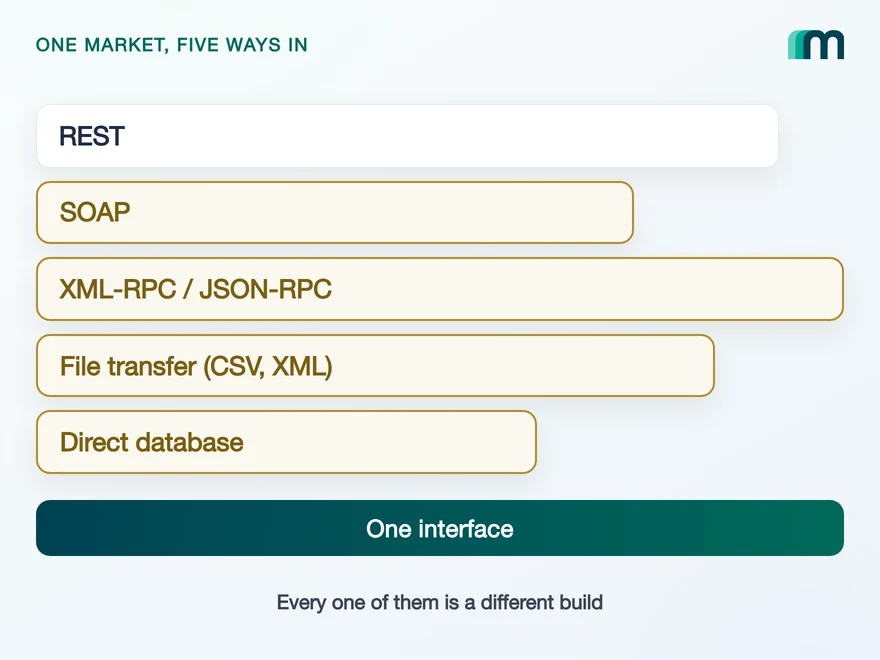
The first hurdle is technical, and it shows up before any business logic does. These interfaces are not a uniform layer of REST endpoints.
SOAP is still in production. So are XML-RPC and JSON-RPC. A good number of the older accounting systems do not offer a live interface at all and exchange data as files, in XML or CSV, on a schedule. Some on-premise systems are reached through the database directly.
Every row is a different client, a different error model and a different answer to “is it saved?”.
Each of these needs different expertise, different error handling and a different answer to the question “is the record saved now?”. A REST client and a scheduled file transfer are two separate builds that happen to move the same data. A system that answers asynchronously needs a second call to check the status of the first.
These technologies also age on the vendor’s schedule. The Odoo API is the visible example in our own portfolio: Odoo has scheduled its XML-RPC and JSON-RPC endpoints for removal, which turns a working connector into planned work whether or not anything on your side changed.
Interface technologies as described by our CTO and CEO, deliberately without a system-by-system mapping. The Odoo removal schedule comes from Odoo’s external RPC reference, checked 13 November 2026, and is covered in our Odoo integration guide.
Why every system models the same data differently
At a high level these systems do the same job. They all handle invoices, contacts, payments and bookings. Underneath, every one of them models that job slightly differently, and the differences are exactly where integration work happens.
Which objects exist, what they are called, which of them you can read, create, change or remove and through which endpoint: all of that varies per system. So does the shape of a request. Creating a customer can be a single call in one system and several calls in the next, with the results merged afterwards, and the two expect different data formats as well.
This is the most ordinary part of the work, and it repeats for every object your product touches and every system you add. The same is true one level down, where each company configures its own accounts, tax codes and dimensions inside a system: mapping that configuration is a step every integration needs, whichever system is behind it.
Why the hardest part of an integration is undocumented
Everything above is at least written down somewhere. The most expensive part of the work is written down nowhere.
Which field a system matches an existing record on. Which combination of values it rejects without telling you why. What order it expects when two objects depend on each other. What a validation message means when it only returns an internal code. These things are found by building against the system and watching what it does.
That is also why the second integration is only cheaper in the parts you can reuse. The client, the retry handling and your own data model carry over. What you learned about the first system does not carry over at all, and that was the part that took the time.
How you get API access: partnerships, apps and approvals
Before any of this becomes relevant, the interface has to be open to you at all, and that decision belongs to the vendor.
| Route | What it involves |
|---|---|
| API key | You generate a key in the account and start. The quickest route. |
| Registered app | The vendor wants a registered application before it issues credentials, usually with a review of what it does. |
| Technology partnership | A commercial agreement comes first, with a contract and a named contact on both sides. |
| Qualification and approval | A staged process: a test release first, then a production approval, sometimes in scheduled meetings with the vendor. |
| No public interface | Nothing is documented publicly. Access and behaviour are agreed directly with the vendor. |
On two of these routes, the technology partnership and the qualification, the vendor sets the duration. A qualification process runs at the vendor’s pace, and it can sit on the critical path of a deal that was sold on the integration being ready. This is a scheduling risk, and it is usually noticed late because an engineering plan does not show it.
What the partner programmes ask for and what they give back is a subject of its own, and we have written it up in our accounting integration partnerships guide.
Why AI does not solve accounting integrations
The obvious question in 2026 is whether a coding assistant removes this work. It helps where the documentation is public and complete, and in this market it is often neither.
Interface documentation here regularly sits behind a partner login that only qualified vendors can pass. Where it is public, it is frequently published only in the local language of the market the system serves. For some systems it does not exist in written form at all, and the answer comes from a conversation with the vendor’s support team.
A model cannot read what it cannot reach, and a plausible-sounding answer about an accounting interface is worse than no answer, because the result is a booking in someone’s ledger.
What building integrations in-house involves
Put those pieces together, and coding is the smaller part of building integrations yourself.
Per system, a team has to understand how the system works, get in touch with the right people at the vendor, meet whatever the access route demands, build against behaviour that is partly undocumented, validate the result against a real instance and then keep the relationship alive so that the next change reaches the team before it takes effect.
That is the work that turns into a permanent internal team, and it is a team whose expertise is other companies’ software. The team stays after launch, because the systems keep moving: interfaces get deprecated and versioned, rate limits change, credentials rotate and a required field appears without an announcement.
What decides the cost of maintenance is who has to act when a connector stops working during a month-end close.
How a unified API removes the per-system work
A unified API is the same work, done once, by a company whose product it is. The systems are already understood, the contacts at the vendors are known and the undocumented behaviour has already been found by building against them. At maesn the vendor qualification already exists on several systems, which shortens your own route to access. What reaches your team is one interface, documented in one place, over 30+ ERP and accounting systems.
The per-system complications move to our side, and each one has a mechanism with a page that explains what it does:
- Unified authentication: one authentication flow over OAuth 2.0, OAuth 2.1, API keys and 2FA.
- Common data model: one shape per object, with the differences between systems resolved behind it.
- Unified pagination and filtering: one way to page through and filter data, whether a system paginates by page number or by cursor.
- Unified webhooks: one subscription, one payload shape and one signature, whichever system sends the webhook.
- Unified logging and monitoring: one structured record per API call, in the same form for every system.
- Unified error handling: one error format, over vendor messages that are neither consistent nor always in English.
- Asynchronous processing: systems that answer immediately and systems that answer later, behind one interface.
- Customisation handling: the customer-specific fields a shared model would otherwise drop, still reachable.
The last one answers the standard objection to this whole category: a shared data model normalises, so the original response stays available next to the normalised one. When a customer needs a field the model does not carry, you can still reach it.
One integration reaches every system in the catalogue, so your roadmap stops competing with connector work and the next system from it needs no new connector on your side. Integrations also keep customers: once a finance team works through one, the product behind it is hard to replace.
When a direct integration is the better choice
Three cases where a different approach is the right one.
One system, used in full depth. If your product integrates with a single accounting system and uses every part of its native API, building directly against that API is a sound choice. The case for a unified API starts with the second system and grows with each one after that.
A capability the target system does not have. No layer can add what a system does not offer. If a workflow depends on deleting posted records and the system forbids it, the answer is a different workflow, usually a reversal.
Automating workflows between arbitrary applications. That is a different kind of tool. A unified API goes deep into one class of system, accounting and ERP, and gives you one contract over it.
Frequently asked questions
Why is building accounting and ERP integrations in-house so difficult?
How many accounting and ERP systems does a European product need?
What interface technologies do accounting and ERP systems use?
How do you get API access to an accounting or ERP system?
Can AI build accounting and ERP integrations for you?
Is a unified API faster than building integrations yourself?
What happens when a vendor changes its interface?
State of Accounting API Connectivity 2027: Data on 31 Systems
How 31 accounting and ERP systems handle API access: OAuth, credential lifetimes, revocation, webhooks and ledger data. Collected in October and November 2026.
 Lennart Svensson · 24 Nov 2026
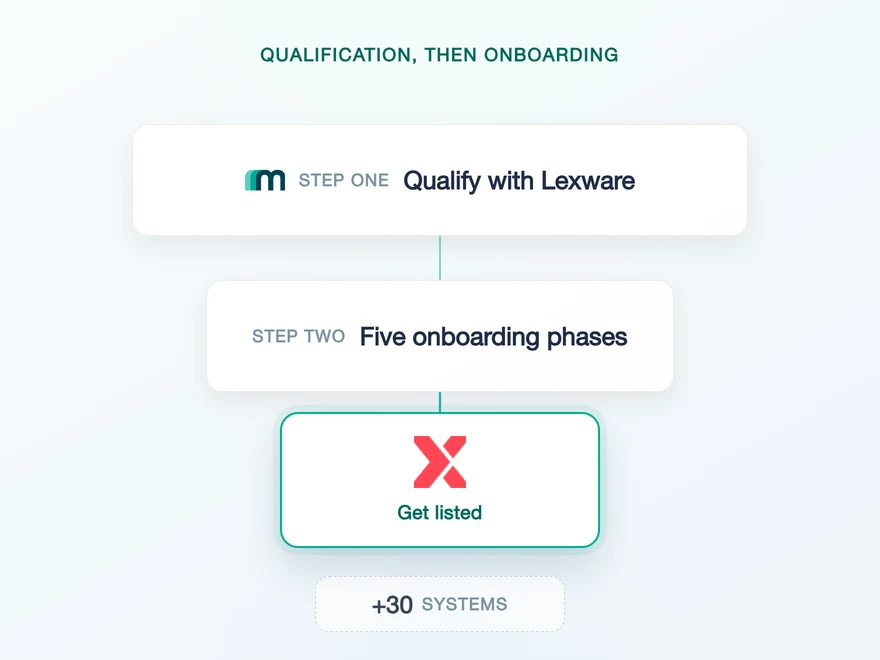
Lexware Office Partnership Guide: Public API or Partner Route
The Lexware Office Public API runs on an API key from the XL plan. Reaching every plan takes a technology partnership. How Lexware's qualification works.
Dr. Themo Voswinckel · 24 Nov 2026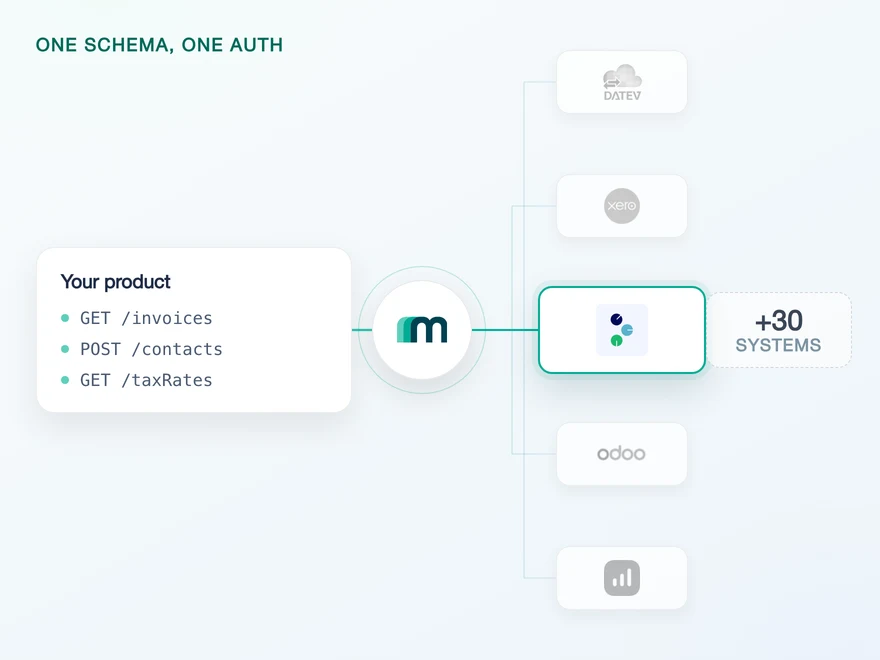
How to Integrate with Tripletex: One Session Token to Send
Tripletex combines two tokens into a third, puts the company in the username field and numbers new journal lines by row. What that means when you build.
Lennart Svensson · 24 Sept 2026Build once on the Unified API.
The systems in this market do not get simpler and there are not going to be fewer of them. What changes is who does the work: a connector for each one and a team to keep them running, or one interface, one data model and one authentication flow over the systems in the catalogue.