Odoo API Integration
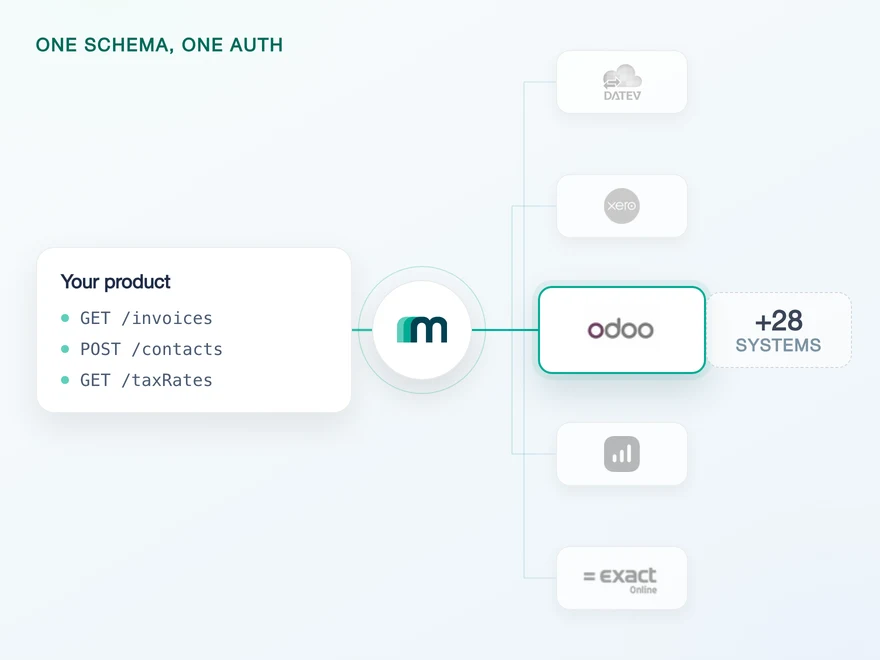
Odoo is an open-source ERP used by companies of every size in more than 100 countries, cloud-hosted on Odoo.sh or self-hosted on a customer's own infrastructure. Connect it through Maesn and you reach it with the same REST API and the same data model as every other supported system.












An Odoo integration in days
Odoo is not a difficult system, it is an unfamiliar one: no REST, a different instance behind every customer and a session that ends when it feels like it. Those three land on your engineers first. Here is what Maesn does with them.
RPC in, REST out
Odoo runs on XML-RPC and JSON-RPC through a single endpoint that wants model names, method calls and credentials in the request body. Maesn talks JSON-RPC to it and answers you as REST, so no RPC knowledge reaches your team.
URL and database per tenant
Cloud or self-hosted, each customer brings their own base URL and database name, and both are required on every request. Maesn collects them at onboarding and injects them, so one code path serves every deployment.
Re-authenticated before you notice
Odoo authenticates per session rather than with a long-lived key, and a session can be invalidated at any point. Maesn owns the whole lifecycle, from login through storage to re-authentication, so an expiry is not an outage.
What reaches your code is a REST call and an account key. Teams go live in days, and the system after Odoo is a configuration step rather than a second project.
A short call is usually enough to tell whether Maesn fits your use case.
HERO Software builds against clear docs and real sandboxes
HERO Software digitises the back office for craft businesses, from the quote through to the invoice.
“The support provided is truly first class, with impressively quick response times. The documentation is thorough and easy to follow, which made integration a smooth process for me.”


Three reasons to reach the Odoo API through Maesn
Connecting one Odoo instance is a project you can finish. Connecting the next customer's instance, on a different host and a different version, is where a direct integration starts to cost every quarter.
No RPC, just REST
The RPC layer stays on our side of the line. Your team writes the same request here as for every other system, with no model names and no method calls in the body.
Every deployment, one code path
Base URL, database name and the session behind them are held per tenant. Whether a customer runs Odoo.sh or their own server changes nothing in your integration.
The next system costs nothing
Once Odoo runs, every other supported accounting and ERP system answers on the same interface. Your second integration is a configuration step.
Listed in the Odoo Apps store, one of the largest there is
Most providers stop at the API. Maesn does the technical enablement and the relationship, and Odoo's marketplace is one of the largest ERP ecosystems there is, with Community and Enterprise deployments behind it.
Technical enablement
One integration against the Unified API and one data model, identical to every other system Maesn supports. Your engineers meet the same interface here as they will for the next system.
Listing support
Maesn takes you through the technical preparation and the guideline compliance, so the listing goes live without a round of corrections rather than after one.
Self-service, through GitHub
The listing runs via a GitHub repository connected to your Odoo account. Nothing waits on an approval queue before you can start.
Presentation decides visibility
App pages are ranked on description quality, screenshots and completeness. On this marketplace the write-up is not packaging, it is placement.
Compliance prepared with us
The guidelines are where self-service listings usually stall. Maesn goes through them with you before you publish rather than after a rejection.
The listing runs under your brand, not Maesn's. Your name is what the customer sees when they connect.
Maesn prepares the listing alongside your integration.
Four fields from your customer, the Odoo session from us
Odoo has neither a redirect nor a long-lived API token. Your customer hands over four values once, and what runs against Odoo afterwards is a session that Maesn opens, stores and renews.
- Instance credentials
- Four fields per customer
Maesn keeps the session behind those fields alive, so an expiry never becomes your incident.
- Instance URL and database
- The base URL of their Odoo, without /web or any path, plus the database name behind it.
- User and API key
- Their login email plus an API key from Settings, Users, Security. A password works, a key is the better habit.
Two layers are worth separating here. What your customer hands over is a set of credentials. What talks to Odoo afterwards is a session, and sessions expire and can be invalidated without notice. Maesn logs in again rather than passing you a failure.
- 1
Your customer collects the four values
Two of them they already know, the database name is the one that occasionally needs their Odoo admin. Odoo Online usually carries it as the subdomain of the URL they use every day.
- 2
The fields reach Maesn
Through Maesn Connect, a branded form in your own look and feel: your customer pastes the values and submits. The credentials land with Maesn and never pass through your product.
- 3
You work with one account key
Maesn stores the connection and returns an account key. From there every request carries your API key plus that account key, the same two headers you already send for every other system in the catalogue.
Every system in the catalogue authenticates differently, and Odoo sits at the end of the range that has no redirect at all: credentials, an instance address and a session that ages. Unified authentication is what keeps that off your side, so the flow you build for an OAuth system is the flow you reuse here. A step-by-step walkthrough of the Odoo side lives in the guide below.
No events from Odoo, events either way
No object here carries a native event, which is normally the point where an integration grows a polling loop, a change-detection table and a backlog of edge cases. Through Maesn that work does not appear on your side at all.
No events. Nothing in the coverage matrix carries a native webhook, so a change inside a customer's instance stays invisible until something goes and looks.
A unified event with the same body, the same vocabulary and the same signature a native one would carry. Maesn does the polling and the change detection, so your handler cannot tell the difference.
Because the detection is a poll and not a push, freshness is a question of interval rather than of milliseconds. For reconciliation or for catching up after downtime, a scheduled delta read is the better instrument, and the same REST call serves it.
A system that pushes nothing is the reason one event model exists across the whole catalogue: the handler you write for an Odoo invoice is the same handler that takes a native event from a system that does push. Reading works the same way, down to the pagination, which Odoo ties to its RPC layer and Maesn normalises to the shared limit and page model.
What Odoo asks for up front
Odoo asks for four things before an integration starts, and all of them are easier to plan for than to discover halfway through a build.
- An Odoo account with administrator rights
- Needed to reach the user settings where the key is generated. A free trial account is enough if you do not run Odoo yourself.
- Instance URL and database name, per customer
- The base URL only, without /web or any path. On Odoo Online the database is usually the subdomain; a self-hosted customer gets it from whoever runs their instance. Both differ for every customer you connect.
- A user and, better than a password, an API key
- The login email plus a credential. Odoo lets you use the account password, but a key generated under Settings, Users, Security is the better choice: it is scoped to that user and can be rotated without changing a login.
- Somewhere to build that is not a customer's live instance
- Odoo publishes no public sandbox, so a first integration otherwise points at a production system with real bookkeeping in it. A free Odoo trial account of your own is the usual answer, and where that is not possible we set one up for you.
We walk through the fields and the sandbox with you.
One shape for Odoo, and for the system after it
Odoo is an ERP with an accounting module rather than an accounting product, so what you read has a wider surface behind it than on a pure ledger system.
Six objects are enabled today
Accounts, contacts, invoices, journals, journal entries and payments are readable, and accounts, contacts and journal entries writable. That is the default set, and it is the one to plan against rather than the length of the table.
Most of the surface sits behind on demand
That is the ERP surface. The objects exist in Odoo and most of them are available on request rather than by default, so which ones a connection carries follows from your use case.
No updates or deletes in place
Nothing is enabled for update or delete today. Plan corrections as new documents, the way accounting practice expects anyway, and tell us early if your product needs to edit records rather than post them.
Whatever you read comes back in the shared common data model, so an invoice from Odoo has the same shape as an invoice from a pure accounting system, and the code you write here is the code you reuse for the next one.
Tell us which objects your use case needs and we will confirm what is possible.