QuickBooks API Integration
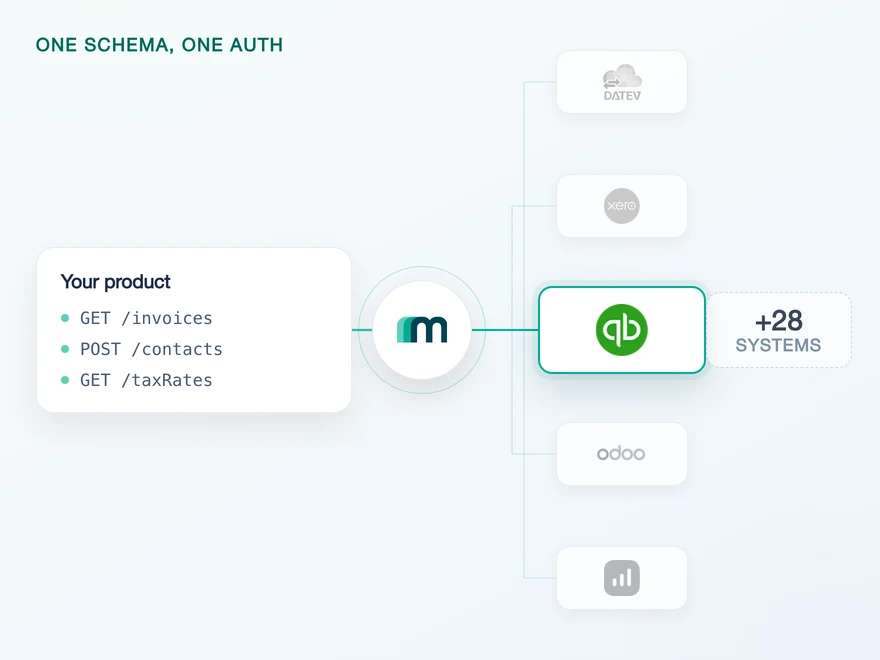
QuickBooks Online is Intuit's cloud accounting platform, used by small businesses and their accountants across the United States, Canada, the United Kingdom and Australia. It covers invoicing, expenses, bank reconciliation and tax reporting. Connect it through Maesn and you reach it with the same REST API and the same data model as every other supported system.












A QuickBooks integration in days
QuickBooks is a large, well travelled API, and getting the first call answered is the easy part. The work sits in three places where Intuit does things its own way. Here is what those are, and what Maesn takes off the table.
The read comes before the write
QuickBooks versions every record with a SyncToken and rejects an update that carries an outdated one. It takes two shapes of update, a full one that clears every field you leave out and a sparse one that does not. Maesn fetches the current record, applies the fields you sent and returns the complete entity with the token QuickBooks expects, so you send the change without blanking what you never touched.
The change stayed below the line
In 2026 QuickBooks webhooks moved to the CloudEvents format, and every integration parsing Intuit's payload directly had to rebuild how it reads and routes an event. What Maesn hands you is its own event shape, so the envelope underneath is free to change.
Both sides, one implementation
QuickBooks issues its own credentials for the sandbox, and Maesn exposes it as a target system of its own with a callback URL of its own. A test connection and a live one are two account keys against code you only wrote once.
What reaches your code is a REST call and an account key. Teams go live in days, and the system after QuickBooks is a configuration step rather than a second project.
A short call is usually enough to tell whether Maesn fits your use case.
Paywise replaced manual invoice imports with integrations
Paywise recovers unpaid invoices for businesses, from the first reminder through to legal enforcement. Their customers used to upload those invoices by hand, and the overdue list now comes out of whichever accounting system each of them already runs.
“Our customers can connect their existing tools instantly, which drives engagement and makes Maesn a key part of our success strategy.”


Three reasons to reach the QuickBooks API through Maesn
Connecting QuickBooks directly is a project you can finish. Keeping it running through Intuit's release schedule, and then adding the next system, is the part that decides your roadmap.
The QuickBooks work stays here
The realm ID on every request, the SyncToken behind every update and the app-level webhook configuration are what every QuickBooks integration has to solve. They are solved once, here, for every customer you connect.
Depth you can verify
Most of what you can read here also announces its own change, so the bulk of the sync work is a subscription rather than a schedule you maintain. What is not enabled today is available on request.
The next system costs nothing
Once QuickBooks runs, every other supported accounting and ERP system answers on the same interface. Your second integration is a configuration step.
QuickBooks production access runs through the partner programme
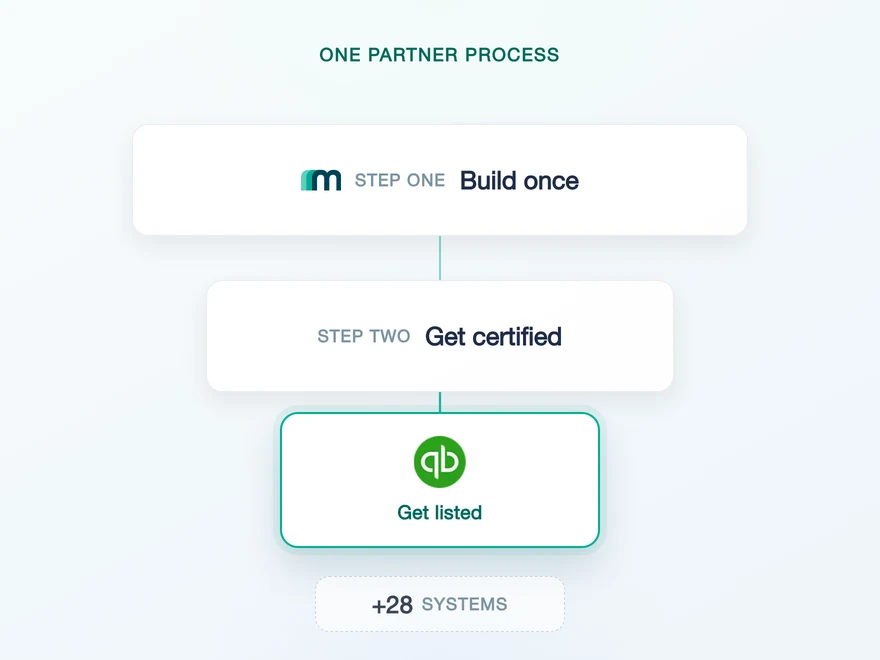
Most providers stop at the API. Maesn does the technical enablement and the relationship, and on QuickBooks the second one is not a finishing touch: an app reaches production data once it has been through the App Partner Program, and before that it has the development environment.
Technical enablement
One integration against the Unified API and one data model, identical to every other system Maesn supports. Your engineers meet the same interface here as they will for the next system.
Partnership support
Maesn takes you through the assessment, the tier your usage actually needs and the marketplace listing, and runs it alongside the build rather than after it.
- Builder
- Silver
- Gold
- Platinum
What separates the tiers
The volume of included CorePlus calls and the monthly fee, plus whether a marketplace listing is optional or required. Gold and Platinum also carry a minimum number of active connections. Builder is the free entry tier, and an approved assessment is the prerequisite for all four.
Core against CorePlus
Intuit classifies a call by endpoint and method. Core covers data going in, creating and updating records, and is unmetered. CorePlus covers data coming out, and is metered against your tier. Only successful calls count and sandbox calls do not. Those fees are Intuit's and are charged independently of Maesn.
The app stays registered under your company, so the assessment, the listing and the tier are yours. Maesn is the layer behind them rather than the name on the consent screen.
Maesn runs the QuickBooks assessment and the tier choice alongside your integration.
The QuickBooks realm arrives with the connection, and stays here
QuickBooks authenticates with OAuth, and the app your customers authorise is yours rather than Maesn's. The part worth knowing is what the flow has to come back with: QuickBooks addresses a company by its realm ID, which belongs in the request URL, and it is also the unit Intuit counts rate limits against.
- OAuth
- Your own QuickBooks app
One app, every customer. Maesn holds the credentials and keeps the realm and the tokens behind it.
- Your app credentials
- The client id and secret are submitted once and used for every connection. QuickBooks issues a second pair for its sandbox, and Maesn keeps the two apart as separate target systems rather than as one connection with a switch.
- The realm and the token cycle
- The realm ID of the company your customer connected is resolved during authentication, stored with the connection and added to every request. The access token behind it is refreshed here too, per connection.
An account key is unique to one end user and one target system, which is why a sandbox connection and a production connection are two keys rather than one with a flag. Where the key reaches you is configurable: the standard redirect to your callback URL, a signed callback you can verify server-side, or a webhook event instead of a redirect.
- 1
Your customer starts in your product
You send them into the flow and Maesn opens Intuit's consent screen. It carries your app name, because the app is registered under your company, so the connection reads as yours rather than as a third party's.
- 2
QuickBooks returns to Maesn
The redirect URI on your app points at Maesn's callback, so the code exchange and the first token happen here instead of in your backend. The realm of the company they chose comes back with it and stays on the connection.
- 3
You work with one account key
Maesn stores the connection and returns an account key. From there every request carries your API key plus that account key, the same two headers you already send for every other system in the catalogue.
Every system in the catalogue authenticates differently, and QuickBooks is the case where the protocol is the ordinary half and what the flow has to bring back with it is not. Unified authentication is what keeps that off your side: the redirect, the token lifecycle and the way the account key is handed back to you are all configurable there, and identical no matter which system a customer connects.
Nine QuickBooks resources, and six things that can happen to them
QuickBooks sends native events, and nine of its objects reach you through Maesn carrying six different things that can happen to them, which is the widest event vocabulary of any system in the catalogue. Maesn registers the subscription per connected customer and normalises the payloads, so the shape you handle is identical to every other system you integrate.
Which resources and which of these types are active is set inside your QuickBooks app, and that setting applies to everyone who has connected it.
The setup happens in two places, and only one of them is per customer. In your QuickBooks app you pick the resources and event types, pointed at a callback URL we issue, and that covers every user of the app at once. Maesn then registers a subscription per authenticated connection, so a callback carries one customer's events and nothing else. They arrive as an array, and each entry names the record it concerns, so nothing has to be looked up before it can be routed.
Six types is the widest vocabulary in the catalogue, where the next system along publishes four and most stop at created, updated and deleted. It is still one vocabulary among many, which is why one event model runs across the whole catalogue: the handler you write for a QuickBooks invoice keeps working for a system that pushes nothing and needs polling underneath. It is also where Intuit’s move to the CloudEvents envelope lands: on what Maesn parses, rather than on what your handler reads.
What QuickBooks expects up front
QuickBooks puts four things in front of an integration, and all of them are easier to plan for than to discover halfway through a build.
- A QuickBooks account with administrator rights
- A free trial account is enough, and it does not have to be an account you otherwise use. It exists to manage your app and, later, your partnership.
- Your own QuickBooks app, registered by you
- You create it in Intuit's developer portal under the QuickBooks Online and Payments option, in your product's name, which is the name your customers read when they link their account. Select the accounting scope, add Maesn's callback as a redirect URI, then send us the client id and secret.
- An approved assessment before production
- Until you are a QuickBooks app partner you have Intuit's development environment and nothing beyond it. The assessment is the prerequisite for every tier: an Intuit-approved questionnaire, the Developer Terms of Service and the App Partner Program requirements.
- A callback URL from us before the first webhook
- Resources and event types are configured inside your QuickBooks app, and the callback URL that configuration points at is issued by Maesn. Ask for it while the app is being set up, rather than on the day you wire the first subscription.
We walk through the app setup and the assessment with you.
One shape for QuickBooks, and for the system after it
QuickBooks is the widest event surface in this catalogue and its own query language is deliberately narrow. What a shared shape does is keep both of those out of the code you write.
Updates stop at two objects
Six objects can be created, and updates in place cover customers and suppliers only. Everything else is a create, so a product that edits records rather than posting new ones should check that line before anything else.
Bills send events before they are readable
A bill event arrives natively, while reading bills is one of the 108 combinations marked on demand in the matrix. On demand means not enabled by default rather than unavailable, so ask for the read at the same time as the event.
No object deletes by default
No object has delete enabled. Accounting practice expects corrections and cancellations as new documents anyway, so plan them that way rather than around a delete you would have to request.
Whatever you read comes back in the shared common data model, so an invoice from QuickBooks has the same shape as an invoice from a European accounting system, and the code you write here is the code you reuse for the next one.
Tell us which objects your use case needs and we will confirm what is possible.