
How to integrate with QuickBooks: From OAuth app to the first read and write
QuickBooks Online is integrated through a REST API that Intuit runs in a sandbox and in production. You register your own app, send each customer through OAuth 2.0 and receive the realm ID of the company they connected. This guide follows that path in order: environments, authentication, token lifetimes, the realm ID, reading, writing, rate limits, webhooks and the move to production.

The QuickBooks Online Accounting API in sandbox and production
The QuickBooks Online Accounting API is a REST API that exchanges JSON over HTTPS. Intuit runs it in two environments, the sandbox and production.
The sandbox is a QuickBooks Online company with sample data. You get one with your developer profile and can create up to 10. Each stays active for two years and is tied to the region chosen for it. Production is the environment of the live companies your customers connect.
The environments differ in the base URL, in the client ID and client secret, in the redirect URI registered for the app and in the webhook configuration. The request format is the same in both.
Sandbox https://sandbox-quickbooks.api.intuit.comProduction https://quickbooks.api.intuit.comGET /v3/company/<realmId>/customer/<entityId>?minorversion=75
The path contains the realm ID of the company, the name of the entity and the ID of the record. The parameter minorversion specifies the minor version of the schema.
Base URLs and the request format from Intuit’s guide to basic requests, the two sets of credentials from its credentials page, the sandbox figures from its sandbox guide and the two redirect URIs from its authorization FAQ, all checked 12 November 2026.
Intuit documents four URI formats for the basic operations. Create and update are both a POST to the resource. A single record is read with GET and its entity ID, and several records are read through the query endpoint. A delete is a POST with operation=delete appended to the URI.
Intuit groups its resources into categories, and two of them decide how a record is removed. List entities such as Account, Customer and Vendor are the lists that transactions refer to. They support a soft delete: an update sets the record to inactive. Transaction entities such as Invoice, Bill and Payment support a hard delete, which removes the record permanently.
Which of these objects can be read and written through maesn is listed on the QuickBooks API page.
Intuit ended support for minor versions 1 to 74 on 1 August 2025. A request that specifies a lower version receives version 75, and so does a request that specifies none. A lower value that is still set in existing code therefore has no effect.
The four URI formats from Intuit’s REST reference, the resource categories and delete rules from its API overview, the retirement date from its minor versions page, checked 12 November 2026.
Authenticating with OAuth 2.0 and your own Intuit app
QuickBooks Online authenticates with the OAuth 2.0 authorization code flow. The app your customers connect is one you register yourself in the Intuit Developer Portal. It has a client ID and a client secret, and for accounting data it requests the scope com.intuit.quickbooks.accounting.
The flow has four steps. At the end your application holds an access token, a refresh token and the realm ID of the connected company.
- 1
Your application redirects the customer to Intuit
client_idscoperedirect_uristate
The redirect URI has to be one that is registered on your app.
- 2
The customer grants access to one company
Sign-in and consent take place on Intuit’s side.
- 3
Intuit redirects to your redirect URI
codestaterealmId
The realm ID identifies the company the customer connected.
- 4
Your server exchanges the code for tokens
access_tokenrefresh_token
One request to the token endpoint returns both tokens.
Store all three values together. The access token and the realm ID are part of every request, and the refresh token renews the access token.
GET https://appcenter.intuit.com/connect/oauth2?client_id=<clientId>&response_type=code&scope=com.intuit.quickbooks.accounting&redirect_uri=https://app.example.com/callback&state=<random value>GET https://app.example.com/callback?code=<authorization code>&state=<random value>&realmId=1231434565226279
The state value is returned unchanged, so you can match the response to the request you sent. The realmId is the ID of the company the customer connected.
POST /oauth2/v1/tokens/bearer HTTP/1.1Host: oauth.platform.intuit.comAccept: application/jsonAuthorization: Basic <base64(client_id:client_secret)>Content-Type: application/x-www-form-urlencodedgrant_type=authorization_code&code=<authorization code>&redirect_uri=https://app.example.com/callback
The Authorization header contains the client ID and the client secret, joined by a colon and Base64 encoded.
Send the exchange request once. Intuit’s guide says: “Only send one request to exchange the authorization code. Multiple requests may invalidate tokens.” After the exchange, every API request includes the access token as a bearer token in the Authorization header.
The scopes are fixed when the customer grants access. If you change the scopes of your app later, every customer has to go through the flow again.
Endpoints, parameters, both requests and the quotation from Intuit’s OAuth 2.0 guide, the scope rule from its authorization FAQ, checked 12 November 2026.
How long access tokens and refresh tokens last
The token endpoint returns an access token and a refresh token. The access token is valid for 60 minutes. The refresh token is valid for 100 days, and that period starts again each time the token is used to obtain a new access token.
{"token_type": "bearer","access_token": "<access token>","expires_in": 3600,"refresh_token": "<refresh token>","x_refresh_token_expires_in": 8640000,"x_refresh_token_hard_expires_in": 157680000}
expires_in is the lifetime of the access token, 60 minutes. x_refresh_token_expires_in corresponds to 100 days and x_refresh_token_hard_expires_in to five years. The third value is only returned when the request includes the header x-include-refresh-token-hard-expires-in: true.
When the access token has expired, your application sends a refresh request to the same endpoint.
POST /oauth2/v1/tokens/bearer HTTP/1.1Host: oauth.platform.intuit.comAccept: application/jsonAuthorization: Basic <base64(client_id:client_secret)>Content-Type: application/x-www-form-urlencodedgrant_type=refresh_token&refresh_token=<latest refresh token>
The response has the same fields as the first token response, including a refresh token.
The refresh token itself is replaced at regular intervals. Intuit issues a new refresh token value every 24 hours, and its FAQ adds: “When you get a new refresh token, the previous refresh token value automatically expires.” Your application therefore stores the refresh token from each response and sends that one in the next refresh request.
- Access token
- 60 minutes
- Sent as a bearer token with every request and renewed with the refresh token.
- Refresh token value
- 24 hours
- Intuit issues a new value, and the previous one expires.
- Refresh token, rolling period
- 100 days
- Starts again each time the token is used. After 100 days without use it expires.
- Refresh token, hard limit
- 5 years
- The remaining time is returned only on request. Afterwards the customer has to connect again.
Store the newest refresh token after every refresh. The value changes every 24 hours, and a refresh request with an old value fails. The five-year limit is the only duration you have to request explicitly.
A connection ends when the customer disconnects your app, when the refresh token is not used for 100 days or when it reaches its hard limit of five years. The remaining time until that limit is returned in x_refresh_token_hard_expires_in, so you can ask a customer to reconnect before it is reached.
Field names, values, the refresh request and the optional header from Intuit’s OAuth 2.0 guide, the 24-hour change and the expiry cases from its authorization FAQ, checked 12 November 2026.
What the realm ID is and why every request needs it
The realm ID is the unique identifier of one QuickBooks Online company. Intuit assigns it when the company is created, and QuickBooks users know the same number as their company ID.
Your application receives it during the authorization flow, as the realmId parameter on the redirect. The access token and the refresh token issued in that flow are valid for this company.
Every request needs it because every resource of the API sits below a company in the path. The URI starts with /v3/company/ followed by the realm ID, so a request without it has no valid address. Users commonly have several QuickBooks Online companies, each with a realm ID of its own. Store the realm ID together with the tokens issued for it.
GET /v3/company/1231434565226279/customer/2123 HTTP/1.1Host: quickbooks.api.intuit.comAuthorization: Bearer <access token>Accept: application/json
1231434565226279 is the realm ID, customer the entity and 2123 the entity ID. Intuit asks you to treat entity IDs as strings.
The realm ID is also the unit of Intuit’s request limits, and a webhook notification identifies the company in the field intuitaccountid.
Definition, origin and the path format from Intuit’s ID and field definitions, checked 12 November 2026. The same page states the rule in one sentence: “Realm IDs are specified in the URI of every API request.”
Reading data with a SQL-like query language
A single record is read with GET and its entity ID. Several records are read with a query, which Intuit describes as “similar to a pared down SQL query select statement”. The statement is sent to the query endpoint of the company and selects from one entity.
The example reads the invoices dated after 1 August 2026, 100 per page.
GET /v3/company/<realmId>/query?query=<statement>SELECT * FROM InvoiceWHERE TxnDate > '2026-08-01'STARTPOSITION 1 MAXRESULTS 100SELECT COUNT(*) FROM Invoice WHERE TxnDate > '2026-08-01'
The statement is URL-encoded in the query parameter. For the second page STARTPOSITION is 101.
Pagination is part of the statement. STARTPOSITION is the position of the first record and MAXRESULTS the page size, which defaults to 100 and has a maximum of 1.000. The total number of records comes from a separate statement with COUNT(*).
The query operation does not support projections, OR in a WHERE clause, GROUP BY or JOIN, so data from two entities takes two queries. The ID field accepts only = and IN as operators. List entities are returned only while they are active, unless the statement filters on Active.
Syntax, the unsupported clauses, the ID field rule and both page sizes from Intuit’s page on query operations, checked 12 November 2026.
Writing data with a SyncToken and a sparse update
A create and an update are the same request, a POST to the resource with the record as JSON. An update additionally contains the Id of the record and its current SyncToken.
The SyncToken is the version number of the record. QuickBooks increments it with every change and rejects an update with an older value, with error 5010, Stale Object. Each update therefore starts with a read that returns the current SyncToken.
An update is either full or sparse. A full update contains every writable field of the record as a read returns it, because Intuit’s reference states that “Writable fields omitted from the request body are set to NULL.” A sparse update is marked with "sparse": true and changes only the fields in the request.
POST /v3/company/<realmId>/customer HTTP/1.1Host: quickbooks.api.intuit.comContent-Type: application/json{"MiddleName": "Mark","SyncToken": "0","Id": "2","sparse": true}
Id and SyncToken identify the record and its version. Without the last line the same body is a full update and sets every omitted writable field to NULL.
Names are another cause of rejected writes. DisplayName has to be unique across all Customer, Vendor and Employee records, and a duplicate is rejected with error 6240.
When a connection drops before the response arrives, the application cannot tell whether the write was applied. For this case Intuit provides the query parameter requestid, which makes a write idempotent: a request repeated with the same request ID returns the original response and creates no duplicate.
Your application generates the request ID, and it must be unique within the company.
SyncToken, both update forms, the name rule and the example from Intuit’s customer reference, the request ID from its ID and field definitions, both error codes from its error code list, checked 12 November 2026.
Rate limits per realm ID, per app and per month
QuickBooks applies several limits at the same time. Most are counted per realm ID, so each connected company has a limit of its own. The monthly quota is counted for your whole workspace, across all connected companies.
| Limit | Counted against |
|---|---|
| 500 requests per minute | One realm ID |
| 10 requests per second | One realm ID and app |
| 40 batch requests per minute | One realm ID and app |
| 30 payloads | One batch request |
| 120 seconds of execution time | One request |
| 500.000 CorePlus calls per month | One workspace on the Builder tier |
A throttled request returns HTTP 429, and Intuit’s instruction is to wait 60 seconds before retrying. Calls beyond the monthly CorePlus quota return a 429 as well. A batch request combines up to 30 operations in one call and has a limit of its own.
A 401 usually means that the access token has expired or was revoked. A 500 is a server error, and Intuit asks you to resubmit the request once.
Every figure from Intuit’s page on call limits and its batch reference, the status codes from its error code list, checked 12 November 2026.
How webhooks work, directly and through maesn
A webhook is a request QuickBooks sends to your application when data changes in a connected company. Webhooks are configured per app in the Intuit Developer Portal, separately for sandbox and production: an endpoint URL and the entities and operations you select. The configuration applies to every company connected to the app.
When a record changes, Intuit sends a POST to your endpoint. The body is a JSON array in the CloudEvents format, and each entry describes one change. According to Intuit’s configuration guide one array can contain changes for several companies, so a handler reads intuitaccountid for every entry.
[{"specversion": "1.0","id": "…-SalesReceipt-150","source": "intuit.…","type": "qbo.salesreceipt.updated.v1","time": "2026-03-17T16:19:17Z","intuitentityid": "150","intuitaccountid": "9341455…"}]
The field type contains the entity and the operation, intuitentityid the ID of the record and intuitaccountid the company. Identifiers are shortened here, because Intuit masks them in its example.
The notification identifies the record that changed. The record itself is read with a second request. Some notifications include an additional data object, and its content depends on the entity and the operation.
Intuit expects your endpoint to return HTTP 200 within three seconds. To validate a notification, you hash the payload with HMAC-SHA256, using the verifier token of your app as the key, and compare the result with the intuit-signature header.
Intuit also recommends a change data capture call to recover notifications that were missed. The delivery rules, the retry sequence and that recovery call are the subject of our article on QuickBooks Online webhooks.
Configuration, validation and the multi-company array from Intuit’s guide to configuring webhooks, the payload from its data object page, the three seconds and the recovery call from its webhook best practices, checked 12 November 2026.
Through maesn a webhook reaches your application in a different form. The CloudEvents envelope, the varying data object and the per-entity naming reach your code as the same event you already handle for every other system.
Moving from sandbox to production
Development credentials work only with sandbox companies. To connect a live company your app needs production credentials. Intuit’s guide to publishing an app lists every step, and these are the ones that take preparation:
- The app details for production. They include your contact data, the URLs of your End User License Agreement and privacy policy, the host domain and the launch, disconnect and reconnect URLs.
- A test of the OAuth flow. Intuit asks you to connect, disconnect and reconnect your app from a sandbox company before you go live.
- The app assessment questionnaire. The production client ID and client secret become accessible once it is completed and approved.
With production credentials you switch the base URL, the client ID and client secret and the redirect URI, and you configure the production webhooks.
Offering an integration with QuickBooks means joining Intuit’s App Partner Program. Its tiers, fees and regional eligibility are covered in our QuickBooks partnership guide.
Steps and the approval rule from Intuit’s guide to publishing an app and its credentials page, checked 12 November 2026.
QuickBooks through maesn: What the Unified API handles for you
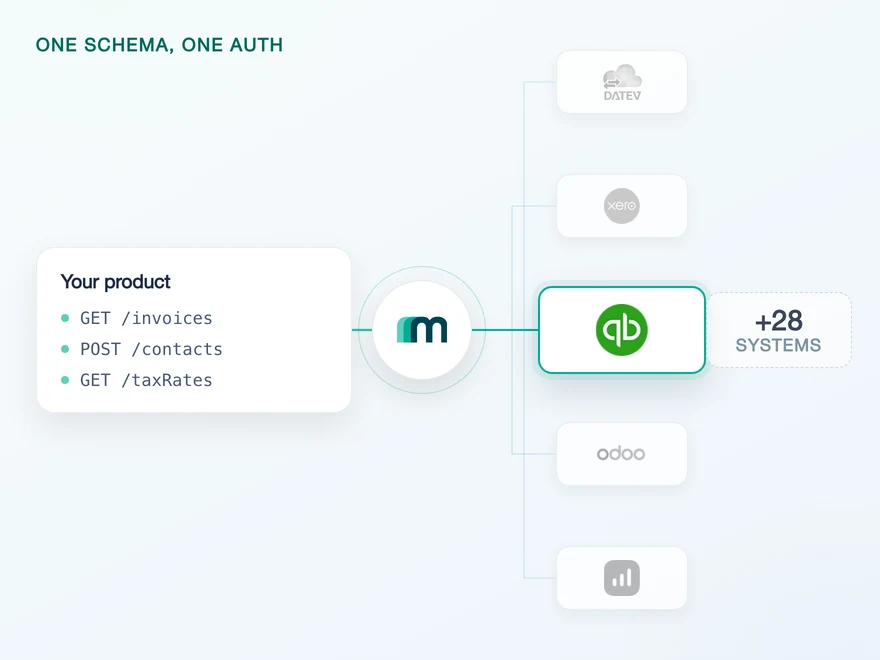
The sections above describe what a direct integration implements for one system. Through maesn you reach QuickBooks with the same REST API and the same data model as every other supported system, and these parts are handled on our side:
- The realm ID and the tokens. The ID is resolved during authentication and added to every request, the access token is refreshed per connection and the latest refresh token is the one we keep.
- The query statement and its paging clause. Statement construction and the paging with
STARTPOSITIONandMAXRESULTSsit behind one paged interface with page sizes of 5, 10, 20, 50 and 100. - The read before the write. We fetch the current record for the SyncToken QuickBooks requires on every update, so your write contains the version it expects.
- One error shape. The QuickBooks errors, including the 429, arrive in one shape through unified error handling.
- The entity names.
Vendorreaches you asSUPPLIERandPurchaseasEXPENSE, the names of the common data model.
What stays in your product is the app itself. The QuickBooks app is registered in your product’s name, and the entities and operations for webhooks are selected inside it. The app assessment questionnaire belongs to the app as well.
 Accounting in the UK
Frequently asked questions
Where do I find the QuickBooks realm ID?
Why does a QuickBooks refresh token stop working after 24 hours?
What happens if I omit a field when updating a QuickBooks record?
Which minor version does QuickBooks use if I do not send one?
What does the QuickBooks error Stale Object mean?
Can I delete a customer in QuickBooks?
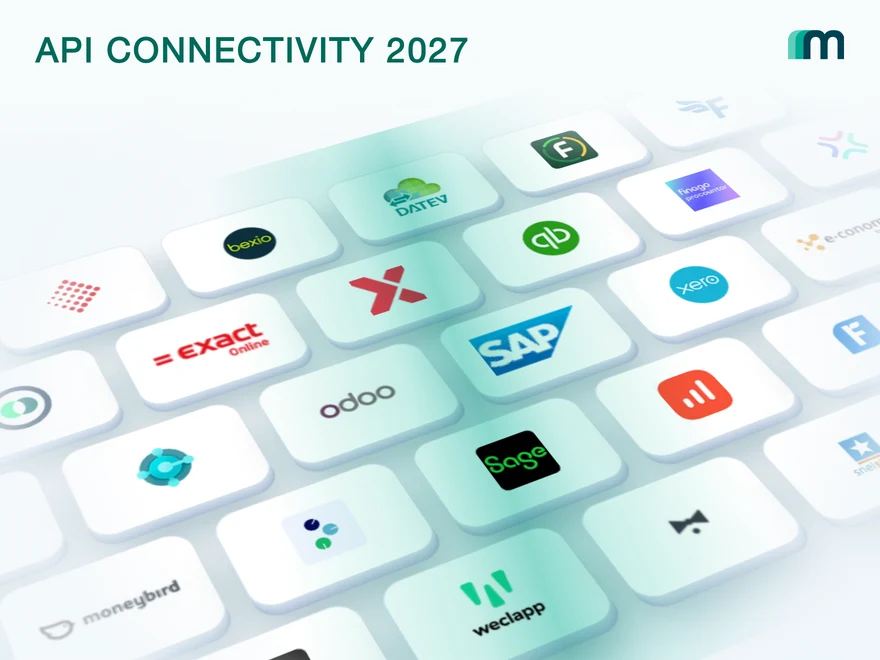
State of Accounting API Connectivity 2027: Data on 31 Systems
How 31 accounting and ERP systems handle API access: OAuth, credential lifetimes, revocation, webhooks and ledger data. Collected in October and November 2026.
Lennart Svensson · 24 Nov 2026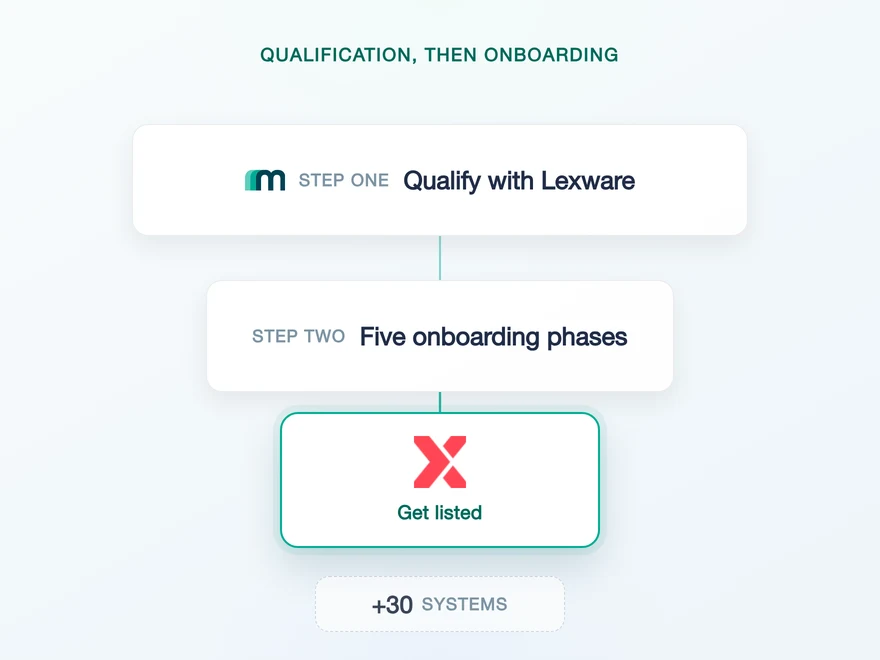
Lexware Office Partnership Guide: Public API or Partner Route
The Lexware Office Public API runs on an API key from the XL plan. Reaching every plan takes a technology partnership. How Lexware's qualification works.
 Dr. Themo Voswinckel · 24 Nov 2026
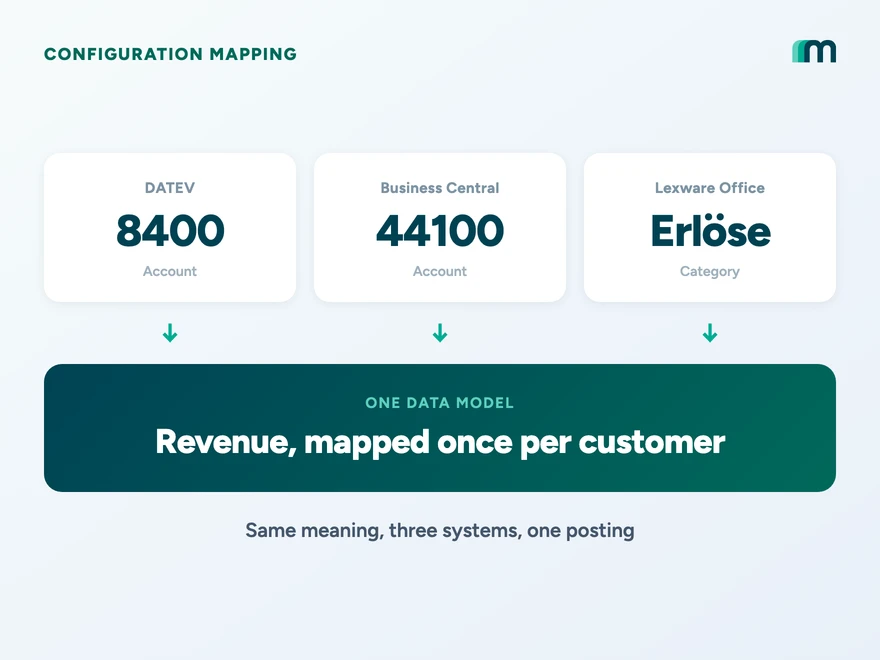
Chart of Accounts Mapping: Cover Every ERP Customisation
Map each object in your platform to the right account, tax code, dimension and company code in your customer's ERP. Standard and custom configuration in one step.
Dr. Themo Voswinckel · 2 Nov 2026Build once on the Unified API.
A realm ID in every path, a refresh token that changes its value and a SyncToken on every update: that is the contract of one system, and the next system you connect has a different one. Through maesn you build against one interface for all of them.