Fortnox API Integration
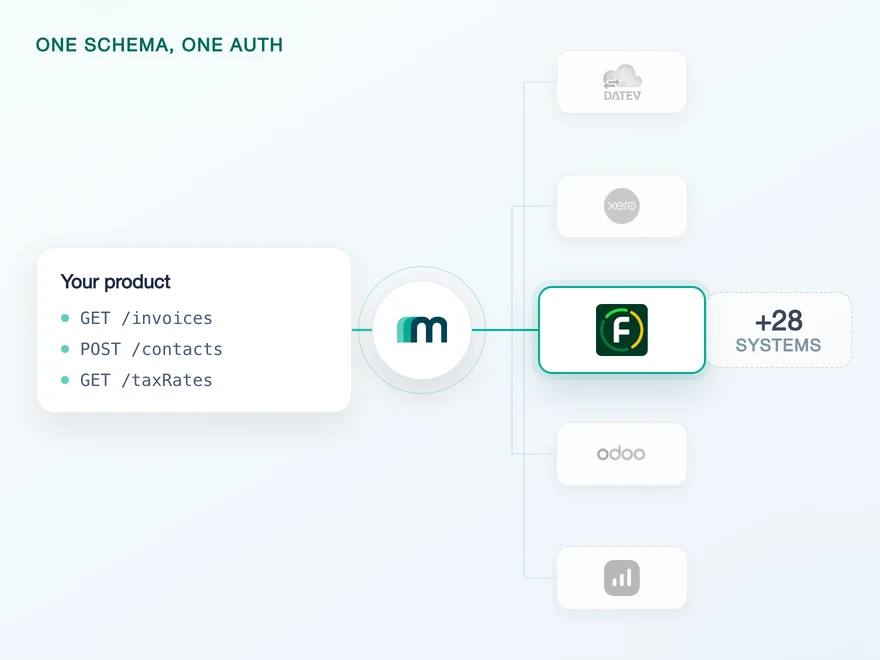
Fortnox is the most widely used SMB accounting platform in Sweden, covering bookkeeping, invoicing and payroll for more than 600.000 businesses across the Nordics. Connect it through Maesn and you reach it with the same REST API and the same data model as every other supported system, without Swedish credentials of your own.












Build for Fortnox without Swedish credentials
Most integrations in this catalogue start with reading an API. This one starts earlier, at the door: Fortnox checks who you are before it lets you build. Here is what stands in the way, and what Maesn takes off the table.
A sandbox that does not ask for one
Fortnox is wired into Swedish business workflows, and creating an account or a test company validates a personal or organisation number. Maesn's documentation names Fortnox as a system where no free trial exists and a Maesn sandbox is provided instead, so a team outside Sweden can build before it has a Swedish entity.
The summary and the detail are two reads
Fortnox list endpoints return a summary of fields by design, so full detail means a second call per record by its ID. A page of 100 results is therefore a page of up to 100 follow-up reads, and planning that against the per-token limit is the real work. Through Maesn both reads use the same interface, the same paging and the same shape as every other system you connect, so what you budget for is calls rather than a new client.
Picked once, then held for you
You create the integration in Fortnox's developer portal, add Maesn's callback and tick seven scopes named in Swedish, from Bokföring to Leverantörsfaktura. After that you hand over a client ID and a secret, and the OAuth handshake, the token refresh and every consent screen after it run here.
What reaches your code is a REST call and an account key. Teams go live in days, and the system after Fortnox is a configuration step rather than a second project.
A short call is usually enough to tell whether Maesn fits your use case.
Tipalti enters a market through its local ERP
Tipalti automates accounts payable, and their platform is worth what it can post into. Every market they enter is gated by the accounting system that market runs on, which is why they stopped treating those systems as engineering work.
“With Maesn, we accelerated our European expansion by making complex ERP integrations seamless across Benelux and DACH. As an AP platform, reliable access to key local ERP systems is critical and Maesn gives us exactly that.”


Three reasons to reach the Fortnox API through Maesn
Connecting Fortnox is a short build behind a long first week. After it comes the same maintenance every other system asks of you, and after that the next country.
The Swedish half stays here
The sandbox, the developer registration and the OAuth handshake are what every Fortnox integration pays for before it reads a single invoice. They are solved once, here, for every customer you connect.
Depth you can verify
Accounts, bills, customers, suppliers, invoices, journals and journal entries all read here, and every one of them writes except journals. Read and write are different lists on this system, so the question worth asking is whether the objects your use case needs are on the right one, which our docs answer per object.
The next system costs nothing
Once Fortnox runs, every other supported system answers on the same interface. Your second integration is a configuration step, and your second market a commercial decision rather than an engineering one.
Your integration, found inside Fortnox
Most providers stop at the API. Maesn also prepares the listing, and on Fortnox the listing is what makes a Swedish market reachable at all: it is how a Swedish business finds an integration in the first place, from inside the product it already uses.
Technical enablement
One integration against the Unified API and one data model, identical to every other system Maesn supports. Your engineers meet the same interface here as they will for the next system.
Partnership support
Maesn helps you meet the technical and security requirements Fortnox reviews against, and stays behind the integration afterwards. The listing carries your product's name, not ours.
Build it and make it production ready
Nothing about the listing gates the build itself, so this is engineering time rather than waiting time. You register as a developer, build against the sandbox and take the integration to a state you would put a customer on.
Submit it to the Fortnox partner team
You apply by contacting Fortnox's partner team with the metadata they review: the name, the description, the logo and a support contact. This is the step Maesn's technical and security preparation is for.
Get discovered from inside Fortnox
After approval the integration appears in the Fortnox Marketplace, where a customer finds it and connects it from the account they are already working in. That is a distribution channel rather than a badge.
The integration runs under your product's name, and the listing is yours rather than ours. Maesn is the layer behind it.
We prepare the technical and security side of the review with you.
Seven Swedish scopes on your own Fortnox app
Fortnox authenticates with OAuth 2.0 against version 3 of its API, and the integration your customers authorise is yours rather than Maesn's. It is the plain redirect flow: Fortnox is on neither the interactive nor the headless list in the authentication documentation, so the consent screen is a page your customer visits and the account key comes back to you afterwards.
- OAuth 2.0
- Your own integration in the developer portal
One integration, every customer. Maesn holds the credentials and runs the handshake and the refresh behind them.
- Your integration credentials
- The client ID and secret are submitted once and used for every connection you make afterwards, so the handshake that consumes them runs here rather than in your backend. What your code holds is an account key per customer.
- The scopes and the token cycle
- The seven scopes you granted at registration define what the connection can reach, and the access token behind it is refreshed here, per connected customer. Nothing about either reaches the code you write.
Before any of that runs against a real company, it runs against a sandbox. Fortnox lets a registered developer create up to 30 test companies, each a full company database, and where that registration is the obstacle Maesn provides the sandbox instead. Either way the connection is a separate account key rather than the same one with a flag on it.
- 1
Your customer starts in your product
You send them into the flow and Maesn opens Fortnox's consent screen. It carries your integration's name, because the integration is registered under your company, so the connection reads as yours rather than as a third party's.
- 2
Fortnox returns to Maesn
The redirect URL on your integration points at Maesn's callback, so the code exchange and the first token happen here instead of in your backend. Your customer lands back in your product with nothing to paste.
- 3
You work with one account key
Maesn stores the connection and returns an account key. From there every request carries your API key plus that account key, the same two headers you already send for every other system in the catalogue.
Every system in the catalogue authenticates differently, and Fortnox is the case where the protocol is ordinary and the paperwork in front of it is not. Unified authentication is what makes that a one-time cost: the consent screen, the code exchange, the refresh and the account key behave the same way here as they do for a system with an API key or a database credential, so the second integration inherits the work rather than repeating it.
Change detection runs on one timestamp
Fortnox does publish webhooks, for some objects rather than all of them, and none of them is switched on here. No object in the coverage matrix carries an enabled webhook: 28 are marked as available on request and the remaining 9 are not offered by Fortnox at all. What runs today, without asking anyone, is a scheduled read.
Native events on part of its object surface, customers and invoices among them, and nothing at all on the rest. None of it is enabled in the coverage matrix today, so a change in a customer's account stays invisible until something goes and reads it.
One scheduled read, with the same filter and the same pagination you use for every other system. The code that detects change on Fortnox is the code you already wrote, pointed at a different account key. If your use case needs a specific object's events, that is what the on demand column is for.
Worth knowing before you size the job: Fortnox pages at up to 500 records natively, and the unified interface tops out at 100 per page. A backfill against Fortnox therefore makes more round trips through Maesn than a hand-written client would, in exchange for one paging model instead of one per system.
A system you have to poll is where the cost of a per-system integration shows up most plainly: you write a change-detection loop for Fortnox, and then another one for the next system with its own filter syntax and its own idea of what a page is. One way to filter and page removes that repetition, and it is the same mechanism that makes the smaller unified page size a sizing question rather than a rewrite. What you handle in the event model and what you pull on a schedule stay two paths, and on Fortnox today everything runs down the second one.
What Fortnox asks for before the first call
Fortnox's own prerequisite list is one line long: an account with developer permissions. What follows from it is worth planning before the sprint rather than during it.
- A Fortnox account with developer permissions
- The developer portal sits behind a permission rather than a separate signup, and it opens from the menu in the top left. If it is not there, the account lacks the right, which is the first thing to check rather than the last.
- Your own integration, with Maesn's callback on it
- You create the integration in the portal and set the redirect URL to https://api.maesn.dev/auth/callback/fortnox, so the code exchange happens on our side. Fortnox generates the client ID and secret at that moment, and they go to your Maesn contact rather than into your backend.
- Seven scopes, and the vocabulary is Swedish
- Bokföring for accounting, Faktura for invoices, Leverantörsfaktura for supplier invoices, Kund and Leverantör for customers and suppliers, plus Inbox and Koppla filer for files. Miss one and the objects behind it are simply absent from the connection.
- A schedule, because nothing is switched on to push
- No object in the coverage matrix carries an enabled webhook, so change detection today is a read you run on an interval. The interval is a product decision, and it is cheaper to make before the build than after the first complaint about stale data.
We walk through the developer registration and the sandbox with you.
Two reads, and one shape at the end of them
Fortnox answers in two steps and narrows in one dimension. Both are documented, neither is negotiable, and together they decide what a sync costs before you pick a single endpoint.
Journals read, and nothing writes them
Journals are the one object Fortnox reads but does not create. That is not a Fortnox limit: no system here can create a journal, and only five can read one at all. Fortnox is one of the five, so if a journal-level read is what your product needs, this is a system that has it.
One filter at a time, plus a timestamp
Fortnox states it plainly: only one resource specific filter can be used per request, and it can be combined with a global parameter like lastmodified. So you get one dimension of your own choosing plus a change window, and every further restriction happens in your own code after the data has crossed the wire. That is the constraint to design a sync around, not the object list.
Whatever you read comes back in the shared common data model, so an invoice has the same shape as an invoice from a system ten times its size, and the summary and the detail you fetch for it arrive in that same shape rather than in two of Fortnox’s own.
What Fortnox carries falls on one side rather than at random. Contacts are not available, and neither are purchase orders, sales orders, goods receipts or any of their line items. What is there instead is the ledger: accounts, journals and journal entries all read. That is Fortnox being bookkeeping and invoicing rather than an order system, and it is the mirror image of sevdesk, which carries neither the orders nor the ledger. If your use case needs the order side, it is reachable on the same interface through a system that has it, which is the argument for building against the model rather than against one vendor.
Tell us which objects your use case needs and we will confirm what is possible.