
How to integrate with Fortnox: One stream, and it is not a webhook
Fortnox is documented well enough that the surprises are structural rather than fiddly. It validates a Swedish identity before you get a sandbox, it meters you per token rather than per customer, and the way it announces changes is a Kafka-backed socket you hold open for every tenant at once. That last one is not a webhook, and treating it as one is the most expensive assumption on this system.

The barrier sits in front of the code, not inside it
Most integration guides start at authentication because that is where the work starts. On this system there is a step before it, and for teams outside Sweden it is the one that decides whether the project happens at all.
Fortnox is wired into Swedish business infrastructure, BankID and government records among it. When you create a developer account or a sandbox company, the system validates a personal or organisation number. That is not a rate limit you can design around or a field you can leave blank. Either you have one or you do not.
What sits behind that gate is generous, which is the frustrating part. Fortnox runs free sandboxes and a developer account can hold up to 30 test companies, each a full company database you can log into and inspect like any other. The sandboxes are not the problem. The registration in front of them is.
This is the one case in the catalogue where our own sandbox documentation names a system for this reason: Maesn provides sandboxes “for all the system we support, including the ones that do not have free trial account, like DATEV, Fortnox and Twinfield”. Building against a provided sandbox is what removes the Swedish identity from your critical path.
The identity validation and the 30 test companies are documented in Maesn’s own material for this system; the sandbox sentence is quoted from the sandbox overview, checked 13 August 2026. Fortnox is one of the systems listed there without a free trial account of its own.
Two token flows, and one of them has no refresh
Fortnox uses OAuth 2.0 and issues you a client ID and secret when you register an integration. That is the familiar half: send the user to an authorisation URL with your scopes, take back a code, exchange it, then keep a refresh token alive for as long as the connection lives.
The less familiar half is newer. For integrations running against service accounts, Fortnox now documents a client credentials flow as a direct alternative. You request an access token whenever you need one from three values, the client ID, the client secret and a tenant ID, and there is no refresh token to store or rotate at all.
One detail in that documentation matters more than the flow itself, because it describes the lifetime of the relationship rather than the token: “A customer’s consent is valid indefinitely until they actively choose to revoke it.” Migration between the two flows is documented as possible without customer interaction, and both can run side by side for the same integration and customer.
Through Maesn this is the standard redirect: Fortnox appears on neither the interactive nor the headless list, so your customer authorises once and you receive an account key. What the two flows have in common is what unified authentication normalises away, which is that every system expresses the same idea with a different set of nouns.
Client credentials flow, the three required values and the consent lifetime from Fortnox’s developer blog, checked 13 August 2026. Which flows Maesn uses on your behalf is described on the connect guide.
A list gives you a subset, and one filter at a time
Two documented behaviours shape every read you write here, and they compound each other.
The first is that a list is a summary. Asking for customers returns identifiers, names and a handful of fields rather than the whole record, so anything that needs an address or a contact requires a second call against that individual resource. A page of 100 results is therefore a page of up to 100 follow-up requests.
The second is how narrow a query can be. Fortnox states it plainly: “only one resource specific filter can be used at a time. You can combine a resource specific parameter and a global parameter like ‘lastmodified’.” So you get one dimension of your own choosing plus a timestamp, and every further restriction happens in your own code after the data has already crossed the wire.
Together those two turn an apparently simple sync into an arithmetic problem, because the thing you cannot narrow is the thing you then have to expand one record at a time. That arithmetic is yours to plan, and it is the number to hold against the per-token limit. What does not also become yours is the shape: the common data model means the summary and the detail arrive in the same form, and one way to filter and page is what keeps the query shape the same when the next system spells its parameters differently.
GET /3/invoices?customername=Testing&lastmodified=2026-08-01 06:00# one resource filter is the maximum.# the list is a summary, so each record# that needs detail costs another call:GET /3/invoices/{DocumentNumber}
lastmodified is the global parameter that returns everything changed since a timestamp, which makes it the one you build a delta sync around.
Filter rule, the global parameter table and the search behaviour from Fortnox’s parameters guide, checked 13 August 2026. The two-step read is documented in Maesn’s own material for this system.
25 requests every five seconds, per token
The reference gives one number and gives it precisely: “The limit per access-token is 25 requests per 5 seconds. This equals to 300 requests per minute.”
The unit is the part worth reading twice. Because the budget is attached to the access token, and a token belongs to a connected customer, the ceiling follows each customer rather than being shared across your application. Your thousandth tenant does not slow down your first, which is the opposite of how a per-application quota behaves.
The five second window matters as much as the per-minute figure. Three hundred a minute sounds like room to burst; 25 per five seconds says you cannot. A backfill that fires a list call and then 100 detail calls as fast as it can will hit the window on the first second and stay there.
Fortnox pushes down one socket, not to your endpoint
This is where most descriptions of Fortnox, including one of our own, get the category wrong. Fortnox does announce changes, and the mechanism is not a webhook. There is no URL you register and no callback to verify.
What exists is a stream: “The API consists of a single duplex websocket stream containing different topics, e.g. ‘invoices’ and ‘supplier-invoices’.” You connect once, add your tenants to that connection, and subscribe to topics. Fortnox is explicit about the shape it wants: “It is important for our scalability that you do not have one connection per customer.”
Underneath it is Apache Kafka, and the Kafka vocabulary is the useful part. Every event carries an offset within its topic, order is guaranteed, and delivery is at least once, so duplicates are a case you handle rather than a bug you report.
- One connection
- All tenants
- Tenants are added to the same stream. The vendor asks explicitly for one connection rather than one per customer.
- Ordering
- Guaranteed
- Every event has an offset within its topic, and delivery is at least once, so duplicates are expected.
- Replay window
- 14 days
- Reconnect with an offset and events are replayed. An offset older than the window moves to the earliest one instead of failing.
- Payload
- Minimal
- The event says what happened and not what changed, so a read follows almost every one you receive.
A stream is infrastructure, a webhook is a route. One you hold open, monitor and resume from an offset. The other arrives at a URL. Planning for the second when the first is what exists is the expensive mistake here.
Two of those properties change a design rather than an implementation. The replay window means a missed hour is recoverable: reconnect with your last offset and events are replayed up to 14 days back. It also fails quietly, because an offset older than the window is moved to the earliest available one instead of being rejected.
And the payload is deliberately thin. “Minimal events – says what happened, but does not include all data. When you get an event, you may need to call the API to retrieve the updated entity and see what has changed.” So the stream tells you where to look, and the read that follows is subject to everything in the two sections above.
Fortnox also states that the coverage is incomplete: “Have not added everything in this mode, get in touch if you miss events.” Worth knowing before an architecture assumes every change announces itself.
| Topic | Events | Example |
|---|---|---|
| invoices | 7 | invoicepayment-bookkeep-v1 |
| customers | 3 | customer-updated-v2 |
| supplier-invoices | 4 | supplier-invoice-bookkeep-v1 |
| vouchers | 3 | voucher-created-v1 |
| financial-years | 6 | account-created-v1 |
| suppliers | 3 | supplier-deleted-v1 |
Topics, event names and counts from the table in Fortnox’s websocket guide, checked 13 August 2026, which lists 18 topics in total. Event types are versioned, and customer-updated-v2 shows that the versions do move.
What runs today is a delta pull on one timestamp
Everything above describes what the vendor publishes. What your connection through Maesn does today is a separate question, and the answer is a smaller one: no object carries an enabled webhook, so freshness comes from reading on a schedule rather than from being told.
Both facts belong in the same paragraph because a plan built on either one alone goes wrong. A system with a documented stream is not a system without events, and an interface that does not expose them today is not one that will never expose them. The event model is where that distinction lives, and on this system the pull half is currently the whole of it.
- What Fortnox publishes
- An event stream
- Topics for invoices, customers, suppliers, vouchers and more, with offsets and a replay window.
- What is enabled through Maesn today
- No webhook
- Zero of the 37 objects carry an enabled event, so freshness comes from reading rather than from being told.
- What your sync actually runs on
- lastmodified
- A global parameter that returns everything changed since a timestamp, combinable with one resource filter.
Both rows are worth knowing before you design. A system that publishes a stream can gain one later, and a sync built on a timestamp keeps working either way. What it should not be built on is an event that does not exist yet.
The good news is that the pull has a proper filter to stand on. lastmodified returns everything changed since a timestamp and combines with one resource filter, which is exactly the shape a delta sync needs. You ask what moved since the last run, you page through it, and you fetch detail for the records that need it.
A pull also catches up, which a stream only does inside its replay window and a callback does not do at all. If your worker is down for a day, the next run still asks the same question and gets a complete answer, without an offset to have preserved.
What the object coverage looks like in detail, including the 28 combinations marked on demand, is listed on the Fortnox API page rather than repeated here.
What Maesn covers, and what stays with you
What we take off the list:
- The Swedish identity, for development. A sandbox is provided rather than registered by you, which is the difference between starting this month and not starting.
- The two-step read. The summary list and the per-record detail call arrive as one object in the shared model, so the N+1 does not reach your code.
- The token flow. Whichever way Fortnox issues and renews access, your side holds one account key.
What stays with you, and two of these are decisions rather than tasks:
- The polling interval, and its arithmetic. We do not turn this into an event source today. How fresh your product needs to be, against 25 requests per five seconds per customer, is yours to choose.
- Going to market on Fortnox. The vendor reviews an integration before publication and looks at the landing page, the pricing, the support contact and the agreements. That is your submission to make.
- The net amount, if you need one. Which amount fields come back depends on the endpoint you read, so check the one your use case uses rather than assuming the document carries all three.
- Undocumented endpoints. Some things visible in the Fortnox interface are not in the public reference. Anything undocumented can change without notice, and building on it is a decision to make with open eyes rather than by accident.
Frequently asked questions
Do I need a Swedish identity to build a Fortnox integration?
Does Fortnox support webhooks?
What are the Fortnox rate limits?
Why does a Fortnox list response leave fields out?
Can I filter a Fortnox query on more than one field?
How far back can a missed Fortnox event be replayed?
How to Integrate with Tripletex: One Session Token to Send
Tripletex combines two tokens into a third, puts the company in the username field and numbers new journal lines by row. What that means when you build.
Lennart Svensson · 24 Sept 2026
How to Integrate with Procountor: Run It Unattended
Procountor has two ways in, and the unattended one stops at every endpoint that asks for a second factor. What that means for tokens, syncing and tax mapping.
Lennart Svensson · 28 Aug 2026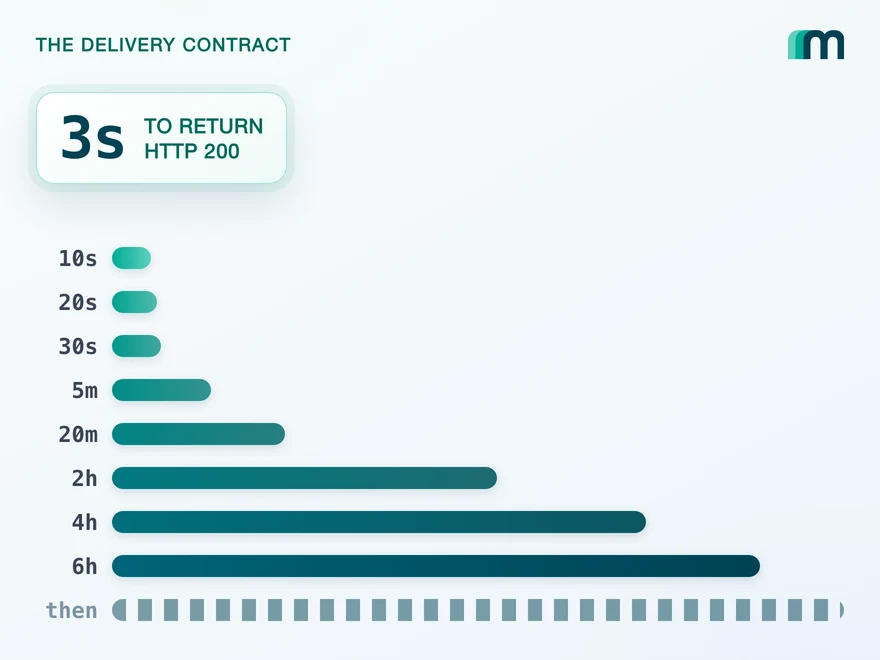
QuickBooks Online Webhooks: Events, Retries and Recovery
QuickBooks Online webhooks cover 29 entity types and expect HTTP 200 in three seconds. Why Intuit still asks you to poll change data capture.
Lennart Svensson · 25 Aug 2026Build once on the Unified API.
Fortnox meters 25 requests every five seconds per token, BuchhaltungsButler allows ten uploads a minute and SnelStart approves before it issues a production key. Build against one interface and each of those becomes a row in a table rather than a project.