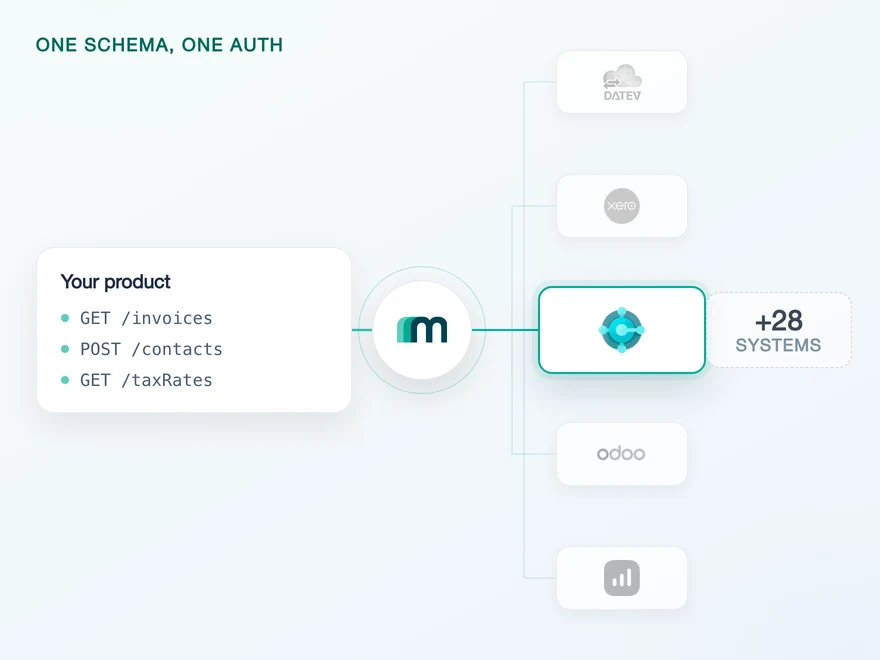
Microsoft Dynamics 365 Business Central API Integration
Dynamics 365 Business Central is Microsoft's cloud ERP for small and mid-sized companies, used in more than 160 countries. It covers financials, supply chain, sales, projects and manufacturing. Connect it through Maesn and you reach it with the same REST API and the same data model as every other supported system.












A Business Central integration in days
Business Central is addressed in layers: your app is consented in the customer's Microsoft Entra directory, and every request then names an environment and a company inside it. All of it has to be settled before the first call goes out. Here is what Maesn does with them.
Resolved at connect, attached always
Every Business Central request names an environment and a company. Maesn settles both while your customer connects and attaches them from there, so neither reaches your code, and the Entra consent behind them is a one-time step rather than a per-request concern.
The setup runs with us
A multitenant Entra app, two permission sets, an admin consent, then one more entry inside Business Central itself. The app stays registered under your company, and Maesn goes through every step of it with you.
Delivered as one filtered read
When several records change close together, Business Central sends a single collection event with a time range instead of the IDs. Maesn forwards it in the normal event shape, and that range resolves with one list call.
What reaches your code is a REST call and an account key. Teams go live in days, and the system after Business Central is a configuration step.
A short call is usually enough to tell whether Maesn fits your use case.
Tipalti reaches Business Central without building it
Tipalti automates the full accounts payable cycle, from supplier onboarding through to global payments. Their mid-market and enterprise buyers expect deep connectivity to systems like Business Central, and Tipalti concluded that building that layer in-house was the wrong place to spend engineering time.
“With Maesn, we accelerated our European expansion by making complex ERP integrations seamless across Benelux and DACH. As an AP platform, reliable access to key local ERP systems is critical and Maesn gives us exactly that.”


Three reasons to reach the Business Central API through Maesn
One Business Central connection is a solvable problem. The cost shows up at the fiftieth, spread across environments, companies and a client secret that expires on its own schedule.
The platform work stays here
The environment and company selection, the subscription that Business Central expires every three days, and the batched events that arrive without IDs. Each one is solved once, on our side, for every customer you connect.
The three-day clock is ours
A Business Central subscription expires after 72 hours, and renewing it means answering Microsoft's validation handshake again. Our URL is the one registered with Business Central, so the handshake and the renewal run here, and your endpoint receives the events.
The next system costs nothing
Once Business Central runs, every other supported accounting and ERP system answers on the same interface. Your second integration is a configuration step.
Business Central in Microsoft AppSource
Most providers stop at the API. Maesn does the technical enablement and the relationship, and on Business Central the second one leads somewhere specific: AppSource, Microsoft's marketplace for Business Central apps, with more than 5.000 listed solutions.
Technical enablement
One integration against the Unified API and one data model, identical to every other system Maesn supports. Your engineers meet the same interface here as they will for the next system.
Listing support
Microsoft validates a listing technically and commercially. Maesn goes through both halves with you, so the submission clears the review the first time.
Connect App is the listing type
An integration built on Maesn qualifies as a Connect App, the standard AppSource type for third-party integrations.
It runs through Partner Center
The listing is submitted and managed in Microsoft Partner Center, which is where the validation runs.
The reach follows the platform
A listing puts you in front of the global Dynamics 365 customer base, in more than 160 countries.
The listing runs under your brand, not Maesn's. Your name is what the customer sees when they connect.
A listing is a distribution channel rather than a badge, and what it takes differs per vendor. Our guide to accounting integration partnerships walks through the marketplace requirements across the systems in the catalogue.
Maesn prepares the listing alongside your integration.
Your Entra app, their company, settled once
Business Central authenticates through a Microsoft Entra app, and the app your customers consent to is yours rather than Maesn's. What comes after consent is the specific part: one tenant can hold several environments and several companies, and a request is only addressable once both are known.
- Microsoft Entra app
- Multitenant, registered by you
One app, every customer. Maesn holds the credentials and settles environment and company behind it.
- The interactive flow
- Your customer picks an environment and a company on a selection page, and the choice is stored with the connection. The page can be styled to match your product.
- Query parameters per request
- Skip the selection and each call carries the environment name and company ID itself. Sent on top of a stored choice they overwrite it, which is how a customer moves to another company.
One combination is worth knowing up front: the route that hands the account key back as a signed webhook rather than a redirect does not support the interactive selection yet, so there environment and company travel as query parameters.
- 1
Your customer starts in your product
You send them into the flow and Maesn opens Microsoft's consent screen. It carries your app name, because the app is registered under your company, so the connection reads as yours rather than as a third party's.
- 2
Environment and company get settled
With the interactive flow your customer lands on a selection page and picks one of each. Maesn stores both with the connection, and environments and companies stay isolated from one another from there on.
- 3
You work with one account key
Maesn stores the connection and returns an account key. From there every request carries your API key plus that account key, the same two headers you already send for every other system in the catalogue.
Every system in the catalogue authenticates differently, and Business Central is the case where the credential is the easy half and the addressing is not. Unified authentication is what keeps both off your side: the redirect, the selection step and the way the account key is handed back to you are configurable there, and identical no matter which system a customer connects.
Every Business Central event, even the ones without an ID
Business Central pushes native events rather than making you poll for changes, and it subscribes by resource, so one registration returns every event type for it. Maesn registers the subscription per connected customer, renews it before Business Central expires it and normalises the payloads, so the shape you handle is identical to every other system you integrate.
Business Central subscribes by resource rather than by pair, so one subscription returns all four event types for it.
Collection is the event type to design for. When several records of one resource change close together, Business Central holds them and sends a single event carrying a time range instead of the IDs. Maesn forwards it in the normal shape with that range attached, and you resolve it with one filtered list call rather than by learning Business Central's own filter syntax. Events arrive as an array either way, which is worth knowing before you write the handler.
Business Central speaks its own event vocabulary, which is why one event model runs across the whole catalogue: the handler you write for a Business Central invoice keeps working for a system that pushes nothing and needs polling underneath.
A collection event resolves through the same filtering and pagination you already use for a delta pull, so the range it carries needs no Business Central specific query, and what comes back sits in the shared common data model like every other invoice you handle.
What Business Central asks for up front
Business Central asks for five things before an integration starts, and all of them are easier to plan for than to discover halfway through a build.
- An Azure account with administrator rights
- An active Azure subscription, a Microsoft Entra tenant and Cloud Application Administrator permissions on the account the app is registered from.
- Your own multitenant Entra app
- You register it in Microsoft Entra as a multitenant web application, with Maesn's callback as the redirect URL. Copy the client secret value the moment Entra shows it, because it is not retrievable afterwards, and note the expiry: six months by default, and we need the new value whenever you rotate it.
- Two permission sets and an admin consent
- Your app needs both application and delegated permissions on Dynamics 365 Business Central, granted with admin consent. Keep the scopes to what you actually use: the broad development scope reaches every endpoint, and asking for it in production is what makes customers hesitate at the consent screen.
- A step inside Business Central itself
- An administrator adds your client ID under Microsoft Entra Applications in Business Central. The Azure side alone does not finish the connection, and this is the step teams tend to find last.
- API Setup templates for anything you create
- A POST fails unless Business Central holds a template for that object under API Setup. Templates also populate some mandatory fields themselves, and those cannot be set through the API.
We walk through the Entra setup and the permissions with you.