Sage API Integration
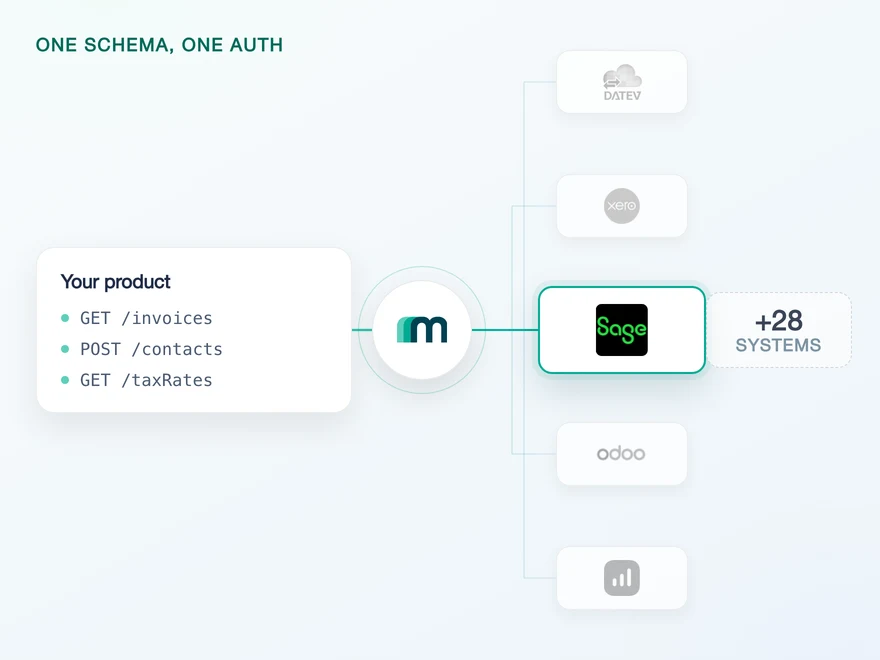
Sage is a group that grew by acquisition rather than a single system, and the products it sells under one name in one country are frequently unrelated to the products it sells under the same name in another. Maesn connects Sage Active and Sage Accounting today, on one REST API, and Sage Active alone arrives as three target systems because each country runs its own.












Three costs of a Sage integration that stay here
Integrating with Sage across more than one market is three problems, and only the third one is an API. Here is what each of them costs and what Maesn absorbs.
The market decides the system
Sage Active in Germany, Spain and France carries one name and answers as three separate target systems, each with its own app registration. For a team selling into several countries the first question is never how to call the API, it is which Sage the customer in front of you is actually running. Maesn holds that mapping, so a connection is picked rather than researched.
One data model over all of them
Sage Active registers apps inside the customer's account and issues four values, of which Maesn needs three. Sage Accounting uses a separate developer portal and issues two. One requires a company identifier on every call, the other treats it as optional. One speaks GraphQL. Through Maesn they answer the same REST calls, in the same shape, with the same filtering and paging.
The partner process, run per country
A listing for Sage Active in Spain is a different process with different people from a listing for Sage Accounting in the United Kingdom, because the marketplaces are national. Maesn is an official Sage partner and takes those processes on per system and per market, rather than once and generically. What that saves is less the paperwork than the discovery of which paperwork applies.
What reaches your code is a REST call and an account key for the system that customer runs. Which Sage that is becomes a configuration question, and the next Sage market is a commercial decision rather than an engineering one.
A short call is usually enough to tell which Sage your customers are on.
Which Sage systems you reach through the Maesn Unified API
Sage sells SMB products and finance-team products, and it sells several of them under names that repeat across countries. This is where each one stands with Maesn right now.
Two of these answer the Maesn API today. The other two are named so you can see what is coming before you plan around it.
Clockin gave up on building the systems itself
Clockin digitises time tracking for small and mid-sized businesses, and their customers book in whatever their accountant put in front of them. The published study names Sage among those systems and gives the sheer variety as the reason building the integrations in-house was never realistic.
“We use Maesn to successfully leverage integrations and partnerships as a key driver for lead generation and expansion into new markets and customer segments.”


Three reasons to reach the Sage API through Maesn
A Sage integration that only ever has to serve one country is a normal integration. The cost appears with the second country, and it appears again with the third, because each one is a different system behind the same brand.
The product research stops here
Which Sage runs in which market, what it is called there and how it authenticates is the work that comes before the work. Maesn carries it, and it does not have to be redone the next time a prospect says they are on Sage.
Two systems, and the difference is the answer
Sage Active and Sage Accounting are two products a customer chose for different reasons in different markets, not two configurations of one. Tell us which objects your use case needs and we confirm them for the system your customer is on.
One integration, and it is not only Sage
The same interface that reaches Sage Active reaches every other supported accounting and ERP system. The Sage portfolio grows on our side rather than in your codebase, and so does everything next to it.
Every Sage market has a marketplace of its own
Most providers stop at the API. Maesn does the technical enablement and the relationship, and on Sage the relationship is not one relationship: the marketplaces are national, so a listing is initiated per system and per market with the people who run that market.
Technical enablement
One integration against the Unified API and one data model, identical for every Sage system and for everything else Maesn supports. Your engineers meet one interface rather than one per product.
Partnership support
Maesn is an official Sage partner and initiates the partner process and the listing for the specific system in the specific market, from Sage Active in Spain to Sage Accounting in the United Kingdom. The listing carries your product's name, not ours.
National marketplaces
Sage runs its marketplaces per country, so the audience, the contacts and the qualification are the ones of that market. A product live in three Sage markets has been through the process three times.
Per system, not per brand
Sage Active and Sage Accounting each have their own programme. Being listed for one says nothing about the next, which is the same fragmentation the API side has.
A manual door
None of it is a self-serve submission. That is slower than a form, and it also means a listing is not something every competitor in that market has by default.
The integration runs under your product's name, and the listing is yours rather than ours. Maesn is the layer behind it.
We initiate the process for the specific system in the specific market with you.
Two connected Sage systems, two different front doors
Two Sage products are connected, and they arrive as four target systems: Sage Accounting as one, Sage Active as one per country for Germany, Spain and France. Both authenticate with OAuth 2.0 against an app you register yourself, and there the similarity ends. Sage Active is registered inside the customer-facing product, carries a country type and issues four values, of which Maesn needs the client ID, the client secret and the subscription primary key. Sage Accounting is registered in a separate developer portal and issues two. What all four share is the company step, described below.
Two systems, two registrations and two token lifetimes are three things your product would otherwise carry. Maesn keeps them behind one unified authentication flow, so a Sage connection is established once per customer and then behaves like every other account key in your system.
- OAuth 2.0
- Sage Active, one app per country
- OAuth 2.0
- Sage Accounting, one app for all markets
Two front doors, one implementation. Maesn holds both sets of app credentials, and each customer you connect returns an account key for the Sage system they run.
- One set of app credentials per system
- Client ID and secret for Sage Accounting, and for Sage Active the subscription primary key alongside them. Sage issues a second subscription key as well and Maesn does not need it. Submitted once, used for every customer you connect in that market.
- The company context and the tokens
- The company a customer selects is stored against the connection and attached to later requests. Token refresh runs here, on both systems, with their different lifetimes.
Sage Accounting has a free developer trial you can register for. Sage Active has none, so Maesn supplies the sandbox for it. Use one before a customer sees the flow, because the company selection and the country type are the two steps a direct build usually gets wrong first.
- 1
Your customer starts in your product
You send them into the flow and Maesn opens the consent screen of whichever Sage system they run. It carries your app's name, because the app is registered under your company.
- 2
They pick the company
A Sage login usually reaches more than one company, so the customer chooses which one your product connects to. Maesn shows that choice as a step inside the connect flow, styled in your colours, and stores the answer against the connection. All four Sage target systems work this way.
- 3
You work with one account key
Maesn stores the connection and returns an account key for that customer's Sage system. Every request then carries your Maesn API key plus that account key. The two systems differ in what they hold, so your product still knows which one it is talking to, but the calls, the filters and the paging are identical.
Both Sage systems stay in sync on a scheduled read
Both connected Sage systems stay in sync on a scheduled read. Neither of them pushes events today, so nothing has to be switched on before the read works.
Nothing, on either system. A change inside a customer's Sage account stays invisible until something goes and reads it. If events on a particular object would change how your product works, tell us and we look at enabling them for that system.
One scheduled read, with the same filter and the same pagination on both systems and on everything else you connect. The change-detection code is written once and pointed at a different account key.
Sage Active pages by cursor, so it can only move forward: reaching page fifty means requesting the forty-nine in front of it. Sage Accounting pages by offset and can jump. Through Maesn you ask both the same way, with an offset, and Maesn does the forward walking on Sage Active for you.
Two systems that page differently and answer differently still have to be read on the same schedule by the same code. One way to filter and page is what makes that possible, and the event model is where a Sage object lands the day one of these systems starts pushing.
What a Sage integration needs before the first call
What a Sage integration needs before the first call depends on which Sage it is. Three things hold across both connected systems.
- An app of your own, per Sage system
- Both connected systems expect you to register an application and hand the credentials to Maesn once. They do it in different places: Sage Active under Settings and Application keys inside the account, Sage Accounting in a separate developer self-service portal.
- The country, decided before the app exists
- Sage Active carries a country type on the app itself, DE, ES or FR, with a matching callback URL. The choice belongs in the plan rather than in a later migration, because it is a property of the registration and not a runtime parameter.
- A customer account with a valid subscription
- Both systems name this as their entire prerequisite list. It is worth confirming in the qualifying conversation, because on the smaller plans of some Sage products there is nothing to connect.
We walk through the app registration for each system with you.
Two Sage systems, one shape in your code
Sage Active and Sage Accounting are two products a customer chose for different reasons, and they answer your code the same way.
Whatever you pull comes back in the same common data model, which is what lets one piece of your code handle both. The two systems are not two configurations of one product: they are two products that a customer chose for different reasons in different markets.
That is also the practical argument for building against the model rather than against a vendor. A customer who moves from Sage Accounting to Sage Active, or a market that turns out to run a different Sage from the one you assumed, is a connection change here rather than a project. Tell us which objects your use case needs and we confirm them for the system your customer is on.
Tell us which objects your use case needs and we will confirm what is possible per system.