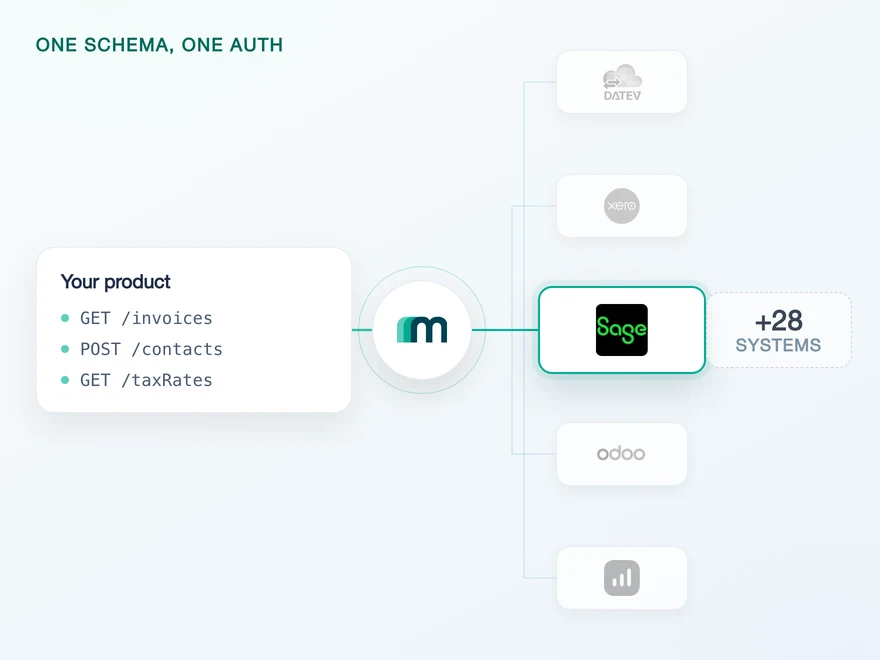
Sage Accounting API Integration
Sage Accounting is Sage's cloud accounting platform for small and medium-sized businesses, sold in the UK, Ireland and Canada. It covers invoicing, expense tracking, bank reconciliation, VAT reporting and multi-business management. Connect it through Maesn and you reach it with the same REST calls and the same data model as every other supported system.













Sage Accounting expires a token every 5 minutes, your code never renews it
Three properties of the Sage Accounting API land in your codebase on the first day, and none of them is about accounting. Each one is a piece of infrastructure you would otherwise own for the lifetime of the integration.
The token cycle stays here
Sage Accounting access tokens expire after 5 minutes, and the refresh token rotates on every use. If your own store fails to save the new refresh token after a refresh call, that connection has no way back except a full re-authorisation by the end user. Maesn holds that cycle for each connected end user, so the failure mode that costs you a customer connection is not code you have to get right.
Discovered once, attached from then on
Every Sage Accounting request carries an explicit X-Business header with the business GUID, and that value is not part of what authentication returns. It takes a separate call afterwards to find out which businesses the user can even reach. Maesn runs that discovery during onboarding, keeps the answer against the connection and puts the header on every later request.
A timed-out POST is not an answer
When a POST times out against Sage Accounting you do not know whether the record was written. Retry and you risk a duplicate, skip it and you risk a missing invoice. Sage answers this with idempotency keys and a seven-day window in which the same key resolves to the same record, so the retry policy you design has a documented boundary rather than a guess.
What reaches your code is a REST call and an account key. Token rotation, business discovery and safe retries stay on this side, and the system after Sage Accounting is a configuration step rather than a second project.
A short call is usually enough to tell whether Maesn fits your use case.
HERO Software builds against documentation it can follow
HERO Software digitises the back office for craft businesses, from the quote through to the invoice. What their engineers name is not a feature, it is how quickly the integration stopped being a research project.
“The support provided is truly first class, with impressively quick response times. The documentation is thorough and easy to follow, which made integration a smooth process for me.”


Three reasons to reach the Sage Accounting API through Maesn
Sage Accounting is not a difficult API to call. It is an expensive one to operate, because three of its properties only break in production, and one of them breaks one connected end user at a time.
The token cycle is somebody's job
With a 5-minute expiry and a refresh token that rotates on every use, the risk is not that a call fails. It is that the new refresh token does not reach your storage, and that loses the connection rather than the request. Whoever owns the integration owns that as an on-call concern for as long as the connection lives. Paid once here, it does not come back with the next customer or the next market.
Three markets on one connection
Sage Accounting is sold in three countries over one base URL, so a customer in Ireland and one in Canada arrive through the same integration and the same registered app. What differs per country is the content of the books rather than the interface in front of them.
Several systems carry the name
Sage Accounting is not Sage Active, Sage 50 or Sage Intacct. Which one a customer runs decides the API, the portal and the credentials: Sage Active registers apps inside the customer's own account and hands out three values where this one hands out two. Maesn holds that mapping, so picking the right Sage is a configuration step.
A Sage Accounting listing is an assessment, not a form
Most providers stop at the API. Maesn does the technical enablement and the relationship, and on Sage the second one decides how far the first one travels: there is no self-serve submission form, the listing runs through Sage's partner team by hand.
Technical enablement
One integration against the Unified API and one data model, identical to every other system Maesn supports. Your engineers meet the same interface here as they will for the next system.
Partnership support
Maesn is an official Sage partner and takes the listing conversation with you, from the fit assessment through the technical review. The listing carries your product's name, not ours.
An assessment rather than a form
Listing runs through Sage's partner team and includes a review of whether your product fits their strategy. That is slower than a submission button, and it also means a listing is not something every competitor holds by default.
A working integration first
The technical review comes with the commercial one, so the connection has to exist before the conversation is worth having. Building it through Maesn is what makes that step a demonstration rather than a project.
Three markets, one listing
Sage Accounting is sold across the UK, Ireland and Canada. A listing that lands is in front of a customer base that spans all three, which is why the market question belongs in the plan early.
The integration runs under your product's name, and the listing is yours rather than ours. Maesn is the layer behind it.
We prepare the fit assessment and the technical review with you.
A Sage Accounting connection is a token plus a business
Sage Accounting authenticates with OAuth 2.0 against an app you register yourself, and consent is only the first half. The token says who the user is, not which set of books they mean, and Sage refuses any request without the business on it. Sage Accounting therefore sits on the interactive list in Maesn's authentication documentation: the customer picks a business inside the connect flow, the answer is stored against the connection, and the X-Business header is attached from then on.
- OAuth 2.0
- Your own app, one registration for all three markets
One app for every customer in every market. Maesn holds the credentials, resolves the business and refreshes the 5-minute token behind them.
- Your app credentials
- The client ID and the client secret are submitted once and used for every connection you make afterwards, in all three markets. Your code holds an account key per customer and nothing else.
- The business context and the token cycle
- Sage requires the X-Business header on every call and Maesn resolves it, which is exactly why the companyId parameter on Maesn's own endpoints is optional for you. Send it when you want to scope a request to one business, look the values up with GET /companies, and leave it out when the connection already carries the right one.
The business a request runs against is decided by the business GUID that travels with it, so a customer who works across several sets of books is a matter of which one you name. A parameter set by mistake reaches the wrong books rather than failing, which is worth a test of its own before launch.
- 1
Your customer starts in your product
You send them into the flow and Maesn opens Sage Accounting's consent screen. It carries the name of the app you registered, so the connection reads as yours rather than as a third party's.
- 2
They pick the business
Sage returns to Maesn, and the interactive flow shows the businesses that customer can reach. The selection page can carry your colours. What comes out is the business GUID every later request needs in its X-Business header.
- 3
You work with one account key
Maesn stores the connection and returns an account key. From there every request carries your Maesn API key plus that account key, the same two headers you already send for every other system in the catalogue.
The same shape appears on the sibling product: Sage Active asks for a company after consent too, with a different header and a different portal behind it, and the rest of the Sage portfolio splits again from there. Unified authentication is what makes that a one-time cost: the consent screen, the business selection, the refresh cycle and the account key behave the same way here as they do for a system that needs nothing but a key.
Sage Accounting data stays fresh on one scheduled read
It runs without asking anyone, on the same filter and the same pagination as every other system you connect. 25 of the 37 objects are marked as available on request for events and the remaining 12 carry no event support in the matrix, so an event your product depends on is a question of enablement.
Nothing that is switched on. Every event column is either a request or a blank, so a change inside a customer's business stays invisible until something goes and reads it. If events on a specific object would change your product, that is a conversation to have rather than a roadmap item to wait for.
One scheduled read, with the same filter and the same pagination you use for every other system. The change-detection code you point at Sage Accounting is the code you already wrote, aimed at a different account key, and the interval stays a product decision rather than a limit the system imposes on you.
The 5-minute token sits underneath that read, and it changes how a long job behaves. A backfill that runs for an hour crosses twelve token boundaries, so where the token cycle lives decides whether the job finishes or dies halfway through with a partial import behind it.
A scheduled read is where the cost of a per-system integration usually shows up, because every system filters and pages differently. One way to filter and page keeps that job identical across the catalogue, and what you would otherwise handle in the event model stays a separate path that Sage Accounting does not use today. The retries underneath both of them are the other half of the same picture: idempotency on POST is what makes a failed call safe to repeat, which matters more on a system whose token can expire mid-job.
What a Sage Accounting integration needs on day one
The prerequisite list in Maesn's documentation is one line long, and the work sits in the app registration behind it. The callback URL and the sandbox are the two teams tend to reach late.
- A Sage Accounting account with a valid subscription
- That is the entire documented prerequisite. The developer surface is reached from a paying account rather than from a separate signup, so whoever registers the app needs an account that is actually subscribed.
- One app, registered in Sage's developer portal
- You create the app in Sage's developer self-service portal with your application's name, your homepage URL and the callback URL https://api.maesn.dev/auth/callback/sageaccounting. The app name is what your customers see on the consent screen, so it belongs to your product rather than to us.
- Two values, handed over once
- The finished app shows a client ID and a client secret. Both go to your Maesn contact one time rather than per customer, and the handshake that consumes them runs here from then on. There is no per-country app and no subscription key, which is where Sage Accounting is simpler than its sibling.
- A sandbox you can have on day one
- Sage Accounting has a free trial account you can register yourself, and Maesn's own sandbox table lists an environment for it as well. Token rotation and business discovery are the two behaviours you want to have watched working before a customer is on the other end of them.
We walk through the app registration, the callback URL and the sandbox with you.
One shape for Sage Accounting, and for the system after it
Sage Accounting is sold across three markets on one base URL, and every request has to name the business it belongs to. A shared shape is what keeps both of those out of the code you write.
Two objects make the full round trip
Accounts, customers and suppliers read today, and customers and suppliers also create and update, so those two go in and come back changed. The one document write is the booking proposal, which carries an invoice you hold into the ledger. That direction is the point of it, so reading one back is a request rather than a default.
Customers and suppliers, not contacts
Partner data on Sage Accounting runs through customers and suppliers as separate objects, and both are readable and writable. The generic contacts object is not the way in here, so a data model that treats every business partner as one contact record needs its mapping decided before the first sync rather than after it.
On demand is a conversation
Objects that are not switched on today are not refusals. Name the ones your product needs before you scope the feature and you get either a yes with a timeline or a clear no, and both are more useful than a number.
What is switched on here covers the ledger accounts and both sides of the partner record. Whatever you read comes back in the shared common data model, so a customer record from Sage Accounting has the same shape as one from any other connected system, and the mapping you write once keeps working when the next system arrives.
It is a short list that covers two jobs completely instead of many partly. The two objects you can read, create and update are customers and suppliers, both sides of the partner record, so keeping customer and supplier data in sync runs end to end today. The second is the document write: a booking proposal carries an invoice, bill or credit note you already hold into the ledger, which is the shape most of accounts payable automation actually needs. A reporting or reconciliation workflow is the case that would need objects nobody has asked for yet. The rest of the catalogue is in the integrations directory, reachable on the same account key and the same data model.
Tell us which objects your use case needs and we will confirm what is possible.