
How to integrate with Sage Accounting: An optional header that decides whose books you write to
Sage Accounting is documented well enough that its two sharp edges are easy to read past. The access token lasts five minutes and every refresh replaces the refresh token, so the correctness of your token store decides whether a connection survives. And the header that says whose books a request touches is optional, so omitting it raises no error, it writes into a different company.

One token, one user and several sets of books
An access token here belongs to a user account, and one user can reach several companies. That decides the order of your onboarding, because Sage documents that the number is not knowable at the moment you would most want to know it.
The sentence in its own guide leaves no room: “At present, it is not possible to determine during authentication if the authenticated user has access to more than a single business.” Consent finishes, you hold a token and you still do not know whether there is one set of books behind it or four.
So there is a step between consent and ready. A GET /businesses returns everything that user can reach, each entry with a display name and a 32-character id. Since July 2025 the same call filters on active subscriptions, on name and on product family, and it pages.
GET /businesses{"$total": 3,"$items": [{ "displayed_as": "Business One","id": "0d40342d0287cd6b13555c54afca6c90" },{ "displayed_as": "Business Two","id": "49c196153fb1524b7d888cece84e8b12" }]}
Three results, and nothing in the authorisation response said so. The id is what the X-Business header carries later.
The same endpoint answers a second question worth asking while a connection is being set up. A GET on a single business returns a subscriptions array, and Sage advises establishing which subscription a customer runs before you rely on anything, because endpoint availability is documented per region and per variant.
| Subscription id | What it means |
|---|---|
| START | Start |
| MICRO | Start, created via Partner Edition |
| ACCOUNTS | Accounting Standard, before May 2020 |
| ACCOUNTING_10 | Accounting Standard, after May 2020 |
| ACCOUNTING | Accounting Plus, from May 2020 |
Subscription ids, the availability of endpoints per region and per variant and the advice to check the connection first are documented in Sage’s best practices guide, checked 17 August 2026.
Read that as a feature being absent for reasons that have nothing to do with your code. The same response carries an active flag, and refusing a connection with a sentence your customer understands beats discovering an inactive subscription three endpoints later.
One more instruction in the multi-business guide is stronger than it looks: anything you store locally has to be identified and related by business id, so that data from two businesses cannot merge into a single representation. The id is the partition key of everything you store.
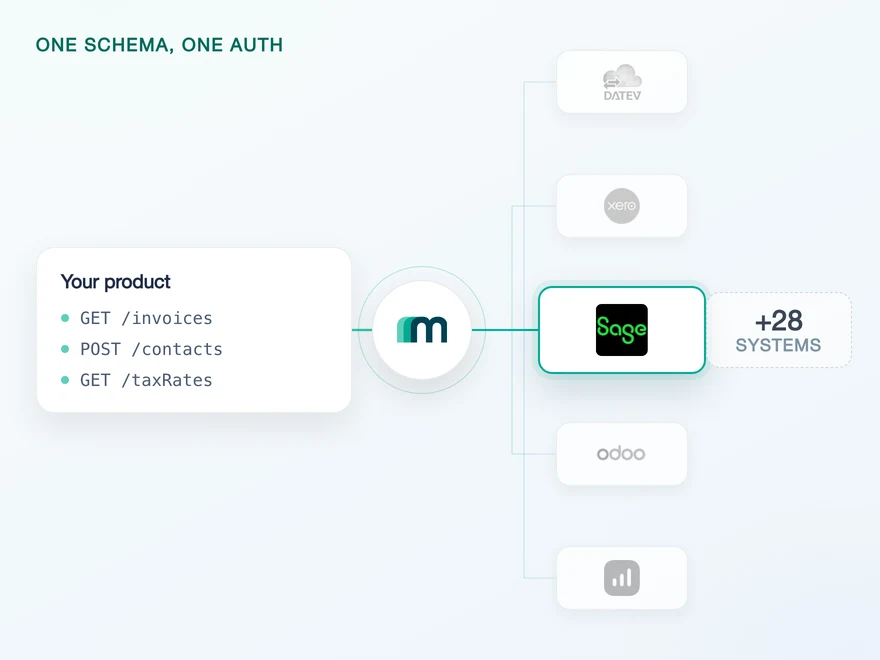
Through maesn the business is a companyId parameter on your request, and what your code keeps is an account key. What the connection needs from you and what the object coverage looks like in full sit on the Sage Accounting API page. The rest of this article is about what the calls underneath actually do.
The X-Business header is optional, and leaving it out is not an error
Sage documents the header as optional. A request without it runs against the user’s lead business, which is the first business that person created, and no error or warning says so. What you are guarding against is not an exception in a log, it is plausible data in the wrong company.
Sage says as much in the form of advice: “using the lead business feature is great for trying things out while developing against the API, but defining explicitly the business context to use is safer in production.” That is a statement about the default.
The default also moves. Sage names two ways a lead business changes: the user’s first business is deleted, or a user who had only been invited to businesses goes and creates their own. Neither event touches your integration, and both change where an unheadered request lands.
- client_id
- 4b6••••710
- client_secret
- iNu••••tm9
- business_id
- 0d40342d••••
The request runs in the business you selected, and the response repeats that id back to you in its own X-Business header.
The request runs in the lead business, which is the first business that user created. Real data, wrong company, no error anywhere in the chain.
A trial account has one business. That is why the second row survives a test suite and shows up at the first customer who runs two sets of books.
There is a documented way to notice, and it costs one comparison. Every response except the ones from the businesses and user endpoints carries an X-Business header naming the business the request actually ran in. Store what you saw on the first call and check it on every later one.
GET /v3.1/contactsAuthorization: Bearer <access token>X-Business: 0d40342d0287cd6b13555c54afca6c90# the response names the business it ran inX-Business: 0d40342d0287cd6b13555c54afca6c90# a different value here is a lead business change,# not a failed request
The response header is returned on every endpoint except /businesses and /user, which is what makes the check cheap enough to leave switched on.
The optional header, the lead business fallback, both change scenarios and the response header are quoted from Sage’s multi-business guide and its authentication guide, both checked 17 August 2026.
Through maesn you name the business in the companyId parameter, and we send it to Sage as the X-Business header on that request. The parameter is optional because Sage’s header is: send it and the call runs in the business you named, leave it out and the request runs against the lead business. The consent in front of it is one authentication flow for every system.
Five minutes, thirty-one days and a refresh you cannot repeat
Two numbers govern the refresh cycle. The access token is valid for 300 seconds and the refresh token for 31 days, and every refresh returns a new refresh token while retiring the one you sent with it.
An hour of continuous work therefore needs twelve access tokens and eleven refreshes, and each of those eleven is a write to your own storage that has to commit before you use what it returned. A crash in that gap costs you the tenant, because the only way back is a fresh authorisation by the customer.
One consequence follows from the rotation itself, without a sentence in the documentation to say so. Two workers refreshing the same connection at the same moment cannot both win, because the token each of them sends is single use. Refreshing has to be serialised per connection, and that is the bug that reproduces least willingly in a test.
Only the newest value works. Lose the write that stored it and the connection has no way back except a fresh authorisation by the customer.
expires_in, so twelve of them cover an hour of work
The 31 days run from the moment it was issued
The 31 days work in the other direction. A connection nobody touches for a month is gone, and Sage is explicit that the user has to authorise your app again after that. The risk sits with the quiet tenant, which is one reason a scheduled read earns its keep even where little changes.
Two smaller details are worth designing for up front. Access tokens cannot be revoked at all: they stay valid for their five minutes, and what you revoke is the refresh token. And Sage asks you to reserve up to 2.048 bytes for each token, which belongs in the column width of your schema.
expires_in: 300, refresh_token_expires_in: 2678400, the new refresh token in every renewal response, the 60-second authorisation code, the storage size and the statement that access tokens cannot be revoked are all in Sage’s authentication guide, checked 17 August 2026.
Whose initials end up on the transaction
A token here is an audit identity as well as an access credential. Sage associates the authenticated user’s initials with the transactions created through their token, so the credential in the header decides who appears to have made the entry.
Sage draws the consequence itself for multi-user integrations: keep tokens for a single user and every transaction your application creates carries the same initials, which makes tracing activity to a person very difficult. Its answer is a token pair per individual user rather than one per customer.
A connection through maesn is authorised by one person, so the documents written through it carry that person’s initials. If your customer’s bookkeeping expects to see who did what, that is a question for your onboarding rather than for your write path, and it decides how many connections a customer needs.
The permission model shows up in one more place, and the documented handling is unusual. A 403 here usually means the user is not the owner of the business and lacks the role, rather than that a token expired. Sage’s instruction is that a client receiving 403 on every request should discard both tokens and ask for a new authorisation, which is the opposite of a retry.
The user initials, the multi-user consequence and the 403 instruction are quoted from Sage’s best practices guide, checked 17 August 2026.
Idempotency is a field in the body, and it covers updates too
Sage supports idempotency in a shape most APIs do not use: there is no header. You put a 32-character hyphenless GUID as an idempotency_id inside the resource in the request body, you generate it yourself, and for the next seven days the same request returns the first result.
It is opt-in twice over. The feature does nothing at all unless the caller passes the field, and it exists only on a named list of 35 resources. Reusing an id on a different resource type is an error of its own, IdempotencyResourceMismatch, so a key is scoped to the kind of thing it created.
POST /v3.1/contactsContent-Type: application/json{"contact": {"idempotency_id": "c3a8adaa26daf36e02f3c672b69e3323","name": "Northwind Ltd","contact_type_ids": ["CUSTOMER"]}}// same id on another resource type:// { "$dataCode": "IdempotencyResourceMismatch" }
32 hex characters, no hyphens, generated on your side. Sage honours it for seven days and returns the original result to every repeat.
What stands out is that this covers PUT as well as POST, and Sage’s reason is specific to accounting: modifying an object can trigger further actions. Adding a line to a sales invoice records a transaction, and side effects such as sending an email can fire as well. A retried update can repeat those side effects.
Sage also states plainly why the field exists. If an unhandled 500 comes back from a POST, the request may well have succeeded and the transaction may already be in the data. A timeout leaves the question open, and without an id the only way to find out is to go and look.
The seven-day window is Sage’s, and it matters for one case in particular: a replay out of a dead-letter queue a fortnight later is a new record by design rather than a duplicate the key will absorb. Whatever sends the write, that window is the boundary to design your retries around.
The field name, the 32-character format, the seven-day window, the resource list, the mismatch error and the reasoning for PUT are documented in Sage’s idempotency guide; the sentence about an unhandled 500 on a POST is from its best practices page. Both checked 17 August 2026.
Three objects read today, and the two that write are one record in Sage
Four of the 37 objects in the coverage matrix carry an enabled operation on this system. Customers and suppliers are the two that go in and come back changed, accounts are readable and booking proposals can be created. For the other objects, the matrix marks what is available on request.
| Object | Read | Create | Update |
|---|---|---|---|
| Customers | yes | yes | yes |
| Suppliers | yes | yes | yes |
| Accounts | yes | on request | on request |
| Booking proposals | on request | yes | on request |
Counted per object from the generated coverage data, checked 17 August 2026: three objects read, three create, two update and none delete, out of 37 rows. 22 of the remaining objects carry at least one combination marked as available on request.
The working shape here is read and correct. Corrections are posted as new documents, so a product that needs to withdraw a document carries a supersede concept of its own.
Underneath, those two writable objects are one thing. Sage’s regional guide states that customers and suppliers, separate endpoints in its older regional interface, are handled by a single contacts endpoint, and that every customer and supplier is a contact related to addresses.
The role on that record is a list. contact_type_ids takes an array and each value has to be either CUSTOMER or VENDOR, so one contact can hold both roles at once and the same company can sit on both sides of the ledger under one id.
That is worth knowing before you design the join, because the matrix hands you two objects where the books hold one record. Turning the two shapes into one predictable shape is the job of a shared data model.
One warning that costs an afternoon otherwise: this is not the only Sage product and the others do not share the interface. Sage Active speaks GraphQL, carries a different company header and reaches three countries, with a matrix of its own. Anything you read about tokens or headers for another Sage product is documentation for a different system.
The single contacts endpoint and the relationship to addresses are quoted from Sage’s regional considerations guide; the contact_type_ids array and its two permitted values are from its contact and address guide, where the same POST body appears. Both checked 17 August 2026.
Scheduled reads, and a rate limit your customers share
No object in the Sage Accounting matrix carries an enabled webhook, so keeping data current is a read you schedule. How often you can run it is decided by a budget your application spends across every business it is connected to.
Counted per object: none of the 37 has an event enabled, 25 are marked as available on request and 12 carry no event support in the matrix at all. That marking describes our matrix rather than Sage’s product, so nothing here is a claim about what Sage does or does not send.
Which leaves the pull half of one event model across systems doing all of the work, and it has one property that suits this system in particular: a scheduled read also keeps the 31-day refresh token moving, so freshness and connectivity are bought with the same job.
The limit on that job is two numbers, both per application rather than per business: 1.296.000 requests a day and a maximum of 150 in flight at any moment. The daily figure is 15 a second sustained and will rarely bother anyone. The concurrency ceiling is the one you meet, and it is shared, so a backfill for one customer competes with every other customer’s sync.
Exceeding either returns 429, and Sage recommends wait-and-repeat handling. Because the budget belongs to the app, the place that enforces it is your scheduler rather than your request layer, and the filter and paging underneath are the same one way to filter and page you already use elsewhere.
The rate limit, the concurrency ceiling and the wait-and-repeat recommendation are quoted from Sage’s best practices guide, checked 17 August 2026; the event counts are read per object from the generated coverage data.
What maesn covers, and what stays with you
What we take off the list:
- The token cycle. The five-minute access token is refreshed and every rotation of the refresh token is stored per connection, so what your code keeps is an account key.
- The business header. The companyId you pass on a request is sent to Sage as the
X-Businessheader. - The write surface. The same REST calls and the same data model you use for every other system in the catalogue.
What stays with you, and the first one is a product decision:
- Which business a connection means, and what happens when that changes. We send the id you pass. We cannot know that your customer has bought a second company.
- Whose initials the documents carry. Sage writes the authorising user onto the entry, so attribution is settled at connection time rather than at write time.
- The schedule and the quiet tenant. A customer nobody syncs for 31 days needs authorising again, and only your product knows how current its data has to be.
 Accounting in France
 Accounting in the UK
Frequently asked questions
Do I have to send the X-Business header on every Sage Accounting request?
What is a lead business, and can it change?
How long do Sage Accounting tokens last?
What happens if nobody uses my integration for a month?
How does idempotency work on the Sage Accounting endpoints?
What are the Sage Accounting rate limits?
Which Sage Accounting data can I read and write through maesn today?
State of Accounting API Connectivity 2027: Data on 31 Systems
How 31 accounting and ERP systems handle API access: OAuth, credential lifetimes, revocation, webhooks and ledger data. Collected in October and November 2026.
Lennart Svensson · 24 Nov 2026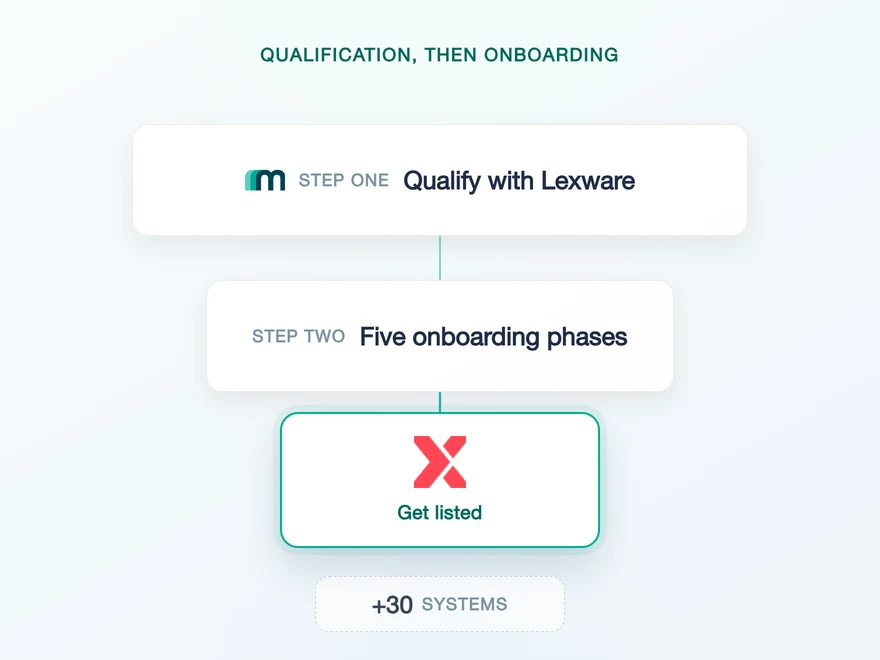
Lexware Office Partnership Guide: Public API or Partner Route
The Lexware Office Public API runs on an API key from the XL plan. Reaching every plan takes a technology partnership. How Lexware's qualification works.
 Dr. Themo Voswinckel · 24 Nov 2026
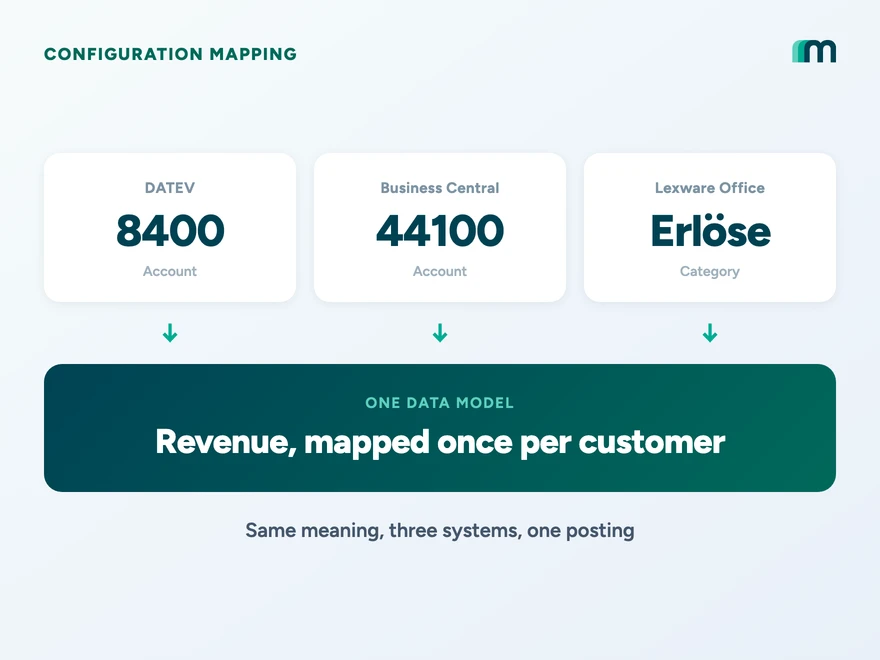
Chart of Accounts Mapping: Cover Every ERP Customisation
Map each object in your platform to the right account, tax code, dimension and company code in your customer's ERP. Standard and custom configuration in one step.
Dr. Themo Voswinckel · 2 Nov 2026Build once on the Unified API.
Sage Accounting hands you an optional header and a five-minute token, Fortnox holds one socket open per tenant and Twinfield runs on five percent of its credits until it is certified. Build against one interface and each of those becomes a row in a table rather than a project.