
How to integrate with Sage Active: Eleven objects read, and corrections post as new documents
Sage Active answers eleven objects and accepts five back. It treats a posted document as final, the way an accounting ledger does, so a correction is issued as a new document rather than an edit. That is the one design decision to make early, and this guide covers it alongside the token, the company header and the cursor.

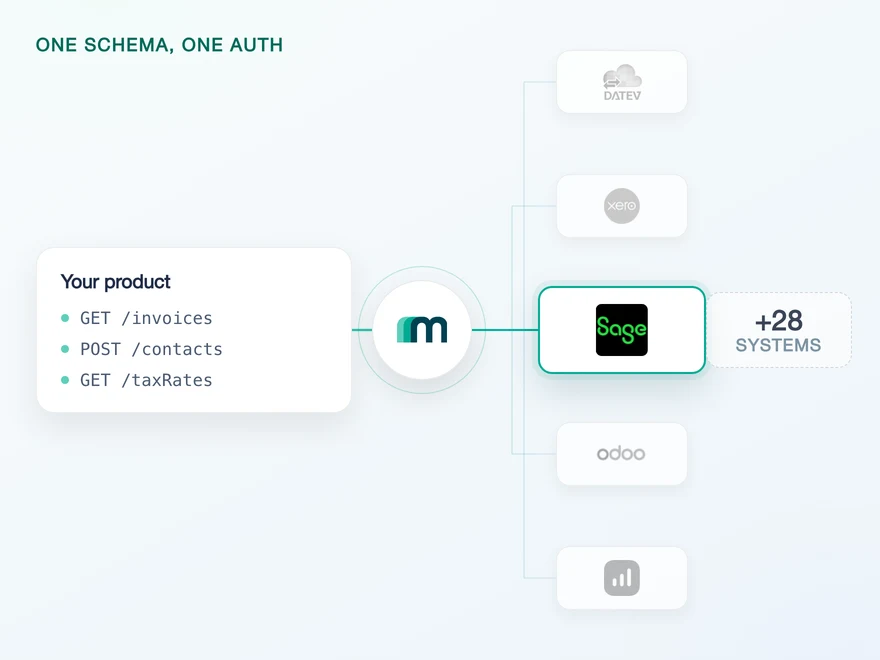
One endpoint, one header, three countries
Three structural facts decide how this integration is shaped, and none of them is about a field name.
The first is that there is one endpoint rather than many. Sage Active speaks GraphQL: queries to read, mutations to write and a response shaped by what you asked for. It also enforces a complexity limit and rejects queries that exceed it, so deeply nested data sometimes has to be split across several requests rather than fetched in one.
The second is that a token does not identify a company. After authentication you have access, and you still have to say whose books you mean, on every request. That value is fetched after the flow completes and chosen by the user, which makes it a post-connection step in your onboarding rather than a header you can hardcode.
The third is that France, Spain and Germany are three separate target systems rather than one system with a locale. The application you register in Sage Active carries a country type and its own callback URL, so serving all three markets means three registrations rather than one.
Eight-hour tokens and the refresh scope
On Sage Active’s side: authentication is OAuth 2.0, and the access token is valid for eight hours. A refresh token is issued only if the initial authorisation requested the offline_access scope. Ask for that scope and an unattended integration keeps running past the eight hours without a person signing in again.
Two further scopes divide the access itself, one for reading and one for writing. Asking for only what you need is the ordinary discipline, and here it also documents your intent to the customer at the moment they approve the connection.
The company identifier interacts with all of this in a way worth knowing. The endpoint reference states that if you are not using the interactive authentication flow, the companyId query parameter has to be populated on your calls, and that you obtain the value from a companies endpoint after connecting. With that flow, the selection happens once during the connection instead.
All three country target systems run that interactive flow through Maesn, which is why unified authentication is the difference between one selection step at connection time and a header your request builder has to get right on every call for every tenant.
Token lifetime, the refresh scope and the read and write scopes are documented in Maesn’s material for this system; the companyId condition is quoted from the trial balance reference and the flow itself from the authentication guide, both checked 13 August 2026.
Eleven objects, read through a cursor
On Sage Active’s side: eleven object types come back, and the list reaches further than an accounting API usually does. It carries sales orders, offers and their lines alongside the ledger, so the order side and the books answer the same connection.
How you walk that data is the GraphQL convention rather than the accounting one. Pagination is cursor based: you ask for a number of items, the response carries a cursor and a flag saying whether more exists, and you pass that cursor back to continue. There is no page number, so you cannot jump.
For a first import that changes the failure mode rather than the effort. A sync that dies halfway cannot resume by asking for page seven, it resumes from the cursor it stored, so storing that cursor becomes part of the design instead of an optimisation. One way to filter and page is what turns this back into the same offset-and-limit shape you use for systems that never heard of a cursor.
query {invoices(first: 50, after: "<endCursor>") {pageInfo { endCursor hasNextPage }nodes { id number totalAmount }}}
hasNextPage is the loop condition and endCursor is the bookmark. Neither is a position, which is why a resumable sync stores the cursor rather than a count.
How a correction reaches Sage Active
On Sage Active’s side: five object types can be created, and a document that has been posted stays as it was written. There is no update call and no delete call for it.
That is the ledger model rather than a database model, and it is how accounting systems usually treat a posted document: the record of what was booked has to survive, so a correction is issued alongside it instead of overwriting it. Plan the correction path before the first write and it costs nothing; discover it afterwards and it is a rework of your write logic.
- Read
- 11 objects
- The widest read surface of the systems in this guide.
- Create
- 5 objects
- Accounts, customers, invoices, items and suppliers.
- Update
- 0 objects
- A posted document stays as written, so send a correction.
- Delete
- 0 objects
- The ledger keeps its history, the same as on paper.
A deep read side hides a narrow write side. Of the eleven systems in the catalogue that cannot update anything, this one reads the most by a clear margin, which is exactly why the limit is easy to discover late.
| Object | Read | Create |
|---|---|---|
| Invoices | yes | yes |
| Customers | yes | yes |
| Suppliers | yes | yes |
| Accounts | yes | yes |
| Items | yes | yes |
| Journal entries | yes | on request |
| Trial balance | yes | no |
| Sales orders | yes | no |
| Offers | yes | no |
Counted from the generated coverage data, checked 13 August 2026. Ten systems can read journal entries and this is the only one of them that cannot also create them, which is worth knowing before a posting workflow is designed around it.
There is a second requirement on the write path that costs calls. Reference fields do not accept readable values: a unit of measurement has to be given as the internal identifier the system uses for it, not as a word. Those identifiers are not shared between tenants, so the lookup and the cache are per customer.
That is exactly the layer the common data model exists to remove. You send a readable value, the resolution happens behind the connection and the same write looks identical against a system that would have accepted the word in the first place.
{ "unitOfMeasurementId": "KILOGRAM" } // rejected{ "unitOfMeasurementId": 14 } // resolved// the id is per tenant, so the mapping// is fetched and cached per customer
The same pattern applies to other reference data, so a write path usually needs its lookups warm before the first call rather than after the first failure.
What the trial balance needs first
On Sage Active’s side: a trial balance is available as a report, which is worth knowing because most accounting APIs make you assemble one from journal entries. There is a parameter in front of it that is easier to handle at design time than at runtime.
The endpoint requires a fiscal year start date. The reference is explicit: “The query parameter fiscalYearStartDate is required and must be a valid date.” So far so ordinary, until you look for where that date comes from.
Fiscal years are not a readable object on this system. Not on request, not behind a flag: the coverage cell is a plain no. The report therefore asks for a value that the same system will not hand you, and the only places left to get it are your own configuration, your customer or a convention you agree once and store.
One of two systems in the catalogue that expose this report at all.
The reference states the parameter is required and must be a valid date.
A hard no rather than on demand, so the date cannot be looked up from the same system.
The date has to come from somewhere else. Your own configuration, or the customer, or a convention you agree once. It is a small piece of setup that becomes a support ticket if nobody plans for it.
The requirement is quoted from the Sage Active tab of the trial balance reference, checked 13 August 2026; the unavailability is read from the generated coverage data, where the cell is no rather than on request. Both were checked separately rather than taken from an earlier report of the same finding.
Freshness runs on a schedule
No object here carries an enabled event. There is no subscription to register, no callback to verify and no delivery semantics to reason about, so keeping data current is a scheduled read and that is the whole of it.
In the event model that is the pull half doing all of the work. It has one property that suits this system in particular: a pull catches up. Because the traversal here is cursor based and resumable, a worker that was down for a day continues from where it stopped rather than recomputing a position.
What that costs is your choice of interval, and on a system that cannot update anything the calculation is simpler than usual: nothing you already read is going to change in place. New documents appear, and superseding ones appear next to them.
What the object coverage looks like in full, including the combinations marked on request, is listed on the Sage Active API page rather than repeated here.
What Maesn covers, and what stays with you
What we take off the list:
- The query language. Queries, mutations, the framework conventions and the complexity limit stay behind the connection, and your side makes ordinary REST calls.
- The company selection. The interactive flow collects it once, and the identifier is supplied on every later call without your request builder knowing.
- The cursor and the identifiers. Cursor traversal becomes page and limit, and reference fields take readable values instead of per-tenant numbers.
What stays with you, and the first one is a product decision rather than a task:
- What a correction means in your model. With no update and no delete, superseding a document is a concept your product has to carry. We can make the write identical to every other system; we cannot make this one editable.
- The fiscal year start date. The report needs it and the system will not give it, so it comes from your configuration or your customer.
- Three registrations for three markets. Each country is its own application with its own callback, and that is yours to set up.
Frequently asked questions
Is Sage Active the same as Sage Accounting or Sage 100?
Can I update a record in Sage Active?
Why does the trial balance call fail without a fiscal year date?
How long does a Sage Active token last?
Why does every request need an organisation identifier?
Can I jump to a specific page of Sage Active results?
How to Integrate with Tripletex: One Session Token to Send
Tripletex combines two tokens into a third, puts the company in the username field and numbers new journal lines by row. What that means when you build.
Lennart Svensson · 24 Sept 2026
How to Integrate with Procountor: Run It Unattended
Procountor has two ways in, and the unattended one stops at every endpoint that asks for a second factor. What that means for tokens, syncing and tax mapping.
Lennart Svensson · 28 Aug 2026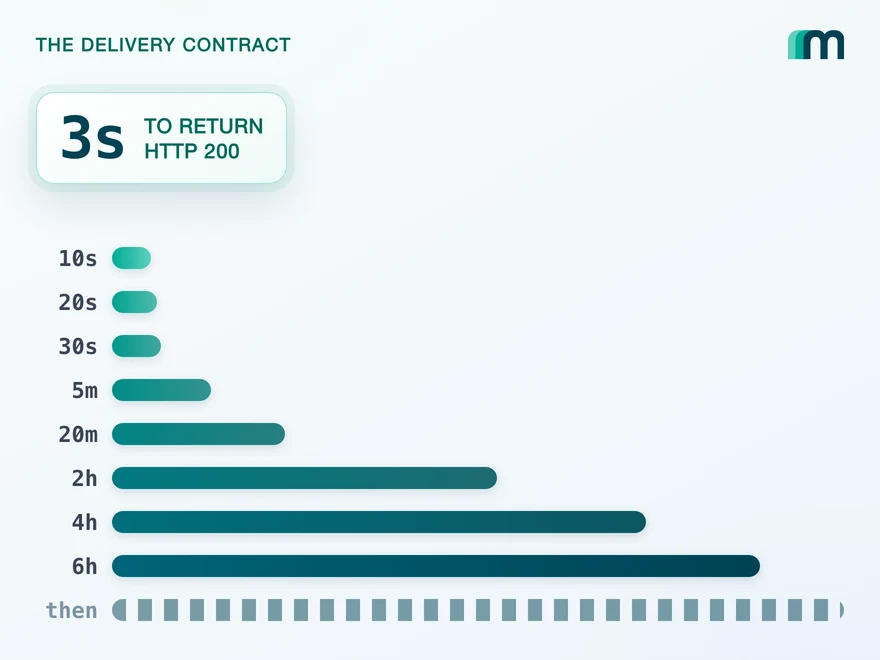
QuickBooks Online Webhooks: Events, Retries and Recovery
QuickBooks Online webhooks cover 29 entity types and expect HTTP 200 in three seconds. Why Intuit still asks you to poll change data capture.
Lennart Svensson · 25 Aug 2026Build once on the Unified API.
Sage Active updates nothing, Fortnox meters 25 requests every five seconds and SnelStart approves before it issues a production key. Build against one interface and each of those becomes a row in a table rather than a project.