
How to integrate with Microsoft Business Central: Three-day subscriptions, one Maesn payload
Business Central subscriptions are not a setup step. Each one expires after 72 hours, renewing it demands the same validation handshake as creating it, and a renewal that fails produces no error on your side, only silence. Through Maesn that clock is ours: our endpoint is the one Business Central validates, and your endpoint receives the events.

A request names an environment and a company
Business Central is Microsoft’s ERP for small and mid-sized companies, and for an integrator its defining property is not the API surface. It is the address. A record does not live in an account, it lives in a company inside an environment, and a request that names neither has no address to arrive at.
That shows up in the URL. Every resource path carries the environment and the company, so before your first useful call you need two discovery calls to find out which ones a given customer has. The Entra directory sits behind both, but it is not a value you send.
| What it is | Where it comes from |
|---|---|
| Entra directory | The customer's Microsoft Entra tenant, where your app is consented. It decides whether a request is allowed at all, and it travels in the token rather than in the URL |
| Environment | Discovered per directory, and sent as environmentName. Production and sandbox are both environments, which is why a test connection is a real connection to a different environment rather than a special mode |
| Company | Discovered per environment, sent as companyId, and there can be up to 300 of them in one. Larger customers are the normal case here, not the exception |
The 300-company ceiling from Microsoft’s operational limits, checked 7 August 2026. Discovery endpoints and the two query parameters from the Maesn Business Central documentation, which states that environmentName and companyId are the values a Business Central call has to carry.
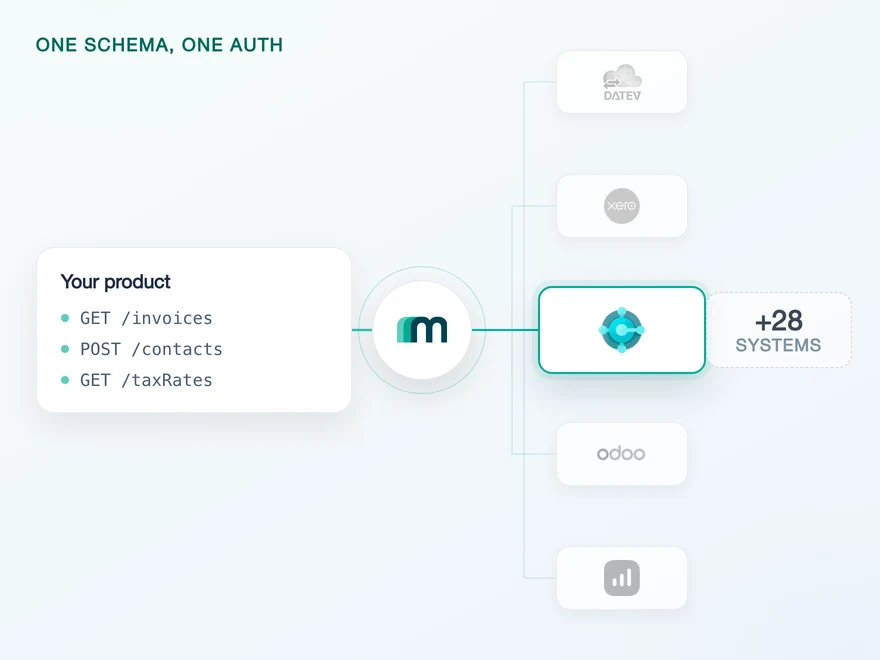
Through Maesn the discovery is part of connecting rather than part of your code. Business Central is one of the systems on the interactive flow, so your customer picks the environment and the company on a selection page and both are stored with the connection.
Where the flow is not used, they travel as environmentName and companyId query parameters instead. How that generalises across systems is unified authentication.
Business Central is one of the target systems listed for the interactive flow in Maesn authentication, checked 7 August 2026.
If you want the object coverage, the Entra app registration and the AppSource listing in one place, that is the Microsoft Dynamics 365 Business Central API page. What follows is what the platform does after you are connected.
Which Business Central objects send events
This is the part Business Central is genuinely good at. It pushes native events, and that is unusual: most accounting platforms leave you reading on a schedule and comparing the result against what you already had.
You subscribe to a resource rather than to a resource and an event type, so one subscription returns all four kinds for it. These objects are enabled for events through Maesn today, and others can be switched on for a use case that needs them.
| Objects enabled for events today | Event types |
|---|---|
| Accounts, credit notes, customers, dimensions, expenses, invoices, items, journal entries, offers, sales orders and suppliers | CREATED, UPDATED, DELETED and COLLECTION |
Resources and event types from the Maesn Business Central documentation, checked 7 August 2026.
Expenses is marked as sending events while its read is on request. An event arrives, and the follow-up call is not enabled yet. Worth settling during onboarding, because the alternative is settling it during an incident. Exact Online has the same shape for bank accounts.
Every subscription expires after three days
Here is the sentence that changes how you build. Microsoft, verbatim: subscriptions expire after three days, if not renewed before. Subscriptions are renewed by issuing a PATCH request to the subscription. The deadline is readable on the subscription itself, as expirationDateTime.
So a subscription is not a setup step. It is a recurring job with a 72-hour deadline, and it has to run for every resource, for every company, for every customer, forever.
- 1POST /subscriptions
You register the resource you want events for.
- 2GET ?validationToken=…inbound
Business Central calls your endpoint and expects the token back with a 200.
- 3POST your endpointinbound
Events arrive as an array: created, updated, deleted or collection.
- 4PATCH /subscriptions/{id}
Before hour 72, and it triggers the same handshake again.
Miss step 4 and the subscription is simply gone. No error arrives, because nothing failed. The events stop.
The renewal is also not a quiet PATCH. Microsoft requires the validation handshake on creation and on renewal: Business Central calls your notification URL with a validationToken on the query string, and you have to return that token in the body with a 200.
An endpoint that is down during a deployment window therefore does not delay a renewal, it fails one. And a failed renewal produces no error anywhere, because nothing failed. The events simply stop arriving.
Through Maesn that job is not yours. The URL registered with Business Central is ours, your endpoint is registered with us, and the renewal and the handshake that comes with it run on our side. What arrives at your endpoint is the event.
PATCH /api/v2.0/subscriptions('{id}')→ 200 { "expirationDateTime": "2026-01-29T08:48:40Z" }# before that answer arrives, Business Central calls you:POST https://your-endpoint?validationToken=abc123← 200 abc123 # the token, in the body. No token, no renewal.
Request shape, the token exchange and the three-day expiry from Microsoft’s webhook documentation, checked 7 August 2026. Paths shortened for readability.
An environment may hold 200 webhook subscriptions, counted across every app subscribing to it, and Business Central allows up to three hundred companies in one environment. Subscriptions are counted per resource and per company, so the two limits meet sooner than either suggests on its own.
The practical consequence is that on a large customer you subscribe only to the resources you actually use, and you decide that during onboarding.
The 200-subscription limit from operational limits for Business Central online, section OData request limits per environment, checked 7 August 2026.
A collection event carries a date range instead of IDs
Business Central has a fourth event type that the other systems do not, and it is the one to design for. When several records of one resource change close together, it does not send one notification each. It holds them and sends a single COLLECTION event carrying a time range.
Which means the event tells you when something changed and not what. That is the one place in the unified payload where filterDate is populated, and the doc says so in a comment on the field: supported only for collection event types.
| System | filterDate | userId |
|---|---|---|
| Business Central | filled on collection events | null |
| Xero | null | filled |
| Exact Online | null | null |
| Lexware Office | null | null |
Each row from that system’s own page in the Maesn documentation, checked 7 August 2026. Each of the four example bodies carries resource and resourceId; the two columns above are the fields a system may add on top, and each doc marks its own null with the reason. A null here is a fact about the source system rather than a gap in the model, which is what a common data model is for.
[{"eventType": "COLLECTION","filterDate": "2026-01-26T08:48:40Z", // only on collection events"resource": "CUSTOMER","resourceId": null,"userId": null // not supported here}]// resolve it with one filtered read against the unified interfaceGET /customers?lastModifiedAt=2026-01-26T08:48:40Z
Field names from the Maesn Business Central documentation, whose example body is an UPDATED event. The collection shape here is derived from that page’s own sentence, instead of sending individual IDs, a collection event provides a date range. The doc shows no collection example. Events arrive as an array because Microsoft may pack notifications from several subscriptions into one delivery.
That read is yours. Maesn registers the subscription, normalises the payload and hands you the range. The documentation is explicit that the list endpoint has to be called with the provided filterDate, and it is one filtered call against the same interface you already use rather than Business Central’s own filter syntax.
Two smaller things in the same payload. Events arrive as an array even when there is one, so a handler written for a single object breaks on the first busy minute. And resourceId is empty on a collection event by definition, which is worth asserting in code. The subscription mechanics themselves are the same call on every system, which is unified webhooks.
Five requests at a time, and three ways to be told no
Business Central does not publish one rate limit, it publishes a queue model, and the difference matters because the same underlying cause produces different status codes depending on where your request was standing when it gave up.
- 5
- being processed. The maximum running at the same time.
- 95
- waiting. Queued. A request that waits 8 minutes is dropped with 503.
- 101
- refused. Past 100 connections the answer is 429, immediately.
A fourth code means something else entirely. 408 is a single request that ran past 8 minutes, not a busy environment.
| Limit | Value | Code |
|---|---|---|
| Requests processed at once | 5 per environment | no code, it queues |
| Requests waiting in the queue | 95, dropped after 8 minutes | 503 |
| Simultaneous connections | 100 | 429 |
| Requests a minute | 600 in production, 300 in a sandbox | 429 |
| Requests per user | 6.000 in a sliding 5-minute window | 429 |
| Time for one request | 8 minutes | 408 |
| Entities in one response | 20.000 | 413 |
Every row from operational limits for Business Central online, checked 7 August 2026. Note the requests-a-minute row: the sandbox is the slower of the two, so a load assumption taken from a test environment is optimistic rather than safe.
Two of these change how you page. A response may carry up to 20.000 entities before Business Central refuses it with 413, which is generous, and a single request may run for eight minutes before it is cancelled with 408, which is not.
A wide unfiltered read can therefore fail on time rather than on size, and the fix is a narrower filter rather than a smaller page. How the same question looks across systems is unified pagination and filtering.
The 429 reaches you. Only Maesn’s asynchronous endpoints absorb bursts, so backoff against Business Central stays in your code. Classifying these four codes correctly is most of that work, and it is the same problem on every system, which is why it sits in unified error handling.
Business Central makes an invoice line its own record
Business Central exposes invoice lines as records in their own right, readable, creatable and updatable. On most accounting systems an invoice is a document you assemble and post in one piece, and the line has no address of its own.
That is a real capability and a real portability trap. Code that adds a line to an existing invoice works here and has nowhere to land on a system that only accepts whole documents, so it belongs behind a capability check and out of your shared write path.
In the other direction, reading a header and its lines does not have to be two calls. Business Central supports OData $expand, including nested expansions, so the lines come back with the document.
GET .../salesInvoices?$expand=salesInvoiceLines→ 200 one document per row, each with its lines attached# nested works too, one level further downGET .../journals?$expand=journalLines($expand=attachments)
$expand is standard OData, documented in Microsoft’s API reference. It is unrelated to Business Central’s AL Query objects, which are a different construct and a common mix-up.
No object supports delete on this system, and Accounts is read only rather than on request: the chart of accounts is something you consume here, not something you write. Both are worth knowing before you promise a customer a two-way sync of their ledger.
Templates in the tenant decide whether a create succeeds
This is the failure that arrives on a customer rather than in your own tenant, and the reason is that the call is identical and the tenant is not.
When you create a customer, a supplier or an invoice, Business Central fills mandatory fields from templates configured inside the tenant on its API Setup page. Posting groups, tax configuration and document defaults come from there. The Maesn documentation puts it plainly: some mandatory fields are populated by these templates and cannot be set through the API at all.
So a create that works in your test environment can fail on a customer because their templates are missing or configured differently, and Microsoft’s defaults are not identical across localizations. Localized versions add their own fields, tax rules and electronic invoicing requirements per market.
Two things follow for onboarding. Check the templates for every object you intend to create before the first live call, and treat a creation failure as a configuration question before treating it as a bug in your payload.
API Setup behaviour from the Maesn Business Central documentation, checked 7 August 2026.
What Maesn takes on, and what stays on your side
Maesn normalises the shape of the integration, not the rules of the platform. Three things move to our side the moment you connect:
- The subscription, per customer. One call creates it with the endpoint you want events on and the resource you want to watch, and one call removes it. You are not writing against Business Central’s subscription resource.
- The payload, in one shape. Every event arrives in the same envelope as the rest of your integrations, and a field this system does not support comes back as an explicit
nullrather than going missing. - The environment and the company. On the interactive flow your customer picks both, and they are stored with the connection instead of being discovered by your code on every call.
- The three-day renewal. Our URL is the one registered with Business Central, so the
PATCHbefore each expiry and the validation handshake it triggers run here. A deployment window on your side does not cost you a subscription.
Subscription creation and deletion, the resource and callback fields and the event body from the Maesn Business Central documentation; the environment and company selection from Maesn authentication. Both checked 7 August 2026.
Five things stay with you, and it is cheaper to know that now than after the first customer call.
- The read after a collection event. We hand you the range in the normal envelope. Turning it into records is one filtered call, and it is yours.
- The rate limit still reaches you. Only Maesn’s asynchronous endpoints absorb bursts, so Business Central’s
429arrives in your code. What the asynchronous path does and does not cover is asynchronous processing. - The Entra app registration needs your customer’s administrator. Application permissions, delegated permissions and an admin consent are steps only somebody with the rights in that directory can complete. We walk through it with you and we cannot grant it.
- API Setup lives inside Business Central. We can tell you which templates a creation needs. Configuring them happens in the customer’s tenant.
- Deletes do not exist here. No object on this system supports one, so corrections are posted as new documents. Build that path from the start.
A Microsoft 365 account gets you a free Business Central environment with a demo company and full API access, and it behaves like production because it is a real environment rather than a mode. Remember that it is rate limited at 300 requests a minute against production’s 600. Maesn also runs sandboxes for every supported system if the Microsoft route is not open to you.
Frequently asked questions
How long does a Business Central webhook subscription last?
How many webhook subscriptions can one environment have?
What is the Business Central webhook handshake?
Why does Business Central return 503 instead of 429?
How many API calls can I make against Business Central?
Can I create invoice lines individually in Business Central?
Why do my POST requests to Business Central succeed in test and fail in production?
How to Integrate with Tripletex: One Session Token to Send
Tripletex combines two tokens into a third, puts the company in the username field and numbers new journal lines by row. What that means when you build.
Lennart Svensson · 24 Sept 2026
How to Integrate with Procountor: Run It Unattended
Procountor has two ways in, and the unattended one stops at every endpoint that asks for a second factor. What that means for tokens, syncing and tax mapping.
Lennart Svensson · 28 Aug 2026
QuickBooks Online Webhooks: Events, Retries and Recovery
QuickBooks Online webhooks cover 29 entity types and expect HTTP 200 in three seconds. Why Intuit still asks you to poll change data capture.
Lennart Svensson · 25 Aug 2026Build once on the Unified API.
Renewal jobs, handshakes, queue models and per-tenant defaults are the same problem on every accounting system. Solve them once with Maesn instead of once per platform.