DATEV Unternehmen Online API Integration
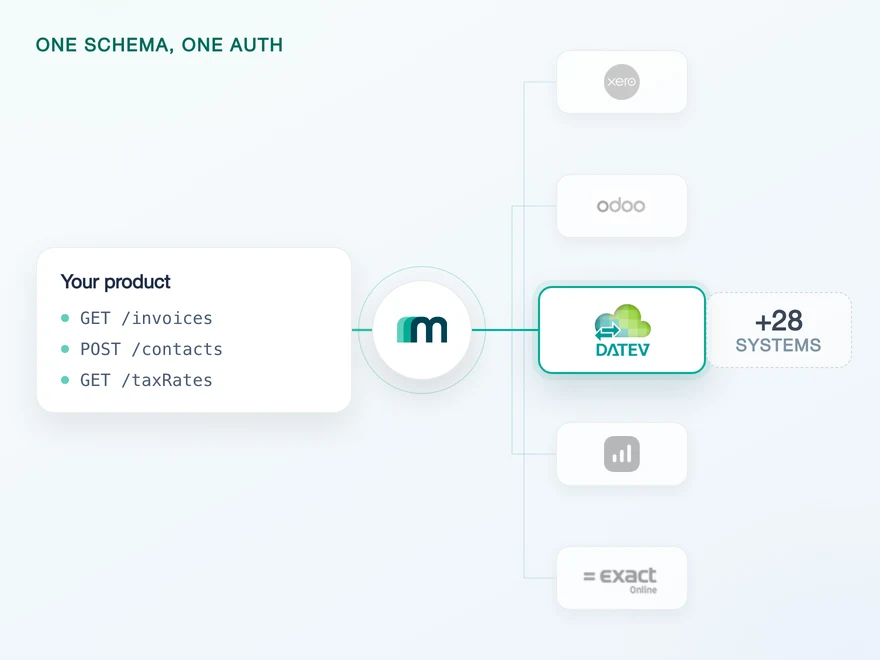
DATEV Unternehmen Online is the platform DATEV users share their receipts and accounting data through, and the platform to share it further with DATEV Rechnungswesen. Connect DATEV via Maesn today and post data with the same REST API and the same data model as every other supported system.












Documents land in Unternehmen Online, where the advisor works
Most systems on this site are a database your product reads and writes. Unternehmen Online is a delivery channel: your customer's documents go in, and their tax advisor takes them from there. Three things follow from that, and Maesn absorbs each one.
The advisor picks it up there
What you send lands in your customer's own Unternehmen Online environment, which is where their tax advisor already works. That replaces the export, the email and the manual upload, and it is the reason the integration is worth building at all.
The long token, handled
DATEV issues a short token to list the companies and a long one, valid two years, to work with. Maesn runs both target systems behind one interface, so your code sees a single account key rather than a two-stage login it has to orchestrate.
No consulting package to book
Client credentials, sandbox access and the approval of your integration run through Maesn on our interface partner status, so there is no consulting package to book with DATEV and nothing to pay before your first call. Becoming an interface partner in your own name later is a process we run with you, at DATEV's cost to you.
What reaches your code is a REST call and an account key. Teams go live in days, and the system after this one is a configuration step rather than a second project.
Unternehmen Online is one of two DATEV systems reachable through Maesn, and which one a use case needs is decided by direction rather than preference: documents go in here, bookings are recorded next door. The DATEV overview lays out the services, the partner status and the marketplace across both, so this page can stay on the one your customer actually uploads into.
A short call is usually enough to tell whether Maesn fits your use case.
HubSpot reaches DATEV without building for DATEV
HubSpot syncs customer data, invoices and payment reminders into the accounting systems its DACH customers run, DATEV among them, for hundreds of those customers, without building or maintaining a single one of those integrations in-house.
“We integrate German accounting systems and rely on Maesn as a trusted enabler - ensuring seamless data flow, full compliance, stronger partnerships, and efficient, reliable financial processes that support our growth.”


Three reasons to reach the DATEV Unternehmen Online API through Maesn
With DATEV almost all of the work sits before the request: everything that has to be true for it to be allowed, and all of it German, approved and configured by someone who is not you.
The DATEV half stays here
The interface partner status, the OAuth client, the sandbox and the approval of your integration are the price of entry, and on the Maesn client you inherit ours, so you start without paying or waiting for any of it. Moving to your own client later is a process we run with you and whose DATEV fees you carry.
The advisor's environment, not a copy of it
What your product posts lands in the environment the tax advisor already works in, so nothing has to be exported, re-uploaded or reconciled afterwards. That is the whole point of this system, and it is the reason a document posted through Maesn needs no second delivery path.
The next system costs nothing
Once this runs, every other supported accounting and ERP system answers on the same interface. Your second integration is a configuration step, and the sibling system inside DATEV is one of them.
One Unternehmen Online token, two years, one company
DATEV authenticates through its own login, with SmartCard or SmartLogin as the access medium, and Maesn puts the whole thing behind the same interface as every other system. What is specific here is what the flow has to end with: a long access token that is valid for two years and only for calls that name the company it was issued for.
- Long access token
- Valid two years, bound to one company
One account key in your code. The two DATEV target systems and the company binding stay on our side.
- The interactive flow
- Your customer logs in, picks their company from the list DATEV returns, and confirms. The company ID is stored on the connection, so nothing downstream has to carry it. This is the route the documentation puts first.
- The manual route
- Three steps you drive yourself: authenticate against the short-token system, fetch the company list, then authenticate again against the long-token system with the company you chose. More work, and more control over the interface your customer sees.
The two-year lifetime is the useful part and the binding is the catch: a long token authenticates calls for the company it was issued for and no other. Model a connection per company from the start and the second one costs nothing; model it per customer and it is a migration.
- 1
Your customer signs in to DATEV
With their SmartCard or SmartLogin, on DATEV's own screen. Nothing about the access medium reaches your product, and nothing about it is specific to Maesn.
- 2
They choose the company
A DATEV login can reach more than one company, so one has to be selected. That choice is what the long token is bound to, which is why a customer with two companies is two connections rather than one with a switch.
- 3
You work with one account key
Maesn stores the connection and returns an account key. From there every request carries your API key plus that account key, the same two headers you already send for every other system in the catalogue.
An access medium your customer holds in their hand, and a token exchange that runs in two stages, are exactly the kind of difference that turns into a per-system implementation. Unified authentication is what keeps it out of your code: the access medium, the company selection and the token lifetime are handled on our side, and what your product holds is the same account key it holds for a system that authenticates with a password.
An async task tells you the document arrived
On a system you write to rather than read from, the question that matters is whether the document you sent arrived, and that is a question about your own request. Every writable object here answers it the same way, through an asynchronous endpoint that hands back a task id.
Nothing. There is no native event on any object here, and the reference data you do read, the accounts, the fiscal years, the tax rates and the users, changes rarely enough that a schedule is the right instrument for it anyway.
The async task. All four objects you can create here are written through endpoints that run asynchronously, and each call returns a taskId you read back on GET /asyncTask. That is the acknowledgement a webhook would have carried, on a path that exists today.
This is the shape of a delivery channel: you own the state, DATEV owns the destination, and the only thing you need back from it is confirmation. Treat the task as part of the write rather than as an afterthought and the integration has no polling loop at all.
A missing webhook is usually a gap you have to fill. Here it is the wrong question, because a document upload is a long-running operation and the answer you need is about your own request rather than about someone else’s change. How asynchronous work is modelled covers the task object, the identifier it comes back on and what a partial response looks like, and it is the same mechanism on every system that has long-running writes rather than a DATEV special case.
What has to be true inside your customer's DATEV
On this system the conditions live in your customer's account rather than in yours, and the documentation names them precisely. Worth walking through with the first customer before the sprint rather than during it.
- A DATEV instance with a fiscal year, and Unternehmen Online enabled
- The fiscal year has to exist and Unternehmen Online has to be enabled for that company, the Mandant. Both are settings in your customer's DATEV, not something an API call can create.
- Belege Online in standard or erweitert
- The DATEV app Belege Online has to be activated, and which of the two modes you need depends on the service your use case runs on. A request that is right in every other respect still comes back refused when the mode is wrong.
- An access medium, with at least standard rights
- A SmartCard or SmartLogin for secure access to the company, held by a person who has at least standard access rights for Belege Online. The rights are configured in DATEV Rechteverwaltung Online, which is the tax advisor's tool rather than yours.
- A real instance to test against
- The documentation calls testing against a live production environment both recommended and necessary before you offer the feature, and that instance needs the service subscriptions your use case uses. Maesn provides the sandbox for building; this step is about the last mile before your first customer.
Bring your use case and we will tell you which services and rights it needs.
Which DATEV system holds the data you need
DATEV is three target systems, not one, and the question worth answering early is which of them your use case is about.
What you send arrives in the shared common data model, so the expense you post here has the same shape as the expense you post into a system ten times its size, and the code you write once is the code you point somewhere else.
Unternehmen Online is the delivery channel: documents and transactions go in, and the advisor picks them up. Bookings are recorded next door in DATEV Rechnungswesen, which is where the export service reads journal entries, balances and open items. DATEV also runs an e-invoicing platform, a target system of its own with its own integration guide. Tell us which data your use case is about and we will name the system it lives in.
A short call is usually enough to tell which of the three DATEV systems your use case needs.