
How to integrate with DATEV Unternehmen Online: The task id is the receipt
Most systems in this catalogue are a database you read and write. Unternehmen Online is the place a business hands documents to its tax advisor, and its role as a delivery channel decides three things: an invoice with its document goes in through one DATEV data service in a single call, an asynchronous write comes back as a task id and the long token you authenticate with reaches exactly one company.

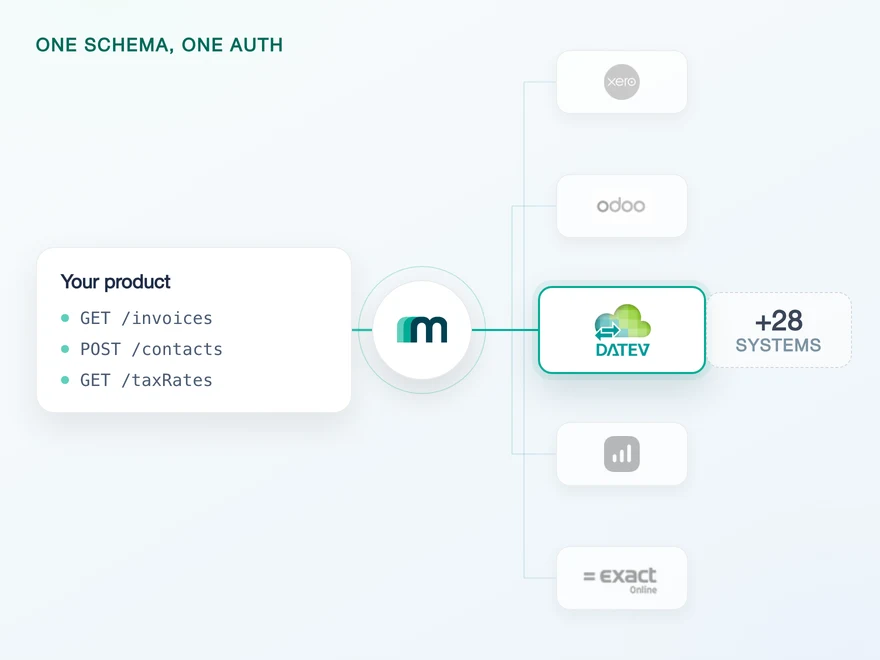
What a delivery channel changes about your data model
Most systems in an accounting integration behave like a database. You create a record, you read it back, you update it when it changes, and the system is the shared truth between your product and your customer. DATEV Unternehmen Online works differently, and every challenge during the development process traces back to that differentiation.
It is one of DATEV’s online applications, and its purpose is an exchange between two parties: a German business puts its receipts and accounting data in, and its tax advisor picks them up from there. Our documentation adds the second half of the job, that it is also the route data takes from a company’s own system towards other DATEV applications, DATEV Rechnungswesen among them.
So the question the integration answers is not “what is the state of this record”. It is “did this document arrive where the advisor will look for it”. That reframing decides the object mapping, the acknowledgement, the error handling and the freshness strategy.
The commercial detail sits on the DATEV Unternehmen Online API page, and the vendor level, meaning the full list of DATEV data services, the interface partner status and the sandboxes, sits one level up on the DATEV overview.
One consequence changes an architecture: if your product needs to read a booking back, that is the sibling system. Bookings are recorded in DATEV Rechnungswesen, and it is the one of the two you can query a ledger from. Planning for that before modelling is cheaper than finding it while writing a reconciliation feature.
Two DATEV services required for a full integration
The obvious first mapping is that an invoice in your product becomes an invoice in DATEV. On this system that write does not exist: Invoices, Bills and Credit notes are not writable objects on Unternehmen Online.
What exists instead is four writable objects: Booking proposals, Expenses, Files and Transactions. An invoice with its document goes in as a booking proposal, in a single call, because the Rechnungsdatenservice 1.0 carries the document image and the structured data together. Expenses and transactions travel through the same service. A document with no record behind it takes the other route, as a file through the Belegbilderservice.
So an integration that does both needs both services connected, and each write uses one of them. That split is the shape of DATEV’s own data services, and its Schnittstellenvorgaben Cloud Integration publish what each one carries, checked 17 August 2026:
| DATEV data service | What it carries | Format | Online API |
|---|---|---|---|
| Belegbilderservice | Digital document images | Image formats | accounting:documents |
| Rechnungsdatenservice 1.0 | Document images including structured data | XML | accounting:dxso-jobs |
Booking proposals
the maesn object you write
Rechnungsdatenservice 1.0
accounting:dxso-jobs
Files
the maesn object you write
Belegbilderservice
accounting:documents
Two practical consequences fall out of the table. The first is that your scope request depends on which use case you need: an app that only pushes documents asks for one Online API, an app that posts invoices asks for another, and an app that does both needs both.
DATEV requires that you request only the scopes your customer actually needs, and a customer cannot decline them individually. They accept or reject the whole set on the consent page, so an over-broad request is a conversion problem as much as a compliance one.
The second is that a format is its own subject. For the Rechnungsdatenservice 1.0 DATEV publishes two separate sets of requirements, one for the data service and one for the DXSO file format itself.
Meeting the first does not mean you have met the second, which is why “DATEV format” is a topic of its own in this ecosystem. Through maesn you write the common data model and the translation into either shape happens on our side.
Two tokens need to be handled per connection
Authentication here has a step that looks redundant until you know why it is there. There are two target systems for one product, datev-uo and datev-uo-longtoken, and the flow uses the first to get to the second.
The token you end up working with is valid for two years, which sounds like the end of the subject, and then our documentation adds the warning that matters: “The long token is only valid for API calls that include the specified company in the input.”
The reason sits in DATEV’s own definition of its refresh tokens, which explains the whole flow:
| Variant | Lifetime | On refresh | Reach |
|---|---|---|---|
| Shortterm token | 11 hours | No extension | Every dataset released for the identity |
| Longterm token | 2 years | Extended by another 2 years | One dataset |
Read the last column again and the two-step stops looking redundant. The short token is the only one that can see more than one dataset, so it is the one that can list the companies a login reaches. The long token is defined as access to a single dataset, so the company has to be chosen before it can be issued. The access token in front of both is valid for 15 minutes.
In practice there are two ways through it. The interactive flow sends your customer to a selection page, stores the chosen company on the connection and hands you back an account key, with nothing downstream having to carry the company id. On the manual route you run the same three steps yourself when you want the interface to be your own.
# 1 · authenticate against the short-token systemGET /auth/datev-uox-api-key: YOUR_API_KEY# -> account key for the company list# 2 · fetch the companies this login can reachGET /companiesx-api-key: YOUR_API_KEYx-account-key: SHORT_TOKEN_ACCOUNT_KEY# 3 · authenticate again, now naming the companyGET /auth/datev-uo-longtoken?companyId=CHOSEN_COMPANY_IDx-api-key: YOUR_API_KEY# -> account key valid for two years, for that company only
Both target systems and the three steps are documented on our integration page.
In the interactive flow, send environmentSelection=true and no companyId. Our authentication reference states that companyId should not be set for interactive authentication with DATEV long tokens, because it can prevent the flow from working.
One modelling decision follows, and it is cheap now and expensive later. Because the long token belongs to one company, a customer with two companies is two connections rather than one connection with a switch. Model it that way from the first sprint and the second company costs nothing. Model it per customer and you will be writing a migration.
DATEV’s own model also carries a naming detail that matters once your product touches a second DATEV API.
The dataset identifier, DATEV’s client-id, is unique per API rather than globally: the same value on a Rechnungswesen API is not necessarily the same entity as on a payroll API. If your product ever touches more than one DATEV domain, the mapping between your entities and theirs is yours to keep, and DATEV asks you to explain it during the approval meetings.
An asynchronous write is a task, and the task is the receipt
If you pull data from a system, a native event or a second call validates the status of a write. Here neither is available: no object carries a native event, and nothing you write is readable. That would be a gap if the platform left it open. It does not: booking proposals, expenses and files each have an asynchronous endpoint, and the mechanism is the same for all three.
The asynchronous endpoints are POST /bookingProposals/async, POST /expenses/async and POST /files/async. Such a call returns a task id rather than a finished record, and a second call is required to validate the status of the first, GET /asyncTask.
On Unternehmen Online that second call is the only place the status of a delivery exists.
# 1 · post the structured recordPOST /bookingProposals/asyncx-api-key: YOUR_API_KEYx-account-key: LONG_TOKEN_ACCOUNT_KEY# -> 202 with a taskId# 2 · read the outcomeGET /asyncTask/{taskId}x-api-key: YOUR_API_KEYx-account-key: LONG_TOKEN_ACCOUNT_KEY# -> the state of the write, and the failure reason if it failed
The same shape applies to POST /expenses/async and POST /files/async.
Two things follow for your own design. The first is that the task id is business data. It is the only handle you will ever have on a document you sent, so it belongs in your own record next to the document rather than in a log line. If a customer asks in three weeks whether an invoice reached their advisor, the task id is the answer and there is no second way to reconstruct it.
The second is that your retry logic should key on it. Because the write is asynchronous, a timeout on the initial call tells you nothing about whether the document was accepted. Re-posting on a timeout risks a duplicate in your customer’s advisor’s inbox, which is the kind of error that costs trust. Resolving the task first is the cheaper branch.
What has to be switched on in your customer's DATEV
On a typical system the prerequisites are yours: register an app, get a key, pick your scopes. Here almost all of them live in your customer’s account, and several belong to a third party, their tax advisor. That makes them a conversation with your customer, and it belongs before the sprint starts.
- A DATEV instance with a fiscal year, and Unternehmen Online enabled. Both are settings on the company, the Mandant, and no API call creates either.
- The DATEV app Belege Online, in the right mode. It has to be activated, in
standardorerweitert, and which one you need depends on the data service your use case runs on. - An access medium whose holder has the rights. A SmartCard or SmartLogin, held by someone with at least standard access rights for Belege Online. Those rights are configured in DATEV Rechteverwaltung Online, which is the advisor’s tool rather than yours.
- A real instance to test against. Our documentation calls testing against a live production environment both recommended and necessary before you offer the feature, on an instance carrying the service subscriptions your use case uses.
A request that is correct in every other respect still comes back refused when the mode is wrong. There is nothing in the payload to inspect and nothing in your code to fix, so a retry cannot succeed. The useful thing to build is a message that names the setting and points at whose screen it lives on.
Development itself does not wait for any of this. DATEV has no free trial account. The sandbox we make available for both DATEV products comes from DATEV, and we also make real production accounts available for development and testing.
Smaller companies use our client credentials and have nothing to apply for at DATEV. Larger companies book DATEV’s consulting package and go through DATEV’s approval process, and we support them through it. The four prerequisites govern the last mile before your first real customer.
What DATEV requires your connection screen to show
This part sits outside the API reference, and it decides whether your production approval passes. Beyond the API, DATEV specifies your user interface for the connection as a list of MUSTs, and the approval meetings check them.
DATEV expects a clear separation between establishing the connection and exchanging data, and on the connection screen:
- A button that starts it, with a label along the lines of “Mit DATEV verbinden”.
- A connection status that is quick to read, connected against disconnected.
- A button that deletes the token, and it has to do both halves: remove it in your app and call DATEV’s revoke endpoint.
- The calculated expiry date, in at least
TT.MM.JJJJ HH:MMform. A two-year token expiring silently is exactly the case this rule exists for. - The full name of the person who issued it, read from the userinfo endpoint. On a shared connection this is the difference between an audit answer and a guess.
- A link to DATEV’s own connected applications app, apps.datev.de/tokrevui, so your customer can see and revoke from their side too.
Because the token here is the long-lived variant, two further requirements apply. You have to show which dataset the connection is for, and you may only display a successful connection after the API has confirmed the access rights for that dataset, typically with a GET /clients/{client-id}. In other words, holding a token and being connected are two states, and DATEV asks you to distinguish them on screen.
All of this runs in your product’s interface, so it stays with your team. It is short work if you plan for it, and a finding in the approval meeting if you do not. The wider approval process around it, the sandbox release and the two production meetings, is a subject of its own and the partnership route is covered separately.
How you know a document arrived, and why polling is a DATEV DONT
No object on this system carries a native event, so there is nothing to subscribe to today. If your product needs an event on a specific object, tell us which one.
The reflex on any system without events is to poll. Here that reflex runs into a rule from the other direction, and the rule is DATEV’s own. Its Schnittstellenvorgaben Cloud Integration list Integration von 24/7 Pollings as a DONT in the section Ökonomie & Ökologie, and ask that you build so calls follow something the customer requested immediately beforehand, manually or by a rule.
A DONT leaves the call technically possible and endangers the approval of your integration, which on this platform is the thing standing between you and your first live customer.
A call that follows a customer action or a defensible rule, which on a write-only channel is the natural shape anyway: you send when there is something to send. The interval is still yours to choose, but “always” is not one of the choices.
The same section carries a number, and this one is a MUST. After production release DATEV expects an error rate below ten percent, measured as 4xx and 5xx responses against total requests, and it monitors it.
Exceeding it triggers a chargeable re-inspection. A well-behaved retry policy is therefore a commercial term, and a loop that repeatedly hits a refusal because a setting is wrong is a direct route to breaching it.
On this product the rule costs you little, because a delivery channel is written to when there is something to send. On the sibling system it is the constraint that shapes the whole design, since there the ledger is worth reading. What a system without native events changes about a sync is the unified webhooks subject.
What maesn covers, and what stays with you
Most of this integration moves to our side, and the rest divides cleanly. Four things stop being yours:
- The two-stage token and its company binding. Both target systems, the company selection and the two-year lifetime are resolved during the connection and stored per connection, so your call sites see one account key.
- The two write routes and their formats. You post your data in the common data model, and the endpoint settles the format:
POST /files/asyncalways delivers a document, such as a PDF, andPOST /bookingProposals/asyncalways delivers XML. The data service and the DATEV format behind each are handled on our side. - The asynchronous task handling. An asynchronous endpoint returns a task id, and you check it through the same endpoint,
GET /asyncTask, for booking proposals, expenses and files. - Access to DATEV with our support. Smaller companies build and go live on the maesn client, with nothing to apply for or pay at DATEV. Larger companies become an official DATEV Interface Partner in their own name: they book DATEV’s consulting package and go through DATEV’s approval process, we support them through it, the DATEV fees are theirs and they build on the maesn client in the meantime.
Three things stay with you, and two of them are decisions:
- Your record of what you sent. Unternehmen Online is the delivery side of DATEV, so the document, the task id and the outcome belong in your own store.
- Your connection screen. The button, the status, the expiry date, the issuing person and the revoke path run in your product’s interface, and DATEV checks them in the approval meetings.
- What triggers a call. A customer action or a rule is a product decision. It is where DATEV’s constraint and your own roadmap have to be reconciled, and that reconciliation is yours.
One note on the objects themselves. What is enabled on this system is close to complete for what a delivery channel does, so treat the object list as the answer and tell us early if your use case needs one that is not on it.
The context your writes need
Documents and transactions
In your own store. Documents and transactions go in, the context comes back, and your system stays the record of what you sent.
 Accounting in Germany
Frequently asked questions
What is DATEV Unternehmen Online?
What can I write into DATEV Unternehmen Online?
Why is the DATEV long token bound to one company?
How do I know a document arrived in Unternehmen Online?
Can I read invoices back out of Unternehmen Online?
Do I need a tax advisor to use DATEV Unternehmen Online?
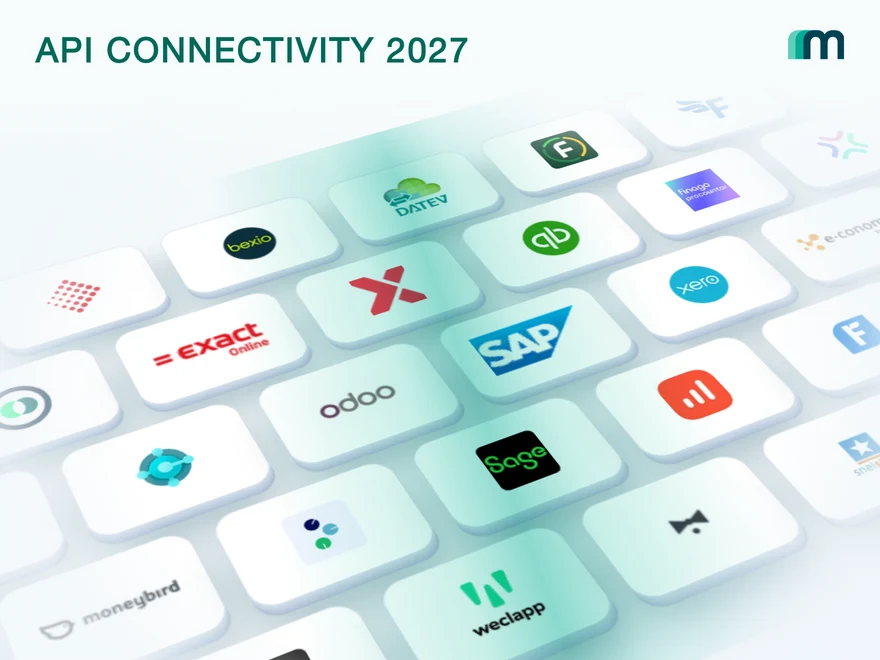
State of Accounting API Connectivity 2027: Data on 31 Systems
How 31 accounting and ERP systems handle API access: OAuth, credential lifetimes, revocation, webhooks and ledger data. Collected in October and November 2026.
Lennart Svensson · 24 Nov 2026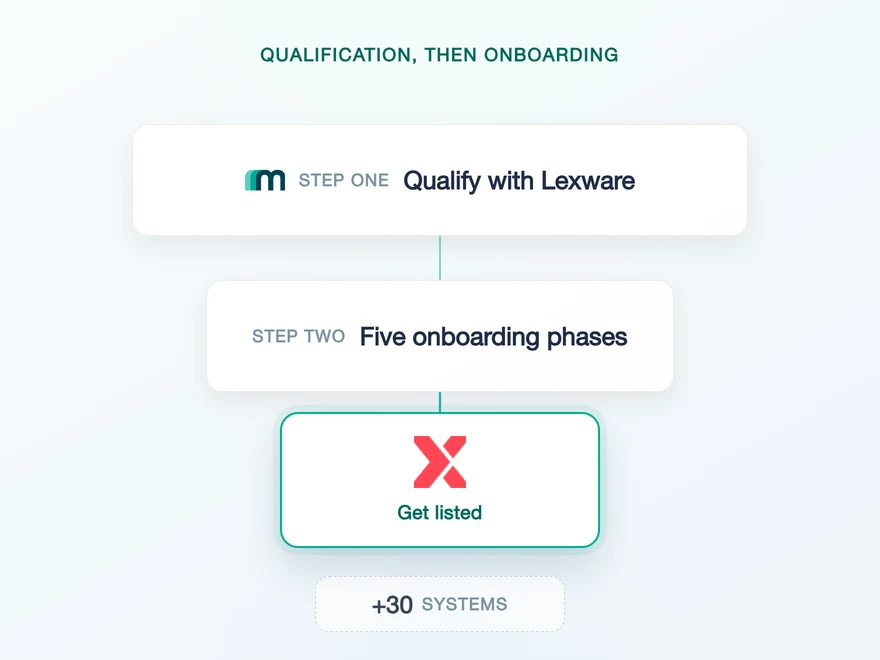
Lexware Office Partnership Guide: Public API or Partner Route
The Lexware Office Public API runs on an API key from the XL plan. Reaching every plan takes a technology partnership. How Lexware's qualification works.
 Dr. Themo Voswinckel · 24 Nov 2026
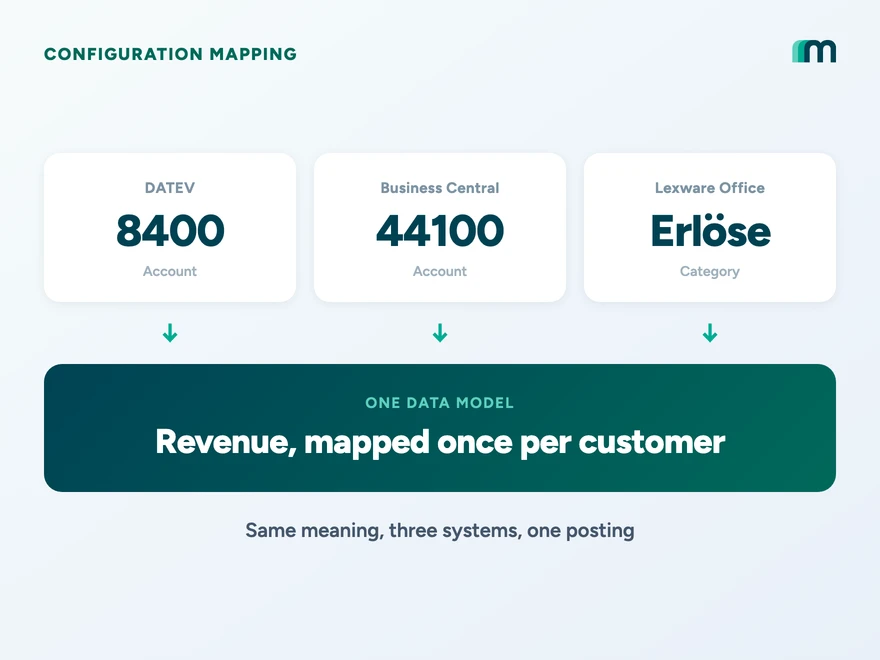
Chart of Accounts Mapping: Cover Every ERP Customisation
Map each object in your platform to the right account, tax code, dimension and company code in your customer's ERP. Standard and custom configuration in one step.
Dr. Themo Voswinckel · 2 Nov 2026Build once on the Unified API.
Unternehmen Online takes documents and gives back a task id. The next system will hand you an event, or a delta read, or a webhook you have to activate per customer. Build against one interface and each of those differences becomes a field you read instead of a branch you maintain.