FreeAgent API Integration
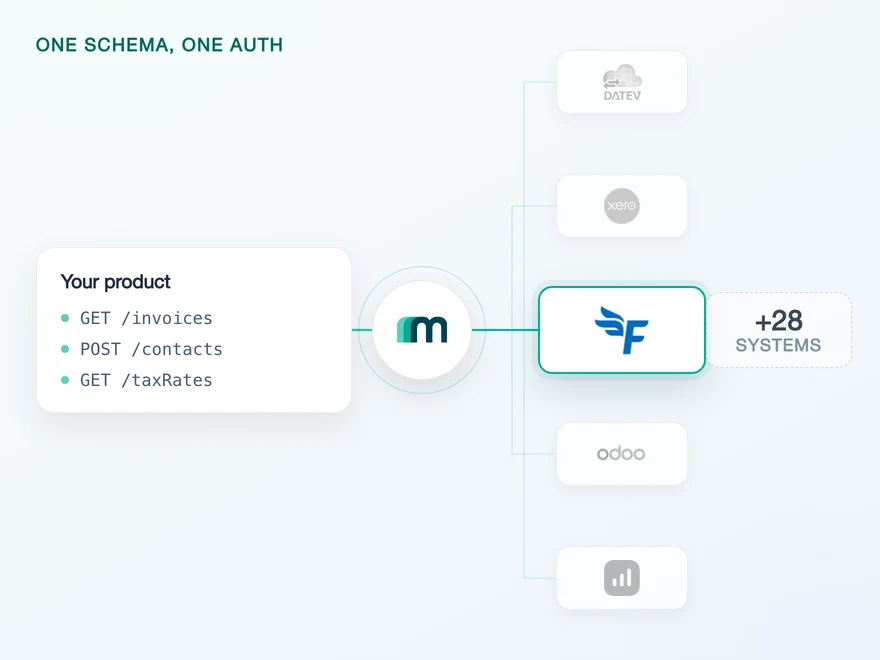
FreeAgent is a UK accounting platform for freelancers, contractors and small businesses, and for the accountancy practices that keep their books. It covers invoicing, expenses and bank reconciliation, and it files to HMRC: MTD-compatible VAT returns, Self Assessment and MTD for Income Tax. Connect it through Maesn and you reach it with the same REST API and the same data model as every other supported system.













Three FreeAgent habits that never reach your own code
FreeAgent is a small API to learn and an easy one to get subtly wrong. Three of its habits normally cost a team a round of rework. Here is what they are, and what Maesn takes off the table.
The party layer, mapped both ways
FreeAgent keeps one contact record and treats customer and supplier as views on it rather than as separate objects. You read the two roles apart and write the record underneath, and the identifier that comes back is a full API URL. Maesn maps that onto the common data model, so the same fields arrive here as on every other system.
The rate ceilings, absorbed
FreeAgent enforces 120 requests a minute, 3.600 an hour and 15 token refreshes a minute, counted per connected user and reset on the minute or the hour. Over the limit it answers 429 with a Retry-After header. Maesn holds the schedule and hands you one error contract for it, so the back-off is written once rather than once per system.
Paging that cannot quietly stop short
FreeAgent returns 25 records a page, caps per_page at 100 and puts the links to the next and last page in a Link response header rather than in the body. Read only the body and a sync looks finished when it is not. Maesn pages every FreeAgent endpoint and normalises that away, so what reaches your code is the complete set.
What reaches your code is a REST call and an account key. The FreeAgent habits stay on this side of the interface, and the next system you add behaves the same way.
A short call is usually enough to tell whether Maesn fits your use case.
Three reasons to reach the FreeAgent API through Maesn
Connecting FreeAgent directly is a short project. Keeping it correct through three rate limits, a header-based pager and a party model that splits on read but not on write is the part that keeps coming back, and it comes back again for the next system.
The FreeAgent-specific work stays here
The Link header parsing, the per-user request budget, the 429 back-off and the resolution of URL identifiers into stable keys all sit behind the interface. None of it reaches your code, and none of it is written a second time when the next system arrives.
What is switched on, in writing
Customers and suppliers are readable today and contacts are writable, so the party layer works end to end: you read the role, you write the record. The rest of the catalogue is available on request rather than absent, so widening it is a conversation about which objects your use case needs and not a second integration.
The next system costs nothing
Once FreeAgent runs, every other supported accounting and ERP system answers on the same interface with the same data model. The two headers stay the same and the change detection you wrote here keeps working. Your second integration is a configuration step rather than a second project.
FreeAgent authentication is one company per account
FreeAgent authenticates with OAuth 2.0, and the application your customers authorise is yours rather than Maesn's. A FreeAgent company account holds exactly one set of books, so consent is the only question the connection has to settle and the redirect brings back everything Maesn needs.
- OAuth 2.0
- An App your company registers with FreeAgent
One integration, every customer. Maesn holds the credentials and runs the handshake, the refresh and the re-authentication behind them.
- Your client credentials
- The OAuth identifier and secret FreeAgent issued to you are submitted once and used for every connection afterwards, so the code exchange runs here rather than in your backend. What your code holds is an account key per customer.
- The token cycle, which is short but not sharp
- The authorisation code is valid for 15 minutes and the access token for an hour, and FreeAgent leaves it to you when to refresh within that. The refresh itself is what the per-user limit counts, and Maesn holds the tokens so your code is not the thing paying that limit.
FreeAgent runs two API products behind one brand: the company API most integrations use, and a separate one for accountancy practices that reaches a firm's clients through an extra subdomain header. They need different Apps at FreeAgent's end, and the setup Maesn supports today is the company one. If your customers are practices rather than businesses, that is worth raising before you register anything.
- 1
Your customer starts in your product
You send them into the flow and Maesn opens FreeAgent's consent screen. It carries your application's name, because the App is registered to your company.
- 2
FreeAgent returns to Maesn
The redirect URL on your App points at Maesn, so the code exchange and the first token happen here rather than in your backend. Your customer lands back in your product with nothing to configure.
- 3
You work with one account key
Maesn stores the connection and returns an account key. From there every request carries your API key plus that account key, the same two headers you already send for every other system in the catalogue.
What your customer sees here is a consent screen and nothing after it, because a FreeAgent account is a single company and the question of which books to reach is therefore already answered. Unified authentication is what makes that shape the normal one rather than the lucky one. Where a system does reach several environments or companies, Maesn puts that choice in front of your customer inside the same flow, stores the answer on the connection and hands back the same account key it hands back here. So there is one connect flow to build, and which systems need an extra question is handled behind it rather than branched for in your code.
How you notice a change in FreeAgent
No FreeAgent object sends an event through Maesn today, so change detection here is a read you schedule. FreeAgent offers a timestamp filter of its own on its resources, and its changelog dates that filter's arrival on contacts and lets it combine with a date range.
A timestamp filter on the resource itself, returning only records touched since the moment you name. It is a read you make rather than a call you receive, and it answers for exactly the window you ask about.
One delta filter on the unified interface, and Maesn maps it onto whatever each system underneath expects. You write the scheduled read once against the same filter and the same pagination, and it notices change in the next system without a second implementation.
What is measured is that no FreeAgent object has events enabled through Maesn today, and that most of the webhook column stands on request rather than on a refusal. What that says about FreeAgent's own event support is a separate question, and not one this page answers in either direction.
A timestamp filter is a weaker signal than an event and a more forgiving one. An event arrives once, and an endpoint that was down when it fired does not get a second copy. A filter is a question, so the answer is the same whether you ask every ten minutes or once after a long outage, and catching up is a matter of moving the timestamp back rather than reconciling what was missed. FreeAgent also allows that filter to be combined with a date range, which is the difference between a catch-up read and a full re-import.
The part that decides what this costs you long term is not FreeAgent at all, it is how many versions of the loop you end up owning. One way to filter and page is what keeps that number at one: the same read serves the next system too, whether that one pushes events or waits to be asked. The timestamp, the paging and the retry stay where they are.
Get listed in the FreeAgent directory
Most providers stop at the API. Maesn does the technical enablement and the relationship, and on FreeAgent the second half is already in place: FreeAgent publishes a public directory of the products that connect to it, and Maesn has an entry in it.
Technical enablement
One integration against the Unified API and one data model, identical to every other system Maesn supports. Your engineers meet the same interface here as they will for the next system.
Partnership support
Maesn takes you through the FreeAgent listing rather than handing you a form and a link, and does it as a company already inside that directory.
A public directory, on FreeAgent's own domain
FreeAgent runs an integrations directory that its customers browse, with a page per product covering what the integration does and who built it. That page sits on freeagent.com rather than on the vendor's site, which is what makes a listing worth having.
Maesn already has an entry in that directory
The Maesn entry describes the FreeAgent integration and the steps to start one, and it sits on FreeAgent's own domain rather than on ours. Getting that far is the part of a partnership that usually takes the longest, and on this system it is already behind us.
The audience is UK businesses and their accountants
FreeAgent sells to freelancers, contractors and small businesses in the UK, and separately to the practices that do their books. A listing puts your product in front of both, and it is worth deciding which of the two you are selling to before you write the entry.
The integration runs under your product's name, and the listing is yours rather than ours. Maesn is the layer behind it.
We prepare the technical side of the requirements with you.
What FreeAgent asks for up front
Four things are worth having decided before you write any code, and two of them are about who connects rather than about what you build.
- A FreeAgent App, registered by you
- You create it in FreeAgent's developer dashboard and set the redirect URL to Maesn's callback, then hand us the OAuth identifier and secret once. Your customers see your application's name on the consent screen, so the connection reads as yours.
- A second set of credentials for the sandbox
- FreeAgent runs production and sandbox on different URLs with different credentials, so the sandbox is its own target system with its own callback address rather than a flag on the first one. Register both while you are in the dashboard, because it is one round trip instead of two.
- The access level of the person who connects
- FreeAgent grades permissions from no access up to full and states a minimum level per resource, and the grade also decides which fields come back. On contacts the base level returns a name, while email, address, payment terms and the tax registration number need the contacts permission. A connection made by a restricted user is a thinner connection, and that is worth knowing before it looks like a bug.
- A schedule, because nothing will call you
- Change detection here is a read you run on an interval rather than an event you wait for. FreeAgent offers a timestamp filter on its resources, and Maesn drives it from the same delta filter you already point at the other systems in the catalogue, so there is one loop and not one per system.
We walk through the App registration, the sandbox and the permission levels with you.
One record, two roles, and one shape at the end
FreeAgent's party layer reads like an inconsistency until you know what sits underneath it, and the explanation is a rule about when a contact takes on a role at all.
Read splits the party, write does not
Customers and suppliers arrive as two readable roles because FreeAgent exposes them as views, while creating and updating happens on the single contact record underneath. Plan the write path against contacts rather than against the role you read.
Identifiers are URLs, not numbers
FreeAgent names the unique identifier of a contact or an invoice as a URI, and references between records carry the full API address. Maesn resolves them into stable keys, so nothing downstream has to parse an address to find an id.
No object deletes by default
No object has delete enabled. Accounting practice expects corrections and cancellations as new documents anyway, so plan them that way rather than around a delete you would have to request.
A contact in FreeAgent begins as neither a customer nor a supplier. It becomes one the first time an invoice connects the two of you, and the direction of that invoice decides which role it takes: one you raise makes the contact a customer, one you receive makes it a supplier. A contact that has done neither stays exactly what it was created as, which means a FreeAgent account holds three groups rather than two. That is why customer and supplier are views over a single contact record instead of objects of their own, and why you read the role you need but write the record underneath.
Once that is clear the write path stops being surprising. There is one place to create a party and no way to create it as a role, because the role is a consequence of activity rather than a property you set. Whatever you then read comes back in the shared common data model, so a contact from FreeAgent has the same shape as a contact from a system that does keep customers and suppliers apart, and the code you write here is the code you reuse for the next one.
One more thing decides what a FreeAgent connection is worth in practice, and it is not visible in any object list. FreeAgent grades user permissions and states a minimum grade per resource, and the grade also selects which fields come back: a contact read at the base level carries a name, while the email address, the postal address, the payment terms and the tax registration number need the contacts permission. So the same read returns different amounts of data depending on who authorised the connection, which is worth designing for rather than discovering.
Tell us which objects your use case needs and we will confirm what is possible.