Moneybird API Integration
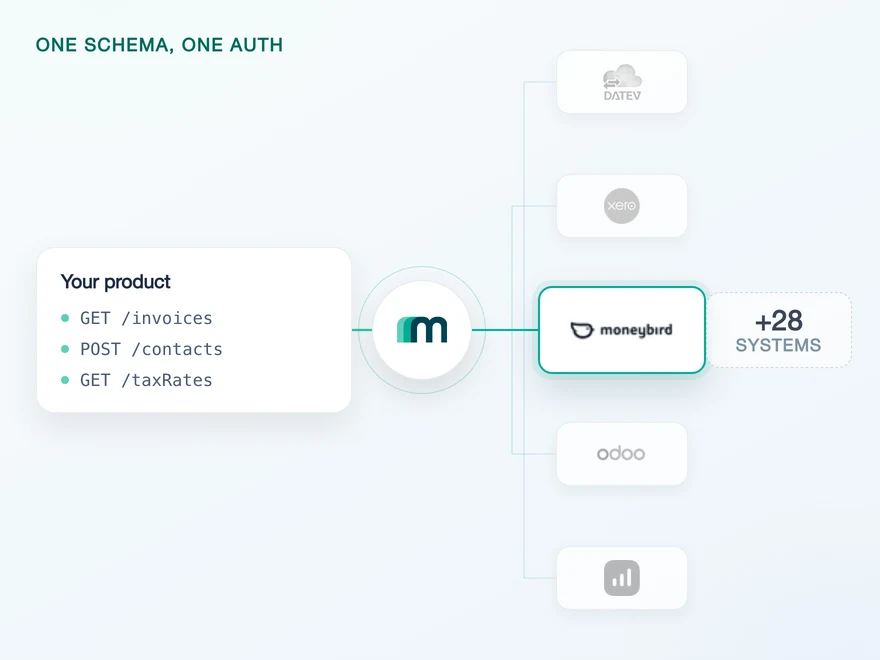
Moneybird is a Dutch accounting platform for freelancers, small businesses and the bookkeepers who work alongside them. It covers invoicing, expenses, VAT returns and bank reconciliation, and it is one of the systems a product selling into the Netherlands is asked for by name. Connect it through Maesn and you reach it with the same REST API and the same data model as every other supported system.












What a Moneybird integration costs
Moneybird is a clean REST API with three properties that decide how your code is shaped, and all three land before you write a single business rule. Here is what the integration asks of you, and what Maesn takes off the table.
One discovery call, then it travels for you
Moneybird addresses everything as /api/v2/{administration_id}/{resource}.{format}. Its own OpenAPI specification describes 211 paths, and one of them works without that ID: the call that lists the administrations a token can reach. Maesn resolves it per customer during onboarding and puts it on every request afterwards, so no part of your code has to know which administration a call belongs to.
The ceiling, and which axis it counts on
Moneybird allows 150 requests every 5 minutes and drops to 50 for the report endpoints, and it counts per IP address rather than per token or per customer. Moneybird publishes that partners running popular OAuth applications can ask for a per-administration limit instead. Maesn hands the 429 back as one error shape with the retry headers Moneybird sends, so the backoff is written once rather than once per system.
One contact, mapped for you
Moneybird keeps every business relationship in a single contact record, and the coverage matrix reflects that: customers and suppliers are marked not supported, while contacts is the one object enabled for reading, creating and updating. Maesn maps it into the common data model, so a Moneybird contact arrives in the same shape as a customer from a system that splits the two, and the lookup in your code stays one path instead of two.
What reaches your code is a REST call and an account key. The administration ID, the format suffix and the retry headers stay on this side of the line, and the next Dutch system your customers ask for answers on the same interface.
A short call is usually enough to tell whether Maesn fits your use case.
Clockin turned integrations into a way into new markets
Clockin digitises time tracking for small and mid-sized businesses. The integrations they built stopped being a support cost and started bringing customers in, which is the same trade a place in the Moneybird app directory offers a product that wants to reach Dutch businesses and their bookkeepers.
“We use Maesn to successfully leverage integrations and partnerships as a key driver for lead generation and expansion into new markets and customer segments.”


Three reasons to reach the Moneybird API through Maesn
Connecting Moneybird directly is a short project. Keeping it correct through an ID that has to be right on every call, a filter that silently replaces itself and identifiers your JSON parser may round is the part that shows up in month three.
The Moneybird-specific work stays here
The administration ID on every path, the .json suffix, the dedicated filter endpoints whose partial filter overwrites the defaults instead of adding to them, and identifiers so large that Moneybird itself asks you to parse them as strings. Maesn absorbs all four, and none of them reach the code you write.
What is switched on, in writing
Contacts come back readable, writable and updatable, which is the object a customer lookup points at on this system. Everything beyond that is available on request rather than absent, so widening the connection is a conversation about which objects your flow needs.
The next system costs nothing
Once Moneybird runs, every other supported accounting and ERP system answers on the same interface with the same data model. The two headers stay the same and the change-detection loop you wrote here keeps working. Your second integration is a configuration step rather than a second project.
What a Moneybird listing requires
Most providers stop at the API. Maesn does the technical enablement and the relationship, and on Moneybird both are easy to plan for, because it publishes what a listing requires instead of describing a process.
Technical enablement
One integration against the Unified API and one data model, identical to every other system Maesn supports. Your engineers meet the same interface here as they will for the next system.
Partnership support
Maesn takes you through the Moneybird requirements and the submission, from the scope list you have to justify to the test account they ask for, rather than handing you a form and a link.
Scale and age, both counted and both published
Moneybird requires at least 25 active administrations and at least two months of live operation before it will list an integration. That is a threshold you reach with customers rather than with code, so a listing belongs in the plan for the months after launch instead of in the launch itself.
Technical conditions, published in advance
OAuth with least-privilege scopes instead of Moneybird logins, refresh tokens instead of a new access token each time, respect for the 150 requests per 5 minutes limit, and webhooks instead of continuous polling. Moneybird also tests that the bookings you write are accounting-correct before listing you.
A submission, put together once
The request goes to Moneybird's support with four things attached: proof of the API token, a test account, a link to the documentation your users see and a justification for each scope. Maesn assembles the technical half with you, because the token and the scope list sit on our side of the integration. Moneybird decides on the listing itself and says so plainly.
The integration runs under your product's name, and the listing is yours rather than ours. Maesn is the layer behind it.
We go through the Moneybird requirements and the submission with you.
One Moneybird client, one administration per customer
Moneybird authenticates with OAuth 2.0, and the application your customers authorise is yours rather than Maesn's. One Moneybird login can reach more than one administration, so the connection has to settle which one it means, and Moneybird is on the interactive list in the authentication documentation: the choice happens on a selection page you can brand, and it is stored on the connection instead of travelling as a parameter on every call.
- OAuth 2.0
- Client credentials from an app you register with Moneybird
One integration, every customer. Maesn holds the credentials, runs the handshake and keeps the administration the connection points at.
- Your client credentials
- The client ID and secret from the app you registered are submitted once and used for every connection afterwards, so the code exchange runs here rather than in your backend. What your code holds is an account key per customer.
- The administration the connection points at
- Moneybird stops issuing a token and starts requiring an administration ID on the very next request. Maesn stores the selected administration against the connection and injects it into the path, so nothing downstream of the connect step has to carry it.
Moneybird also issues personal API tokens, which are quicker to obtain and give whoever holds one access to that whole account. They are useful for a first look at the API and they are not the route for an integration your customers connect themselves, which is why the flow above is OAuth throughout.
- 1
Your customer starts in your product
You send them into the flow and Maesn opens Moneybird's consent screen. It carries your application's name, because the client is registered to your company, so the connection reads as yours rather than as a third party's.
- 2
They pick the administration
Moneybird returns to Maesn, and where a login reaches more than one administration the interactive flow shows a selection page in your branding. The choice is stored against the connection, so it is made once instead of on every request.
- 3
You work with one account key
Maesn stores the connection and returns an account key. From there every request carries your API key plus that account key, the same two headers you already send for every other system in the catalogue.
Every system in the catalogue authenticates differently, and Moneybird is the case where the handshake is ordinary and the step after it is not: the token alone cannot address anything, because the administration has to be settled before the first resource call. Unified authentication is where that lives. The selection page, the stored choice and the credentials behind them are handled once for every system rather than once per system, so what your code holds is an account key.
What Moneybird documents on webhooks, and what is enabled today
Moneybird documents webhooks in detail, and no Moneybird object is marked as sending an event through Maesn today. Both halves are worth having in front of you before you design change detection.
Its developer documentation lists 343 event types and registers subscriptions per administration. Every push carries an idempotency key that is unique to that delivery and a signature header, a failed delivery is retried ten times with a widening interval, and the last status and body are kept for debugging.
The Moneybird documentation describes a subscription created per customer for contacts, invoices, payments and tax rates, with created, updated and deleted as the event types, verified by a signature on the callback. In the coverage matrix on that same page no object carries an event today.
So the change-detection loop you write for Moneybird now is a scheduled read on the same filter and the same pagination as every other system, and it is the loop that catches up cleanly after an outage rather than losing what was pushed while you were down. Tell us which objects your use case needs and we will confirm what is possible.
A scheduled read is the loop that survives being wrong. A push that arrives while your endpoint is down is gone unless something replays it, and a read simply asks again with a wider window. What it needs in return is a filter and a page model you trust, and Moneybird gives you neither for free: it filters through dedicated endpoints where a partial filter replaces the defaults instead of narrowing them, and it pages without ever telling you how many pages there are. One way to filter and page is what removes that class of mistake. What you handle through the event model and what you pull on a schedule stay two paths, and only one of them is switched on for Moneybird today.
What Moneybird expects up front
Four things are worth having decided before the first call, and two of them are decisions rather than credentials.
- A Moneybird app, registered by an administration owner
- You create it under your Moneybird account, set the redirect URL to Maesn's callback for Moneybird and submit the client ID and secret to us once. Moneybird checks during the consent step that the person authorising actually owns the administration, so a colleague with limited rights cannot complete the connection.
- The scopes your client asks for, and the one that is not enough
- Moneybird publishes six scopes: sales invoices, documents, estimates, bank, time entries and settings. Reaching contacts needs one of the first four or settings, and a client holding only time entries will not see a contact at all. Since contacts is the object with the fullest coverage here, that is worth settling before you submit rather than after.
- Somewhere to keep identifiers that are large integers
- Moneybird warns in its own documentation that its IDs are large integers and recommends parsing them as strings, and our webhook example carries an eighteen-digit one. A parser that quietly turns them into floating point numbers loses the last digits, and the record it then asks for does not exist.
- A schedule, and a habit of not verifying with a read
- Change detection is a read you run on an interval, because no Moneybird object sends an event through Maesn today. Moneybird also caches API responses and advises against using a GET to confirm that a write landed, since the answer can be incomplete. The status code of the write is the confirmation.
We walk through the app registration and the scope list with you.
One contact record, and one shape at the end
Moneybird keeps every business relationship in a single contact record and sorts the roles out on the document, which is what decides where a customer lookup points.
Reads and writes meet in one object
Accounts, contacts and tax rates are readable. Contacts and booking proposals are writable. Contacts is the only object on both lists, so a booking proposal can be created here and not read back, and an account can be read and not written. Plan the round trip around contacts and treat the rest as one direction each.
A partial filter replaces the defaults
Moneybird filters through dedicated endpoints that take comma-separated key and value terms, and any filter you send replaces the defaults completely rather than narrowing them. A request that omits a key you did not think about comes back with a different set instead of an error, which is the kind of mistake that survives a test run.
No object deletes by default
No object has delete enabled. Accounting practice expects corrections and cancellations as new documents anyway, so plan them that way rather than around a delete you would have to request.
Customer and supplier are not separate objects here, and that is a property of Moneybird rather than something the integration leaves out: the relationship lives on one contact record and the role is settled on the document. Contacts is consequently the object a customer lookup points at, and it is enabled for reading, creating and updating alike.
That is also the moment the shared model earns its keep. A contact from Moneybird arrives in the same shape as a customer from a system that splits customers and suppliers into two objects, because the common data model is what absorbs the difference. The code you write here is the code you reuse for the next system. Everything beyond the enabled set is available on request, which means not switched on by default rather than out of reach.
The ceiling is worth designing for rather than discovering. Moneybird allows 150 requests every 5 minutes and 50 for its report endpoints, and it counts them per IP address rather than per token, so a bulk backfill meets the limit long before a single customer sync does. When it does, the 429 arrives with the headers that say when to come back, and one error contract is what keeps that from being a Moneybird-shaped branch in your code.
Tell us which objects your use case needs and we will confirm what is possible.