
How to integrate with Moneybird: Versions decide what changed
Moneybird answers the freshness question with version numbers instead of clocks. One call returns every record in an administration as an id and a version, you compare that against what you hold, and you fetch only the ones that moved. It is a more exact delta than a timestamp gives you, and it is what a sync on this system is built on.

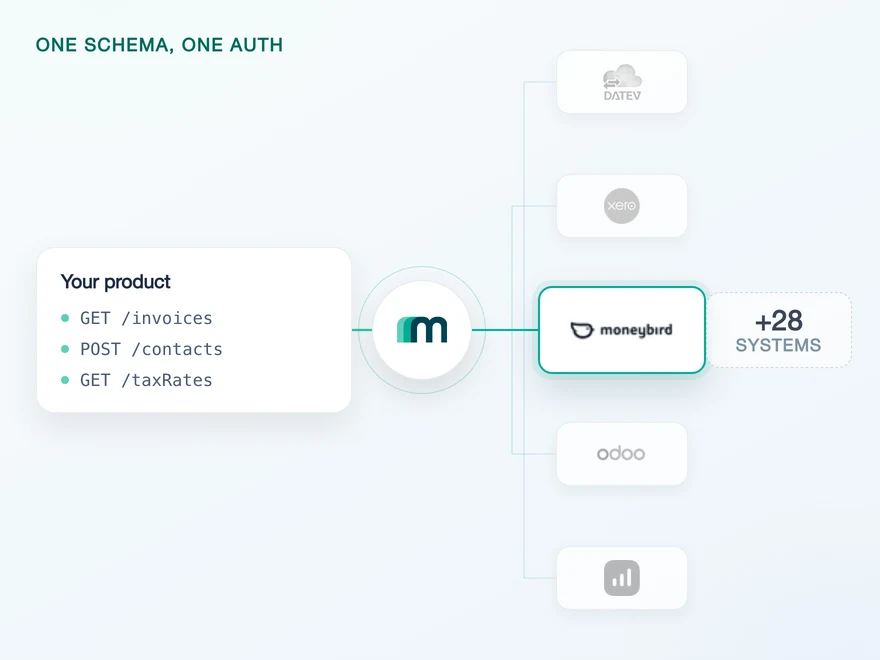
One app, one administration and the owner's consent
Connecting to Moneybird is the ordinary half. You register an application, your customer authorises it, and you hold a bearer token. Moneybird offers a personal token as the shortcut and describes its blast radius plainly: it “is similar to a password and gives access to your entire company account”. For anything with customers in it, the OAuth route is the one.
Two details of that flow shape what you build afterwards. The first is who may agree: Moneybird states that the user should be owner of the administration, so consent is not something an arbitrary colleague can give. The second is who gets the credit for what follows.
On authorisation Moneybird “creates a special API user”, and “all actions performed by your application, will be named based on the application you registered”. Your writes appear in the customer’s history under your product’s name rather than under the person who connected it, which is usually what you want and always worth knowing before a support conversation about it.
Moneybird is unusually direct here: “As of now, this token does not expire, but we might change this in the future. Therefore it is advised to keep this in mind and prepare your application accordingly.”
A refresh token comes back with the grant regardless. Storing and using both costs nothing today and is the difference between a config change and an incident on the day that sentence stops being true. How the renewal is sequenced when it does is what the authentication model takes off your side.
One more thing sits between the token and the first useful call: an administration id. It is part of every path, and a customer can have more than one. Through us that selection is part of the connect flow rather than a field you collect, because moneybird is one of the systems where the interactive flow stores the choice and replays it on later requests.
You are not obliged to use it. The selection step exists so your customer settles the administration once, but you can skip it and name the company on each call instead, which is the route to take when your own product already knows which administration it means. Both paths end at the same account key, and the choice is yours rather than the system’s.
Which objects a connection reaches, field by field, is on the Moneybird API page rather than repeated here. What the rest of this piece is about is the part that is not a list: how you find out that something changed.
GET /api/v2/{administration_id}/contacts.json HTTP/1.1Host: moneybird.comAuthorization: Bearer {access-token}Content-Type: application/json# v2 is the only version Moneybird publishes today.# The format is part of the path, so .json and .xml are# two URLs rather than two Accept headers.
Path shape and both formats from Moneybird’s introduction, checked 13 August 2026. The same page asks you to parse ids as strings, because they are large integers that some JSON parsers round.
Contacts have no scope of their own
Moneybird publishes six scopes. Five of them name a working area and one names a data type, and the object most integrations are built around is not in the list at all.
The documentation is explicit about the consequence: “either the sales_invoices, documents, estimates, bank or settings scope is required to access contacts … Having access to only time_entries will not allow you to access contacts.” So contacts arrive as a side effect of asking for something else.
| Scope | Reaches contacts |
|---|---|
| sales_invoices | Yes, and it is the default when you request none |
| documents | Yes |
| estimates | Yes |
| bank | Yes |
| settings | Yes |
| time_entries | No, stated in as many words |
Scope list and both sentences from Moneybird’s authentication page, checked 13 August 2026, and repeated per operation in the reference, where the contacts calls name the same five. If you request no scope at all, sales_invoices applies.
This matters at the consent screen rather than in your code. A customer who is asked for the bank scope so that your product can read a contact record will read that request as a request about their bank. There is no narrower ask available, so the honest move is to explain the one you make instead of looking for a smaller one.
It also removes a design option. Some systems let you separate a read-only integration from a writing one at the scope level. Here the same five scopes carry both, so the boundary between reading and writing is one you enforce on your side.
Contacts carry the partner data, because customers and suppliers do not
In our coverage data moneybird has no readable Customers object and no readable Suppliers object. Both sit on not supported in all five columns. That is not a gap in the data, it is the shape of the system: Moneybird keeps one party record and distinguishes roles on the documents that reference it.
It is a property moneybird shares with three other connected systems rather than a peculiarity of its own. What makes it worth a section is the second half: Contacts is also the only object here that we support for reading, creating and updating at once.
| Object | Supported for |
|---|---|
| Contacts | Read, create and update |
| Accounts | Read |
| Tax rates | Read |
| Booking proposals | Create |
Counted in our own coverage data across all 37 objects moneybird lists. Everything not in this table is either marked on demand or not supported, and no object has delete enabled. On demand records what is technically reachable, not what is available now.
Read the two halves together and the integration writes itself in outline. Your partner data round-trips: you read contacts, you create them and you update them. Everything else is a read at best, so a product that plans to push documents into this system is planning against the on-demand column rather than against what is enabled.
The mapping question that follows is where a unified model earns its keep. If your product holds customers and suppliers as separate types, something has to fold them onto one record on the way in and unfold them on the way out. The shared data model is where that lives, and it is the same code whether the system underneath keeps one party record or three.
What the event catalogue covers
Moneybird has a webhook system, and it is a thorough one. The premise is stated the way you would hope: “Instead of querying the API at a certain interval, Moneybird will notify you about changes to information in the bookkeeping.”
The catalogue behind that sentence is large. The events page lists 343 event types for the enabled_events field, spread across 49 top-level groups, and you may subscribe to a whole group by naming its prefix rather than enumerating its members.
The delivery mechanics are equally complete. Your endpoint is checked for a 200 at registration. A failure is retried ten times at widening intervals. Every push carries an Idempotency-Key that is unique per delivery, which is what makes those retries safe to accept twice.
Moneybird-Signature: t=1748534400,v1=5257a869e7eceb...1. signed_payload = "{t}." + raw_request_body2. digest = HMAC-SHA256(signing_secret, signed_payload)3. Accept if ANY v1 value matches, in constant time4. Reject if t is more than 5 minutes from now# The body must be the exact bytes received. Re-serialising# the JSON changes them and verification fails.
Steps and both constraints from verifying signatures, checked 13 August 2026. During a secret rotation the header carries one v1 per active secret, which is why step three accepts any match rather than the first. Unknown prefixes are to be ignored, so a future scheme cannot be used to downgrade you.
One property separates this from most event systems worth comparing it to. The payload is not a pointer. It carries entity_type, entity_id, action and then the whole entity, and in Moneybird’s own example an invoice arrives with its contact object nested inside it, addresses and mandate fields included.
That is convenient and it is a decision you inherit. A full entity in a webhook body means customer data lands in your logs unless you keep it out of them, which is a retention question rather than an integration one.
What state each delivery ended in is recorded on the webhook itself, because Moneybird keeps the last status code and body for debugging. That is the same information the logging model exposes for calls that run through us.
Event count measured on the events table and confirmed by three separate counts of the same table, checked 13 August 2026. Retry behaviour and the registration check from the webhooks guide, payload shape from the payload reference.
Four resources for events, and a version index that needs no subscription
Everything above describes what the vendor publishes. What a connection through us uses today is the version index in the next section, and events on this system are switched on by request rather than by default.
Our own documentation sits between those two facts and is worth reading in full before you plan around either. It describes the subscription for this system concretely, naming four resources and three event types, and it specifies the call that creates one per customer.
| Resource | Matched by | Enabled today |
|---|---|---|
| CONTACT | Contacts | No, marked on demand |
| INVOICE | Invoices | No, marked on demand |
| PAYMENT | Payments | No, marked on demand |
| TAX_RATE | Tax rates | No, marked on demand |
Resources and the three event types CREATED, UPDATED and DELETED from our moneybird documentation, the enabled column from our coverage data, both checked 13 August 2026. Two fields of the unified event body are documented as empty for this system, filterDate and userId.
- 343event typesMoneybird publishes
Signed, retried ten times, carrying the full entity in the payload.
- 4 × 3resources and event typesOur documentation describes
CONTACT, INVOICE, PAYMENT and TAX_RATE, each with CREATED, UPDATED and DELETED.
- 0objectsEnabled in our coverage today
The four resources above are all marked on demand rather than enabled.
All three rows are true at the same time. A documented event is not an enabled one, and an interface that does not carry one today is not one that never will. Design against the bottom row.
Both facts belong in the same paragraph because a plan built on either alone goes wrong. A system with a documented catalogue is not a system without events, and an interface that does not carry them today is not one that never will. The event model is where that distinction lives, and on this system the pull half is currently the whole of it.
So the useful question is what the pull stands on. On most systems the answer is a modified-since timestamp. Here it is something better, and Moneybird documents it for exactly this purpose rather than leaving you to assemble it.
Version numbers, and the hundred-record ceiling
The synchronisation endpoints answer the freshness question with versions instead of clocks. A GET returns every record in the administration as an id and a version number. You compare those against what you hold. Then a POST to the same path returns the records you name.
GET /api/v2/{administration_id}/contacts/synchronization.jsonAuthorization: Bearer {access-token}# The response is the entire administration, not a page of it:# [{ "id": "495331562957571916", "version": 1786605011 },# { "id": "495331562982737747", "version": 1786605011 }]
Moneybird’s own instruction on the contacts resource, checked 13 August 2026: “Check if the version of the contact is newer than the version you have stored locally, use the POST variant for fetching contacts with the given ids.”
POST /api/v2/{administration_id}/contacts/synchronization.jsonAuthorization: Bearer {access-token}Content-Type: application/json{ "ids": ["495331562957571916", "495331562982737747"] }# At most 100 records come back, however many ids you send.# Batch accordingly rather than discovering the ceiling later.
The cap is the vendor’s wording: “Returns a maximum of 100 contacts, even if more ids are provided.” The same sentence appears on the other resources that carry this pair, with the object name swapped.
- 1Ask for the indexGET …/contacts/synchronization.json
Returns every record in the administration as an id and a version.
- 2Compare on your sideNo call, your database
Keep the ids whose version is newer than the one you stored.
- 3Fetch only thosePOST …/contacts/synchronization.json
Send the ids you want. Returns at most 100 records per call.
Step two is why this catches up. The comparison lives in your database rather than in a cursor at the vendor, so a worker that was down for a day asks the same question on the next run and gets a complete answer.
Counted in Moneybird’s published OpenAPI description, 11 of its 211 documented paths carry this pattern, contacts and sales invoices among them, along with estimates, financial mutations and the document types. So it covers the objects a bookkeeping integration moves, and it does not cover everything.
Two properties make it worth building on. A version comparison does not care about clock skew or time zones, which on a system that resolves timestamps through a header, then an administration setting, then UTC is a category of bug you simply do not open.
And it catches up. A worker that was down for a day asks the same question on the next run and gets a complete answer, with no cursor to have preserved.
The rate limit counts per address, not per customer
Moneybird’s throttling is generous in its framing and specific in its unit. Usage is unlimited within the subscription and permissions of the account you connect, and then one sentence sets the unit: “To prevent fraud and abuse, requests to the API are throttled on a per ip-address basis.”
The number is 150 requests per five minutes, and 50 per five minutes for everything under the reporting endpoints. Read the unit again, because it is the part that decides an architecture. The budget belongs to the address, not to the token, the customer or the administration.
For a single-tenant script that is roomy. For a direct integration serving many customers from one egress address it is a single pool, and adding customers does not add capacity: 150 per five minutes is 30 a minute, whether one administration is behind it or four hundred.
Through Maesn that arithmetic stops being yours. The calls to Moneybird are made from our infrastructure, so the address the limit counts is ours and the scheduling against it happens on our side of the interface. What reaches you when the ceiling is hit is the standardised error below, not a budget you have to size your own egress for.
429 is the ordinary rate-limit answer and carries Retry-After alongside the three RateLimit- headers. A 403 here does not mean your scope is wrong. Moneybird documents it as “IP is blacklisted for API usage”, which points at the same address budget rather than at permissions. Treating it as a consent failure sends customers back through a flow that was never the problem, which is one of the mappings the error model exists to get right.There is a documented way out, and it is a conversation rather than a parameter: “Partners with popular Oauth Applications can request a per-administration limit instead of ip-address limits.” Worth knowing early, because the request is easier to make before the limit is the reason you are making it.
One more sentence from the same page changes how you verify work. Moneybird caches reads: “we strongly advise against using GET methods for verification purposes as this may result in an incomplete result. To verify API requests, developers can check the response status codes.”
So a read-back after a write is not a confirmation, and the status code is. Where a write is queued rather than immediate, the asynchronous path reports the outcome instead of asking you to poll for it.
Throttling numbers, the per-address unit, the per-administration exception, the 403 description and the caching note all from Moneybird’s introduction, checked 13 August 2026.
A filter you pass replaces the defaults
Filtering happens on a dedicated path rather than through query parameters on the list call. You ask /contacts/filter.json and pass a filter string of comma-separated key:value terms. That much the previous version of this article had right, and the sentence next to it in the reference is the one that costs time.
Moneybird states it plainly: “Any filter you pass replaces the defaults below entirely, so include every key you need.” A filter is not a narrowing of the default set, it is a replacement of it. Passing one key drops every condition you assumed was implied, and the response looks plausible while being wrong.
GET /api/v2/{administration_id}/contacts/filter.json?filter=updated_after:2026-08-01T00:00:00.000Z,contact_type:all# updated_after is EXCLUSIVE and compared in UTC.# Reusing your last run's timestamp is therefore correct,# not off by one record.
Filter syntax, the replacement rule and both properties of updated_after from the contacts filter operation, checked 13 August 2026. The documented keys include created_after, contact_type, delivery_method and trusted_type.
Pagination is conventional and one expectation about it is not. You get page and per_page, the default page size is 50 and the maximum is 100. What you do not get is a total. Moneybird returns a Link header with rel="next" and rel="prev", so the size of a result set is something you discover by reaching the end of it.
That is a progress-bar problem more than a correctness one, and it has an obvious interaction with the section above: walking every page to learn how many there were spends the same address budget as the sync itself. Both numbers describe a direct integration. Through Maesn you send one limit and one page against one pagination contract, and Moneybird’s page size, its ceiling and its missing total stop being yours to remember.
What Maesn covers, and what stays with you
What we take off the list:
- The administration selection. Choosing which administration a token applies to is part of the connect flow and is stored for later calls, so it is not a field you collect, validate and thread through every request.
- The party mapping. One contact record arrives as the same shape your other systems produce, so a product holding customers and suppliers separately does not grow a moneybird-shaped branch.
- The response shape. Format in the path, ids that must survive as strings and a filter contract of its own stop at our boundary rather than reaching your models.
What stays with you, and two of these are decisions rather than tasks:
- The cadence, and the arithmetic behind it. Nothing turns this connection into an event source today. How fresh your product needs to be, against a budget that belongs to an address rather than to a customer, is yours to choose.
- What you tell a customer the consent covers. There is no contacts scope to ask for, so the explanation on your side does work the permission screen cannot.
- Retention of what an event would carry. If subscriptions become part of your design later, the payload is a full entity. Where that lands and how long it stays is a decision no interface makes for you.
One sentence on what this piece leaves aside. Invoices, bills, expenses and journal entries are all reachable on request, and that marking records what is technically reachable and not what is switched on today. The article therefore argues the objects that carry weight now instead of the ones that might.
Frequently asked questions
What apps integrate with Moneybird?
Does Moneybird support webhooks?
How do I keep data in sync with Moneybird?
What are the Moneybird rate limits?
Which scope do I need to read contacts in Moneybird?
Is there a Moneybird sandbox?
Does the Moneybird access token expire?
Why does my filtered list return the wrong records?
How to Integrate with Tripletex: One Session Token to Send
Tripletex combines two tokens into a third, puts the company in the username field and numbers new journal lines by row. What that means when you build.
Lennart Svensson · 24 Sept 2026
How to Integrate with Procountor: Run It Unattended
Procountor has two ways in, and the unattended one stops at every endpoint that asks for a second factor. What that means for tokens, syncing and tax mapping.
Lennart Svensson · 28 Aug 2026
QuickBooks Online Webhooks: Events, Retries and Recovery
QuickBooks Online webhooks cover 29 entity types and expect HTTP 200 in three seconds. Why Intuit still asks you to poll change data capture.
Lennart Svensson · 25 Aug 2026Build once on the Unified API.
Moneybird counts its rate limit per address and answers freshness with a version index. The next system will draw both lines somewhere else. Build against one interface and each of those differences turns into a field you read instead of a project you schedule.