SnelStart API Integration
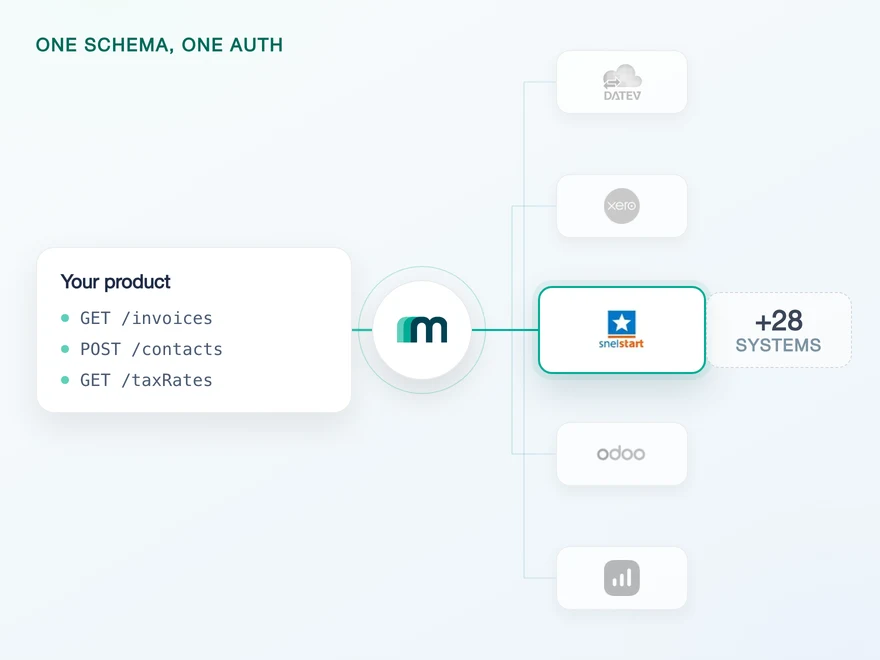
SnelStart is a Dutch accounting platform for freelancers, small businesses and the bookkeeping firms that work with them, covering invoicing, VAT and bank reconciliation. Connect it through Maesn and you reach it with the same REST API and the same data model as every other supported system, documented in English.












Two SnelStart keys and one hourly token, all handled here
Three habits of the SnelStart API decide how long a first integration takes: where the keys come from, how long a token lives, and how much of an object one response actually contains.
Both of them end here
While you build, your customer copies a connection key out of their own SnelStart account and you hold a subscription key from the developer portal. In production the same connection key arrives a different way: SnelStart sends your customer through a login, then posts the key to Maesn. Both routes end at the same account key, so the change of flow at go-live is not a change in your code.
Exchanged and refreshed per customer
Every call needs the subscription key plus an access token exchanged from the connection key, and that token expires after an hour with nothing renewing it on its own. In a multi-tenant product that is a rotation loop per connected company, plus the expiry errors it produces at the wrong moment. Maesn runs the exchange and the refresh, and what your code holds is one account key that does not run out on a clock.
References resolved before you see them
A SnelStart response often carries an identifier where you wanted a value: a contact references a country by ID rather than by ISO code, and the code lives behind a second call. Countries can also be created, changed and deleted in SnelStart, so it is not a table you cache once and forget. Maesn resolves the reference and hands back the contact in the common data model with the code already in it.
What reaches your code is a REST call and an account key. The Dutch specifics stay on this side, and the system after SnelStart is a configuration step rather than a second project.
A short call is usually enough to tell whether Maesn fits your use case.
Clockin turned partnerships into a growth channel
Clockin digitises time tracking for small and mid-sized businesses. The integrations they built stopped being a support cost and started bringing customers in, which is the same trade a SnelStart partner listing offers.
“We use Maesn to successfully leverage integrations and partnerships as a key driver for lead generation and expansion into new markets and customer segments. By connecting Clockin to our customers' accounting systems, project data flows directly into their existing tools, ensuring a smooth, reliable data exchange with the systems they already use.”


Three reasons to reach the SnelStart API through Maesn
A SnelStart integration is a short build with a long approach: a subscription to buy, a partner approval to wait for and a specification to read in Dutch. Those costs are paid once here, for every customer you connect afterwards.
The Dutch-only specification stops here
SnelStart publishes its API documentation in Dutch and behind a registration, so a team outside the Netherlands adds a translation and access step before it can even scope the work. Maesn's reference for the same system is in English, open, and structured the same way as every other system.
The coverage moves when the documentation does
What Maesn exposes for SnelStart is generated from the documentation rather than written by hand, so it cannot quietly drift away from what the system actually offers. Contacts make the full round trip today, and what your use case needs beyond that is a request rather than a rebuild.
The next system costs nothing
Once SnelStart runs, every other supported system answers on the same interface, with the same data model behind it. Your second integration is a configuration step, and the next market a commercial decision rather than an engineering one.
Live SnelStart administrations open with partner status
On most systems in this catalogue a marketplace listing is distribution you can add later. Here it comes first: the documentation says that using the API in production requires becoming an official SnelStart Partner, and until that is approved an application reaches the default test company and nothing else. The listing that follows is the upside, and the approval in front of it is the reason to start early.
Technical enablement
One integration against the Unified API and one data model, identical to every other system Maesn supports. Your engineers meet the same interface here as they will for the next system.
Partnership support
Maesn takes you through the application and the qualification the developer portal runs, and stays behind the integration afterwards. The listing carries your product's name, not ours.
Subscribe and build against the test company
A development subscription in the SnelStart developer portal gives you 90 days and a limited call volume against the default test company. That is enough to build the whole integration, and none of it waits on an approval.
Apply to become an official partner
The application asks for two concrete things: the list of scopes your use case actually needs, and a callback address for the production flow. Maesn supplies the callback and helps you cut the scope list down to what your endpoints require. What comes back is the application identifier the production redirect is built from.
Run the seven day observation period
When the integration is ready you tell SnelStart's partner manager, and they watch it for a week. You need at least 150 calls in that window and not too many errors, so it is a scheduled exercise rather than something that happens by itself. This is the point where Maesn steps in with you.
Reach live administrations, and get found in them
Approval opens live customer environments beyond the test company, and the listing puts your product in front of Dutch businesses and bookkeeping firms inside the software they already use.
The integration runs under your product's name, and the listing is yours rather than ours. Maesn is the layer behind it.
SnelStart is not alone in that. QuickBooks gates production the same way through the Intuit App Partner Program, and the two together are the reason the approval belongs in the plan on day one rather than in the launch week. What differs is the ceiling underneath: SnelStart leaves you a single default test company until approval, so there is no way to widen the pilot while you wait.
We take the application and the qualification through the developer portal with you.
SnelStart authentication takes two keys and one hourly token
SnelStart authenticates in two different ways, and which one you meet depends on how far along you are. While you build, it is two keys: a subscription key that identifies you as the integrator and travels as a header on every call, and a connection key your customer copies out of their own administration. Once you are an approved partner, production replaces the second half with a redirect that SnelStart calls OAuth, where your customer signs in and accepts the scopes and the key is delivered to a callback instead of copied by hand. Both routes end in the same hourly access token, and both end here.
- Two keys while you build
- Connection key from your customer, subscription key from the developer portal
- Redirect once you are a partner
- SnelStart calls its production flow OAuth, and Maesn runs both ends of it
One implementation for both flows. Maesn holds the keys, runs the production redirect and mints the hourly token behind either route.
- Your subscription key, once
- It is handed over at setup and sent as a header on every call afterwards, for every customer you connect and in both flows. Your code never carries it, and rotating it is a message to your Maesn contact rather than a deploy.
- The production redirect, both ends of it
- Maesn generates the activation link from your application identifier, receives the connection key SnelStart posts back, acknowledges it and returns your customer to your product with an account key. The state parameter, the callback and the storage are ours.
- The hourly token cycle
- The access token is exchanged from the connection key and refreshed here, per connected administration. Because the connection key is stored, a refresh is one call rather than the whole flow again.
Before any of that runs against a real administration it runs against a test one, and there are two ways in: SnelStart offers a free trial and Maesn's sandbox documentation lists a Maesn-provided sandbox for this system as well. Keep the 90-day life of a development subscription in view, because it is the piece that expires while the partner approval is still in progress.
- 1
While you build: your customer copies the key
In their own SnelStart account, under Koppelingen and then Maatwerk, they choose Koppeling instellen and agree to the scopes. This is the development flow, and it reaches the default test company rather than live data.
- 2
In production: your customer signs in instead
SnelStart sends them to an activation page built from the application identifier you receive when your partner application is accepted. They log in, accept the scopes, and SnelStart posts the connection key to Maesn rather than showing it to anyone.
- 3
You work with one account key
Either way Maesn stores the connection and returns an account key. From there every request carries your Maesn API key plus that account key, the same two headers you already send for every other system in the catalogue.
Every system in the catalogue authenticates differently, and SnelStart splits the credential across two parties with no redirect anywhere in between. Unified authentication is what makes that a one-time cost: the key collection, the token exchange, the refresh and the account key behave the same way here as they do for a system with an OAuth redirect, so the second integration inherits the work rather than repeating it.
SnelStart data stays fresh on one scheduled read
It runs without asking anyone, on the same filter and the same pagination as every other system you connect. Where your product depends on an event rather than a schedule, that is a question of enablement, so tell us which object it is and we will confirm what is possible.
Nothing. Every event column in the matrix is either a request or a blank, so a change inside a customer's administration stays invisible until something goes and reads it. If one specific object's events would change your product, that is what the on demand column is for.
One scheduled read, with the same filter and the same pagination you use for every other system. The change-detection code you point at SnelStart is the code you already wrote, aimed at a different account key, and the interval is a product decision rather than a system limit.
There is a second reason to schedule rather than poll hard here. Every read carries an access token that lives for an hour, so a tight loop spends part of its budget re-authenticating. Maesn absorbs the re-exchange, and a sensible interval keeps it from happening more often than the data changes.
A system you have to read on a schedule is where the cost of a per-system integration shows up most plainly: you write a change-detection loop for SnelStart, and then another one for the next system with its own filter syntax and its own idea of what a page is. One way to filter and page removes that repetition. What you handle in the event model and what you pull on a schedule stay two paths, and on SnelStart today everything runs down the second one.
What has to be true before a SnelStart integration goes live
SnelStart's prerequisites sit outside the code: a package your customer has to be on, a subscription you have to buy and an approval that decides whether you reach real companies at all.
- A customer on inZicht or inControle
- API access is a property of the package your customer pays for. On the smaller plans there is nothing to connect, so this belongs in the qualifying conversation rather than in the sprint, and it is worth knowing before a deal is signed on the assumption that the connection exists.
- Your own developer subscription, and it is not free
- You register at SnelStart's developer portal and subscribe to a product. A development subscription is valid for 90 days with a limited call volume, and a production subscription key is a one-time €250. That is SnelStart's fee rather than ours, and it is the same amount whether you connect one customer or a thousand.
- The two keys, from two places
- Your customer creates the connection key under Koppelingen and Maatwerk and accepts the scopes there. You take the subscription key from your developer profile. The connection key goes into maesn Connect, in the field labelled API Key, and the subscription key goes to your Maesn contact once rather than per customer.
- Partner approval before production
- SnelStart's documentation is explicit that using the API in production requires becoming an official SnelStart Partner, and that approval is what opens live customer environments beyond the default test company. Everything else on this list is a task. This one is a lead time, so it belongs in the plan on the day the build starts rather than the week you want to launch.
We walk through the package requirement, the subscription and the partner application with you.
One shape for SnelStart, and for the system after it
SnelStart states tax twice per booking, hands back identifiers where you wanted values and speaks Dutch about all of it. A shared shape is what keeps those three out of the code you write.
More goes in than comes out, today
Across the 30 systems in this catalogue, SnelStart is the only one where Maesn has more object types switched on for writing than for reading: four you can create against three you can read. Booking proposals, credit notes and files go in; accounts, contacts and tax rates come back. That is the state of our own enablement rather than a shape SnelStart imposes, and the reads are marked available on request for exactly that reason.
Only contacts make the round trip
Contacts is the single object on both lists, and the only one that also updates in place. What you post as a booking proposal, a credit note or a file is readable on request rather than today, so a product that has to show its own documents back to the user should ask for those reads before it designs the screen.
Tax is stated twice per proposal
A booking proposal carries tax at booking level and again on each line, and the two have to agree or the request fails validation. That is what makes the readable side useful: accounts and tax rates are what you need to state it right the first time. Maesn maps both from one unified booking structure.
Whatever you read comes back in the shared common data model, and on SnelStart that model earns its keep on the way in rather than on the way out: one booking structure becomes tax at header level and tax on each line, and one contact becomes a record whose country reference has already been resolved.
The write side is where this connection is unusual. Credit notes can be created on two of the 30 systems here, this one and Lexware Office, so a product that issues them has fewer places to put them than it might assume. Accounts and tax rates come back as the coding context for those writes, and the reads we have not switched on yet sit in the on request column rather than outside the system.
Tell us which objects your use case needs and we will confirm what is possible.