Bexio API Integration
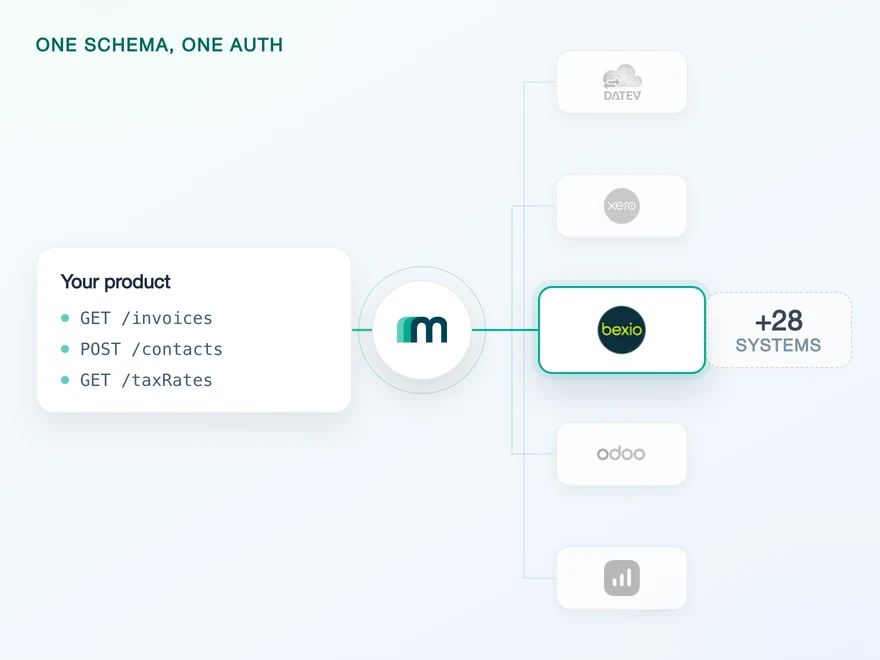
bexio is a cloud accounting platform for Swiss SMBs, freelancers and the fiduciaries who work with them. It covers invoicing, expenses, VAT, bank reconciliation and bookkeeping under Swiss rules. Connect it through Maesn and you reach it with the same REST API and the same data model as every other supported system.












A bexio integration in days
bexio is a short integration with one long shadow: the decisions you make before your first customer connects are expensive to revisit. Here are the three that matter, and what Maesn takes off the table.
Decided once, with the object list in front of you
bexio grants access one object at a time, and its documentation is explicit that a token refresh never widens the set: acquiring a new scope means sending every connected customer through the consent screen again. Maesn runs the flow, so the decision left to you is which objects to enable, and that is what the coverage table lists.
The refusal arrives in a shape you already handle
Access needs two things at once: the scope your app was granted, and the rights of the bexio user who set that connection up. If either side is short the call is refused, and both cases look identical from outside. Through Maesn that refusal comes back normalised, so a permission problem on bexio looks like a permission problem everywhere else instead of like a bug in your code.
bexio IDs resolved into named objects
Creating a contact takes four required fields, and three are bexio-internal integers: a numeric type that decides whether the name field holds a company or a surname, plus two references to bexio users. Maesn returns the type as COMPANY or CONTACT_PERSON and resolves the references, so you write names instead of numbers.
What is left on your side is one REST call against a data model you implement once. Teams go live in days, and nobody has to spend a quarter learning one Swiss ledger first.
The second of those three has a symptom that points away from its cause: the same call succeeds for one customer and comes back refused for the next, with nothing different in your code and nothing different about the object. The reason is that bexio checks two things and needs both: the scope your app was granted, and the rights of the bexio user who set that connection up. If either side is short the call is refused, and the refusal looks the same in both cases. Through Maesn it arrives in one shape for every system: one error model across the catalogue means one status and one body to read, so the bexio part of it belongs in your support runbook instead of in a branch in your client.
A short call is usually enough to tell whether Maesn fits your use case.
HERO Software reaches Swiss ledgers on the same connection
HERO Software digitises the back office for craft businesses, from the quote through to the invoice, and names Switzerland as one of its four markets alongside Germany, Austria and the Netherlands.
“The support provided is truly first class, with impressively quick response times. The documentation is thorough and easy to follow, which made integration a smooth process for me.”


Three reasons to reach the bexio API through Maesn
Connecting bexio directly is a project you can finish in a sprint. Keeping it alive for a year without a single event to react to, and then adding the next system, is the part that decides your roadmap.
The bexio work stays here
The scope set, the authorisation code exchange, the refresh token that only exists if you asked for offline access and the one-year clock on that session are what every bexio integration has to solve. They are solved once, here, for every customer you connect.
One consent, and the object list is settled
bexio fixes the scope set at consent time, so the objects your product may touch are decided once with the list in front of you instead of discovered one refusal at a time. Adding one later is a consent, not a migration, and it is a question you can answer before a customer commitment.
The next system costs nothing
Once bexio runs, every other supported accounting and ERP system answers on the same interface, with the same data model behind it and the same two headers in front of it. Your second integration is a configuration step, and a Swiss customer stops being a reason to open a second project.
What a bexio Marketplace listing actually asks for
Most providers stop at the API. Maesn does the technical enablement and the relationship, and on bexio those two are unusually far apart: the API is open to anyone, and the listing is where the conditions live.
Technical enablement
One integration against the Unified API and one data model, identical to every other system Maesn supports. Your engineers meet the same interface here as they will for the next system, and the OpenID Connect login bexio asks of its partners is part of it.
Partnership support
bexio's conditions are commercial before they are technical, so the listing follows a working product rather than gating it. Maesn goes through the qualification and the listing with you once your integration is running and your first bexio customers are on it.
The API is open to anyone
bexio states it outright: it does not restrict API access, and anyone can build an integration against it. Nothing in the coverage waits for a partnership, and nothing about the flow changes on the day you get one. The conditions below govern the listing rather than the build.
The listing has eight conditions
At least 10 bexio customers and 20 active users, a defined target group, a user-friendly integration, support for bexio customers, the bexio API with OpenID Connect login, a signed partner agreement and a language rule: the app in two of German, French, Italian and English, the listing content in all four.
The fee follows revenue
bexio charges no annual fee, no membership dues and no listing cost. It takes a service fee of 25 per cent on revenue from shared users, meaning customers who run both products, and 20 per cent for partners in the top fifth by revenue. bexio collects those payments directly and asks for price parity with your other channels.
The integration runs under your product's name, and the listing is yours rather than ours. Maesn is the layer behind it.
We go through the qualification with you once the integration is running.
One bexio flow, and the scopes travel with it
bexio authenticates with the OAuth 2.0 authorisation code grant against its own identity provider, with OpenID Connect layered on top of it. bexio documents a single flow, and the reason that matters is what the flow carries: the scopes your app asks for and the rights of the person who grants them.
- OAuth 2.0 authorisation code
- With OpenID Connect on top
One flow, and it satisfies both direct use and the marketplace requirement.
- The scope set
- bexio splits access per object into a read and a write scope, and asking for the write scope grants the read with it. The set travels in the authorisation request, so it is fixed at consent time and cannot be widened by refreshing.
- Whose rights apply
- The connection runs with the permissions of the bexio user who created it. Two administrators of the same company can therefore produce two connections that see different data, and nothing in your code will explain why.
bexio also issues personal access tokens, and the reason to mention them here is so you do not reach for one: bexio grants them all default scopes, expires them after 60 days and states that they are strictly for personal use and should never be shared. A product integration belongs on the authorisation code flow, which is what runs here.
- 1
Your customer is sent to bexio
Maesn builds the authorisation request against bexio's identity provider and redirects your customer to it. They see bexio's own login and a consent screen that lists exactly the permissions the request asked for.
- 2
bexio redirects to Maesn, not to you
The authorisation code comes back to the redirect URL you registered on the app, which is Maesn's callback for bexio. Maesn exchanges it for the tokens using your client id and secret, so the secret never travels through your front end.
- 3
You work with one account key
Maesn stores the connection and returns an account key. From there every request carries your API key plus that account key, the same two headers you already send for every other system in the catalogue.
Every system in the catalogue authenticates differently, and bexio is the case where the flow is ordinary and its payload is not: no environment to pick, no company code to resolve, but a permission set that is frozen the moment your customer clicks approve. Unified authentication is what keeps that from becoming your problem twice: the redirect, the code exchange, the refresh and the account key work the same way here as on a system with an API key or a company selector, so the bexio-specific question that remains is which objects to ask for.
bexio data stays in step on one scheduled read
bexio publishes no webhooks. No object in the coverage matrix carries one, and the word does not appear once in bexio's own API reference, across 310 documented operations. Nothing inside a customer's account will call your endpoint.
Nothing. Every event column in the matrix is either a request or a blank, and bexio's own reference has no webhook section to fall back on, so a change inside a customer's account stays invisible until something goes and reads it.
One scheduled read, with the pagination you already use everywhere else. On contacts it narrows to a last-modified filter and asks only for what changed. On the other five readable objects the documented parameters are the page and the page size, so that read is a full pass.
Because detection is a read rather than a push, freshness becomes a question of interval, and that is a decision with an upside: a scheduled read catches up cleanly after downtime, where a missed push is simply gone. bexio caps requests per company and per minute and returns the remaining budget in a response header, so your interval can follow the published ceiling.
The practical consequence is that bexio does not want one schedule. A chart of accounts and a tax rate list move a few times a year and can be re-read whole overnight. Contacts move continuously and have the filter to prove it, so they carry the frequent job. Sizing those two the same way means either paying for a full pass you did not need or finding out about a renamed customer a day late, and neither is a limitation of the connection.
What makes both of them cheap is that neither is bexio-specific code, which is the part a per-system integration never gets: one way to filter and page means the loop pointed at bexio is the loop pointed at everything else, filter present or not. And it keeps working when the system underneath does push, because the event model is a separate path rather than a replacement for this one. You write the schedule once and change the account key.
Four things a bexio integration needs first
bexio puts four things in front of an integration, and each one is cheaper to plan for than to discover halfway through a build.
- A bexio account with administrator permissions
- The account is only there to own the app you register. bexio's own documentation says as much: you will not need it for anything else, and a free trial account is enough for the job.
- An app in bexio's developer portal
- You create it at developer.bexio.com with your product's name, your company URL and the redirect URL https://api.maesn.dev/auth/callback/bexio. The client id and client secret go to your contact at Maesn. An app takes up to ten redirect URLs, and bexio recommends separate credentials for production rather than reusing the test ones.
- The object list, before the first customer connects
- Because a wider scope needs a fresh consent, name the objects your use case needs before you build. Anything marked on demand in the matrix can be enabled on request, and that request is a much shorter conversation before your customers are connected than after.
- A test account, and there are two kinds
- bexio offers a free trial you can register for yourself, and Maesn provides a sandbox populated with test data. Both are listed for bexio, which is not true of every system in the catalogue: DATEV, Fortnox and Twinfield have no free trial at all.
We walk through the app registration and the object list with you.
A bexio contact arrives in one shared shape
bexio keeps its business partners in one place and tells them apart with a number. That decision reaches your schema, so it is worth making yours deliberately before you map anything.
bexio has no credit notes and no separate suppliers
Two things a ledger integration usually assumes are not part of this system. bexio's own documentation answers the credit note question with a plain no, and it has no supplier object at all: every business partner is a contact, whichever side of the invoice they are on. The first is a feature bexio does not offer, the second is a different vocabulary, and only the second changes your model.
A bexio booking is written and read in two places
bexio calls a journal entry a manual entry and posts it to its accounting resource, while the way back in is a journal report that takes a date range. Maesn presents one object for both directions, so the asymmetry stays here instead of turning into two code paths in your product.
Whatever you read comes back in the shared common data model, so a contact from bexio has the same shape as a contact from a system ten times its size, and the code you write here is the code you reuse for the next one. On bexio that mapping does more work than usual: a contact arrives as a company or a contact person by name, where the source field is a number whose value also decides what the name field next to it means.
The part that reaches your schema is the roles. If every business partner in bexio is a contact, then a buyer and a seller are the same record read in two directions, and the side that holds that distinction is yours. Suppliers and customers arrive through the same endpoint, so a matching rule written against a system with two separate objects does not transfer unchanged. Deciding where the role lives before you map anything costs a conversation now and a migration later.
Tell us which objects your use case needs and we will confirm what is possible.