
How to integrate with bexio: From OAuth scopes to the first read and write
Bexio is integrated through a REST API on a single host. You register your own app in the developer portal, send each customer through the OAuth 2.0 authorization code flow and request a scope for each resource your product needs. This guide follows that path in order, from access and authentication to reading, writing, bookings, rate limits and the bexio Marketplace.

Getting access to bexio with a trial account and your own app
The API of bexio is a REST API that uses JSON as its data interchange format. Every endpoint is available on one host, https://api.bexio.com, and the reference describes a single environment. Development therefore runs against a regular bexio account, and a new account starts with a free trial of 30 days.
The path of an endpoint starts with a version number, and the version belongs to the endpoint. Contacts are read under /2.0/contact, the journal under /3.0/accounting/journal and purchase bills under /4.0/purchase/bills.
The first steps in the reference list what has to exist before the first request:
- A bexio account. A trial account is sufficient, and you complete its onboarding first.
- Access to the developer portal. You log in at developer.bexio.com with your bexio credentials and accept the terms and conditions.
- An app. You create it in the portal with at least one allowed redirect URL. The section “App Details” then reveals the client ID and the client secret.
GET /2.0/contact HTTP/1.1Host: api.bexio.comAccept: application/jsonAuthorization: Bearer <access token>
The headers Accept and Authorization are required for every request, and a request with a payload also needs Content-Length. This request requires the scope contact_show.
Bexio does not provide an OpenAPI definition, and the documentation states that the API is “provided as is based on this very documentation”, without guided implementation or code support. Changes to the current version are listed in a changelog at the top of the reference.
Which bexio objects can be read and written through maesn is listed on the bexio API page.
Host and path format from bexio’s section on API routes, the steps and the first request from its first steps, the required headers from its header section, the OpenAPI answer from its FAQ and the trial period from its registration page, all checked 16 November 2026.
Authenticating with OAuth 2.0 and OpenID Connect
The reference documents the OAuth 2.0 authorization code grant as defined in RFC 6749, section 4.1. OpenID Connect is part of the same flow: bexio describes it as “a simple identity layer on top of the OAuth 2.0 protocol”, and a request that includes the scope openid also returns an ID token.
Your application has to be server-side, because the token request includes the client secret. The endpoints belong to bexio’s identity provider.
Issuer https://auth.bexio.com/realms/bexioAuthorization <issuer>/protocol/openid-connect/authToken <issuer>/protocol/openid-connect/tokenUserinfo <issuer>/protocol/openid-connect/userinfo
The OpenID configuration at /.well-known/openid-configuration below the issuer lists these endpoints, so an OpenID Connect library can configure itself from the issuer URL.
GET https://auth.bexio.com/realms/bexio/protocol/openid-connect/auth?client_id=<client ID>&redirect_uri=https://app.example.com/callback&response_type=code&scope=openid offline_access company_profile contact_edit&state=<random value>GET https://app.example.com/callback?code=<authorization code>&state=<random value>
Several scopes are separated by a whitespace, which is URL-encoded in the request. The redirect URL has to be one of the URLs registered for the app, otherwise the user receives an error message.
POST /realms/bexio/protocol/openid-connect/token HTTP/1.1Host: auth.bexio.comContent-Type: application/x-www-form-urlencodedgrant_type=authorization_code&code=<authorization code>&redirect_uri=https://app.example.com/callback&client_id=<client ID>&client_secret=<client secret>
The parameters are passed in the request body. The identity provider does not accept them as query parameters in the URL.
The response contains an access token and an ID token, and a refresh token if the authorization request included offline_access. After the exchange, every request to the API includes the access token as a bearer token in the Authorization header.
During the flow the user sees a consent page that lists the permissions your app requests. An app can register up to 10 redirect URLs, for example for several test environments.
The grant and the consent page from bexio’s section on the authorization code flow, the endpoints from its OpenID Connect section, the redirect rules from its section on redirect URLs and the body rule from its migration notes, checked 16 November 2026. The two requests follow RFC 6749 with bexio’s endpoints and scopes.
How scopes and user rights decide what a token can access
A request to bexio is authorized on two levels. The first level is the scopes the user granted to your app. The second is the rights of that user in bexio, because, as the reference states, “The API access happens with the user rights of the user who set up the connection to the application.”
User has the required permission
App has the required scope
API access granted
User has the required permission
App does not have the required scope
API access denied
User does not have the required permission
App has the required scope
API access denied
User does not have the required permission
App does not have the required scope
API access denied
Both levels have to be met. The scope is granted by the user who sets up the connection. The permission is configured for that user in bexio.
Both levels have to be met at the same time. A user without access to contacts in bexio gives your app no access to contacts, whichever scope it holds. If the scope is missing, a user with that access does not give your app access either.
An invalid token and missing rights return different status codes. 401 means “The bearer token or the provided api key is invalid”, and 403 means “You do not possess the required rights to access this resource”.
A 403 is therefore not resolved by a token refresh. The endpoint GET /3.0/permissions returns the components and permissions of the user behind the token.
Most resources have a read scope that ends in _show and a write scope that ends in _edit, for example contact_show and contact_edit. The write scope includes read access: “Read access is granted automatically when a write scope is requested for a resource.”
Accounting data has a single scope, accounting, which the scope table describes as “Write access to accounting data”.
The scopes of a connection are fixed when the user gives consent, and a token refresh does not change them: “Acquiring new scopes is only possible by going through the initial authorization process again.” Decide which resources your product needs before the first customer connects, because each scope you add later requires consent from every connected customer again.
Bexio also asks you to request only the scopes your application needs.
The two levels and the matrix from bexio’s section on the authorization code flow, the scope names and the read rule from its table of API scopes, the refresh rule from its section on the refresh token flow, the status codes from its header section and the permissions endpoint from its reference, checked 16 November 2026.
Refresh tokens, offline access and the one-year session
A refresh token is only issued if the authorization request includes the scope offline_access. Bexio describes it as the scope that ensures “that tokens can be refreshed also after the current user session has been closed”. When the access token has expired, your application sends a refresh request to the token endpoint.
POST /realms/bexio/protocol/openid-connect/token HTTP/1.1Host: auth.bexio.comContent-Type: application/x-www-form-urlencodedgrant_type=refresh_token&refresh_token=<latest refresh token>&client_id=<client ID>&client_secret=<client secret>
The response contains a new access token with the same scopes.
The refresh token has no expiry date of its own. The offline session behind it has an idle timeout of one year: “The returned refresh token will be valid indefinitely but the associated offline session will be closed if not renewed within 1 year.” A customer whose connection is not refreshed for a year has to authorize your app again.
Store the refresh token from each response and send that one in the next refresh request. Bexio’s migration notes for its identity provider expect applications to “replace refresh tokens with the new refresh tokens provided during the token refresh”.
The reference does not state how long an access token is valid. RFC 6749 defines the field expires_in for the token response, so read the lifetime from the response and do not assume a fixed value.
A personal access token (PAT) is created in the developer portal and is used as a bearer token without the authorization flow. It “has all default scopes granted and therefore has full access to your company’s data”, is valid for 60 days and can take up to one hour to be fully revoked. For a token with restricted scopes bexio refers to the authorization code flow.
The scope from bexio’s section on the refresh token flow and its table of OpenID Connect scopes, the offline session and the replacement of refresh tokens from its migration notes and the personal access token from its PAT section, checked 16 November 2026. The refresh request follows RFC 6749, section 6, with bexio’s token endpoint, and the field expires_in is defined in section 5.1.
Which company a token belongs to
A request to the API contains no company ID, neither in the path nor in a header. To learn which company a token belongs to, the authorization request includes the OpenID Connect scope company_profile, as in the example above. It adds “company specific claims to the id token like company_id and company_name describing the company the user is signed in to”.
The OpenID Connect scopes add the following claims to the ID token, and the userinfo endpoint returns the same information.
| Scope | Claims |
|---|---|
| company_profile | company_id, company_name, company_user_id |
| profile | given_name, family_name, gender, locale |
| email, email_verified |
Store company_id together with the tokens of the connection, so that each connection can be assigned to its company. The company profile itself is returned by GET /2.0/company_profile, and the reference adds that “each account currently has only one company profile”.
The scope description from bexio’s table of OpenID Connect scopes, the claims from its migration notes and the company profile from its reference, checked 16 November 2026.
Reading contacts with limit and offset
A list is read with a GET request to the resource. The example reads contacts, the most recently changed first, 100 per page.
GET /2.0/contact?order_by=updated_at_desc&limit=100&offset=0 HTTP/1.1Host: api.bexio.comAccept: application/jsonAuthorization: Bearer <access token>
The response is a JSON array of contacts. For the second page offset is 100.
Pagination uses two query parameters. The parameter limit is the page size, with a default of 500 and a maximum of 2.000, and offset skips a number of records. For contacts order_by accepts id, nr, name_1 and updated_at, and _asc or _desc can be appended to each of them.
Filtering is a separate request. Some older endpoints, the contacts among them, implement a search: a POST to the resource followed by /search, with the conditions in the body. Each condition names a field, a value and, in the field criteria, a criterion such as =, !=, like or not_in. Without a criterion bexio applies like, which is a partial match.
POST /2.0/contact/search HTTP/1.1Host: api.bexio.comAccept: application/jsonContent-Type: application/jsonAuthorization: Bearer <access token>[{ "field": "name_1", "value": "Meyer", "criteria": "=" },{ "field": "nr", "value": 10, "criteria": ">" }]
The search returns the contacts whose last name is Meyer and whose contact number is greater than 10. It accepts the same query parameters as the list.
The parameters differ between endpoints. The bills endpoint under /4.0/purchase/bills, for example, takes limit and page, with a default of 100 and a maximum of 500. Check the parameters of each endpoint in the reference before you reuse a paging routine.
Some values are returned in a language. The header Accept-Language with an ISO 639-1 code specifies the language of translated elements, which is useful, in bexio’s example, for tax codes.
Parameters, defaults and the sort fields from bexio’s contact endpoints, the search and its example from its search section, the bills parameters from its bills endpoint and the language header from its header section, checked 16 November 2026.
Creating a contact and what its required fields refer to
A contact is created with a POST to /2.0/contact. Four fields are required: contact_type_id, name_1, user_id and owner_id.
POST /2.0/contact HTTP/1.1Host: api.bexio.comAccept: application/jsonContent-Type: application/jsonAuthorization: Bearer <access token>{"contact_type_id": 1,"name_1": "Example Company","user_id": 1,"owner_id": 1}
A created contact returns status 201 and the contact with its id. A validation error returns 422.
The field contact_type_id decides how the name fields are read: 1 is a company and 2 a person. For a company name_1 is the company name and name_2 the company addition. For a person name_1 is the last name and name_2 the first name.
Other fields are references to further resources. user_id refers to a user of the bexio account: GET /3.0/users returns the users and GET /3.0/users/me the authenticated user. Optional fields such as salutation_id, title_id, country_id and language_id refer to a salutation, a title, a country and a language. Your application reads these lists before it can set the fields.
Bexio has replaced the field address in request payloads with street_name, house_number and address_addition. The changelog lists the old field as deprecated in request payloads and “still present in responses for backward compatibility”.
An existing contact is edited with a POST to /2.0/contact/{contact_id}, and the request requires the same four fields as a create. Bexio’s list of HTTP verbs assigns PATCH to partial updates and PUT to full updates and states: “Where possible, bexio tries to use the appropriate HTTP verb for its operations”. Check the method of each endpoint in the reference.
A DELETE on a contact does not remove the record. The contact “is marked as deleted” and can still be accessed with the filter for deleted contacts. A separate endpoint, PATCH /2.0/contact/{contact_id}/restore, restores an archived contact. In general, bexio’s list of verbs states that delete actions delete a resource permanently.
Required fields, the meaning of the name fields, the references, both status codes, the edit, the delete and the restore from bexio’s contact endpoints, the address fields from its changelog and the verbs from its list of HTTP verbs, checked 16 November 2026.
Posting a manual entry and reading the journal
A booking is created as a manual entry with a POST to /3.0/accounting/manual_entries, and a GET on the same path lists the manual entries. The journal is a separate endpoint: GET /3.0/accounting/journal returns all bookings of the accounting journal, and the reference lists it under Reports.
A manual entry of one of three types: single, compound or group.
One row per booking, with the debit account and the credit account.
The journal returns all bookings. Manual entries are created, listed, updated and deleted as one resource. The journal is filtered by date and by account.
A manual entry has one of three types. A manual_single_entry is a one-line booking with a debit and a credit account. A manual_compound_entry distributes a total amount among several accounts. A manual_group_entry creates several one-line bookings that share the same reference_nr.
POST /3.0/accounting/manual_entries HTTP/1.1Host: api.bexio.comAccept: application/jsonContent-Type: application/jsonAuthorization: Bearer <access token>{"type": "manual_single_entry","date": "2019-11-17","reference_nr": "Booking BA-22","entries": [{"debit_account_id": 77,"credit_account_id": 139,"tax_id": 3,"tax_account_id": 77,"description": "Payment for client Smith","amount": 328.25,"currency_id": 1,"currency_factor": 1}]}
The fields type, date and entries are required, and date is the booking date. A reference_nr has at most 80 characters, and GET /3.0/accounting/manual_entries/next_ref_nr returns the next reference number.
The accounts and the tax of an entry are referenced by ID. The endpoint GET /2.0/accounts returns the accounts, for which the reference documents a list and a search and no write operation, and GET /3.0/taxes returns the taxes. A tax applies for a period: the parameter date of the tax list returns “all taxes which are active at the date given”.
The response to a created entry repeats the entry and adds the fields is_locked and locked_info for the entry as a whole. The value of locked_info in bexio’s example is closed_business_year.
The journal is filtered with the dates from and to and with account_uuid, and it is paged with limit and offset. Each row contains the date, debit_account_id, credit_account_id and the amount, and the field ref_class, which is KbInvoice in bexio’s example.
The filter takes the UUID of an account, while the rows identify accounts by their integer ID. The account list returns both values for each account.
The three types, the payload, the required fields and the response from bexio’s manual entry endpoints, the filters and the row from its journal endpoint, the tax parameter from its tax endpoints and the two account identifiers from its account endpoints, checked 16 November 2026.
Rate limits per company and the format of errors
Bexio limits the number of requests a company can make per minute. The reference does not state the number. The current limit is communicated in three response headers.
| Header | Content |
|---|---|
| RateLimit-Limit | The current limit for this time period |
| RateLimit-Remaining | The remaining number of requests allowed for this time period |
| RateLimit-Reset | The remaining time until the next time period starts, in seconds |
When the limit is reached, the API returns HTTP 429. A client that reads RateLimit-Remaining can slow down before that point and wait for the number of seconds in RateLimit-Reset afterwards.
An error response consists of the HTTP status code and a JSON body with two fields.
{"error_code": 404,"message": "Page not found"}
The field error_code repeats the HTTP status code of the response in this example.
The reference lists further status codes. 411 (Length Required) means that Content-Length is missing, 415 that the data could not be processed or the Accept header is invalid and 422 that the entity could not be saved. A 503 means that the server is not available because of maintenance work.
The limit and its headers from bexio’s section on rate limiting, the error body from its error section and the status codes from its header section, checked 16 November 2026.
Detecting changes with updated_at and the journal
The reference of bexio describes no webhooks. An integration therefore detects changes by reading, and the API offers two starting points for it.
The first is the field updated_at. The search endpoints for contacts, contact relations, quotes, orders, invoices and tasks list it as a search field, so a search with a comparison returns the records changed since a point in time.
POST /2.0/contact/search?order_by=updated_at HTTP/1.1Host: api.bexio.comAccept: application/jsonContent-Type: application/jsonAuthorization: Bearer <access token>[{ "field": "updated_at", "value": "2026-11-16 00:00:00", "criteria": ">=" }]
The request combines the documented search field updated_at with the documented criteria >=. Bexio’s examples show the value in the form 2019-04-08 13:17:32.
The second is the journal. Its parameters from and to filter the bookings by their date. A booking that is entered today with an earlier date therefore belongs to the earlier period, and a scheduled read of the journal has to cover past periods again.
For lists without such a field, a full read with the paging parameters of the endpoint remains. Which accounting systems send webhooks and how they differ is the subject of our article on webhooks in ERP and accounting.
The search fields and criteria from bexio’s search section and its search endpoints and the journal parameters from its journal endpoint, checked 16 November 2026.
From the first customer to the bexio Marketplace
The first steps in the reference contain no approval step, and bexio’s partner page states: “We do not restrict API access: anyone can develop an integration with bexio.” The app you registered in the developer portal is the app your customers authorize.
The use of the API is subject to bexio’s general terms and conditions for the Marketplace. Section 4.4 obliges a company that operates “an independent business model, based on the provider’s API, in which at least five (5) bexio accounts are connected” to report this to bexio immediately by email to marketplace@bexio.com, stating the business model and the number of connected accounts.
Bexio then evaluates whether to conclude a partnership agreement. If the company does not make the self-declaration or refuses to enter into the agreement, bexio may restrict its use of the API or charge a reasonable fee for it.
A listing in the bexio Marketplace is a separate step. Besides a clearly defined target group and a user-friendly integration, bexio’s partner page names these requirements:
- Customers and users. At least 10 bexio customers among your regular clientele and at least 20 active users of your app.
- Languages. The app in two of the four languages German, French, Italian and English, and the Marketplace content in all four.
- Login. An integration through the API and a login with OpenID Connect, which lets users sign in to your product with their bexio credentials.
- Support and agreement. Customer support for bexio customers and a signed Marketplace partner agreement.
The partnership has no annual fee and no listing costs. Bexio charges “a service fee of 25% on the revenue generated with shared bexio users”, meaning customers who use both bexio and your product, and 20% for the top 20% of partners by revenue. It currently offers no other billing model.
Bexio collects the payments of these customers itself, and partners commit to price parity with their other sales channels.
For partners the terms also regulate changes to the API: bexio announces breaking changes “in principle at least four (4) months in advance” and documents them in the changelog of the reference.
How the bexio Marketplace compares with the partner programs of other accounting systems is covered in our guide to accounting integration partnerships.
The quotation and the requirements from bexio’s page for Marketplace partners, the self-declaration from its general terms and conditions for the Marketplace, the fee, the collection of payments and price parity from its page on the partner agreement and the notice period from its terms for Marketplace partners, checked 16 November 2026.
Bexio through maesn: What the Unified API handles for you
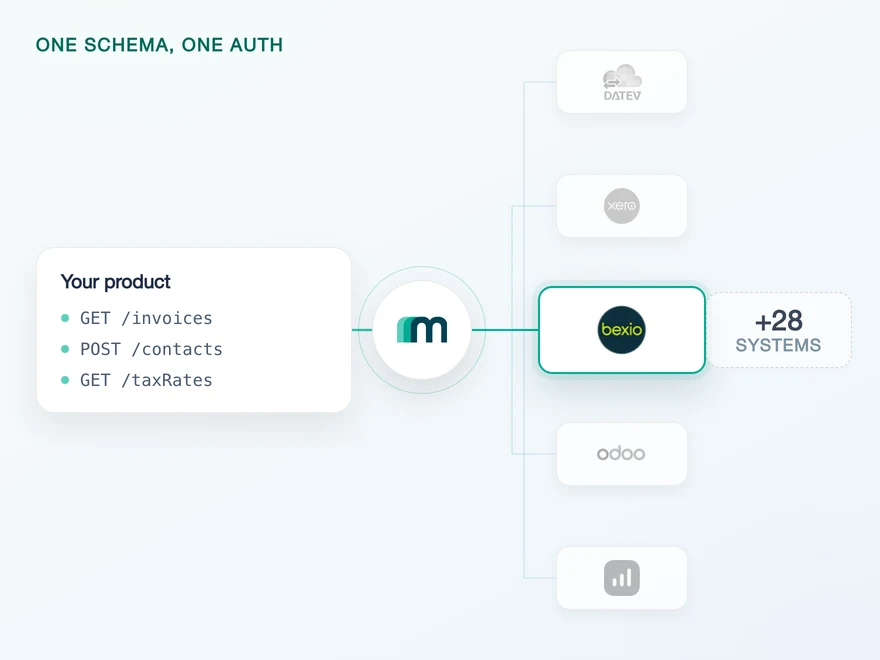
The sections above describe what a direct integration implements for one system. Through maesn you reach bexio with the same API and the same common data model as every other supported system, and these parts are handled on our side:
- The OAuth flow and the tokens. You create the app in the bexio developer portal, enter the redirect URL of maesn and submit the client ID and the client secret to us. The exchange of the authorization code and the token requests then run on our side, and your requests identify the connection with an account key.
- Pagination. Lists are read through one paged interface with page sizes of 5, 10, 20, 50 and 100.
- Change detection for contacts. One filter returns the contacts modified since a timestamp, in the same form as for the other systems you connect.
What stays in your product is the app itself, which is registered in the bexio developer portal under the name of your product, and the handling of rate limits: a rate-limited request returns HTTP 429 to your application, and the retry with backoff is implemented there.
Frequently asked questions
Does bexio have a sandbox?
Are credit notes available through the bexio interface?
Which value identifies a user in the bexio ID token?
Should an integration still use idp.bexio.com?
Can I create several bexio contacts in one request?
How precise can amounts be in bexio?
State of Accounting API Connectivity 2027: Data on 31 Systems
How 31 accounting and ERP systems handle API access: OAuth, credential lifetimes, revocation, webhooks and ledger data. Collected in October and November 2026.
Lennart Svensson · 24 Nov 2026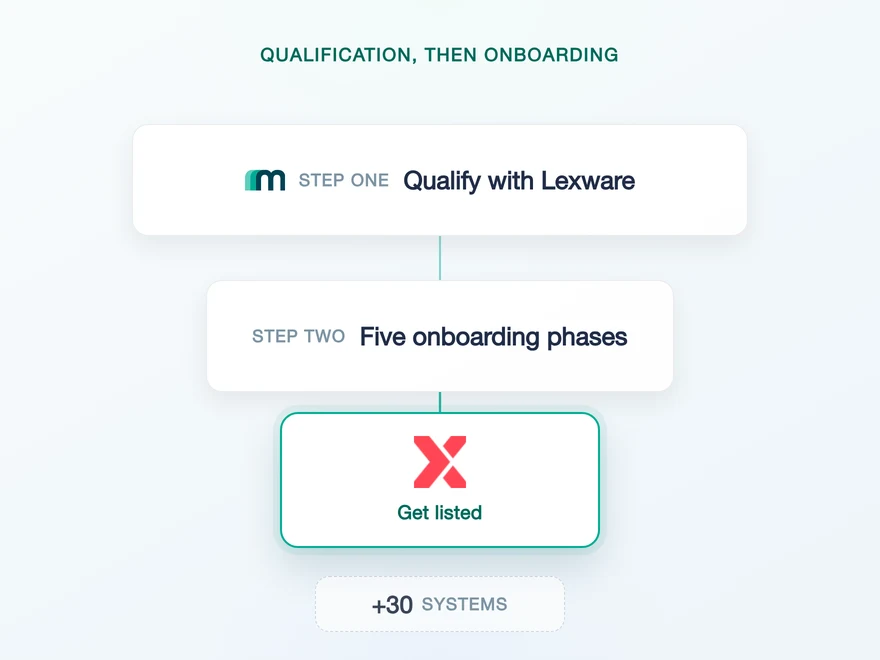
Lexware Office Partnership Guide: Public API or Partner Route
The Lexware Office Public API runs on an API key from the XL plan. Reaching every plan takes a technology partnership. How Lexware's qualification works.
 Dr. Themo Voswinckel · 24 Nov 2026
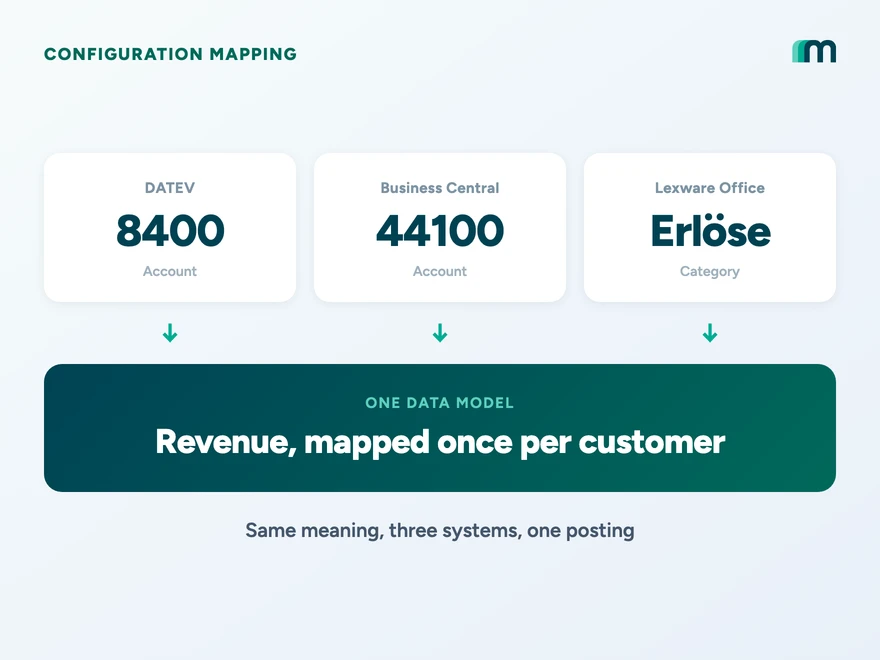
Chart of Accounts Mapping: Cover Every ERP Customisation
Map each object in your platform to the right account, tax code, dimension and company code in your customer's ERP. Standard and custom configuration in one step.
Dr. Themo Voswinckel · 2 Nov 2026Build once on the Unified API.
Scopes per resource, the rights of the connecting user and a session that closes after a year without a refresh: that is the contract of one system, and the next system you connect has a different one. Through maesn you build against one interface for all of them.