Key Takeaways
- Odoo stores both companies and individual contacts in the same res.partner model, with no automatic separation between the two types.
- The is_company flag and parent_id field are the only way to distinguish companies from persons and map their relationships.
- List queries return a flat mix of persons and companies, requiring post-processing before syncing or storing data.
- Without the correct logic, syncing Odoo contacts leads to duplicates, misclassified records, and broken relationships between people and companies.
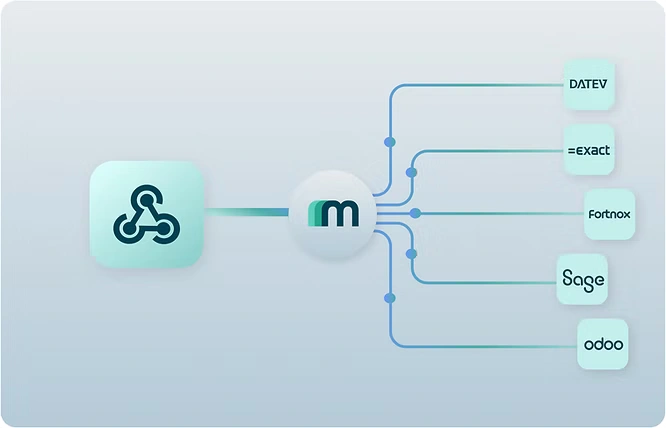
- Maesn handles all of this automatically, separating companies from persons, linking relationships, and preventing duplicates out of the box.
Odoo’s res.partner Model
In Odoo, every contact, whether it is a company or a person, is stored in the same model: res.partner.
There are two key fields that define what type of contact a record represents:
- is_company: a boolean flag that indicates whether the record is a company (true) or a person (false)
- parent_id: if set, this links a person to their associated company
In practice, this means:
- A contact person with a parent_id refers to the company they belong to
- A contact person without a parent_id is an independent contact
- Companies have is_company set to true and typically do not have a parent_id
However, Odoo’s API responses do not separate persons from companies automatically.
Both types appear together in list queries unless you specifically filter for is_company or check for parent_id.
That’s why processing contact data from Odoo can get messy, especially if your system needs a clear separation between companies and people, like most ERP or CRM systems do. The way to achieve that with Odoo is by using the is_company flag and the parent_id relationship.
We’ll explain in detail how to apply this logic in section IV.
Why res.partner Can Break Your Data?
Without the right logic in place, syncing contact data from Odoo can easily go wrong:
- People may be classified as companies in your system
- Companies might appear without their associated contacts
- The relationship between people and companies gets lost, meaning your system cannot represent who works where
This does not just create messy data, it directly impacts data quality:
- Attribute mismatches: company-specific fields might accidentally end up on contact records, and vice versa
- Incomplete records: some information could get lost entirely if it does not fit the assumed structure of your system. For example, a personal LinkedIn profile might mistakenly be attached to a company or skipped entirely if the person-to-company link wasn’t mapped.
Example:
If you treat every contact in Odoo as a standalone entity:
- A contact person with a parent_id pointing to a company would still be synced as an independent company
- This could lead to the same company being duplicated multiple times, once for each associated person
The result is a broken data foundation that is hard to trust or work with across CRM, marketing, or analytics systems.
How to Handle Odoo’s Contact Logic?
To sync Odoo contact data reliably, here’s the logic you need to implement:
- Check is_company
- Use this flag to determine if the record should be treated as a company or a person
- Use parent_id to map relationships
- If parent_id is present, the contact is linked to a company
- If it is missing, the record is either an independent contact or a company (based on is_company)
- Implement conditional sync logic
- For reads:
- Apply logic to distinguish persons and companies
- Create clear links between persons and their parent company
- For writes:
- Respect these relationships when creating or updating records to avoid data conflicts or duplication
- For reads:
- Be mindful when querying
- List queries will always return a flat mix of persons and companies
- Always post-process the data to structure it meaningfully before syncing or storing
This approach is based on the real-world experience of our dev team.
The Easy Way to Handle Odoo Contact Sync Issues
We built a unified logic layer in our Maesn Odoo integration that handles all of this complexity for you:
- Automatically separates companies from persons
- Links persons to their companies using parent_id
- Prevents duplicates and ensures proper classification of entities
As a result, when you sync contact data from Odoo via Maesn, you get a structured and usable format, without needing to decode the res.partner logic yourself.
It also means handling Odoo data is just as easy and consistent as with any other API we support. You can integrate and maintain Odoo contact data alongside your other systems, without custom workarounds or constant adjustments.
If you don’t have the time or patience to build this logic yourself, we’ve already done the work.
About the author
Themo is CEO and Co-Founder of Maesn. With years in strategy consulting — spanning requirements engineering for complex software landscapes, ERP and accounting software selections, and end-to-end integration projects — he holds a Dr.-Ing. with a focus on ERP-to-SaaS transformation. He co-founded Maesn to make system integration effortless.

Co-Founder