
How to integrate with Qonto: Three reads, one event and an app review
Every other system in this series is an accounting package, and its hard parts are technical. Qonto is a bank, so its hard parts are regulatory. Three object types come back, one of them announces itself, and the things that will actually delay your launch are an app review, a use case you cannot undo and a rate limit that counts your IP address instead of your customer.

A bank is not a ledger, and the object list shows it
Qonto is the only banking platform in our catalogue of 30+ systems, and that is not a footnote about categories. It decides which three things you can read, and it decides what will actually hold your launch up.
Start with what comes back. Three object types are readable: bills, booking proposals and invoices. All three are documents about money that is owed or waiting to be booked.
What is not there is the machinery of bookkeeping, and Qonto’s own permission vocabulary explains why: it grants access to beneficiaries, transfers, cards, balances, IBANs, statements and memberships. There is no permission for a chart of accounts, a journal or a fiscal year, because those are not things a bank keeps.
So the right way to read a short object list here is not as a thin accounting integration. It is a complete banking one. The question that follows is where those documents go next, and that is a question about your accounting target rather than about this connection.
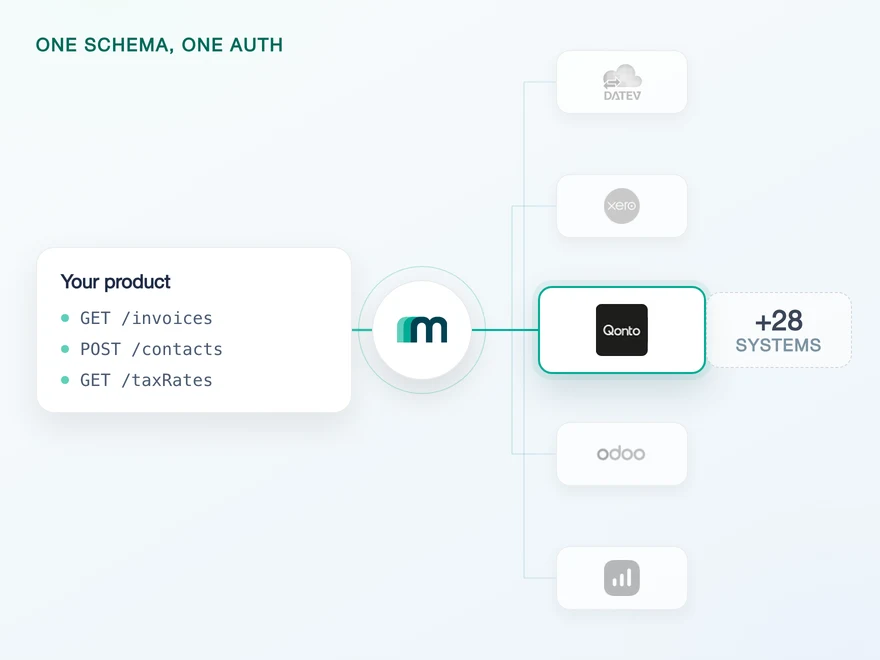
Whichever it is, the shape you receive is the same, which is the whole point of one data model across every system: an invoice from a bank and an invoice from an ERP arrive with the same field names.
One coincidence is worth knowing before you plan a sync. The three objects that our own interface can order and filter most richly are invoices, bills and booking proposals, which happens to be exactly the three Qonto exposes. So one way to filter and page covers this system’s entire read surface rather than part of it.
Two more structural facts belong here. Qonto publishes two separate interfaces: a Business API for working with accounts that already exist, and an Onboarding API for creating new Qonto organisations. Everything in this article is the Business API. And the object coverage in full, including the combinations marked on request, is listed on the Qonto API page rather than repeated here.
Read 3, create 0, update 0, delete 0, webhook 1. Of the three systems in the catalogue that can neither create, update nor delete anything, this is the only one that sends an event at all. Plan a read-only integration and treat the event as a trigger.
Counted from the generated coverage data and cross-checked against the object table on Maesn’s Qonto documentation, checked 13 August 2026. The permission vocabulary is read from Qonto’s available scopes rather than inferred from an empty coverage cell.
The use case you pick first cannot be changed
The first screen of the Qonto developer portal asks what kind of application you are building, and that answer is more consequential than it looks. Qonto documents four use cases, and the one you choose decides which scopes are available to you and what approval you will need before production.
For an integration like this one the answer is fixed. Maesn’s setup instructions name it: connecting your customers’ Qonto accounts to your platform. Qonto describes that use case as third-party platforms connecting on behalf of their users, lists ERPs and accounting software as the examples, and states that it is reachable through OAuth 2.0 only.
The simpler API key route belongs to the use case where a Qonto customer automates their own workflows, and it is not available here.
Then comes the sentence that makes this a design decision rather than a form field. “An application’s use case cannot be changed after creation. If you selected the wrong use case, create a new application. You will receive a new client_id and client_secret, but the integration structure remains identical.”
In practice that is recoverable and annoying. The code you wrote still works, because the shape of the integration does not change. What changes is the pair of credentials, and if you discovered the problem after your customers connected, every one of those connections was made against an application you are no longer using.
Getting it right on the first screen costs one minute of reading. Getting it wrong costs a re-consent campaign.
None of this reaches your own code, which is the argument for putting it behind a connection you only build once. What one authentication flow gives you here is that the use case, the scope list and the token exchange are settled per system rather than per product, so a decision like this one is made in a place where it is made once.
Use cases, their access methods and the permanence of the choice are quoted from Qonto’s developer guidelines, checked 13 August 2026. The use case this integration requires is named in Maesn’s setup steps.
One scope in the list makes the review mandatory
Maesn’s documentation says the review exists and how long it takes: “Once the app is created, the regulatory team will review the app and approve it. This process can take few days.” What it does not say is why, and the why is worth a paragraph because it tells you the review is not a formality you might get waved through.
Qonto classifies five scopes as sensitive, on the grounds that they cover operations regulated under PSD2. For each one it names which use cases need a review. The scope list documented for this integration contains organization.read, and organization.read is sensitive and requires review for exactly the use case you were told to pick.
So the review is structural rather than incidental. There is no version of this integration that skips it, because the one scope that triggers it is the one that grants balances, IBANs and transaction history, and this connection is built on it.
| Scope | Review for |
|---|---|
| organization.read | Connect, Embed |
| payment.write | Connect, Embed |
| internal_transfer.write | Connect, Embed |
| international_transfer.write | Connect, Embed |
| beneficiary.trust | Embed |
Scope names, the sensitive classification and the review column are quoted from Qonto’s developer guidelines, checked 13 August 2026. Only the first row applies to a read-only integration; the other four are listed so you can see what you are not asking for.
Two smaller waits sit around this one, and both are easier to absorb if you know about them in week one rather than week four. If you open the developer account with an email address instead of an existing Qonto login, the organisation itself goes through a check that Qonto puts at around 48 hours on average. Signing in with Qonto skips it, because it already happened.
And there is one requirement that applies to a minority and fails loudly when it applies to you. Qonto states that a licensed partner must identify itself with a QSeal certificate on Business API calls in production, and that calls without it answer 401 Unauthorized. If you are not a licensed partner this row does not concern you. If you are, it is not something to discover against production.
- Pick a use casePermanent
Connecting customer accounts is the use case Maesn's setup prescribes, and the choice cannot be changed after the application is created.
- Request organization.readReview
Classified sensitive under PSD2, and it requires review for exactly this use case. It is in the documented scope list, so the review is structural.
- Reach the sandboxSSO gate
Staging sits behind an SSO for Qonto employees. A staging token on every request is the bypass, and it is not accepted in production.
- Identify with QSealConditional
Only if you are a licensed partner. Without the certificate those calls answer 401 in production, and for everyone else this row does not apply.
Not one of these is a coding problem. On the accounting systems in this series the obstacles are rate limits and field semantics. Here they are approvals, and approvals are lead time rather than effort.
The sandbox needs one header, or it answers with HTML
This is the part that costs an afternoon, and it is not your bug. Qonto’s entire staging environment is closed to the public internet, and a request that arrives without the right credential does not get an error. It gets a sign-in page for Qonto’s internal SSO, which their documentation describes as reserved for Qonto employees and unavailable to external partners.
Read the failure mode carefully, because one half of it defeats the check most people write. The API returns the login HTML instead of the JSON you expected, “sometimes with a 200 status”, and sometimes as a redirect to the SSO host.
A handler that treats a 2xx as success and parses the body will report a parse error somewhere far away from the cause. A status code is not an answer to the question you asked.
The fix is one header, and the discipline is that it goes on every sandbox request. Qonto lists the OAuth authorisation and token endpoints, the Onboarding API, webhook subscription endpoints and the Embed proxy explicitly, so the token endpoint is not an exception.
Two details make it fail quietly if you get them almost right. The header name is case-sensitive in the dash-separated form, because Qonto notes that lowercase or mixed variants may not be normalised by every layer in the chain. And the header is sandbox-only, because production does not accept the staging token at all.
GET /v2/bank_accounts HTTP/1.1Host: thirdparty-sandbox.staging.qonto.coAuthorization: Bearer <access_token>X-Qonto-Staging-Token: <staging_token># Without the second header this can answer 200# with an SSO login page as the body.
The sandbox hosts are different from production, not a path on the same host: the API base is thirdparty-sandbox.staging.qonto.co and the OAuth host is oauth-sandbox.staging.qonto.co. Credentials do not cross between the two.
There is a second sandbox rule that has nothing to do with headers, because it concerns a browser. Before you start the authorisation flow against staging you have to be logged in to the sandbox web app through your developer portal account, in the same browser.
Maesn’s documentation is explicit about the order: open the sandbox web app in one tab and sign in with the test credentials, then open a second tab and start the flow. Do it the other way round and the consent step has no user session to attach to. If a verification screen appears, the sandbox code is always 123456.
The SSO gate, the HTML-with-200 symptom, the header rule and its case sensitivity are quoted from Qonto’s sandbox access guide; the browser ordering and the verification code are from Maesn’s Qonto page. Both checked 13 August 2026.
The rate limit counts your IP address, not your customer
The two published windows are generous, and the sentence underneath them is the one that decides your architecture. A thousand requests every ten seconds and ten thousand every ten minutes, answered with 429 when you exceed them. Then: “Rate limitations are applied per IP address.”
Not per token, not per application and not per connected customer. If your workers share an egress address, which is the normal case, then every customer you have ever connected draws on one budget. A backfill for a new tenant is not isolated from the incremental sync of the others: it competes with them.
It is worth seeing that this is a real choice and not a universal. Fortnox meters twenty-five requests every five seconds per access token, so its ceiling follows each connected customer and one noisy tenant cannot starve the rest. Qonto’s ceiling is shared and its number is much larger. Same subject, opposite design, and only one of them needs a global scheduler.
| Rule | Threshold | Result |
|---|---|---|
| Short window | 1.000 requests / 10 seconds | 429 |
| Long window | 10.000 requests / 10 minutes | 429 |
| Failed authentication | 200 responses with 401 / 1 hour | Throttled |
All three rows and the per-IP scope are quoted from Qonto’s rate limitations page, checked 13 August 2026. The Fortnox comparison is the figure published in our own guide for that system.
The third row deserves its own thought because it is not a volume rule at all. Two hundred responses carrying 401 within an hour gets you throttled. A retry loop around an expired token is not merely useless on this system, it is actively expensive: it spends your allowance on failures and then reduces it.
So a client that stops on an authentication error rather than retrying it is the correct client here, which is a different reflex from the one a timeout deserves.
Both of these are the kind of thing you want handled once rather than in every job you write, and that is what one error model is for: a limit and a dead credential arrive as the same shape of problem from every system, so your code has one place that knows the difference between wait and stop.
One event tells you an invoice changed, not what changed
One object here carries an enabled event, and it is invoices. The other thirty-six objects have nothing to subscribe to, so a scheduled read is the whole of their freshness story. There is no synthetic substitute to reach for.
Two properties shape the subscription. It is created per customer, so a new connection is a new subscription rather than a filter on an existing one. And you subscribe to the resource rather than to an event type: Qonto sends created and updated events for invoices, both arrive on the same subscription, and there is no deleted event to wait for.
POST /webhooksX-API-KEY: <your_key>X-ACCOUNT-KEY: <customer_key>{ "callbackUrl": "https://your.app/hooks/qonto","resource": "INVOICE" }
The response carries the subscription id and a secret. Keep the secret with the customer record, because it is the one you verify deliveries against and it is not your API key.
Now the part that decides what your handler has to do. Qonto’s own event for a client invoice carries the whole document: number, status, totals, tax, the dates and the line items with their unit prices and rates.
The event that arrives through a unified interface carries an event type, a resource and an identifier. Two fields come through empty because Qonto does not send them, which is not unique to this system: the same two are empty for Lexware Office for the same reason.
{ "eventType": "UPDATED","filterDate": null,"resource": "INVOICE","resourceId": "1605408d-ed88-4228-8a12-ab857a2972d8","userId": null }
Enough to know which invoice moved, not enough to know what moved on it. The follow-up read is part of the design rather than an optimisation you might skip.
Transactions, accounts, cards, clients, memberships, mandates and more.
Invoices, with created and updated events. Subscribed per customer.
The whole invoice: number, status, totals, tax, dates and the line items with their unit prices and rates.
An event type, a resource and an identifier. The date and user fields arrive empty because Qonto does not send them.
The narrow column is the one you build against. The catalogue on the left is Qonto’s, not a roadmap, and the fourteen types it holds beyond invoices have no subscription to register today.
So the event is a doorbell rather than a delivery, and the loop it starts is the same loop a schedule would start. That is not a disappointment, it is a design you can rely on: one code path reads an invoice, and either a clock or an event decides when it runs.
In the event model that is push and pull sharing a destination, which is exactly what you want on a system where one object pushes and thirty-six do not.
Three delivery rules from Qonto belong in the handler itself. Acknowledge with a 2xx within one second and do the work afterwards, which in practice means queue the identifier and return.
Make the handler idempotent, because retries also follow transient errors and the same event may arrive twice. And know the give-up point: failed deliveries are retried with exponential backoff for a few days and then abandoned, so a long outage needs a catch-up read rather than a replay.
The resource, the two event types and the per-customer subscription are quoted from Maesn’s Qonto page; the native payload contents, the one-second acknowledgement, the idempotency advice and the retry window from Qonto’s webhook troubleshooting guide. The catalogue of 15 event types is counted from Qonto’s documentation index. Both checked 13 August 2026.
What Maesn covers, and what stays with you
What we take off the list:
- The OAuth exchange and the scope list. The use case, the scopes and the token handling are settled for this system, and your side receives a connected customer rather than a consent flow to build.
- Two environments that behave differently. The separate staging hosts and the staging token stay behind the connection, so your requests do not carry a header that exists in one environment and is rejected in the other.
- The event plumbing. One subscription call per customer, a verified delivery and a payload in the same shape every other system produces, instead of a vendor-specific envelope per integration.
What stays with you, and the first one is a product decision rather than a task:
- A read-only surface in your model. Three objects come back and nothing is written today. If your feature depends on pushing a document into the bank, that is a conversation to have before you design it, not a flag to switch on.
- The follow-up read after each event. The event names the invoice and you fetch it. We can make the fetch look identical to every other system; we cannot put into the event what Qonto did not send.
- Scheduling against a shared ceiling. Because the limit is per IP address, how you stagger a backfill across tenants is a decision inside your own infrastructure.
- The approvals. The use case, the review for the sensitive scope and, if you are a licensed partner, the certificate. They are yours to start, and the earlier they start the less they cost.
One last piece of scope, because it saves someone a sprint. If what your customer actually wants is their bank data in their accountant’s system, Qonto already ships that as a product feature: the account connects to DATEV Unternehmen online through Bankdatenservice, Belegbilderservice and Rechnungsdatenservice 1.0, switched on by the customer in the Qonto app.
Building an integration to reproduce that would be work nobody asked for. Building one to put the same data in your product is a different job, and that is the one this article is about.
Frequently asked questions
Does Qonto have a DATEV interface?
Can I create or update records in Qonto through Maesn?
Why does a Qonto sandbox request return HTML instead of JSON?
How do I get an API key for Qonto?
Does Qonto support webhooks?
What are Qonto's rate limits?
Which countries does Qonto cover?
How to Integrate with Tripletex: One Session Token to Send
Tripletex combines two tokens into a third, puts the company in the username field and numbers new journal lines by row. What that means when you build.
Lennart Svensson · 24 Sept 2026
How to Integrate with Procountor: Run It Unattended
Procountor has two ways in, and the unattended one stops at every endpoint that asks for a second factor. What that means for tokens, syncing and tax mapping.
Lennart Svensson · 28 Aug 2026
QuickBooks Online Webhooks: Events, Retries and Recovery
QuickBooks Online webhooks cover 29 entity types and expect HTTP 200 in three seconds. Why Intuit still asks you to poll change data capture.
Lennart Svensson · 25 Aug 2026Build once on the Unified API.
Qonto counts its rate limit per IP address, Fortnox counts it per token and Business Central expires a subscription after three days. Build against one interface and each of those becomes a row in a table rather than a project.