Qonto API Integration
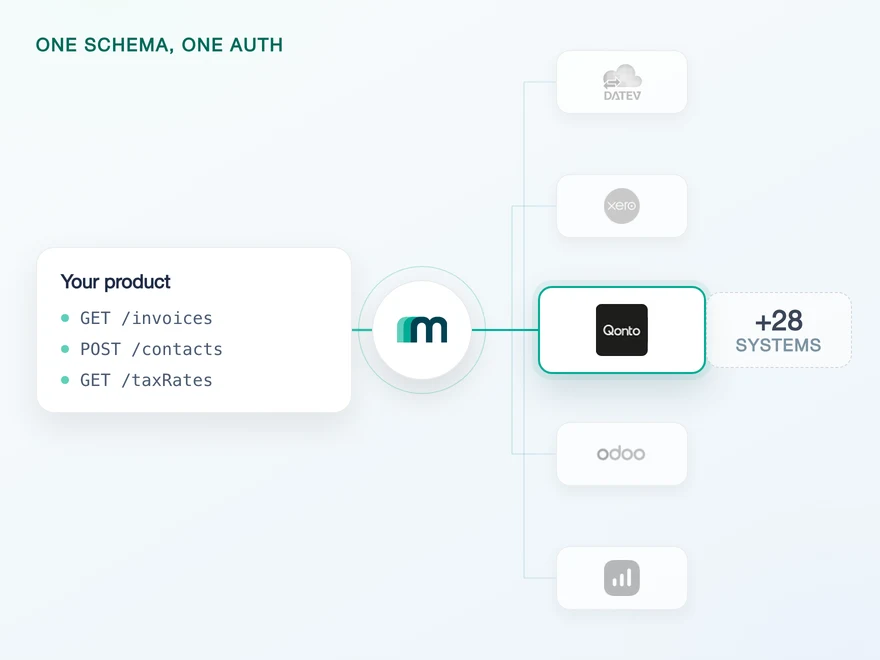
Qonto is a European business finance platform covering business accounts, expense management and invoicing. It is the one banking platform in this catalogue, where every other system is an accounting package or an ERP, and that changes what a connection to it involves: the app you register is reviewed under payment rules before it may touch a customer account. Connect it through Maesn and you reach it with the same REST API and the same data model as every other supported system.












A Qonto integration in days, plus one wait
Qonto is the system in this catalogue where the hard part is not the code. Three things sit between a prototype and a connected customer, and only the first one stays with you.
The app review stays with you
Qonto classifies organisation access as a sensitive scope under PSD2, and the use case you register under, connecting your customers' accounts, needs its validation. That review takes a few days and it sits in front of production, not in front of the build: the sandbox is usually available straight away, so you develop while it runs. You register the app, we walk you through the scope set and the submission, and everything after the approval is ours.
The token rotation is handled here
An access token lasts an hour and a refresh token ninety days, and every refresh returns a new refresh token that has to be stored in place of the old one. Maesn keeps the current pair for each connected customer and rotates it on time, so no part of that schedule reaches your code.
One filter language across every system
Booking proposals come back without a filter by document type, so reading only the invoices means pulling everything and sorting it yourself. Asking past the last page returns a 422 rather than an empty list. Maesn exposes the filter and turns the 422 into an empty response, so the loop you point at Qonto is the loop you already run.
What is left is one REST call against a data model you implement once, and a review you can schedule into the release plan instead of discovering it in the last sprint.
The review is the one to plan around, because it is the only one of the three that stays with you. Qonto reviews the app because the scope set reaches account data, not because the paperwork is slow. What Maesn can do is make sure you request the right use case and the right scopes the first time, so the days you wait are the review and not a resubmission.
Everything after that approval works like the rest of the catalogue. A missing scope comes back through one error model, so a permission problem on Qonto looks the same as one on an accounting system.
A short call is usually enough to tell whether Maesn fits your use case.
Paywise reads the overdue invoice wherever it sits
Paywise recovers unpaid invoices for businesses, from the first reminder through to legal enforcement. Invoices are also the one Qonto object that carries a native event, so a platform built on that document reaches this connection through the same interface it already uses.
“Our customers can connect their existing tools instantly, which drives engagement and makes Maesn a key part of our success strategy.”


Three reasons to reach the Qonto API through Maesn
A Qonto integration is quick to build and stays regulated afterwards. What that costs you over time is the part worth deciding before you start.
The Qonto specifics stay here
Maesn absorbs the scope set and the review it triggers, the hourly token and its rotation, the sandbox that needs an open browser session alongside it, and the 422 that Qonto returns past the last page. Each one is solved once here, for every customer you connect.
A small surface, stated exactly
Bills, booking proposals and invoices are readable today, and what is not enabled is available on request. Knowing that before you scope a feature is the point: the list is short, and it is exact.
The next system costs nothing
Once Qonto runs, every other supported accounting and ERP system answers on the same interface, with the same data model behind it and the same two headers in front of it. A customer who banks with Qonto and books in a different system is one integration, not two.
What a Qonto listing actually asks for
Qonto publishes its integrations in an Integrations and Partnerships section, and the conditions are about a product that is already running rather than about a plan. Maesn does the technical enablement and goes through the listing with you.
Technical enablement
One integration against the Unified API and one data model, identical to every other system Maesn supports. Your engineers meet the same interface here as they will for the next system, including the OAuth flow that Qonto requires for this use case.
Partnership support
Qonto's conditions start with real usage, so the listing follows a working integration rather than gating it. Maesn prepares the submission with you once your first Qonto customers are connected.
Twenty-five beta testers using it
Qonto asks that the integration is actively used by at least 25 beta testers before it will look at a listing. That is a usage bar rather than a fee, and it is the reason the listing conversation belongs after the build instead of before it.
A submission Qonto can test
The submission goes to Qonto's partner team by email and carries two things: a video demo of what the integration does, and login credentials so Qonto can access and test it themselves. It is reviewed by people, not by a form.
Content for the listing page
Once approved, you supply everything that appears on the integration page in Qonto's own directory: what the integration does, who it is for and how a customer switches it on. The listing runs under your product's name, which is the point of it.
The integration is yours and the listing is yours. Maesn is the layer behind it.
We prepare the submission with you once the integration is running.
One Qonto flow, and one scope that needs approval
Qonto authenticates with OAuth 2.0, and the decision that matters is made before the first redirect: the use case you register the app under determines which scopes you may ask for and whether Qonto has to approve you.
- OAuth 2.0 authorisation code
- The only route for a platform connecting customer accounts
One flow, one account key, and the same two headers you send for every other system.
- Which use case you register under
- Qonto offers several, and they are not interchangeable. A Qonto customer automating their own account needs no validation and may use an API key. A platform connecting its customers' accounts is a different use case, is OAuth only, and is the one this integration uses.
- Which scope brings the review
- Of the nine scopes in the setup, exactly one is on Qonto's sensitive list: organisation access. Qonto marks it sensitive because it reaches balances, IBANs and transaction history, which is regulated under PSD2 and carries strong customer authentication with it. That single entry is what turns the registration into an approval.
Qonto does document an API key, and it is worth knowing why it is not the route here: Qonto ties it to the use case where a Qonto customer automates their own account. A platform that connects other people's accounts registers under a different use case, and for that one Qonto documents OAuth as the access method. So there is no Qonto API key to find for this integration, and looking for one is a sign the app is registered under the wrong use case.
- 1
Your customer is sent to Qonto
Maesn builds the authorisation request and redirects your customer to Qonto. They see Qonto's own login and a consent screen listing exactly the permissions your app asked for, under your app's name and logo.
- 2
Qonto redirects to Maesn, not to you
The authorisation code comes back to the redirect URL registered on your app, which is Maesn's callback. Maesn exchanges it for the tokens using your client id and secret, so the secret never travels through your front end. The code itself is short lived, so the exchange happens immediately.
- 3
You work with one account key
Maesn stores the connection and returns an account key. From there every request carries your API key plus that account key, and the hourly rotation behind it is ours. The offline access scope in the setup is what makes that possible: without it there is no refresh token and the connection stops after an hour.
Every system in the catalogue authenticates differently, and Qonto is the case where the flow is ordinary and its conditions are not: a standard authorisation code exchange, but one that only starts working after somebody at Qonto has read what your product does. The hourly token underneath it is the part nobody sees. Every refresh returns a new refresh token that has to replace the old one on the spot, which is a small piece of bookkeeping that has to run for every connected customer, forever.
Unified authentication is what keeps that from becoming your problem twice: the redirect, the code exchange, the rotation and the account key work the same way here as on a system with an API key or a company selector. The Qonto-specific question that remains is which use case you register under, and that one is answered before you write any code.
One Qonto object sends an event, the other two you read
Qonto sends events, and one resource is wired through Maesn today. Invoices are the object with a native event in the coverage matrix, and bills and booking proposals are reads you schedule. Maesn subscribes per connected customer and normalises the payload, so the shape you handle here is the shape you handle everywhere.
One resource, and Qonto subscribes by resource rather than by event type: you register for invoices and receive every event Qonto raises for them.
Two types, and there is no delete event: Qonto raises created and updated only, so a removed invoice is something a read finds.
The payload is where Qonto differs, and it differs in a useful direction: the event carries the id of the invoice that changed but no timestamp and no user, both of which Qonto's integration doc marks as not supported. So the event tells you which record to re-read rather than what changed in it, and the read that follows is the same one you already run for bills and booking proposals. Business Central is the opposite trade, where the event carries a timestamp and no id.
An event that carries an id and no timestamp is more useful than it sounds, because it removes the question a poll never answers cleanly: which record moved. You take the id, you read that one invoice, and you are done. What it does not give you is a window to ask about, so it replaces a scheduled read for invoices rather than making one unnecessary elsewhere. Bills and booking proposals have no event at all, and those two stay on an interval you choose.
Booking proposals are also where Qonto's own filtering runs out, and it is the object where you would least want that: there is no way to ask for one document type, so reading only the invoices among them means fetching all of them and sorting client side.
The second edge is pagination, and it ends a read loop with an error rather than with a result: a request past the last page comes back as a 422 instead of an empty list, so the loop that waits for nothing to come back never gets there. One way to filter and page closes both gaps. Ours is called unified pagination and filtering, and it exposes the filter Qonto does not offer and answers past the last page with an empty response, so the loop you point at Qonto is the loop you already run. And the event model is the same one every other system reports into, so the handler you write for a Qonto invoice is the handler that already exists.
Four things a Qonto integration needs first
Qonto puts four things in front of an integration, and the first one has a calendar attached to it.
- A developer account and an app, registered by you
- You sign up at developers.qonto.com, create an app under the use case for connecting your customers' accounts, give it a name and a logo your users will see, and add the redirect URL https://api.maesn.dev/auth/callback/qonto. The client id and client secret then go to your contact at Maesn.
- Lead time for the review, because it is not a formality
- The scope set includes organisation access, which Qonto classifies as sensitive under PSD2 because it covers balances, IBANs and transaction history. Qonto's own guidance is that this use case requires validation, and its documentation says the review takes a few days. It gates production rather than development, because the sandbox is usually there straight away. Plan it into the release rather than around it.
- A sandbox, and one step that is easy to miss
- Qonto has no free trial account but does provide a sandbox, with its own credentials, its own redirect URL and an X-Qonto-Staging-Token. The step that catches people out: log into the sandbox web app in one browser tab and leave that session open, then start the OAuth flow in another. Without it the flow fails on a CSRF error or a sign-in redirect.
- A use case that reads
- Nothing is writable through this connection today. If your product needs to post into Qonto, that is a conversation about the on-demand column rather than a switch to flip, and it is a much shorter one before you have promised a customer a date.
We walk through the app registration and the scope set with you.
One shape for Qonto, and for the system after it
Qonto is the one banking platform in this catalogue, so what it returns are the documents moving through a business account rather than ledger entries. A shared shape is what lets them sit next to the accounting system your customer runs alongside it.
What is activated here is documents
The three readable objects are bills, booking proposals and invoices. No contact, customer or supplier object is activated, so what comes back describes what was billed rather than who billed it. A matching rule written against a system that has a customer record does not transfer, and the side that has to hold the identity is yours.
The bank line is not a readable object
Transactions sit in the on-demand column on Qonto, which is the opposite of what a banking platform suggests. Across all 30+ systems in the matrix, transactions are activated for reading on none of them, so this is the shape of the catalogue rather than a gap here. What Qonto gives you today is the document side of an account.
On demand is where the other cells sit
No object has delete enabled, and accounting practice expects corrections as new documents anyway. The larger point is the on-demand column itself: 62 combinations are marked available on request, which means they can be implemented for you rather than that they are waiting to be switched on. Ask about one before you plan a feature on it.
Bills, booking proposals and invoices are what a Qonto connection reads today, and whatever comes back arrives in the shared common data model, so an invoice from a business account has the same shape as an invoice from an accounting system, and the code you write here is the code you reuse for the next one.
One decision is worth taking before you map anything: where the counterparty lives. A Qonto bill tells you what was billed, and the party behind it comes from the accounting system your customer runs alongside Qonto, which is reachable on this same interface. Settling that early costs a conversation, and settling it late costs a migration.
That leaves a precise surface rather than a broad one: the documents flowing through a business account, one of them with an event on it. It is enough to build a receivables or a payables feature on, and it is not enough to build a general ledger on. Which of those you need is worth settling before the app registration, because the registration is the step with the wait attached.
Tell us which objects your use case needs and we will confirm what is possible.