.webp)

Key Takeaways
Getting a Pennylane Sandbox
Before you can start developing against the Pennylane API, you’ll need access to their sandbox environment. Unlike many APIs where developers can instantly create test credentials, Pennylane’s sandbox requires a manual onboarding process. You’ll need to contact the partnership team, share company details, and specify your intended scopes and data access. This approach ensures data protection and quality — but it can also extend your initial development timeline.
With Maesn, developers get instant access to a Pennylane self-service sandbox that mirrors Pennylane’s behavior, with persistent credentials and consistent test data structures. That means you can prototype integrations, without waiting for manual approval.
How to Create a Pennylane Application
Once sandbox access is approved, the next step is to create an application to receive client credentials. This process includes defining the Pennylane scopes (permissions) your app needs - for example, access to invoices, customers, suppliers, transactions, or journal entries.
Each scope must be reviewed by Pennylane’s team, which ensures data is accessed responsibly. However, this can require some back-and-forth communication before credentials are activated — especially if your integration spans multiple accounting workflows (like both Accounts Payable and Accounts Receivable).
With Maesn, scope management is streamlined. We support you in your scope specification process. Whether it’s retrieving AP invoices, posting AR data, or reading journal entries, you develop once and it works across all supported accounting systems.
Understanding Pennylane API Credentials
When your Pennylane application is created, you’ll receive a client ID and secret. These credentials are used to authenticate your app via OAuth. One key detail: the credentials are only valid for 7 days unless refreshed. This short lifespan adds an extra layer of security but can complicate development if your team frequently deploys, tests, or automates integrations.
Maesn’s Unified API enables persistent credentials that remain valid across environments. We manage token rotation and expiration automatically - so your engineering team can focus on data flows, not credential maintenance.
Handling Pennylane Data Models
Pennylane’s API follows a structured accounting logic, but some data relationships require multiple endpoints. For example, creating a customer might involve:
- Creating a “person” record,
- Linking that person to a company,
- Adding a contact role.
This ensures accounting data integrity, but for developers, it means more calls, dependencies, and error handling.
This becomes particularly relevant in workflows like:
- Accounts Payable: managing supplier details and purchase invoices
- Accounts Receivable: creating customer invoices and tracking payments
- Transactions and Journal Entries: posting financial records to the ledger
Maesn simplifies this complexity through our unified data schema. Your integration interacts with standardized “customer,” “supplier,” “invoice,” or “transaction” objects and Maesn handles the Pennylane-specific orchestration behind the scenes.
Connecting Customers and Suppliers in Pennylane
In Pennylane, customer and supplier data are separate but closely related objects, each with their own endpoints. When you need to create or update both sides (for example, when your product manages invoices or vendor bills), you’ll need to handle both relationships properly to avoid missing data links.
Maesn unifies customer and supplier handling across accounting systems. You use one consistent endpoint, and we map it to the appropriate structure in Pennylane, Sage, DATEV, or other systems — maintaining referential integrity between your CRM or ERP and the accounting layer.
Invoices, Documents, and Attachments
Invoices and documents are central to Pennylane’s API, but managing them requires attention to detail:
- Files (PDFs, receipts) must be encoded and uploaded via specific endpoints.
- Metadata (dates, due amounts, supplier/customer references) must align with journal entries.
- Some endpoints distinguish between sales invoices (AR) and purchase invoices (AP).
This setup gives accountants precise control but adds complexity for developers who want to sync documents automatically.
Maesn standardizes invoice and document handling. You post invoices once — with attached documents and Maesn translates them into Pennylane’s correct structure. It’s designed for end-to-end automation of invoice lifecycle events: creation, approval, and reconciliation.
Journal Entries and Transactions
Journal entries are at the heart of any accounting integration, but they often vary widely between platforms.Pennylane exposes them through granular endpoints, meaning developers must carefully build transaction posting logic (including debit/credit lines, ledger accounts, and reconciliation markers).
With Maesn, journal entries, transactions, and ledger operations follow a unified model.We normalize field names and validation rules, so your product can sync general ledger data seamlessly across Pennylane and other accounting systems — without custom rework for each provider.
Rate Limits in the Pennylane API
Pennylane enforces clear API rate limits to protect performance and stability:
- 4 requests per second for most endpoints
- 2 requests per second for customer invoices
For integrations processing high data volumes (for instance, nightly invoice syncs or historical imports), this requires careful queueing and throttling to avoid 429 Too Many Requests errors.
Maesn’s API gateway manages rate-limit compliance automatically.We queue, retry, and batch requests intelligently — ensuring throughput without hitting Pennylane’s limits, and letting you handle bulk AP/AR synchronization efficiently.
User Roles and Plan Requirements
To activate integrations in Pennylane, the end user must:
- Have an Essential plan or above, and
- Hold the “gestionnaire” (manager) role in their company workspace.
Without these permissions, the user won’t be able to authorize the connection, which can cause confusion during onboarding.
Maesn makes onboarding smoother by checking plan and role requirements automatically.If a user isn’t eligible, they receive a clear, guided prompt — reducing failed connections and support tickets.
Summary: Building a Reliable Pennylane Integration
Pennylane’s API is designed for compliance, precision, and collaboration — but that comes with some technical depth.From sandbox access and manual credential handling to multi-step data models and rate limits, it demands thoughtful engineering.
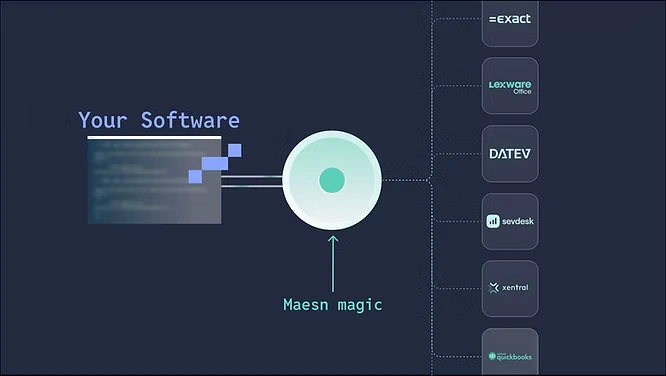
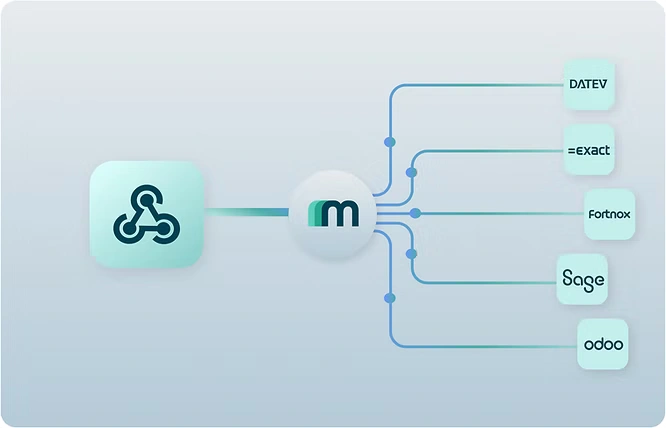
With Maesn’s Unified API, software teams can build once and scale across accounting systems like Pennylane, Sage, DATEV, and others.Our abstraction layer standardizes:
- Accounts Payable and Receivable workflows
- Customer and Supplier handling
- Invoice and document synchronization
- Journal entries and transaction posting
The result: faster time-to-integration, cleaner data flow, and a scalable foundation for financial interoperability.
Start now with Maesn for Your Pennylane Integration
Explore all available integrations in our integrations overview.
About the author
Lennart is CTO and Co-Founder of Maesn. With 18 years in the software industry, spanning smartphone OS development, IAM platforms and enterprise architecture, he holds an M.Sc. in Computer Science from Uppsala University. He founded Maesn to make system integration effortless.

CTO
.webp)