Key Takeaways
- FreshBooks has two identifier types: accountId and businessId. Accounting endpoints use accountId; time tracking, projects, and other resources use businessId. These are different values and cannot be interchanged. Mixing them up causes silent failures or incorrect routing.
- Authentication uses OAuth 2.0 with access tokens that expire after 12 hours. Refresh tokens must be rotated on every use - each refresh invalidates the previous refresh token and issues a new one.
- Scope declaration must be precise upfront. FreshBooks uses granular, resource-level scopes.
- Pagination defaults to 100 results per page with a hard cap of 100. Requesting per_page=2000 returns only 100. Without explicit pagination logic, your sync returns incomplete data.
- The ?include[] parameter is required to get related data inline. Invoice lines, for example, are not returned by default. You must explicitly request them with ?include[]=lines.
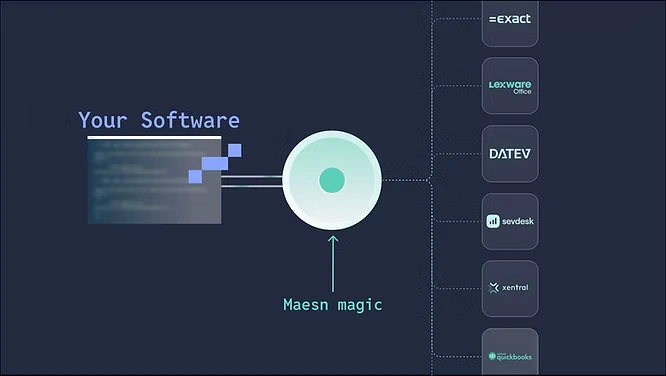
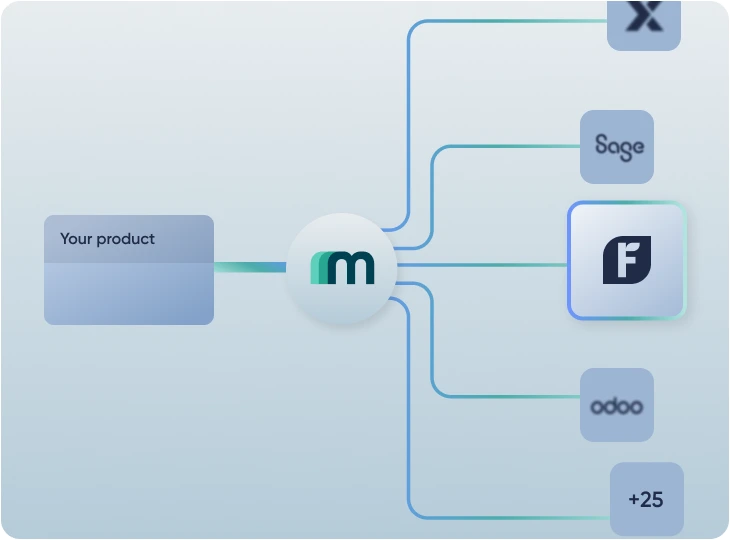
- Maesn handles all of the above. One unified API: dual identity resolution, token rotation, pagination, and data model normalization are all abstracted in the Maesn backend.
FreshBooks Has Two Identifier Types: accountId and businessId
This is the most structurally surprising aspect for a FreshBooks API integration for developers approaching it for the first time. FreshBooks has a split identity model that reflects a historical migration from an account-based to a business-based architecture.
The result: two different identifiers are required for different parts of the API.
Both identifiers are retrieved from the same /auth/api/v1/users/me endpoint after authentication. The response includes a business_memberships array where each business object contains both its id (the businessId) and its account_id (the accountId). A critical note from FreshBooks' own documentation: do not confuse the id of the business_membership object itself with the id of the business inside it - they are different values.
For a multi-tenant SaaS product, this means fetching and storing two separate identifiers per tenant after every authentication, and routing every API call to the correct identifier type based on which resource you are accessing. Mixing up accountId and businessId results in authorization errors or incorrect data routing - not a clear error message.
Maesn Resolves Both accountId and businessId Automatically - Correct Routing on Every Request
Maesn resolves both the accountId and businessId during the authentication setup and stores them per tenant. All subsequent API calls are automatically routed with the correct identifier — your integration never needs to track which identifier applies to which endpoint.
OAuth 2.0 With 12-Hour Token Expiry and Refresh Tokens That Rotate on Every Use
FreshBooks uses OAuth 2.0 with the authorization code flow. Access tokens expire after 12 hours. For long-running integrations, you must implement refresh token logic — but with an important constraint that many teams miss: FreshBooks refresh tokens rotate on every use.
This means: every time you use a refresh token to obtain a new access token, FreshBooks issues a brand new refresh token alongside it. The old refresh token is immediately invalidated. There is no recovery path other than asking the customer to go through the OAuth flow again.
The authorization code itself is only valid for 5 minutes and can only be used once. This is standard OAuth behavior, but it means your redirect handling must be reliable and fast.
Maesn Manages Rotating Refresh Tokens Reliably - No Token Loss, No Re-Authorization Surprises
Maesn manages the full OAuth token lifecycle for FreshBooks, including rotating refresh token storage per tenant. The rotation logic, storage reliability, and re-authorization detection are all handled in the Maesn backend. You never write token refresh logic or handle rotation failures yourself.
Scope Declaration Must Be Precise: Missing Scopes Require Full Re-Authorization
FreshBooks uses granular, resource-level scopes that must be declared when initiating the OAuth flow. The scope list covers all major resource areas including profile, clients, invoices, expenses, payments, projects, and time entries — each available in read-only and read-write variants.
If you fail to include a required scope in the initial authorization request, the API returns an authorization error for that resource. Correcting this requires your customer to revoke the existing access and go through the full OAuth flow again. For production integrations, scope gaps discovered post-launch create customer friction that is difficult to recover from.
FreshBooks' own documentation recommends using the /auth/api/v1/users/me endpoint to inspect which scopes are available before relying on them — a sign that scope availability is not always predictable.
Maesn Requests the Correct Scopes Automatically
Maesn handles scope configuration for FreshBooks as part of the app registration and connection setup. The correct scopes are requested automatically based on your integration's requirements — your customers connect once and all required permissions are captured correctly.
Pagination Caps at 100 Results Per Page - Requesting More Silently Returns 100
FreshBooks collection endpoints use page-based pagination with two parameters: page and per_page. The hard cap is 100 results per page, enforced silently: if you request per_page=2000, the API returns 100 results without an error or warning.
Without explicit pagination logic, your sync processes only the first page of results and silently ignores everything beyond the cap. For any customer with more than 100 invoices, clients, or expenses, this is a correctness issue.
Pagination metadata is returned in the pages object in every collection response:
json
{
     "response": {
         "result": {
               "invoices": [...],
               "pages": {
                     "page": 1,
                     "pages": 14,
                     "per_page": 100,
                     "total": 1389
                 }
            }
      }
}
You must continue fetching pages until page equals pages to guarantee a complete dataset.
Maesn Paginates All FreshBooks API Endpoints Automatically
Maesn handles pagination for all FreshBooks collection endpoints automatically. When you request a list of invoices or clients through Maesn, you receive the dataset in the same way as for all other systems. You never need to implement pagination logic or track page state per tenant.
Related Data Is Not Returned by Default — The include[] Parameter Is Required
In FreshBooks, related data is not embedded in responses by default. To retrieve related objects inline — such as invoice line items, allowed payment gateways, or payment details — you must explicitly request them using the ?include[]= parameter.
For example, a GET /invoices/invoices request returns invoice header data but not the line items. To get line items in the same response, you must append ?include[]=lines. Multiple includes can be combined:
GET /accounting/account/<accountId>/invoices/invoices?
include[]=lines&include[]=allowed_gateways
It means that a sync process that reads invoices without specifying ?include[]=lines will silently miss all line-level data. For use cases like invoice replication, financial analysis, or revenue recognition, missing line data is a serious correctness gap.
Maesn Handles include[] Parameters Automatically: Complete Data in Every Response
Maesn handles include parameter configuration for FreshBooks endpoints automatically based on the data your integration requires. The correct includes are sent with every request — you always receive complete, normalized data in Maesn's common data model without managing include parameters yourself.
Why Teams Use Maesn for FreshBooks API Integration
Building a direct integration with FreshBooks means resolving two different identifier types per tenant, handling rotating refresh tokens reliably, declaring precise OAuth scopes upfront, implementing pagination with a silent 100-item cap, navigating inconsistent sort syntax across endpoint groups, and manually specifying include parameters to get complete data — all before you ship your first feature.
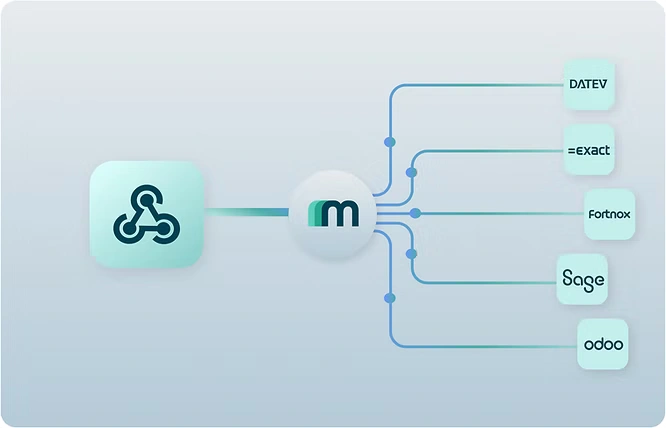
Maesn abstracts this entire surface into a single unified API. You integrate once to Maesn and your product automatically works with FreshBooks and every other accounting system in the Maesn portfolio, without system-specific branches in your code.
Explore all available integrations in our integrations overview.
Check the Maesn documentation for FreshBooks or talk to the Maesn team to get started.
About the author
Lennart is CTO and Co-Founder of Maesn. With 18 years in the software industry, spanning smartphone OS development, IAM platforms and enterprise architecture, he holds an M.Sc. in Computer Science from Uppsala University. He founded Maesn to make system integration effortless.

CTO
.webp)