.webp)
.webp)
Key Takeaways of Fortnox API Integration
- Fortnox is Sweden’s leading accounting platform with powerful, but complex API requirements
- Native integration requires Swedish ID, manual OAuth2 setup and two-step data retrieval
- Webhook support is limited; some endpoints are undocumented
- Maesn handles authentication, sandbox setup, pagination, and full data access
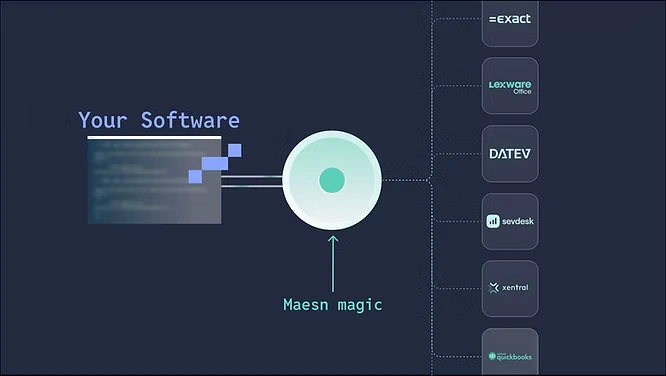
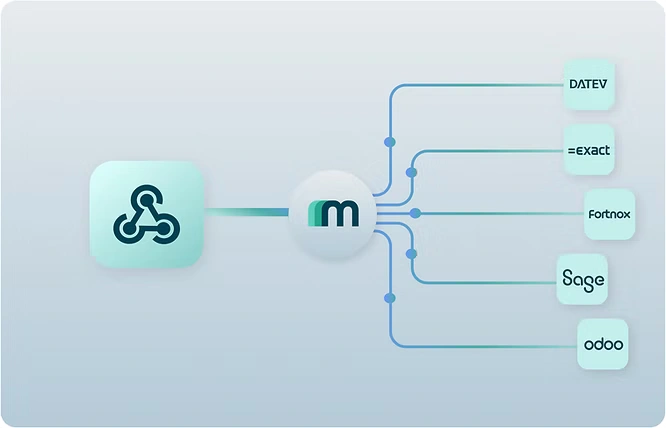
- One integration with Maesn unlocks Fortnox and dozens of other ERP systems via one Unified API
Fortnox Is One of the Most Important Integrations for Sweden and the Nordics
Fortnox is a cloud-based platform for accounting, invoicing, payroll, and more – a market leader in Sweden. It offers a RESTful API (currently version 3) for third-party integrations, using resource URLs and OAuth2 for authentication. For developers, Fortnox provides a dedicated Developer Portal where you can register integrations and access documentation. Fortnox encourages an ecosystem of integrations to extend its functionality, even enabling partners to publish integrations on the Fortnox marketplace.
Getting Started: Register as a Developer and Set Up Your Sandbox
Before writing any code or initiate partner activities, you need to register as a Fortnox developer and set up your environment. In this context, the following aspects need to be considered:
Swedish ID needed for creating account in Fortnox - not with Maesn
Fortnox is closely integrated with Swedish business workflows (e.g., BankID, government records). When creating a sandbox or account, the system validates the personal or organization number.
If you integrate with Maesn, we provide you with a sandbox environment, so you don't need a Swedish ID to build an integration with Fortnox.
Create up to 30 Fortnox Test Environments in Sandbox
Fortnox provides free sandbox environments so you can test your integration. You can create up to 30 test companies via the Developer Portal – each sandbox is essentially a full Fortnox company database tied to your developer account. The sandbox company’s user will share your email and you manage it just like a normal company in Fortnox (meaning you can log in to Fortnox and switch to that test company to see data).
Authentication and Authorization in Fortnox API - all Managed in Maesn Portal
Fortnox uses the OAuth 2.0 flow to grant your application access to a user’s data. This means your integration must go through these steps:
- Obtain Client ID and Secret: When you create an integration in the Developer Portal, Fortnox will generate a Client ID and Client Secret for you. These identify your application and are used in the OAuth handshake.
- Authorization Request: Direct the user to Fortnox’s authorization URL, including your Client ID, redirect URI, and requested scopes.
When integrating via Maesn, you just create an app, generate credentials, and enter those credentials in your Maesn portal. We set everything up in the backend and generate your API key.
Fortnox API limitations - Two Steps are Needed to Read a full List of Data
Each resource has a GET endpoint for listing. E.g. GET /customers returns a paginated list of customers. Important: Fortnox’s list endpoints return only a subset of fields for each object (essential summary info). This is by design – for example, a Customer list might return customer IDs, names and a few other fields, but not every detail (like addresses, contacts, etc.). If you need full details, you must fetch each record by its ID (e.g., GET /customers/{customerNumber} for a specific customer).
With Maesn, we brought these two calls into one, to ensure that the structure and format of the API response in Fortnox is exactly the same as with dozens other systems that we support with Maesn, you receive the full list of fields back with our common data model for all systems, that you find here.
Fortnox Webhooks are not Available for all Objects - Full Access with Maesn
Fortnox supports webhooks for specific objects (e.g. customers, invoices). You can register a webhook URL and receive events when objects change. However, many objects (e.g. accounting entries, suppliers) do not yet support webhooks - polling remains necessary if you build native integrations.
Maesn makes this seamless. We combine the native Fortnox webhooks with our synthetic webhooks, where we poll data in the backend and simulate webhooks where none exist natively. The benefit? This enables the same webhook experience for all objects and all systems. You can set up Webhooks in Maesn via API or in your Maesn portal.More information about Maesn webhooks
Pagination is Limited in Fortnox API
By default, list endpoints in Fortnox return up to 100 records per page. You can adjust the limit (up to 500 max) or use the page parameter to paginate.
With Maesn, Pagination is dramatically simplified for Fortnox API and dozens more ERP and Accounting systems. It is done through the query parameters limit and page. The limit parameter specifies the number of resources to return per page, while the page parameter specifies the page number to return. The page parameter starts at 1. The limit parameter can be the following values: 5, 10, 20, 50, 100. Read more about pagination with Maesn.
Hidden APIs and Undocumented Endpoints in Fortnox API
Some operations available in the Fortnox user interface - such as bank feeds (automatic retrieval of bank transactions into Fortnox) - are not supported by the official API.
Undocumented endpoints may exist, but they can be changed or removed by Fortnox at any time without notice. Relying on them can lead to broken integrations without warning.
Maesn is a technology partner of Fortnox. This means you can rely 100% on our API, as we ensure its stability and uptime through close collaboration with every software vendor we integrate with.
Requirements to Get Listed in Fortnox Partner Marketplace
If you want to make the integration publicly available, you can apply to list it in the Fortnox Marketplace. Once your app is stable and production-ready, you can submit it for review by contacting Fortnox’s partner team. You'll need to provide metadata like the app name, description, logo, and support contact. After approval, your integration will appear in the Fortnox Marketplace, allowing users to discover and connect it directly from their Fortnox account.
When building your Fortnox integration via Maesn, we help ensure that your solution meets Fortnox’s technical and security requirements—making the path to marketplace listing faster and more efficient.
Fortnox API Integration and All Other Relevant Financial Systems - via Maesn Unified API
Integrating with Fortnox offers powerful capabilities to your product – but as described, it also comes with a few things to consider when integrating directly to Fortnox:
- Identity and setup constraints require local Swedish access
- Object expansion is mandatory for full details
- Webhooks are partial, and filters are one-dimensional
Fortnox thorough documentation and support resources help, but there’s still significant engineering effort in building and maintaining a resilient integration.
That’s where Maesn changes the game. We provide ready-to-use credentials, sandboxes, token orchestration, and normalized APIs — so your product team can deliver value to users instead of building infrastructure. Maesn acts as the abstraction layer on top of Fortnox (and all the other Financial/ERP systems your customers request), smoothing over the differences and peculiarities so you can focus on developing your own solution! With one integration to Maesn, you can build a more streamlined, resilient integration without reinventing the wheel for each provider. As APIs continue to evolve, we ensure you remain insulated from changes or odd behaviors in any single API.
Explore all available integrations in our integrations overview.
About the author
Themo is CEO and Co-Founder of Maesn. With years in strategy consulting — spanning requirements engineering for complex software landscapes, ERP and accounting software selections, and end-to-end integration projects — he holds a Dr.-Ing. with a focus on ERP-to-SaaS transformation. He co-founded Maesn to make system integration effortless.

Co-Founder
.webp)