Key Takeaways
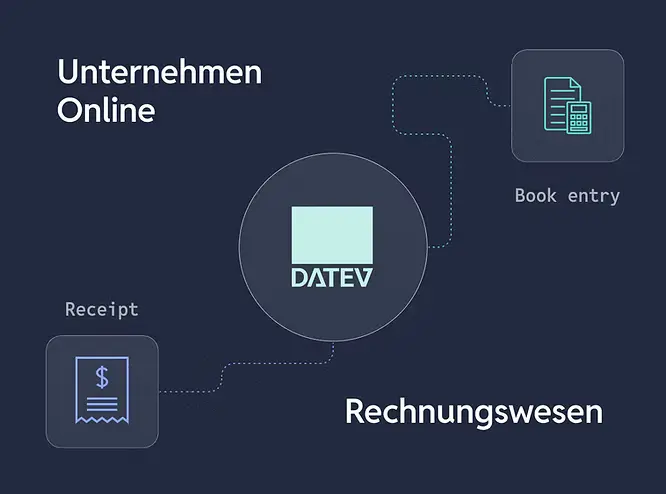
- DATEV Unternehmen Online is a cloud platform for uploading and managing financial documents, while Rechnungswesen is a comprehensive accounting system for detailed financial reporting.
- Currently, data can only be written into DATEV systems from external services, not read from them.
- There are three ways to transfer data into DATEV: posting files, creating booking proposals via cash ledgers, and creating journal entries directly in Rechnungswesen.
- Each method requires different DATEV components on the customer side and uses different endpoints and file formats.
- Transferring data from DATEV Unternehmen Online to Rechnungswesen is a two-step manual process via the DATEV data center.
Recap: What Are DATEV Unternehmen Online and DATEV Rechnungswesen?
DATEV Unternehmen Online and DATEV Rechnungswesen are two essential solutions provided by DATEV for managing business accounting tasks:
- DATEV Unternehmen Online serves as a cloud-based platform where users can upload, store, and manage financial documents.
- DATEV Rechnungswesen is a more comprehensive accounting system often used by mid-sized companies and tax advisors for detailed financial reporting and analysis.
Side note: while DATEV Unternehmen Online and Rechnungswesen can interact, it is currently only possible to write data from external services into these systems, not read data. The type of data and the systems required vary based on the method you use for integration. The difference and applicability between the two accounting-related solutions can be read here.
How data can be transferred to DATEV accounting systems
There are three primary use-cases to transfer data into DATEV systems:
- Posting Files
- Creating Cash ledger entries for Booking Proposals
- Creating Journal Entries
Let’s break down these methods to help you determine which fits your business needs.
First case: Posting files
- Use-Case: Posting receipts/invoices/bills etc.
- Can be done via DATEV Unternehmen Online with Belegbilderservice 1.0
- The possible format varies depending on the DATEV client setting - typically it includes PDF,JPG,PNG, e-Invoice, etc.
- Fore more details click here
- The following endpoints are used: Accounting:documents
- Required systems on your customers' side
- DUO and Belegbilderservice 1.0
Second case: Booking proposal / Transactions with attachments
- Booking proposal/Transactions are posted into cash ledgers, that need to be created manually by the DATEV user, as a clearing account
- The following endpoints are used:
- accounting:dxso-jobs (XML Upload)
- You can include attachments in the same formats as in the above mentioned within the XML Upload for the upload
- Required systems on your customers' side
- DUO + Rechnungsdatenservice 1.0
Third case: Journal entries with attachments (only possible with Rechnungswesen)
- Creating journal entries as bookings in Datev Rewe
- The following endpoints are used:
- accounting:extf-files (CSV Upload)
- accounting:documents
- Required systems on your customer side
- DUO + Belegbilderservice 1.0 + Rewe + Buchungsdatenservice
Transfer a booking proposal from DATEV DUO to Rewe
Getting Data from DUO to Rewe is a two-step process via the DATEV data center.
Transfer data from DUO to DATEV data center
In this case the user has to transfer the data from the DUO instance to the DATEV data center (RZ). This is an easy process, which can be done with a few mouse-clicks with "data provisioning" in the DUO interface, after checking the cash ledger and either by the user or the tax advisor.
View how to transfer data here.
Retrieve a journal entry from DATEV data center to DATEV Rewe
The data provided to the data center now needs to be retrieved into the Rewe instance. For the procedure to source the booking data from the data center and post the bookings in DATEV, refer to DATEV documentation.
Accounting logic and booking file format
As the last step, we want to get detailed regarding the data format of DATEV which is used in their accounting journal DATEV-Format:
Simplifying DATEV integration with Maesn’s DATEV API
If onboarding with DATEV's extensive systems and properties feels overwhelming, Maesn offers a solution. The Maesn REST API provides a simplified integration layer, allowing you to interact with DATEV systems without dealing with all the complexities. Learn more about Maesn’s DATEV API integration here.
Final Thoughts
Understanding the various DATEV accounting platforms and data transfer methods is essential for businesses and tax advisors aiming to streamline their financial operations. By leveraging Maesn’s DATEV API integration, you can save time, reduce errors, and ensure compliance with German accounting standards.
If you want to skip all the DATEV specific properties and especially the intense onboarding process (see next blog post), you can just use the maesn unified API. We have built a layer above all DATEV specific properties to enable you integrating with ease.
Check out more here:
https://www.maesn.com/integrations/datev.
About the author
Themo is CEO and Co-Founder of Maesn. With years in strategy consulting — spanning requirements engineering for complex software landscapes, ERP and accounting software selections, and end-to-end integration projects — he holds a Dr.-Ing. with a focus on ERP-to-SaaS transformation. He co-founded Maesn to make system integration effortless.

Co-Founder