
Key Takeaways
- Field mapping is harder than it looks: custom fields often need to be built from scratch and verified for compatibility across systems
- Custom transformations require more than just code: business logic and data context are just as important as technical implementation
- Maintenance is a long-term commitment: errors, updates, and evolving business needs make ongoing upkeep unavoidable
- In-house vs. third-party is a trade-off: full control vs. faster setup and built-in maintenance features
- Unified APIs reduce complexity significantly: by standardizing data models, authentication, and rate limits across all integrations
One of the first hurdles you'll likely encounter when building custom API integrations is field mapping between systems. On the surface, mapping standard data types—like linking an “Account” in your CRM to a “Customer” in your ERP system—might seem simple. But when you start dealing with specialized fields, things can get a lot trickier.
For example, consider a scenario where your customer success tool includes a custom “Customer Health Score” field that you want to map to your CRM. Unfortunately, this field doesn’t exist in your CRM, which means you’ll have to create it first before mapping can happen. This process isn't just about creating fields; it's also about ensuring that the data makes sense in its new context and that it's usable for your team. And that’s where the challenge lies—how do you ensure that this new field is compatible with your CRM's existing data structures?
This problem is further compounded when dealing with multiple systems that each have their own unique data structures. What works well in one system might not translate smoothly into another, requiring you to either modify existing fields or create entirely new ones. It's a time-consuming process that requires a deep understanding of each system's architecture.
Custom-Built Data Transformations: A Necessary Evil
Now, let’s talk about data transformations. Your developers might have already set up transformation logic for standard objects and fields. But what happens when you introduce custom objects or fields into the mix? Suddenly, you need new transformation logic, and that’s where things get complicated.
Creating custom data transformations is not just about coding. It requires a deep understanding of the data itself, the business processes behind it, and how it will be used once it’s transformed. For instance, if you’re integrating a new field like “Customer Health Score,” you’ll need to determine how this score is calculated, how it impacts other data points, and how to ensure that this information is accurately transformed across all systems.
This process can be time-consuming and resource-intensive, particularly when multiple custom integrations are involved. Each integration might require its own unique set of transformation rules, and ensuring that these rules work correctly across all systems is no small feat. It’s a classic case of “easier said than done,” and it’s one of the main reasons why custom API integrations can become such a headache.
Increased Integration Maintenance: The Ongoing Challenge
Once your custom API integrations are up and running, the work is far from over. In fact, this is where the real challenges begin. Custom integrations often introduce new errors that didn’t exist before, such as incorrect data due to flawed transformation logic. To address these issues, developers must create additional error-handling processes and continually monitor the integrations to ensure they’re functioning correctly.
But it doesn’t stop there. As your business processes evolve, so too must your integrations. This means regularly updating your integrations to reflect changes in your data structures, business logic, or external systems. It’s a continuous cycle of proactive and reactive work that can quickly become a significant burden on your development team.
The need for ongoing maintenance is one of the most underestimated challenges of custom API integrations. It’s not just about building the integration; it’s about keeping it running smoothly over time. And as your business grows and evolves, so too will the complexity of your integrations, requiring even more time and resources to manage.
How to Build Custom API Integrations: In-House vs. 3rd-Party Solutions
When it comes to building custom API integrations, you generally have two options: building them in-house or using a third-party integration solution. Both approaches have their pros and cons, and the right choice will depend on your specific needs and resources.
Building integrations in-house gives you complete control over the process, allowing you to tailor the integration to your exact requirements. However, it also requires a significant investment in time and resources, as well as a deep understanding of the systems you’re integrating.
On the other hand, third-party solutions can simplify the process by providing pre-built connectors and integration tools. These solutions often come with built-in error handling and maintenance features, which can save you a lot of headaches in the long run. However, they may not offer the same level of customization as an in-house solution, and you may have to compromise on certain features or functionality.
Regardless of the approach you choose, it’s important to understand that no two custom integrations are alike. Each one is unique, with its own set of challenges and requirements. Whether you’re dealing with varying APIs from different providers, rate limits, pagination methods, or authentication techniques, you’ll need to carefully consider all these factors when building your custom API integrations.
Unified API Solutions: A Better Way?
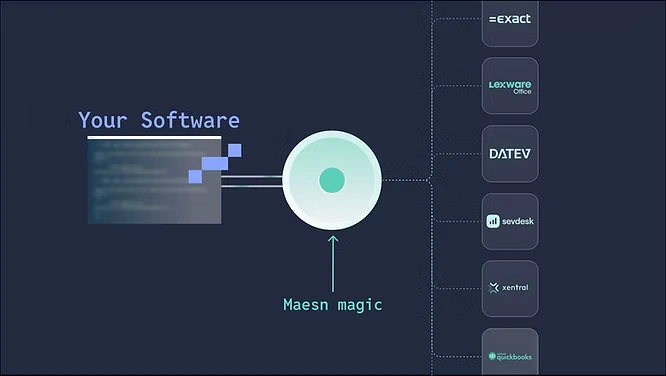
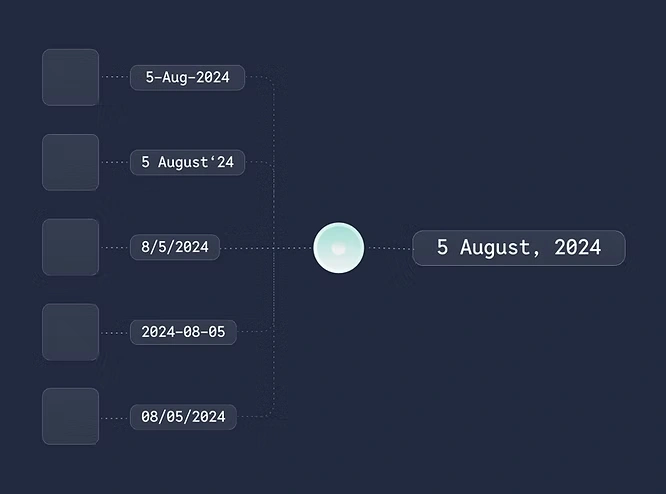
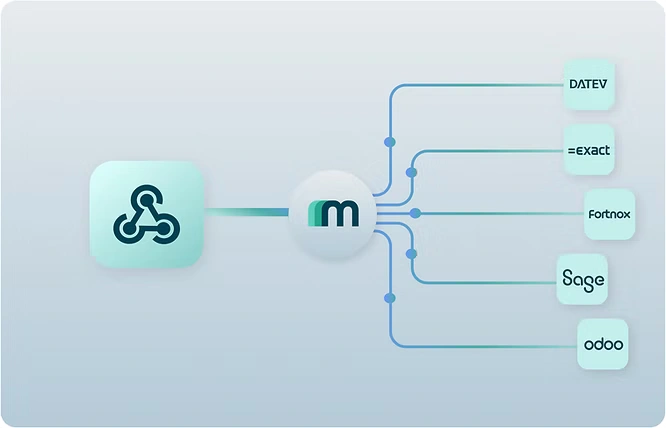
For customer-facing integrations, a unified API solution can be a game-changer. Unified APIs normalize data models from third-party APIs to a standard schema, making data interaction much easier. This approach can simplify the integration process by standardizing rate limits, pagination, and authentication methods across all your integrations.
One of the key benefits of a unified API solution is that it can significantly reduce the complexity of building and maintaining custom integrations. By providing a consistent data model and API interface, unified APIs can help you avoid many of the common pitfalls associated with custom integrations. This can save you time and resources, allowing you to focus on more strategic initiatives.
Using Maesn for Custom Integrations
If you’re looking for a unified API solution, Maesn is a leading option worth considering. Maesn’s Field Mapping feature allows you to add custom objects and fields to its Common Models, enabling you to easily create highly-customized, customer-facing API integrations.
For example, you could use Maesn’s Field Mapping to add a “custom score” field from a client’s Applicant Tracking System (ATS) to Maesn’s Candidate Common Model. This would allow you to synchronize this custom data with your product, making it easier to manage and analyze.
By using a solution like Maesn, you can simplify the process of building and maintaining custom API integrations, reducing the amount of time and effort required to keep your integrations running smoothly.
Wrapping Up
Building and maintaining custom API integrations is no walk in the park. From the complexities of field mapping to the ongoing maintenance required to keep things running smoothly, there’s a lot that can go wrong. However, by understanding the challenges and taking a strategic approach—whether by building in-house or leveraging third-party solutions like Maesn—you can navigate these difficulties and create integrations that truly add value to your business.
About the author
Themo is CEO and Co-Founder of Maesn. With years in strategy consulting — spanning requirements engineering for complex software landscapes, ERP and accounting software selections, and end-to-end integration projects — he holds a Dr.-Ing. with a focus on ERP-to-SaaS transformation. He co-founded Maesn to make system integration effortless.

Co-Founder
.webp)