
Key Takeaways
- Authentication uses standard OAuth 2.0, but requires explicit scope declaration per resource area. Missing a scope causes authorization errors, not empty results and requires your customer to re-authorize.
- Access tokens expire after 60 minutes. Refresh token logic is mandatory for every tenant. Refresh tokens are invalidated when a user changes their Visma password — with no notification sent to your system.
- Pagination defaults to 50 results per page. Without explicit pagination handling, your sync silently returns incomplete data.
- VAT codes and account mappings are tenant-specific and country-specific. Sweden, Norway, and the Netherlands each have different VAT rates and account structures that must be resolved per tenant.
- Accounts require a FiscalYearId. Creating or querying accounts always requires a reference to the active fiscal year — which must be fetched per tenant first.
- Maesn handles all of the above. One unified API: No scope configuration, no token refresh logic, no pagination gaps, no country-specific VAT mapping to build yourself.
OAuth 2.0 With Scope-Based Access Control — Wrong Scopes Return Auth Errors, Not Empty Data
The eAccounting API uses standard OAuth 2.0 with the authorization code flow, which is a good starting point compared to some proprietary token models used by other accounting systems. However, eAccounting adds a resource-level scope model that frequently creates issues for teams who do not configure it precisely upfront.
Every resource area has its own scope, declared on two levels.
- As the developer, you define which scopes your app may request when registering in the Visma Developer Portal — this sets the upper boundary of what your integration is allowed to access.
- During the OAuth flow, your system must explicitly include the required scopes in the authorization request sent to the Visma identity server.
- Your customer then sees and approves these scopes as part of connecting their account.
If you forget a scope in the authorization request — even if your app registration allows it — the API returns an authorization error for that resource area. Correcting this requires your customer to go through the authorization flow again.
The full scope list is:
There are two additional parameters that are critical in practice.
- prompt=select_account forces the Visma identity server to always prompt the user to select a company rather than silently using a previously selected one. Without this, you risk connecting to the wrong company.
- acr_values filters the company selector to only show companies that have access to eAccounting — preventing users from accidentally selecting an unrelated Visma product.
Maesn standardizes the entire auth flow for Visma eAccounting API integration in the same unified way as for all supported systems
When you register your app with Maesn, you provide the scopes that are needed based as for the Visma app configuration. These scopes are automatically included in the authorization request sent to the Visma identity server — correctly and completely, every time, for every tenant. The prompt and acr_values parameters are set correctly by default. You never touch scope configuration or auth request parameters directly.
Access Tokens Expire After 60 Minutes — and Password Changes Silently Invalidate Refresh Tokens
The eAccounting access token has a fixed expiry of 60 minutes. After expiry, every API request returns a 401 Unauthorized response. For a multi-tenant SaaS product, this means you need token refresh logic that runs per tenant, detects expiry gracefully, and retries requests after a successful refresh.
The refresh token itself is valid for two years — with one critical exception: if a user changes their Visma password, the refresh token is immediately invalidated. There is no webhook or notification for this event. From your system's perspective, the next API call simply fails with a 401. Your integration must detect this case, flag the tenant as requiring re-authorization, and trigger a new OAuth flow. If you do not build this explicitly, your integration silently stops syncing data for any customer who changes their password.
Maesn manages the full token lifecycle for eAccounting across all your tenants
Access tokens are refreshed automatically before expiry. If a refresh token is invalidated, for example due to a password change, Maesn surfaces this as a clear connection status so you can prompt re-authorization for the affected customer. You never write token refresh logic or handle cascading 401 errors yourself.
Visma eAccounting Pagination Defaults to 50 Results per Page
The eAccounting API does not return all records in a single response. By default, collection endpoints return 50 results per page. Without explicit pagination handling, your sync processes only the first 50 records and silently ignores everything else. For any customer with more than 50 invoices or customers, this is a correctness issue that is easy to miss in development and hard to diagnose in production.
Maesn handles pagination for eAccounting collection endpoints
When you request a list of invoices, customers etc. through Maesn, pagination is done exactly the same way as for all systems: through the query parameters limit and page. The limit parameter specifies the number of resources to return per page, while the page parameter specifies the page number to return. The page parameter starts at 1. The limit parameter can be the following values: 5, 10, 20, 50, 100
Read more about Pagination at Maesn
VAT Codes and Account Mapping Are Tenant-Specific, Fiscal Year-Scoped, and Partly Country-Specific
Creating invoices or journal entries in eAccounting requires resolving several tenant-specific references before any write operation. Two of the most important are VatCode and Account.
- VatCodes are fetched via GET /v2/vatcodes and are tenant-specific. Each VatCode has a code, a description, a vat_rate, and a reference to RelatedAccounts — the accounts that will be debited and credited when this VAT code is applied.
- Accounts are fetched via GET /v2/accounts and require a FiscalYearId — a reference to the active fiscal year for that tenant. The fiscal year must be fetched first via GET /v2/fiscalyears. Additionally, some account fields are country-specific: ReferenceCode is only present for Dutch companies, and the Type field on accounts is also Netherlands-only. If you write code that expects these fields universally, it will behave differently depending on which country your customer operates in.
Customer-defined mappings with Maesn via a standardized integration configuration layer
Customer-specific parameters, such as account numbers or individual configurations, are not hardcoded within Maesn. Instead, they are managed through the integration configuration layer. During the set up process, your customer defines their own mappings via a dedicated interface, where they can fetch and assign accounts from their eAccounting system. This standardized mapping workflow is consistent across all supported systems and allows flexible handling of tenant- and country-specific requirements.
Ready to Start?
Check Visma eAccounting in the Docs!
The Visma eAccoounting Partner Programme: App Registration Is Required Before You Can Build
To integrate with the eAccounting API, you must register in the Visma Developer Portal (developer.vismaonline.com) and sign up for the Partner Programme. This provides you with a client_id, a client_secret, and the ability to register your redirect_uri.
How Maesn supports this: Maesn helps you navigate the right path and supports you during the partner process. If you have questions before starting, reach out to the Maesn team early. If you are already a Maesn customer, speak directly with your dedicated contact.
Why Teams Use Maesn for Visma eAccounting API Integration
Building a direct integration with Visma eAccounting means handling granular OAuth scopes, 60-minute token expiry with silent refresh token invalidation, manual pagination across every collection endpoint, fiscal-year-scoped account lookups, and country-specific VAT mapping — all before you ship your first feature.
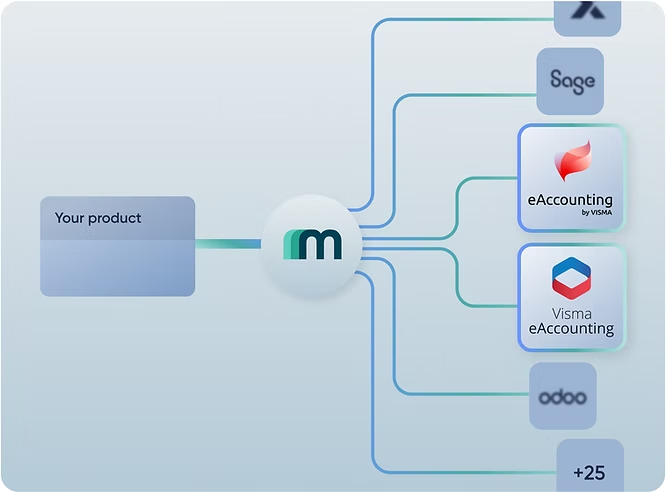
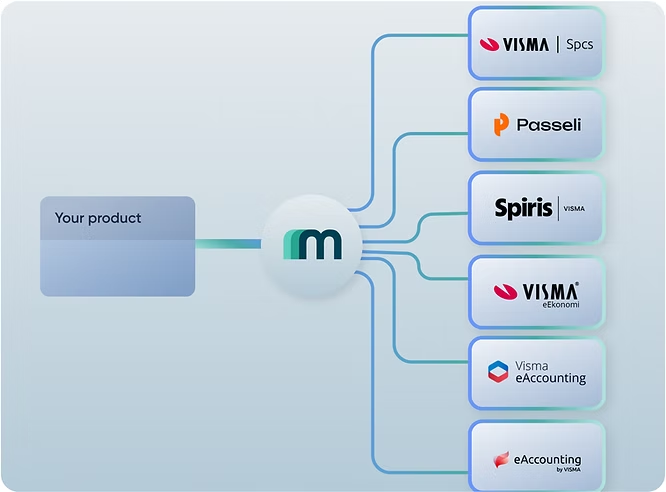
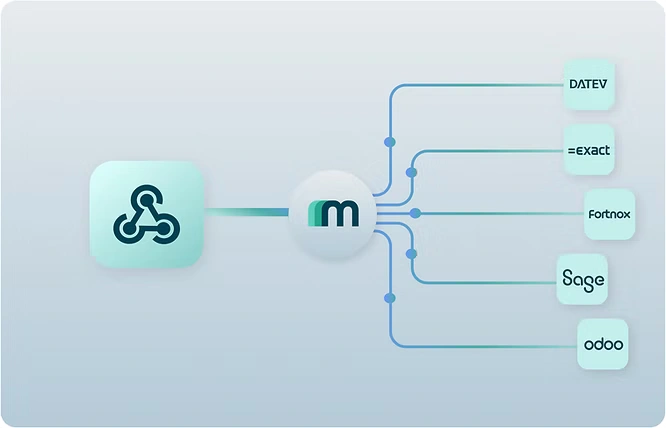
Maesn abstracts this entire surface into a single unified API. You integrate once to Maesn and your product automatically works with eAccounting and every other accounting system in the Maesn portfolio, without system-specific branches in your code.
Check the Maesn documentation for Visma eAccounting or talk to the Maesn team to get started.
About the author
Themo is CEO and Co-Founder of Maesn. With years in strategy consulting — spanning requirements engineering for complex software landscapes, ERP and accounting software selections, and end-to-end integration projects — he holds a Dr.-Ing. with a focus on ERP-to-SaaS transformation. He co-founded Maesn to make system integration effortless.

Co-Founder
.webp)