
DATEV Datenservice Export Rechnungswesen: Only finalised bookings leave the system
Every other DATEV data service carries data in. This one is the read direction, and it has one condition that decides everything you can build on it: a posting batch has to be finalised before it is exportable. That sets your freshness by somebody else's bookkeeping rhythm, and it is also why the numbers are worth reading.

What the export service returns
The DATEV Datenservice Export Rechnungswesen is DATEV’s cloud service for making finalised financial accounting data available out of the DATEV data centre, so it can be processed in other software without manual re-keying. Every other DATEV data service carries data inbound. This one is the read direction, and the system it reads from is the DATEV Rechnungswesen API.
Through Maesn the service arrives as objects in the shared data model rather than as files. What is enabled today, counted from our own coverage data:
| Object | What it carries |
|---|---|
| Journal entries | The finalised posting records |
| Accounts | The chart of accounts behind them |
| Trial balance | Debit and credit totals per account |
| Payment terms | The terms attached to the record |
| Fiscal years | The defined years and their dates |
| Tax rates | The rates a posting can carry |
Portability follows from which of these you build on. A product built on journal entries and the chart of accounts can be pointed at other accounting systems later, because those are the reads most of them offer. A product built on the trial balance is closer to a DATEV product, and that is worth knowing while you scope rather than afterwards.
What the export does not carry is the party behind a booking. Contacts, where a debtor or creditor account lives on this system, is written rather than read, and the same is true for Customers and Suppliers. The export gives you the books; the parties are a write path, and the comparison between the two DATEV products covers which product holds which object.
Object states and the per-object counts from our generated coverage data, read at build time. Service description from our own DATEV Rechnungswesen documentation. DATEV’s own service description also names debtor and creditor account numbers; they are not among the objects enabled through us today, which is why they are named here as an absence rather than a feature.
Why only finalised bookings leave the system
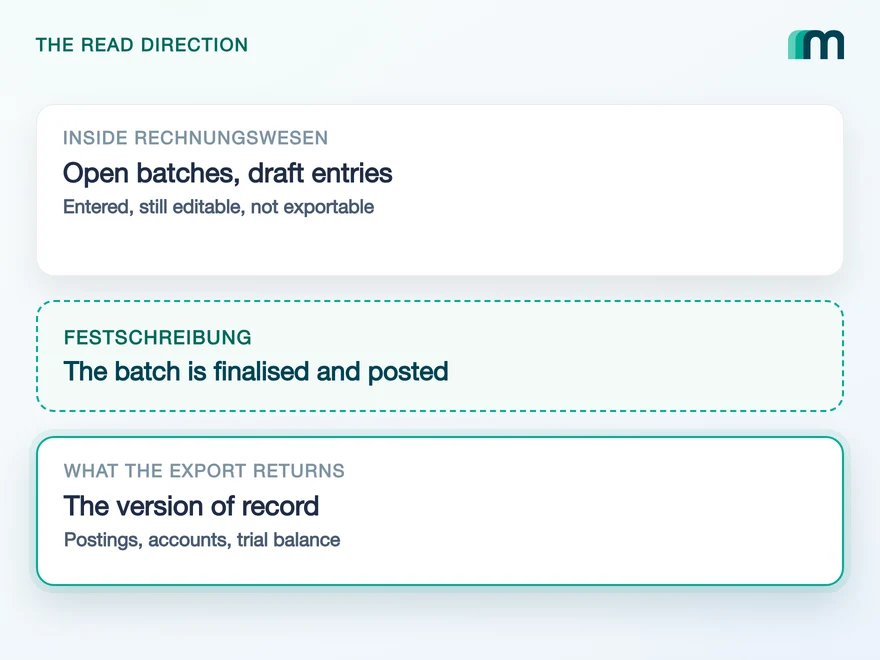
Accounting data is not exposed the moment it is entered. A posting batch, the Buchungsstapel, becomes exportable once it has been finalised, in DATEV’s vocabulary festgeschrieben, and transferred through the standard posting process. Only data released that way can be retrieved.
That wait is what makes the data worth reading. An export returns the version of record, not a draft somebody is still editing, so every number you receive has already been through the bookkeeping. For a lending decision or a statutory report, that is the only acceptable input.
It does mean the freshness of your data is set by somebody else’s bookkeeping rhythm. If a tax advisor finalises monthly, a monthly export is what exists, and no interface can invent an entry that has not been released.
Open posting batch
entered, still editable
Draft entries
work in progress
A batch is finalised, the Festschreibung, and put through DATEV’s standard posting process. Nothing crosses without it, whatever your schedule does.
The finalised records, the accounts behind them and the reports that sum them up. The version of record, which is the only input a statutory report or a credit decision can use.
How often are batches finalised, and by whom? The answer sets the maximum freshness your feature can promise, and it is a question about their process rather than about your code. A product that promises daily figures to a customer whose advisor closes monthly has a support problem it cannot fix.
Finalisation as the precondition for retrieval from our own documentation of the service. The DATEV format that carries a posting batch has its own field for it, Festschreibung, documented in DATEV’s file interface reference, checked 18 August 2026.
What teams use when the service is not available
Three routes exist without it, and all three are common practice among German companies today. They differ in what they cost you rather than in whether they work.
- A manual DATEV format export, run monthly. Someone opens Rechnungswesen, exports a CSV and sends it on. It works, it depends on a person every time, and the file arrives in the format described in our guide to the DATEV file formats, which is 125 columns wide and not validated before it is read.
- A direct build against DATEV’s own data services. Technically the right answer, and it carries the full entry price: interface provider status, approvals, the authentication model and the maintenance, for one system.
- Automation that drives the user interface. A script that logs in and scrapes posting records. It survives until a screen changes, and it puts your customer’s credentials somewhere they were never meant to be.
The first and the third do not scale, and for different reasons: one needs a person every month, the other breaks whenever a screen changes. The second scales perfectly well. What it costs is build time and the DATEV entry price, once per system, on your roadmap rather than on the integration.
The three fallbacks are the ones named in our own earlier description of this service. The column count comes from DATEV’s own sample file for the posting batch format, counted from the header line of the published format description, checked 18 August 2026.
Who switches the service on, and who authorises it
Two separate permissions, held by two different people, and neither of them is you. The service has to be enabled for the client, the Mandant, and a person has to authorise your application to reach that client’s data.
The first runs through the client’s own DATEV administration, and the receiving system has to be an approved interface. That approval is the part Maesn holds: we are an official DATEV Interface Partner, and on the Maesn client you inherit it, so there is no partner process to complete and nothing to pay before your first call.
The second is a consent step, and it is the one your users see. An end user, typically the tax advisor or an admin, grants your application access to the client’s DATEV data. Through Maesn that runs as a whitelabelled flow inside your own product, so the user follows a DATEV login and comes back without leaving your interface.
What the connection then costs you in upkeep is one renewal, two years out. The same connection carries reading and writing, so there is no second consent to chase and no second expiry in your calendar. The Rechnungswesen integration guide has the connection model in full.
A visible connection state and a renewal path. Two years is far enough away to feel like it never happens, which is exactly why a silent expiry looks to your customer like a product that stopped working. Naming the date and who authorised it is short work, and DATEV expects it on screen anyway.
Activation and the approved-interface requirement from our own description of the service and from the DATEV retrieve-data guide. The interface-provider status and the connection requirements from DATEV’s interface requirements, checked 17 August 2026. Partner wording per the approved formulation, “official DATEV Interface Partner”.
What finalised data does to a sync schedule
Two rules meet here and together they decide the schedule. Nothing in DATEV sends a native event, and DATEV lists round-the-clock polling as a DONT, asking that calls follow something a customer has just requested, manually or by a rule.
A finalisation-driven read fits both rules without effort, which is the useful part. There is no point checking hourly for a batch that is released monthly, so the defensible rule is a schedule that matches the customer’s closing rhythm plus a manual refresh in your interface.
The export itself runs as a job rather than as a synchronous call. Through Maesn that shape is absorbed: you read objects, and the queueing, the polling of the job and the assembly of the result happen on our side. How asynchronous processing works covers which resources are queued and what a task id does and does not prove.
One more number belongs in a schedule design. After production release DATEV expects an error rate below ten percent, measured as 4xx and 5xx responses against total requests, and it monitors it. A retry loop that hammers a service whose data has not changed is the most likely way to breach it.
The polling rule and the error rate from DATEV’s interface requirements, sections Ökonomie & Ökologie, checked 17 August 2026. Event states counted from our generated coverage data, where no object on either DATEV product carries a native event.
What the export makes possible
Four product shapes need finalised German books, and all four are blocked without a read like this one.
- Reporting and forecasting on the version of record. Journal entries plus the chart of accounts plus a trial balance is enough to build financial analysis and forecasting without asking the customer to upload anything.
- Credit decisions on real accounting data. An underwriting model that reads the books rather than a bank statement is the difference between a score and an assessment, which is what lending and underwriting products are built on.
- Consolidation across entities. One connection per client and one data model makes multi-entity consolidation a query rather than a collection exercise.
- Assistants that answer from the ledger. A model can only answer what it can read, and the MCP server exposes exactly the objects above to one.
All four share a precondition that is easy to state and easy to forget: they are only as current as the last finalisation. A product that says so in its own interface is trusted more than one that shows a stale number as if it were live.
What Maesn covers, and what stays with you
Three things stop being yours:
- The approval and the credentials. On the Maesn client they are ours and you start immediately. Moving to your own client, which is what the DATEV Marktplatz eventually requires, is a process we run with you at DATEV’s cost to you.
- The file layer. The export arrives as objects in one data model instead of as a DATEV format file you parse, and the job that produces it is not your loop to write.
- The two connections and their lifetimes. Both are stored and renewed per tenant, so your call sites see one account key.
Three things do not move:
- The finalisation rhythm. It belongs to your customer and their advisor. Your product decides what to promise around it.
- The parties. Debtor and creditor records are not readable here, so if your feature needs them, your own store is the only source of truth for what you wrote.
- Where the data goes after you read it. Maesn stores no accounting data, so retention, residency and access in your own system stay your posture. What we hold up on our side is on the security page: ISO 27001 certified, GDPR compliant, built and hosted in Germany.
Connection lifetimes from our own authentication reference. The security posture is the site-wide one and is stated on the page linked above rather than restated here.
Frequently asked questions
What is the DATEV Datenservice Export Rechnungswesen?
What data can I export from DATEV Rechnungswesen?
Why is my data not available immediately after it is entered?
How is the DATEV Datenservice Export Rechnungswesen activated?
Do I need to go through DATEV's approval process myself?
How often can I read data out of DATEV Rechnungswesen?
How long does the connection last, and does reading need its own?
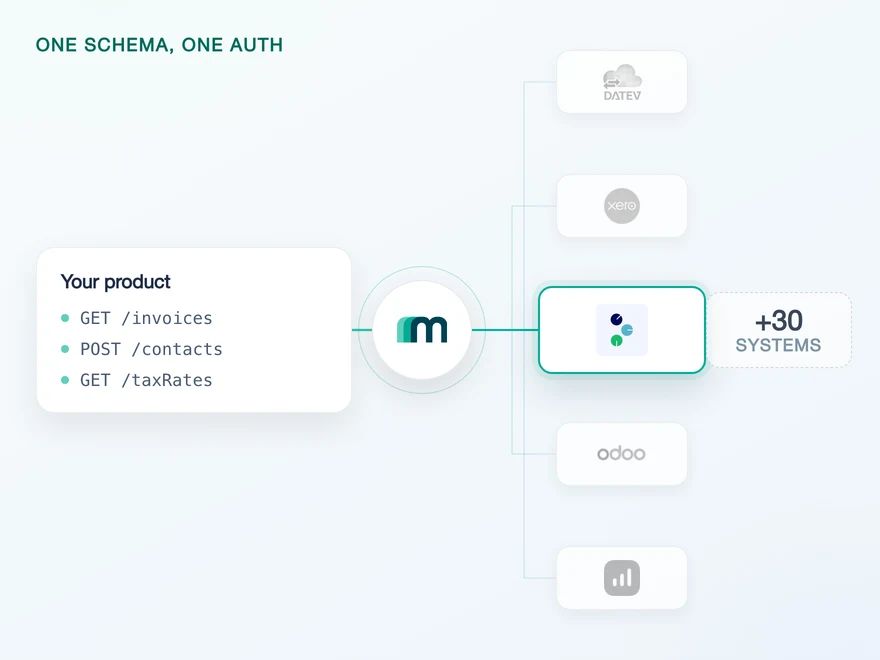
How to Integrate with Tripletex: One Session Token to Send
Tripletex combines two tokens into a third, puts the company in the username field and numbers new journal lines by row. What that means when you build.
Lennart Svensson · 24 Sept 2026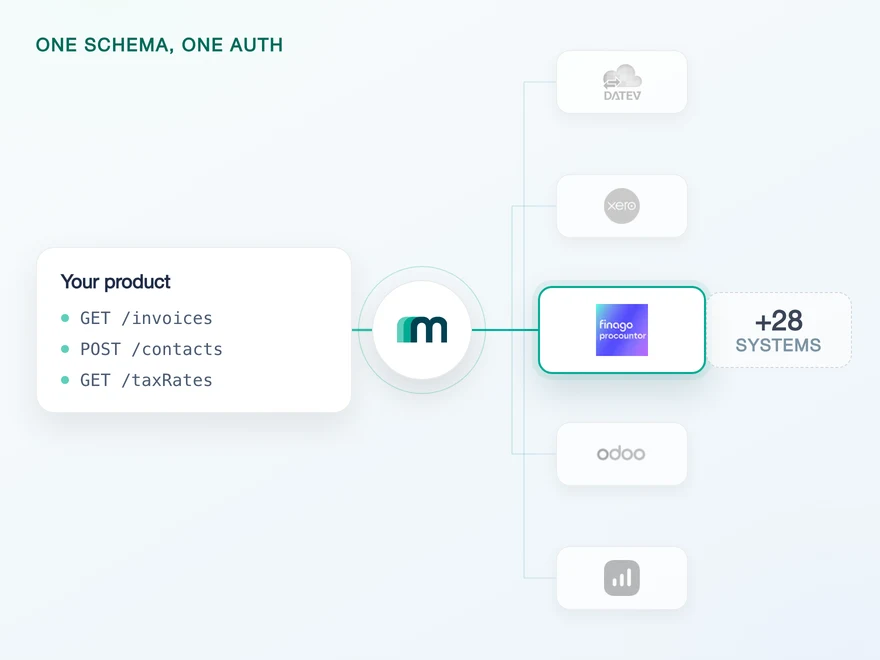
How to Integrate with Procountor: Run It Unattended
Procountor has two ways in, and the unattended one stops at every endpoint that asks for a second factor. What that means for tokens, syncing and tax mapping.
Lennart Svensson · 28 Aug 2026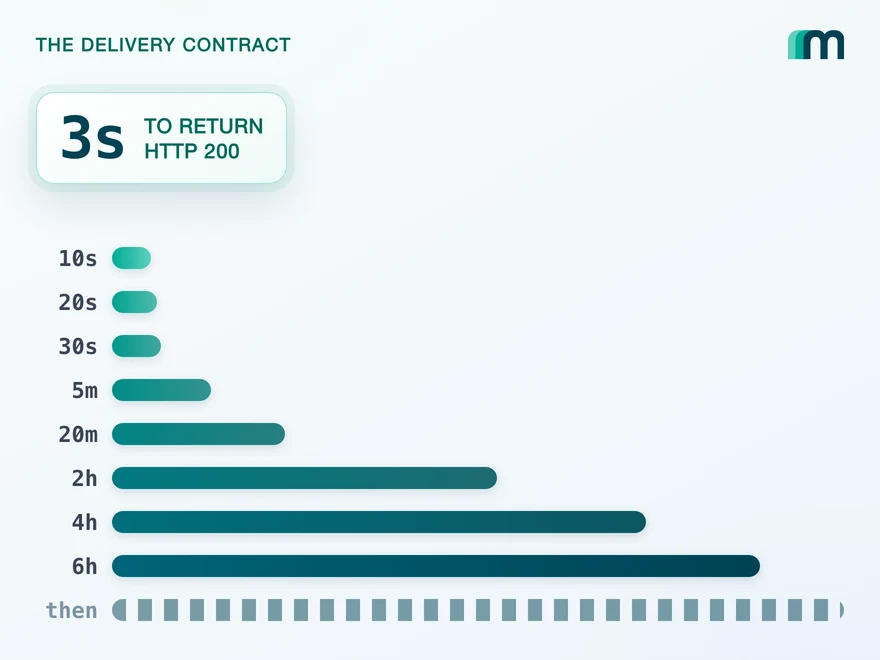
QuickBooks Online Webhooks: Events, Retries and Recovery
QuickBooks Online webhooks cover 29 entity types and expect HTTP 200 in three seconds. Why Intuit still asks you to poll change data capture.
Lennart Svensson · 25 Aug 2026Build once on the Unified API.
Reading finalised books out of DATEV is one service, one approval and one job shape. The next system will hand you a REST endpoint, or a report you have to request, or nothing at all. Build against one interface and the difference becomes a field you read instead of a project you schedule.