Twinfield API Integration
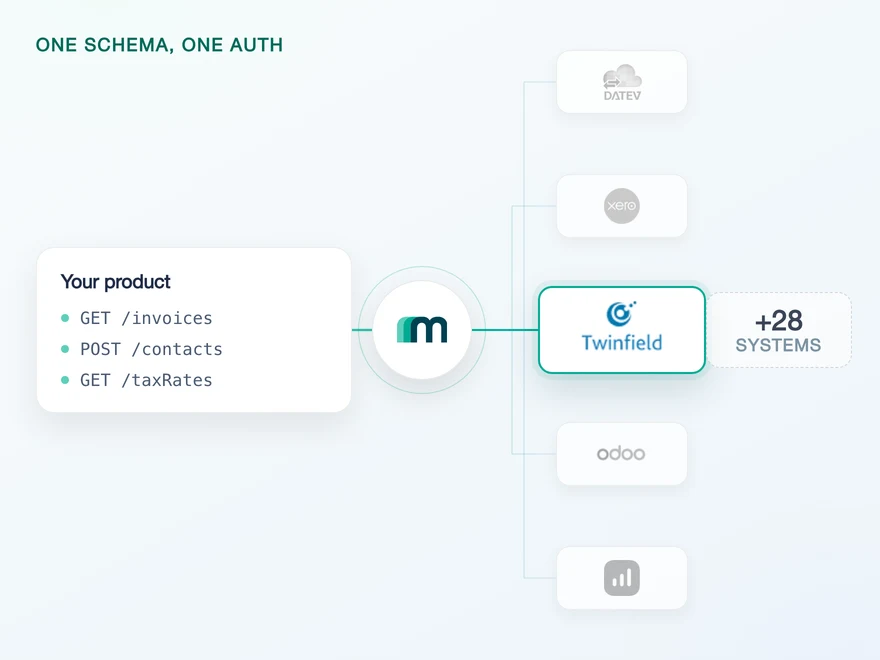
Twinfield is Wolters Kluwer's cloud accounting platform, and it is built around the accounting practice rather than the single company: one login, many client entities. It is widely used in the Netherlands, Belgium, Luxembourg and the UK, and also serves Germany and France. Connect it through Maesn and you reach it with the same REST API and the same data model as every other supported system.












Twinfield speaks SOAP across all seventeen services
Three things about Twinfield land on your engineers before the first record moves: the protocol is SOAP, the address depends on which cluster your customer sits on, and every request has to name a company. Here is what each one is, and what Maesn takes off the table.
One REST interface over all of them
Twinfield publishes seventeen SOAP web services, each with its own WSDL, and routes most record work through a single catch-all called ProcessXml that accepts twenty-seven different XML root elements. Maesn builds and parses that XML internally, so what your code sends is a JSON request against the same interface you use for every other system.
The cluster resolved once per tenant
Twinfield hosts organisations on clusters, and the address of the right one is not in the token. You send the access token to a separate validation endpoint, read twf.clusterUrl out of the response and use it for everything afterwards. Maesn does that during onboarding and routes every request to the correct cluster per customer.
The CompanyCode set once and injected
Twinfield's own documentation marks it mandatory: the SOAP header carries a CompanyCode alongside the access token. Maesn puts that choice in the connect flow, where your customer picks the company once, and injects it into every request from then on. No Twinfield-shaped header logic reaches your side.
What reaches your code is a REST call and an account key. The SOAP envelope, the cluster lookup and the company header stay here, and the next system you add answers on the same interface.
A short call is usually enough to tell whether Maesn fits your use case.
Findity embeds expense sync across accounting systems
Findity is an expense management platform that ships white-label and API products, so its customers reach accounting systems through Findity rather than directly. Expenses are one of the objects Twinfield exposes in both directions, which makes this the same route rather than a comparable one.
“Maesn has helped us build integrations with accounting systems, allowing us to focus on other priorities in our roadmap. We are especially pleased with the support we have received whenever we needed extended functionality in an integration that Maesn has arranged for us.”


Three reasons to reach the Twinfield API through Maesn
Connecting Twinfield directly is a protocol project before it is an integration project. Keeping it alive afterwards means owning the cluster routing, the company header and a request budget counted in credits rather than calls, for one system in one region.
The Twinfield-specific work stays here
Envelope construction and parsing, the cluster lookup after authentication, the CompanyCode in every header and the credit accounting behind the rate limit. Maesn holds all four per tenant, and none of them reaches the code you write.
One connection reaches every company
A Twinfield login can hold dozens of client entities, and reading one or reading all of them is the same call with a different company. Maesn stores the choice per connection and lets you name another per request, so a practice with many books is a parameter rather than a second integration.
The next system costs nothing
Once Twinfield runs, every other supported accounting and ERP system answers on the same interface with the same data model. Your second integration is a configuration step rather than a second protocol.
Expenses reach further here than the object list suggests, and they carry a limit worth planning around. Expenses are readable and writable, and the receipt behind them is not: on six of the seven systems that accept an expense the file travels in the same request, and Twinfield is the exception in the documentation. If your product stores the image, expect it to stay on your side. Expense sync is where that difference is set out system by system.
Get listed in the Twinfield marketplace
Most providers stop at the API. Maesn does the technical enablement and the relationship, and on Twinfield the second one starts earlier than usual, because there is no free account to build against while you wait.
Technical enablement
One integration against the Unified API and one data model, identical to every other system Maesn supports. Your engineers meet the same interface here as they will for the next system.
Partnership support
Maesn takes you through the Twinfield partner onboarding, from the technical requirements to the qualification, rather than handing you a form and a link.
A qualification rather than a form
Twinfield runs an individual qualification for the integrations it lists, so getting in front of its ecosystem is a conversation and not a submit button. Maesn goes through the requirements and the process with you.
The audience is practices, not only companies
Twinfield sits with accounting firms that keep the books for many clients at once, and a listing puts your product in front of that relationship. It is worth knowing which side you are selling to, because a practice buys differently from the company it invoices for.
The sandbox comes before the partnership
Twinfield publishes no free trial account, and getting an environment of your own means buying an instance. Maesn's documentation names Twinfield explicitly among the systems it provides a sandbox for, so the build can start while the partner conversation is still running.
The integration runs under your product's name, and the partner status is yours rather than ours. Maesn is the layer behind it.
We go through the Twinfield requirements and the qualification with you.
One Twinfield client of your own, one company chosen once
Twinfield authenticates with OpenID Connect on top of OAuth 2.0, and the application your customers authorise is yours rather than Maesn's. It is one of the systems that runs the interactive flow, because a Twinfield login can reach several companies and every request has to say which one it means.
- OpenID Connect on OAuth 2.0
- Authorization code flow, with a client you register
One integration, every customer. Maesn holds the credentials and runs the handshake, the cluster lookup and the company selection behind them.
- Your client credentials
- The client ID, the client secret and the subscription key are submitted once and used for every connection afterwards, so the token exchange runs here rather than in your backend. What your code holds is an account key per customer.
- The cluster and the company, resolved once
- After the token arrives, the cluster still has to be looked up and the company still has to be chosen. Maesn does both during onboarding and stores them per tenant, so the address and the header are settled before your first call rather than on every one.
Twinfield's token lifetimes are unusual and worth designing around: an access token lasts an hour, and the refresh token behind it is issued for 788.940.000 seconds, which is twenty-five years. It does not rotate on use. The risk therefore moves from losing a token to storing one, because a credential that outlives the project is a credential someone has to keep safe for that long. A refresh can also fail for reasons that have nothing to do with the token, since a locked user or an expired password on the Twinfield side returns the same error.
- 1
Your customer starts in your product
You send them into the flow and Maesn opens Twinfield's login. The consent screen carries your application's name, because the client is registered to your company, so the connection reads as yours rather than as a third party's.
- 2
They choose the company once
A Twinfield user can have access to several companies, and the API will not guess between them. The selection page asks once, and the answer is stored for every request that follows. You can still override it per call if your product needs to move between entities.
- 3
You work with one account key
Maesn stores the connection and returns an account key. From there every request carries your API key plus that account key, the same two headers you already send for every other system in the catalogue.
Every system in the catalogue authenticates differently, and Twinfield is the case where the token is the easy part and the two values around it are not. The cluster has to be looked up after the token arrives, the company has to be chosen by someone who knows which one is meant, and both have to be present on every call afterwards. Unified authentication is where that lives. The selection page, the storage per tenant and the refresh are handled once for every system rather than once per system, so what your code carries is an account key.
Twinfield sends no events, so you pull
No Twinfield object sends an event through Maesn today, and Twinfield's own web services list has no push mechanism in it either. Every one of its seventeen services answers a request you make. Change detection is therefore something you run, not something that arrives.
Nothing at all, and that is a property of the platform rather than of what is switched on here. The nearest thing it publishes is a web service listing deleted transactions, and that is still a call you make.
One scheduled read, with the same filter and the same pagination you use for every other system. The code that detects change on Twinfield is the code you already wrote, pointed at a different account key.
The interval is a budget decision here rather than only a product decision, which is unusual. Twinfield charges a credit per read and three per write out of one allowance of 500 a minute per client and organisation, so a polling loop that runs too tightly competes with the writes it is supposed to support. Sizing it once with that in mind is cheaper than discovering it under load.
A system without events is where the cost of a per-system integration shows up most plainly: you write a change-detection loop for Twinfield, and then another one for the next system with its own filter syntax and its own idea of what a page is. One way to filter and page removes that class of work, and what you handle through the event model and what you pull on a schedule stay two paths, with only one of them available on Twinfield today.
The reason to size the loop carefully is specific to this system. Twinfield charges in credits rather than calls, so a read that runs every minute is spending from the same allowance as the writes it exists to support, and the answer when the allowance runs out is a rejection you have to handle. One error contract is what keeps that from becoming a Twinfield-shaped branch in your code, and asynchronous processing is where the long-running reads go when a single call is no longer the right shape.
What a Twinfield integration needs first
Most of this is decided before any code runs, and two of the four items are the kind that surface an hour later rather than immediately. Four things are worth having settled before you start.
- A Twinfield client, registered in their developer portal
- You create it under Clients, and the name you give it is the name your customers read on the consent screen, so it should be your product's. The client secret is shown once. The redirect URL is Maesn's callback for Twinfield, which is what lets the code exchange happen here instead of in your backend.
- A third credential besides the client ID and secret
- Maesn's setup asks for a subscription key alongside the two OAuth credentials. It is worth raising early rather than at go-live, because it is the one item on this list that does not come out of the developer portal in the same step as the others.
- The offline_access scope, or no refresh token at all
- Twinfield only returns a refresh token if the authorisation request asked for offline_access, and the scope twf.organisationUser is required to log in at all. A client registered without the first works perfectly for an hour and then stops, which is the kind of mistake that surfaces in production rather than in testing.
- A budget in credits rather than requests
- Twinfield counts API credits, not calls, and the two are not the same: a read costs one credit and a write costs three. The binding ceiling is 500 credits a minute for one client against one organisation, which is exactly the shape a customer integration has. Reads and writes come out of the same allowance.
We walk through the client registration and the credentials with you.
One shape for the ledger and the analytical axis
Twinfield is built for practices that keep many sets of books at once, so what a connection reaches is the ledger plus the axis used to tell one client's figures from another's. Both arrive in the shape you already handle.
Everything you create, you cannot update
Customers, suppliers, expenses and journal entries can be created. No object has update enabled, so a correction is a new record rather than a change to the old one. Plan corrections before you plan the first write.
The analytical objects are the unusual part
Dimensions and projects are both readable here, and that combination exists on one other system in the catalogue. It follows the way Twinfield is used: a practice keeping books for many entities needs the analytical axis, not just the ledger.
No object deletes by default
No object has delete enabled. Accounting practice expects corrections and cancellations as new documents anyway, so plan them that way rather than around a delete you would have to request.
The interesting part of this system is not how much it reaches but what. Alongside the ledger objects sit dimensions and projects, the analytical axis a practice uses to tell one client’s books from another’s inside the same platform. That follows what the system is for, and it is the reason a reporting or forecasting product finds more here than an object list alone suggests.
Everything a connection reads comes back in the shared common data model, so a supplier from Twinfield has the same shape as a supplier from any other supported system, and the code you write here is the code you reuse for the next one. That matters more than usual on a platform built for many entities at once: reading one company and reading all of them is the same call with a different company, and consolidating what comes back is its own problem rather than a Twinfield one.
The writable objects cut in one direction only. Customers, suppliers, expenses and journal entries can be created and none of them can be updated afterwards, so a correction is a second record rather than an edit. What is marked on demand is the difference between what is enabled and what the platform documents, and on demand means not switched on by default rather than unavailable. Tell us which objects your use case needs, or browse every system in the catalogue to see how the same question is answered elsewhere.
Tell us which objects your use case needs and we will confirm what is possible.