FreshBooks API Integration
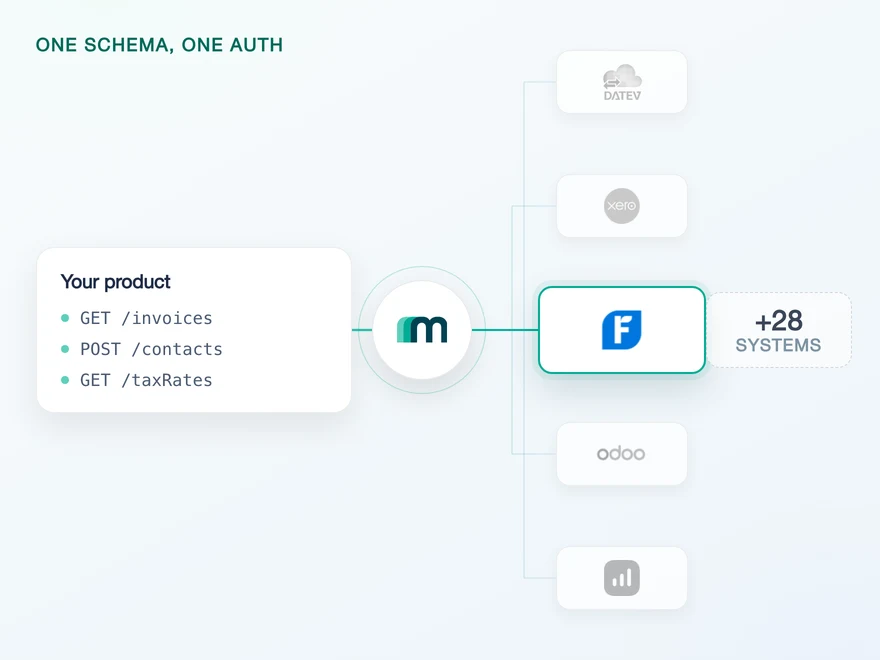
FreshBooks is a cloud accounting platform built for freelancers, self-employed professionals and small service businesses, and it is used across the United States, Canada, the United Kingdom and Australia. Invoicing, expenses, time tracking and project billing sit in one place, which is why a product that touches billable work usually meets it. Connect it through Maesn and you reach it with the same REST API and the same data model as every other supported system.












Three FreshBooks habits that never reach your own code
FreshBooks is not a difficult API. It has three habits that punish a first implementation quietly rather than loudly, which is the expensive kind. Maesn absorbs all three before you write a line of code.
Rotated and stored per tenant
FreshBooks issues a new refresh token every time it issues an access token, and it invalidates the previous one immediately. Only one is ever alive per customer. Lose it in a failed write and the only way back is asking that customer to authorise your app again. Maesn owns the rotation and keeps the current token per tenant.
Both resolved during onboarding
Accounting routes address a customer by their accountId, time tracking and projects by their businessId. Both come back from one identity call, and not every user even has an account behind their business. Maesn resolves the pair when your customer connects and builds the correct route on every later call.
Paged and included for you
Ask FreshBooks for more than 100 rows and it returns 100 without an error, and related rows such as invoice lines stay out until you request them explicitly. A sync that looks finished can be a fraction of the data. Maesn pages every collection to the end and sends the right includes per endpoint.
What is left on your side is one REST call against a data model you implement once. Teams go live in days rather than spending a quarter learning one vendor.
A short call is usually enough to tell whether Maesn fits your use case.
Clockin turned integrations into a lead channel
Clockin digitises time tracking for small and mid-sized businesses, from working hours to project time, logged by app or terminal and offline where there is no signal. Their customers' project data now lands in whichever accounting system each of them already runs.
“We use Maesn to successfully leverage integrations and partnerships as a key driver for lead generation and expansion into new markets and customer segments.”


Three reasons to reach the FreshBooks API through Maesn
Connecting FreshBooks directly is a project you can finish. Owning it, and then the next system, is the part that decides your roadmap.
Changes arrive instead of being fetched
Eight FreshBooks resources reach you as events through Maesn, from invoices and payments to tax rates. Maesn registers the subscription per connected customer, handles the verification handshake FreshBooks requires before anything is delivered, and hands you the same event shape you already handle.
What is switched on, and how it widens
Customers and suppliers come back readable, writable and updatable today, and the event side reaches further than the read side does. Everything beyond that is available on request rather than absent, and because FreshBooks fixes scopes at the moment your app is registered, it is a question worth settling before the first customer connects.
The next system costs nothing
Once FreshBooks runs, every other supported accounting and ERP system answers on the same interface. Your second integration is a configuration step, and the token handling and identity resolution you paid for here are not paid for again.
The FreshBooks refresh token works once
FreshBooks authenticates with OAuth 2.0, and the app your customers authorise is yours rather than Maesn's. What makes it specific is not the handshake, it is what happens after: the refresh token is single use, and the identifier a request needs depends on which part of the product it is addressing.
- OAuth 2.0
- Your own FreshBooks app
One app, every customer. Maesn holds the credentials and keeps the rotation and the two identifiers behind it.
- Your app credentials and its scopes
- The client id and secret are submitted once and used for every connection. The scope set travels with the app rather than with the request, so it is agreed at setup and applies to every customer who connects afterwards.
- The token cycle and the two ids
- Every refresh returns a new refresh token and kills the old one, and Maesn writes the new value before it is needed. The accountId and businessId of the business your customer chose are resolved in the same flow and stay on the connection.
The rotation is why this is worth handling once rather than per product. A refresh token that has been used is dead, and there is no second copy: whoever stores it has to write the new value successfully every single time, or that customer authorises again. It is a durability requirement rather than an API question.
- 1
Your customer starts in your product
You send them into the flow and Maesn opens the FreshBooks consent screen. It carries your app name and lists the scopes you registered, so the connection reads as yours rather than as a third party's.
- 2
FreshBooks returns to Maesn
The redirect on your app points at Maesn's callback, so the code exchange and the first token pair happen here. The identity call runs in the same step and resolves the accountId and the businessId of the business they authorised.
- 3
You work with one account key
Maesn stores the connection and returns an account key. From there every request carries your API key plus that account key, the same two headers you already send for every other system in the catalogue.
A rotating credential is not rare. What makes this one structural is that FreshBooks keeps no second copy: the moment a new refresh token is issued the previous one is dead, so the write that stores it is part of the authentication rather than housekeeping after it. Get it wrong once and that customer is back on your consent screen. Unified authentication is what turns that into a one-time cost. The rotation, the two identifiers and the account key behave here exactly as an API token and a tenant id behave on the next system, so the second integration inherits the work instead of repeating it with different vocabulary.
Eight FreshBooks resources reach you as events
FreshBooks pushes native webhooks, so a change there reaches you as an event rather than through polling. Maesn creates the subscriptions per connected customer, completes the verification exchange FreshBooks requires before it delivers anything, and normalises what arrives into the shape every other system delivers.
FreshBooks wants a pair, so a subscription covers one resource and one event type rather than a resource and everything that happens to it.
What an event carries is worth knowing before you build on it. FreshBooks fills the event type, the resource and the id of the record that changed, which is enough to fetch it. The two fields some systems add, a change timestamp and the user behind the change, stay empty here. The envelope is the same everywhere, what a system puts in it is not.
Where a subscription lives is the part that decides how much of this you end up owning. On Xero the resources are chosen once inside the app and every customer’s events arrive at one endpoint you then have to route. On FreshBooks a subscription belongs to one connected customer, which keeps them cleanly separated and means there is one to create, verify, watch and remove per customer per pair. FreshBooks also withholds delivery until the callback address has answered a verification exchange, and it disables a subscription that keeps failing. Maesn runs that side and emits one event model regardless of which shape the system underneath uses.
What an event brings and what it does not is worth settling early. Six of the eight resources that announce a change here, invoices, bills, credit notes, payments, items and tax rates, are on demand for reading, so out of the box the notification arrives and the endpoint that returns the record has not been switched on yet. That is a request rather than a limit. It is worth settling before the design is fixed, not after the first event lands. One way to filter and page is what keeps the interim from becoming a second implementation: the change-detection loop you write here is the same loop you already run against systems that push nothing at all.
Get listed in the FreshBooks AppStore
Most providers stop at the API. FreshBooks runs its own AppStore, listings are open and submitted by the developer rather than negotiated, and the requirements are published. That makes the listing something you can plan for, so Maesn prepares the technical side of it with you.
Technical enablement
One integration against the Unified API and one data model, identical to every other system Maesn supports. Your engineers meet the same interface here as they will for the next system.
Partnership support
Maesn helps you meet the connection requirements the listing is reviewed against and stays behind the integration afterwards. The listing carries your product's name, not ours.
Meet the conditions before you write the listing
FreshBooks asks for a dedicated integration page on your own site, a link that switches the integration on, a logo, a link back to FreshBooks and your support hours. The condition that costs engineering rather than copywriting is self-serve onboarding: a FreshBooks user has to be able to enable your integration without emailing anyone.
Create the listing in the developer portal
The listing lives on the same app you registered for the OAuth flow, under its AppStore tab, and it can be saved as a draft and previewed first. The fields are tight on purpose: thirty characters for the name, a hundred and forty for the short description, and at most fifteen steps in the connection instructions.
Submit it and answer the review
You submit the draft and the FreshBooks AppStore team comes back by email. FreshBooks also asks you to state which of its plans your integration serves, because its account levels differ in how many clients they carry, and an integration that quietly assumes the largest one will be asked about it. That question is easier to answer while the coverage decision is still open.
Beyond the listing itself, FreshBooks publishes co-marketing routes around it, from newsletters to placements inside the AppStore. The integration runs under your product's name, and Maesn is the layer behind it.
We prepare the technical side of the requirements with you.
What FreshBooks asks for up front
FreshBooks puts four things in front of an integration. Three are quick to arrange, and the second is worth deciding before the first customer connects rather than after.
- Your own FreshBooks app, registered as public
- You create the app in the FreshBooks developer portal and set its redirect URL to Maesn's callback, so the code exchange happens here instead of in your backend. Your customers see your app name on the consent screen, not ours. A free FreshBooks account is enough to hold it.
- The scopes are decided before the first connection
- FreshBooks grants access per object and per action, and it does not allow scopes to be added to a token that already exists. Widening access later means every connected customer revokes and authorises again. Worth listing the objects your use case will need in a year, not the ones it needs this sprint.
- The rate limit is enforced without being published
- FreshBooks sets no daily ceiling and throttles bursts instead, without stating where the line is, which makes it something to design for rather than something to calculate. Maesn queues and paces requests against it so a burst on your side does not become a failed sync on theirs.
- Two sandboxes, and you can have either
- FreshBooks offers a free trial account you can register for, and Maesn provides a sandbox as well. That covers the two cases teams actually hit: trying the integration at all, and testing it against data you are allowed to break.
We walk through the app registration, the scopes and the sandbox with you.
Two objects today, and the scope set decides the rest
What a FreshBooks connection reaches is decided by the scopes agreed when your app is registered, and that makes it a question worth settling early rather than late.
More objects announce than answer
Eight resources reach you as events through Maesn, and two are enabled for reading, creating and updating. The six in between, invoices, bills, credit notes, payments, items and tax rates, will tell you something changed before the endpoint that returns it has been switched on for you. Worth resolving at design time rather than at integration time.
Nothing is deletable, two things are editable
No object has delete enabled, and customers and suppliers are the only two you can edit in place. A product that corrects records rather than posting new ones should check that against its use case early. Accounting practice expects corrections as new documents anyway.
Anything else is a request, not a dead end
Objects marked on demand in the matrix above are not missing, they are simply not enabled by default. Twenty-seven of the thirty-seven sit there, including the accounts, journals, expenses and transactions a ledger use case starts from. Tell us which ones you need and they get added.
The shape of a FreshBooks connection is worth reading in two directions rather than one. Customers and suppliers come back readable, writable and updatable, which is the party layer and nothing under it. The event side reaches further than the read side does. A system that announces more kinds of change than it hands over kinds of record is not a contradiction, it is two switches that were set at different times, and the second one moves when you ask.
There is a second list worth putting beside it. FreshBooks grants access per object and per action, the documented app registration asks for five scopes, and those five cover the client and supplier objects plus the profile call that resolves the account id and the business id. That is the same pair that is enabled today. It also explains why widening coverage here is worth planning early rather than late: FreshBooks does not allow a scope to be added to a token that already exists, so a wider set is agreed once and applied to everyone who connects afterwards.
What is not enabled is not out of reach. The accounts, journals, expenses and transactions a ledger use case starts from are available on request, and everything comes back in the shared common data model once it does. For a product that keeps a customer list in step, the surface is here today. For one that reads the ledger, this is a conversation about enabling objects rather than a question about whether the integration reaches them at all.
Tell us which objects your use case needs and we will confirm what is possible.