Xentral API Integration
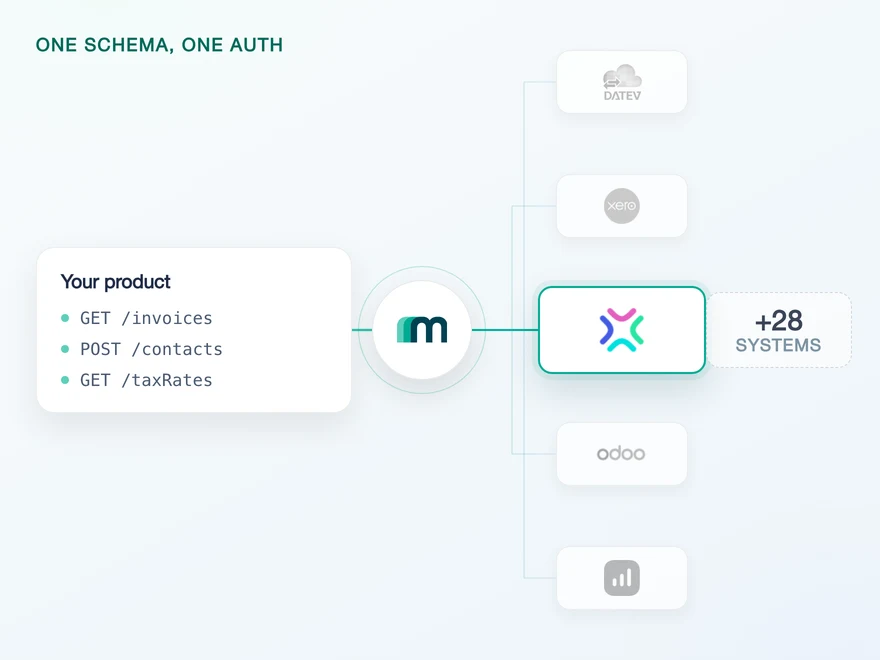
Xentral is a German cloud ERP for product-based small and mid-sized companies, and it is where an e-commerce operation keeps its orders, its stock and its books in one place. Any product that touches a German-speaking merchant's finances meets it eventually. Connect it through Maesn and you reach it with the same REST API and the same data model as every other supported system.












What a Xentral integration costs
Xentral is not a hard API to call. What it asks for is unusual before the first request and again a year later: the key it issues behaves nothing like an OAuth token, the customer's instance decides the address, and the version belongs to the endpoint rather than to the API. Maesn takes all three.
Held per tenant, revoked in one place
A Xentral personal access token carries no expiry date and no permission scope, so it reaches everything your customer's account reaches and keeps doing so until somebody deletes it. Xentral displays it exactly once and advises against putting it into an external application. Maesn stores it against the connection, so it lives in one place rather than in every product that needs it.
Collected once, routed on every call
Every Xentral customer answers on their own host, and the id in front of xentral.biz is part of the address rather than a parameter you can pass. Send the right key to the wrong host and nothing about the error tells you which half was wrong. Maesn collects the instance id together with the key when your customer connects and builds the correct host from then on.
One interface over three generations
Xentral versions each endpoint on its own rather than the API as a whole, and releasing a new version deprecates the one before it. Three generations answer under the same key, and the two older ones cannot serve every endpoint with it. Through Maesn you call one interface instead, so a deprecation on Xentral's side is not a change on yours.
What is left on your side is one REST call against a data model you implement once. Teams reach production in days rather than spending a quarter on one vendor's habits.
A short call is usually enough to tell whether Maesn fits your use case.
Paywise replaced manual invoice imports with integrations
Paywise recovers unpaid invoices for businesses, from the first reminder through to legal enforcement. Their customers used to upload those invoices by hand, and the overdue list now comes out of whichever system each of them already runs. Xentral is one of the five they name.
“Our customers can connect their existing tools instantly, which drives engagement and makes Maesn a key part of our success strategy.”


Three reasons to reach the Xentral API through Maesn
Connecting Xentral directly is a project a team can finish. Owning it, and then owning the next system, is the part that decides a roadmap.
One connection, and the next one is configuration
Customers, invoices, invoice lines and suppliers arrive in the same shape here as on every other connected system, and what your use case needs beyond them is a request rather than a rebuild. The instance routing, the permanent key and the per-endpoint versions are solved once, here, for every customer you connect.
Custody of a permanent key
Nothing about a Xentral token forces a rotation, which is convenient until you count the copies of it. Held centrally it sits in one system with one revocation path. Held per product it sits wherever the last integration left it, and Xentral's own advice is not to put it into an external application at all.
The next system costs nothing
Once Xentral runs, every other supported accounting and ERP system answers on the same interface. Your second integration is a configuration step, and the key handling and instance routing you paid for here are not paid for twice.
One Xentral key, one instance per customer
Xentral runs no OAuth handshake. Your customer creates a personal access token inside their own instance and hands it over, which makes the connection simpler to describe and heavier to look after: the key does not expire, it is not scoped to anything and the instance it belongs to is part of the address rather than part of the payload.
- Personal access token
- Created by an administrator in the customer's own instance
One key and one instance id per customer. Maesn holds both and puts each of them where a request needs it.
- The token, once and per tenant
- Xentral shows the value a single time and offers no way to read it back. Maesn stores it against the connection, so it never has to travel through your logs or your support inbox, and deleting the token inside Xentral stays the one clean way to end the access.
- The instance id, resolved into the host
- The id decides which xentral.biz host answers, and it is submitted alongside the key rather than derived from it. Maesn keeps the pair together and builds the address on every request, so your code sends the same URL shape for a Xentral customer as for any other system.
Headless changes what your product looks like here rather than what it does. Xentral belongs to the group of systems that authenticate with a key instead of a redirect, so the two values can either be collected on a page Maesn hosts or posted to an endpoint that hands back the account key directly. The second route keeps the whole connection inside your own interface, and for a system whose credential is a permanent key that is usually the version a security review prefers.
- 1
Your customer creates the token
An administrator opens Account settings, then Developer settings, then Personal Access Tokens, names the token and copies it. That copy is the only moment the value is visible, and the admin right is what makes the screen reachable in the first place.
- 2
The key and the instance id arrive together
Both go into the connection, either through the page Maesn hosts or straight through the API. The instance id can be prefilled from your side, so a customer who has already told you their Xentral address does not type it a second time.
- 3
You work with one account key
Maesn returns an account key and keeps the pair behind it. From there every request carries your API key plus that account key, the same two headers you already send for every other supported system.
Every system in the catalogue authenticates differently, and Xentral is the case where there is no handshake to speak of and the credential is the whole problem: a key that never ages, never narrows and only ever appears once. Unified authentication is where that lives. The hosted page, the headless route and the storage behind both are handled once for every system rather than once per system, so what your code holds is an account key.
What Xentral documents on events, and what is enabled today
No Xentral object sends an event through Maesn today. Xentral documents 152 event types of its own, from salesOrder.created to invoice.released, and the feature is in beta. It is enabled per instance rather than per integration, so each of your customers would have to join Xentral's beta programme with their own account before a single event could reach you.
A catalogue of 152 event types with a defined payload envelope, delivered by HTTP POST to a destination URL of at most 255 characters. The feature is in beta, and the opt-in belongs to your customer rather than to you: their instance joins Xentral's programme, one account at a time.
One scheduled read, with the same lastModifiedAt filter and the same pagination you already use for every other system. The code that notices a change in Xentral is the code you have written once, pointed at a different account key.
The interval is a product decision with a published ceiling behind it. Xentral answers 100 requests a minute regardless of plan and calls that figure provisional, so a delta read across four objects fits comfortably while a first full backfill needs pacing. A read also recovers on its own: what a push would have lost during an outage, the next call picks up by widening the window.
A scheduled read is the loop that survives being wrong. A push that arrives while your endpoint is down is gone unless something replays it, and a read simply asks again with a wider window. What it needs in return is a filter and a page model you trust, and on a system that versions each endpoint separately those are the first two things to drift. One way to filter and page removes that class of mistake, because the cursor and the timestamp stop being per-endpoint questions. What you handle through the event model and what you pull on a schedule stay two separate paths, and for Xentral only the second one is switched on.
What a Xentral integration needs up front
Xentral puts four things in front of an integration. Three are arranged in an afternoon, and the second decides whether you can build anything at all before your first customer arrives.
- An administrator inside the customer's Xentral account
- The personal access token is created under Account settings, then Developer settings, and admin rights are what make that screen reachable at all. The value appears once and cannot be read again afterwards, so whoever creates it has to capture it in that moment. Giving the token your product's name makes the later revocation unambiguous.
- A sandbox, because Xentral offers no free trial
- There is no Xentral trial account you can register for yourself, which normally leaves a team building against a customer's live instance. Maesn provides a sandbox for every supported system, including the ones without a trial, so the first version of your integration runs against data you are allowed to break.
- A budget of 100 requests a minute
- Xentral limits its API to 100 requests per minute regardless of which plan your customer is on and answers a 429 above that. It also states that the figure is still being evaluated and will most likely change, which makes it something to design a sync around rather than a number to calculate against.
- A decision about which generation to call
- One token authenticates against the current Xentral API, the older REST API and the Standard API alike, and the two older ones cannot serve every endpoint with it. Xentral lists thirteen that are unavailable and says the list is not complete. Maesn calls the current API, so the question does not follow you into production.
We walk through the token, the instance id and the sandbox with you.
One shape for Xentral, and for the system after it
Xentral routes per instance, versions per endpoint and issues a key that never ages. A shared shape is what keeps all three out of the code you write.
The readable side is the ledger side
Xentral sells order management, stock and multichannel commerce, and what is enabled for reading today is the receivables end of it: customers, invoices, invoice lines and suppliers. Purchase orders, goods receipts and journal entries are not offered, sales orders and items are available on request. A logistics use case therefore starts from a different conversation than a finance one.
One write path, and nothing is editable
Customers is the single object enabled for creating, and no object is enabled for updating or deleting at all. A product that corrects records in place rather than posting new ones should test that against its own use case before it designs the write side. Accounting practice expects corrections as new documents anyway.
On demand is a request, not a dead end
Objects marked on demand are not missing, they are simply not switched on by default. Fifty-five object and operation combinations sit there, including the sales orders, items and payments an order-to-cash flow starts from. Tell us which ones your use case needs and they get added.
The rows a reader expects to be full and finds empty are not a Maesn boundary here, they are a Xentral one. Xentral is sold as an ERP for merchants, so purchase orders, goods receipts and sales order lines are what a logistics integration reaches for first, and Xentral’s own interface does not serve them yet. The vendor publishes a list of endpoints that are not available and states that the list is not complete, which is a fair description of an API still being built out.
That is worth knowing before you scope, because it moves with time rather than with your effort. What is available today is the receivables end of the same product: customers, invoices, invoice lines and suppliers, which is the surface a finance use case actually needs. As Xentral ships the rest, the objects arrive here without a second integration on your side.
That is the moment a shared model earns its keep. A customer from Xentral arrives in the same shape as a customer from a system that keeps every business relationship in a single contact record, because the common data model absorbs the difference. The code you write here is the code you reuse for the next system, and the objects marked on demand are a request rather than a rebuild.
The ceiling belongs in the sync design from the start. Xentral answers 100 requests a minute whatever plan your customer is on, which a delta read across four objects clears easily and a first full backfill does not. Xentral adds that the figure is still being evaluated, so the pacing is worth building in before the number moves. When the 429 arrives, one error contract keeps it from becoming a Xentral-shaped branch in your code.
Tell us which objects your use case needs and we will confirm what is possible.