Procountor API Integration
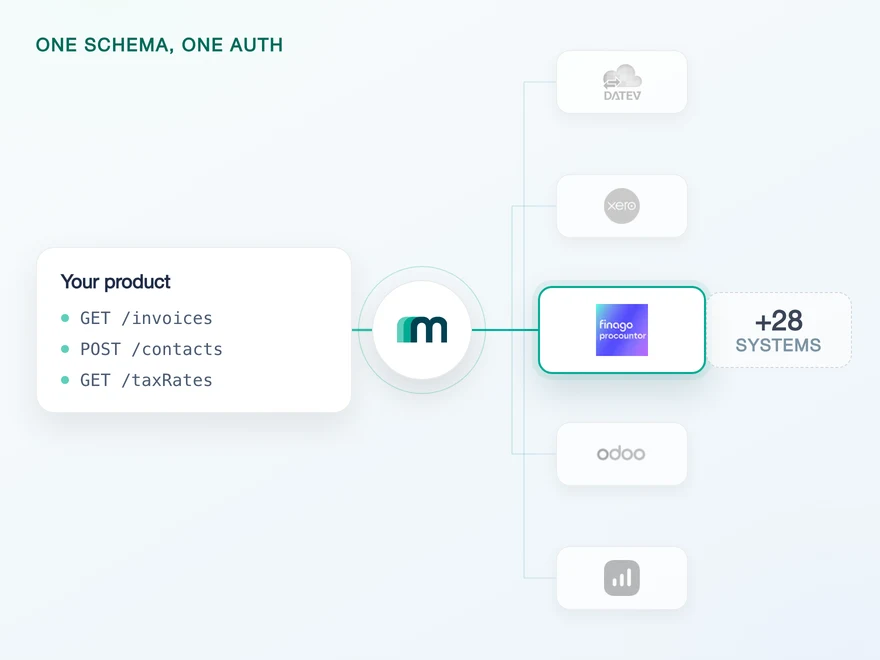
Procountor is a financial management platform for Finnish and Swedish companies, covering invoicing, bookkeeping, payments and payroll under local rules. Connect it through Maesn and you reach it with the same REST API and the same data model as every other supported system.













A Procountor integration in days
Procountor is a well documented API with three specifics that land on your engineers before anything useful happens. Here they are, and here is what Maesn takes off the table.
One list instead of two
Procountor answers a tax rate request with two separate lists, one of percentages and one of codes, and publishes nothing that says which code belongs to which rate. Maesn returns it as one list in the shared shape, with each entry carrying the rate or the code it came with. The relation is not published, so we do not invent one.
Both endpoints, one contact shape
Companies come from business partners and individuals from persons, and business partners also carries a person type that Procountor has said it will retire. Maesn reads both endpoints and returns one contact shape, so the split is handled before your code sees it and the retirement will not reach your product.
Held for you, on one account key
An access token lasts an hour and the refresh token behind it lasts six months without rotating. Maesn holds and renews both, so nothing about that cycle reaches your code. Where Procountor ends a connection early, your customer reconnects once and your account key stays the same.
What is left on your side is one REST call against a data model you implement once. Teams go live in days, and a Finnish customer stops being a reason to open a second project.
The first of those three is the one that surprises people, because nothing about it looks like a problem until you try to use the answer. Procountor returns its tax percentages and its tax codes as two separate lists, and there is no published key that pairs them up. Through Maesn it arrives as one list in the shared shape, and the pairing stays open because Procountor does not publish it. Knowing that before you design your tax model is the difference. When something does go wrong further along, one error model across the catalogue means one status and one body to read, so Procountor belongs in your support runbook and not in a branch in your client.
A short call is usually enough to tell whether Maesn fits your use case.
Three reasons to reach the Procountor API through Maesn
Connecting Procountor directly is a project a good engineer can finish. Owning its token lifecycle for a year, absorbing its tax model and then doing the same again for the next system is the part that decides your roadmap.
The Procountor work stays here
The authorisation flow, the six month refresh cycle and the two contact endpoints are what every Procountor integration has to solve. They are solved once, here, for every customer you connect.
Live today, reads and writes
Accounts, contacts and tax rates have been readable since July, and posting arrived in August with booking proposals and expenses. Writing needs the accounts and the tax rates in place first, and both are already there, so the write path is available on the connection you already have.
The next system costs nothing
Once Procountor runs, every other supported accounting and ERP system answers on the same interface, with the same data model behind it and the same two headers in front of it. Your second integration is a configuration step, and your engineers reuse what they learned here.
One Procountor login, and the company comes with it
Procountor authenticates with an OAuth 2.0 authorisation code flow, and it settles something on its own that most systems leave to you. Your customer picks the company while they connect, on a page Procountor serves itself. Every connection therefore belongs to exactly one company, and there is no company identifier for your product to manage.
- OAuth 2.0 authorisation code
- One connection per company
One implementation, and Procountor's company selection is part of it.
- The company
- A Procountor user can belong to several companies, and Procountor resolves that during login on its own selection page. The connection that comes back is bound to the company your customer chose, so nothing about it has to be carried in your requests.
- The session
- The access token lasts an hour and the refresh token behind it stays valid for six months without rotating, and Maesn renews on that cycle. Four things end it early: a password change, a logout, the user leaving the company, or more than 100 logins. The stored token is then invalid and your customer authenticates once more, because Procountor keeps a person in that step.
Procountor keeps a person in the loop for this step, so a connection is created by your customer in a browser and not from a script. Once it exists it runs unattended, and everything after the redirect is handled here.
- 1
Your customer is sent to Procountor
Maesn builds the authorisation request and redirects your customer to Procountor. They see Procountor's own login, complete it with their second factor and choose the company this connection is for.
- 2
Procountor redirects to Maesn, not to you
The authorisation code comes back to the redirect URL registered on the application, which is Maesn's callback for Procountor. Maesn exchanges it for the tokens using your client credentials, so the secret never travels through your front end.
- 3
You work with one account key
Maesn stores the connection and returns an account key. From there every request carries your API key plus that account key, the same two headers you already send for every other system in the catalogue.
Most systems in the catalogue make you solve the company question yourself, with a discovery call or an identifier threaded through every request. Procountor settles it during login and hands back a connection that already knows which company it belongs to. Unified authentication is what makes that a benefit you keep: the redirect, the token exchange, the six month refresh cycle and the account key behave the same here as on a system with an API key or a company selector of our own, so your product sees one connection story across every system it reaches.
What Procountor publishes, and what you schedule
Procountor's own event list covers payments and users. For the accounts, contacts and tax rates an accounting integration reads, change detection is a scheduled read, and Maesn gives you one way to run it.
Three events, two of them about a payment and one about a user, delivered over HMAC with a single subscription per event type. Nothing on the objects you read here announces itself, so a change inside a customer's account waits until something goes and looks.
One scheduled read with the pagination you already use everywhere else. The loop pointed at Procountor is the loop pointed at every other system, so the schedule is written once and you change the account key. What changes between systems is the interval.
A scheduled read also catches up cleanly after downtime, where a missed push is simply gone. Procountor allows 60 requests a second per client in production, which is a generous ceiling for a job that reads a chart of accounts and a tax list on an interval you choose.
The practical consequence is that Procountor does not need one schedule for everything. A chart of accounts and a tax rate list settle for months at a time and can be re-read whole overnight. Contacts move continuously and earn a shorter interval. Sizing both the same way means paying for a full pass you did not need or hearing about a renamed customer a day late, and neither is a property of the connection.
What makes both of them cheap is that neither is Procountor-specific code. one way to filter and page means the loop pointed at Procountor is the loop pointed at everything else. And it keeps working the day a system underneath does push, because the event model is a separate path and not a replacement for this one. You write the schedule once and change the account key.
What a Procountor connection asks for up front
Procountor puts three things in front of an integration. The first one has a waiting period, so start it before you write any code.
- A Procountor test environment, requested early
- You request it from Procountor with a short form describing your integration and the data it will use. Procountor replies within three to four days and sends the client credentials by email and by text message. Our own engineer built against the API while waiting and could only test once the reply arrived, so this is the step to start first.
- A second request for production
- Production credentials come from a separate application with the same information and its own three to four day wait, and the test account does not carry over. Planning both requests at the start keeps the waiting off your delivery date.
- The objects your use case needs
- Accounts and tax rates are the foundation the posting endpoints build on, and both are readable today. Tell us which objects your product needs and we will confirm what is available before you commit to a timeline.
We go through the application and the object list with you before you start building.
A Procountor contact arrives in one shared shape
Procountor keeps companies and individuals in two different places, and it describes tax in two pieces. Both decisions reach your schema, so it helps to see them before you map anything.
A Procountor tax rate and its code arrive apart
The tax response carries a list of percentages and a list of codes with no published link between them, so a value and the code it belongs to cannot be paired from the response alone. Maesn returns one list in the shared shape instead of two, and each entry stays as it arrived. Where a use case needs the pairing, that is yours to establish.
Procountor sorts contacts by company and person
Business partners holds companies and carries a customer or supplier type on them. Persons holds individuals and carries no such type. Maesn calls both and returns one contact list, with the role passed through on the companies and left open on the individuals, which is the honest shape of what Procountor publishes.
Whatever you read comes back in the shared common data model, so a contact from Procountor has the same shape as a contact from a system ten times its size, and the code you write here is the code you reuse for the next one. On Procountor that mapping does more work than usual on the contacts, which arrive from two endpoints and leave as one shape.
The part that reaches your schema is where the roles sit. Procountor keeps its companies in one endpoint and its individuals in another, and only the company carries a customer or supplier type. Maesn passes that type through and leaves the individuals as contact persons without one, so what arrives is the distinction Procountor actually publishes. Which of your contacts come back with a role and which do not is the thing to settle before you map anything.
Tell us which objects your use case needs and we will confirm what is possible.