BuchhaltungsButler API Integration
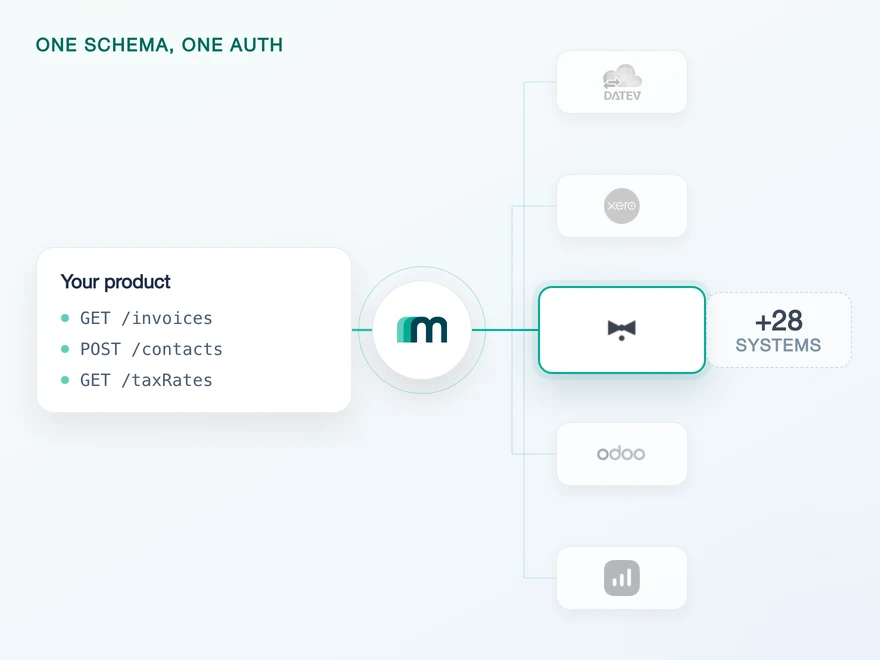
BuchhaltungsButler is a German cloud accounting platform for small and mid-sized businesses and the tax firms that work with them. It is built around receipt capture, automated booking and matching payments to documents. Connect it through Maesn and you reach it with the same REST API and the same data model as every other supported system.












48 POST operations, one REST interface
BuchhaltungsButler has a small surface and an unusual shape, and the shape is what costs a team time. Three of its habits normally end up in your codebase. Here is what they are, and what Maesn takes off the table.
Ordinary REST verbs, put back
BuchhaltungsButler publishes 48 operations and all 48 are POST, including the twelve whose path reads /get and the ones that delete. The verb tells you nothing, the path does. Maesn puts the ordinary REST verbs back in front of it, so your client never learns the difference.
Collected once, sent on every call
Connecting takes an API Client, an API Secret and an API Key. Maesn's create account reference lists credential fields for eight systems, and this is the only one that needs three. Maesn stores all three with the connection and signs every request with them.
One contact model on top
There is no combined contact object here, and the parties are not where you would look for them: debtors and creditors are written through the settings endpoints. Maesn presents them as customers and suppliers, with the same fields you use on every other system.
What reaches your code is a REST call and an account key. Teams go live in days, and the system after BuchhaltungsButler is a configuration step rather than a second project.
A short call is usually enough to tell whether Maesn fits your use case.
Paywise replaced manual invoice imports with integrations
Paywise recovers unpaid invoices for businesses, from the first reminder through to legal enforcement. Their customers used to upload those invoices by hand, which is the same job receipt capture exists to remove.
“Our customers can connect their existing tools instantly, which drives engagement and makes Maesn a key part of our success strategy.”


Three reasons to reach the BuchhaltungsButler API through Maesn
Connecting BuchhaltungsButler directly is a week you can budget for. The problem is that the week teaches you nothing you can reuse, because none of what makes it unusual appears on the next system.
The POST-only work stays here
The verb translation, the three-credential handshake and the settings-based party model are what every BuchhaltungsButler integration has to solve. They are solved once, here, for every customer you connect.
One interface over 48 POST paths
Every operation on this system is a POST, the reads included, so an ordinary HTTP client loses the two inferences it normally makes from the verb. Through Maesn you use the verbs you expect, and the mapping onto the 48 paths stays on this side.
The next system costs nothing
Once BuchhaltungsButler runs, every other supported accounting and ERP system answers on the same interface, with the same objects and the same envelope. Your second integration is configuration, and you spend it on your product instead of on another vendor's API.
The BuchhaltungsButler integration works, the listing is separate
Most providers stop at the API. Maesn does the technical enablement and the relationship, and on BuchhaltungsButler those two are further apart than usual: the connection is live and unlisted, and the listing is a programme with a door on it.
Technical enablement
One integration against the Unified API and one data model, identical to every other system Maesn supports. Your engineers meet the same interface here as they will for the next system.
Partnership support
Maesn runs the integration in coordination with BuchhaltungsButler, and where a listing is worth pursuing we assess the feasibility with you rather than promising the outcome.
Connected, without a mention
This is the normal case and it is what Maesn's documentation describes: the integration runs in coordination with BuchhaltungsButler and carries no special mention inside their ecosystem. Nothing about your product's function depends on it.
Listed on their platform
An authorised partner programme can list a product on the BuchhaltungsButler platform under Interfaces and API Access. The programme is described as exclusive and highly limited, so it is a feasibility question rather than a step in the plan.
The distinction matters as soon as you plan a launch around the listing. The integration itself needs neither the programme nor the listing.
We assess the feasibility of the partner programme for your case with you.
Three BuchhaltungsButler credentials, collected once
BuchhaltungsButler has no OAuth redirect. Your customer activates API access, copies three values out of their account and hands them over, and everything after that runs on Maesn's side. There are two ways to collect them, and which one you pick is a product decision rather than a technical one.
- API credentials
- Three values from your customer
One flow, every customer. Maesn holds the three values and signs each request behind them.
- The three credentials
- API Client, API Secret and API Key are submitted once and used for every call after that. They are stored with the connection rather than travelling with your requests.
- The verb translation
- Every request Maesn sends to BuchhaltungsButler is a POST, whatever verb you used. The mapping from your GET to their /get path lives here, not in your client.
The headless route matters more here than it looks. A customer who has just copied three separate values out of an accounting tool is the customer most likely to abandon a redirect, and doing that step inside your own interface is the difference.
- 1
Your customer activates the API
They log in to BuchhaltungsButler and click API-Zugang aktivieren under customer settings. The API Client, the API Secret and the API Key appear in the same place.
- 2
The three values reach Maesn
Either through the hosted page Maesn opens for them, or through your own form and the create account endpoint, which takes apiKey, clientName and clientSecret. Both paths end in the same place.
- 3
You get one account key back
From then on your calls carry your API key and that account key, and they look exactly like your calls against every other connected system.
Every system in the catalogue authenticates differently, and this one is the case where the protocol is trivial and the handover in front of it is the risk. Unified authentication is what makes that a one-time cost: three values here, an OAuth redirect on the next system and a database credential on the one after behave the same way from your side, and each of them ends in the same account key.
BuchhaltungsButler data stays in step on one scheduled read
BuchhaltungsButler does not push. What keeps data current is reading on a schedule, and where your product needs an event for a specific object, that is something to arrange for your connection.
Nothing on its own. A change made in the accounting tool does not announce itself, so the read is what tells you.
A scheduled delta pull on the same filters and the same pagination you use everywhere else on the platform. You ask for what changed since the last run and you get it back in the shared model.
A pull has one property a push does not: it catches up. If your worker is down for an hour, the next run still returns everything that changed in that hour, and on a system built around documents arriving in batches that matters more than latency does.
A system you have to poll is where the cost of a per-system integration shows up most plainly: you write a change-detection loop here, and then another one for the next system with its own filter syntax and its own idea of what a page is. One way to filter and page removes that repetition. What you handle in the event model and what you pull on a schedule stay two paths, and on BuchhaltungsButler today everything runs down the second one. Naming the objects your use case actually touches is the step that makes this concrete, and it is worth doing before a customer commitment.
What BuchhaltungsButler asks for before the first call
There is no app to register, no plan to qualify for and no certification in front of a BuchhaltungsButler integration. What there is sits in your customer's account, which makes it a question for your onboarding screen rather than for your backlog.
- Your customer activates API access
- In their BuchhaltungsButler account, under customer settings, there is an entry called API-Zugang aktivieren. Until someone clicks it there is nothing to connect with, and it is the one step you cannot do for them. Say so in your own interface.
- Three values, from the same screen
- Once API access is active, the API Client, the API Secret and the API Key all appear in that same section. Your customer copies all three. Miss one and the connection fails at the handshake rather than at the first call.
- No trial account to negotiate
- BuchhaltungsButler offers a free trial you can register for yourself, and Maesn provides a sandbox on top of it. You can build and test the integration before you have a customer waiting on it, which is not true of every system in the catalogue.
We walk through the credential handover and the sandbox with you.
Debtors and creditors arrive as customers and suppliers
BuchhaltungsButler keeps its parties where its bookkeeping needs them and not where an API consumer expects them. That gap is closed here, so your product sees the objects it already knows.
A deleted BuchhaltungsButler receipt is a flag
Deleting a receipt here marks it rather than removing it, and a posting that has been fixed stays where it is. Plan corrections as new documents on this system, which is what its own bookkeeping logic expects anyway.
One gross amount, and no net or tax beside it
Amounts arrive as a single gross figure, with the net and the tax fields empty. If your product needs a net basis, that is arithmetic on your side or a question for a different source, and it is cheaper to know before you design the screen than after.
Whatever you read comes back in the shared common data model, and here that model does something the vendor API does not: it gives you customers and suppliers as first-class objects, when underneath they are debtors and creditors written through a settings endpoint.
The shape of the system is worth knowing before you plan around it. BuchhaltungsButler is built around documents, so bills, invoices and the booking proposals its own automation produces are what it deals in, and a booking proposal is that automation showing its work. It is the same shape sevdesk has, and it is worth matching against your use case early: a product built on orders and goods receipts is asking a document system for something it was not designed around.
Tell us which objects your use case needs and we will confirm what is possible.