
.webp)

Key Takeaways
- OAuth2 setup requires precise scope justification – Sensitive scopes need regulatory classification (AIS/PIS) and written justification during app registration. Approval can take several days.
- Free Sandbox is limited – Free Sandbox is usable via the developer account. A prodution sandbox is only accessible by creating a real company account at Qonto. Maesn provides a consistent and open testing environment including a production environment.
- Maesn Unified APIs abstracts Qonto’s API specifics – One integration handles authentication, filtering, SCA, pagination logic and sandbox/production transitions - saving you significant dev time.
Qonto’s fast raising importance for the SME accounting market
Qonto is a leading European “neobank” that combines banking with accounting features, aiming to streamline financial operations for companies. As an all-in-one business finance solution, it is simplifying many processes from everyday banking and payments to bookkeeping and expense management for SMEs and freelancers. Maesn is Qonto Technology Partner, which enables us to offer the most sustainable integration experience.
When planning a Qonto integration, it’s important to understand that Qonto actually offers two distinct APIs for different purposes:
- Business API: This is the primary API for accessing and managing data on existing Qonto accounts. It covers everything from bank accounts and transactions to invoices, memberships (team members), cards, and more. Essentially, if your use case is to integrate with a user’s Qonto account (pull transaction history, send payments, synchronize invoices to an accounting system, etc.), you will be using the Business API. Most of what we’ve discussed (OAuth, scopes, SCA, etc.) falls under the Business API domain, and it’s the one relevant for partners building on top of Qonto’s platform.
- Onboarding API: This is a separate set of endpoints intended to create new Qonto organizations/accounts and help streamline the onboarding of Qonto customers.
"At Qonto, we see technology partnerships as a strategic lever for scaling across markets — and integrations built on Maesn’s unified API unlock exactly that potential. By giving software companies in Europe and the US seamless access to Qonto, Maesn strengthens our ecosystem and accelerates the creation of high-quality, reliable integrations. Together, we’re enabling faster innovation for teams everywhere. " - Qonto
Start with Qonto by setting up a developer account
The following steps need to be done independent of how you execute the integration at the end, but ensures receiving your own App within Qonto for co-marketing activities.
Create a Qonto developer account in the developer portal
Getting started with Qonto’s API requires creating a developer account and registering an OAuth2 application via Qonto’s Developer Portal. Once signed up, you can create a new app by choosing an integration use case (for example, “Connect your customers’ Qonto accounts to your platform.”) and filling in details like your app name and redirect URLs.
Carefully define OAuth Scopes of Qonto API
During this setup, Qonto will prompt you to select the OAuth scopes your app needs – e.g. organization.read for account data, payment.write for initiating payments etc. It’s important to carefully scope your app’s permissions, as Qonto enforces scope-based access control. For sensitive scopes (such as those enabling payment initiation or access to transaction history), you will also need to justify their usage in terms of regulatory categories: for instance, whether your app functions as an Account Information Service (AIS) or Payment Initiation Service (PIS) under PSD2 and provide a brief description of the intended use. We have created a detailed guidance which scopes you have to choose here.
Qonto API uses OAuth2 - fully embedded in Maesn Auth flow
Qonto supports OAuth 2.0 authorization for third-party apps connecting to user accounts. In general, Qonto’s OAuth implementation follows standard practices, but as we’ll see, there are a few environment-specific quirks when testing this flow in sandbox without Maesn.
Manual App review and approval process by Qonto - assisted by Maesn
After submitting your app registration, Qonto’s team will review and approve it before you can go live, a process that can take a few days. This review may involve verifying your provided justification for sensitive scopes and ensuring you comply with Qonto’s partner requirements. Only after approval will you receive production credentials (client ID/secret for OAuth) and be allowed to use those scopes in production. This means developers should plan in some lead time for compliance review when planning an integration release.
Qonto offers a free Sandbox
Qonto offers a Sandbox environment for testing. The Qonto sandbox is a free, fully functional test environment with dummy data, accessible once you have a developer account and registered app. When you create an app, Qonto provides sandbox credentials (client ID/secret for sandbox and a special X-Qonto-Staging-Token) in the Developer Portal.
However, Qonto’s sandbox comes with some important limitations:
- Only accessible through the developer portal and its provided credentials. The sandbox is primarily meant for developers to manually test API calls via Postman or their own backend code using the provided test credentials.
- Production usage requires a paid Qonto account and partnership approval. To move an integration from sandbox to live production, the app must be approved by Qonto, and typically the developer must have an active Qonto business account. Often involving signing a contract if using certain APIs.
If you intend to use the Onboarding API (which allows creating new Qonto accounts), Qonto requires an ORIAS registration (in France) and a partnership contract. Even for the Business API, if you are a licensed Third-Party Provider (TPP) under PSD2, you must authenticate with a QSeal certificate in production.
In short, the sandbox is free and open for development, but production integration isn’t plug-and-play – it demands that you are actual Qonto client.
Keep the Sandbox Session open when testing Qonto OAuth
This is one typical pitfall developers face is when testing the OAuth flow in Qonto’s sandbox. Unlike production (where a real user simply logs in during OAuth), the sandbox requires a bit of a workaround to simulate user consent. Qonto’s sandbox uses a shared test user (or one you create in the sandbox) to mimic the account owner. To authorize your app in sandbox, Qonto currently mandates that you log in to the sandbox web interface in your browser and keep that session active while performing the OAuth authorization. In practice, this means opening Qonto’s Sandbox Web App (from the developer toolkit) and logging in with the provided test credentials in one tab, then initiating the OAuth2 authorization URL in another tab (see docs.maesn.com). If you don’t do this, you’ll encounter a CSRF error or get redirected to a OneLogin sign-in page because the sandbox user session isn’t established. This extra step can be confusing – it’s essentially a sandbox-specific requirement to simulate the user context.
Requirements to get listed in Qonto Partner Marketplace
You have the opportunity to publish your app in Qonto’s Integrations & Partnerships marketplace, but this requires meeting several criteria:
- Beta usage: Your integration must be actively used by at least 25 beta testers.
- Individual approval by the Qonto partner team
- Approval content: Once approved, provide all information to be displayed on your integration page.
If you build the integration via Maesn Unified API, several boxes are checked already and further accelerates the process of getting listed in the marketplace.
Qonto API Integration and all other relevant financial systems - via Maesn Unified API
Integrating with Qonto offers powerful capabilities to your product – but as described, it also comes with a few things to consider when integrating directly to Qonto:
Developers must navigate OAuth setup and scope justification, manage a segregated sandbox that doesn’t behave exactly like production, consider workarounds for things like the sandbox login. Qonto’s thorough documentation and support resources help, but there’s still significant engineering effort in building and maintaining a resilient integration.
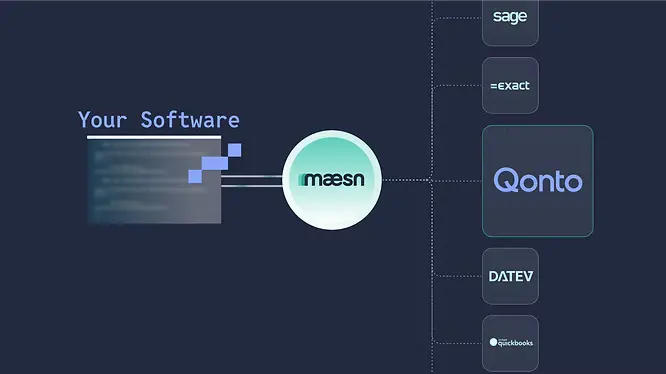
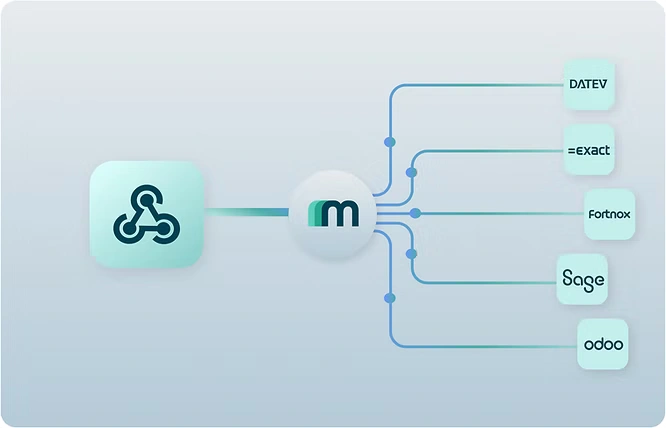
This is where Maesn Unified API prove their value for product teams. Maesn acts as the abstraction layer on top of Qonto (and all the other Financial/ERP systems your customers request), smoothing over the differences and quirks so you can focus on your application’s logic rather than the intricacies of each provider.
Here’s a recap of how Maesn mitigates the challenges we discussed:
- Authentication & Scopes: Maesn provides a standardized authentication flow - for all connected systems. You don’t need to build a custom OAuth dance for Qonto’s sandbox versus another for a different system – Maesn’s OAuth flow is uniform, and it handles obtaining the right scopes/tokens from Qonto behind the scenes.
- Sandbox & Testing: With Maesn, you get a sandbox environment, that enables you testing under production conditions. This means you can test your integration end-to-end.
If your strategy is to deliver features faster and you’re integrating with multiple financial platforms as Qonto, Maesn unified API will be your game-changer. It abstracts the differences (like those we saw with Qonto) so you can build a more streamlined, resilient integration without reinventing the wheel for each provider. As APIs continue to evolve, we ensure you remain insulated from changes or odd behaviors in any single API.
Explore all available integrations in our integrations overview.
About the author
Themo is CEO and Co-Founder of Maesn. With years in strategy consulting — spanning requirements engineering for complex software landscapes, ERP and accounting software selections, and end-to-end integration projects — he holds a Dr.-Ing. with a focus on ERP-to-SaaS transformation. He co-founded Maesn to make system integration effortless.

Co-Founder
.webp)