

Key Takeaways Integrating with Qonto API
- The challenge in filtering and pagination is a known issue at Qonto
- Some endpoints lack filter capabilities (e.g. booking proposals by type)
- Paginating throw 422 errors without considering last page as empty
- Maesn normalizes filtering and pagination challenges and ensures a reliable API behavior across all systems supported by Maesn
Filtering in Qonto API works differently between endpoints: Pull all data and filter vs. query parameters
Qonto’s API supports typical queries, but there are some filtering limitations on certain endpoints. Qonto does provide query parameters for filtering in some cases (for instance, you can filter transactions by date or status in the List Transactions call, and filter client invoices by issue date).
However, not all resource types offer the filters you might expect. A prime example is the Booking Proposals endpoint in Qonto’s accounting API: it returns proposed bookkeeping entries (e.g. invoices to book, credit notes, etc.), but it does not allow filtering by the type of proposal. That means you can’t directly query “only credit notes” or “only invoices” via the API – you must retrieve all booking proposals and then filter client-side by type. This can be inefficient if there are many entries, and it complicates integration logic when you only care about a subset (say, you only want to sync supplier invoices but not other documents).
Filtering in Qonto with Maesn API - detailed filtering for all endpoints
With Maesn, you have full flexibility for filtering for Qonto in the same way as for any other system. Just add for example type=invoice as a query parameter – something Qonto’s native API is currently missing. A functionality that we have built on our end to match the functionality of Qonto with all the other supported systems on our end.
Qonto Pagination Limitations return 422 Error because of empty last page - fixed with Maesn
Another shortcoming is observed in pagination behavior on certain endpoints. Typically, when an API response is paginated, requesting a page beyond the last available page should return an empty list (and perhaps a 200 OK with no results). Qonto’s API, however, has a quirk where requesting pages past the end can return an HTTP 422 Unprocessable Entity error instead of a clean empty result. For instance, if you query the List Supplier Invoices endpoint and increment the page number beyond where total_pages ends, Qonto may respond with a 422 error complaining that the pagination is invalid (instead of simply indicating no more invoices).
Another topic which is detected at worst in production is, when too many results are requested without filters. The API throws a search_limit_reached error (HTTP 422) telling you to narrow the filter. While this specific error is about a 10,000 transaction limit, it illustrates Qonto’s approach of returning 4XX errors for what could be considered normal “no results” scenarios. The pagination bug for supplier invoices is a known issue among integrators: instead of an empty data array on an out-of-range page, you must handle an error response. As a developer, you’ll need to defensively check the total_pages field in the initial response meta and avoid requesting beyond it – otherwise, expect error handling to kick in.
Consistent filtering, ordering and pagination in Qonto (and dozens more systems) with Maesn Unified API
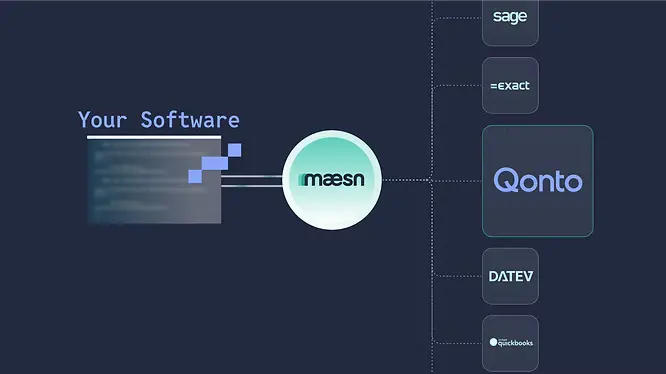
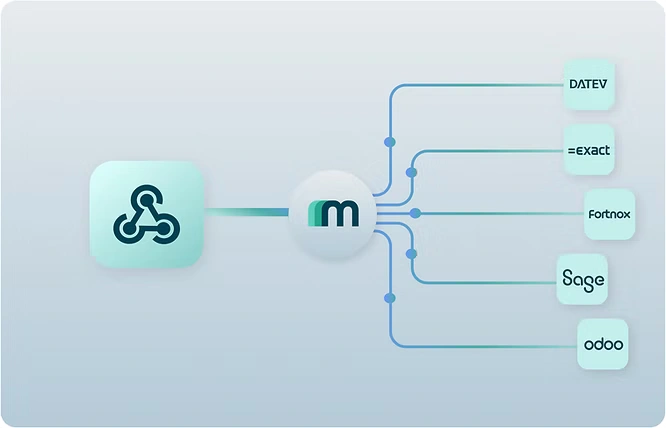
The biggest issue of the described specifics? If you only want to integrate with Qonto, dealing with these specifics is manageable. But if you aim to offer many integrations to meet customer needs and retain them long term, you’ll have to solve challenges like this for every single system. This is where using Maesn’s Unified API significantly improves the developer experience. Maesn’s unified endpoints are designed to offer consistent filtering, ordering, and pagination across all supported systems.
"At Qonto, we see technology partnerships as a strategic lever for scaling across markets — and integrations built on Maesn’s unified API unlock exactly that potential. By giving software companies in Europe and the US seamless access to Qonto, Maesn strengthens our ecosystem and accelerates the creation of high-quality, reliable integrations. Together, we’re enabling faster innovation for teams everywhere. " - Qonto
For example, Maesn supports common query parameters for filtering and will only expose filters that actually work. In the Unified API, if you want only certain types of documents, Maesn provides standardized parameter (or a resource separation) to get those directly, even if the underlying Qonto API doesn’t. Similarly, Maesn ensures that pagination is handled - when you request beyond the last page of results, the unified API simply returns an empty list with no error, since it knows from the metadata that no further data exists. Maesn internally catches Qonto’s 422 error and convert it into a normalized empty response, sparing you from dealing with unexpected errors.
Integrating with Qonto offers powerful capabilities to your product – but as described, it also comes with a few quirks in caes of building it directly with Qonto. Developers must navigate for some missing features as filters or rough edges (pagination errors) in the API responses. Qonto’s thorough documentation and support resources help, but there’s still significant engineering effort in building and maintaining a resilient integration - especially if you consider that you will need numerous integrations.
About the author
Lennart is CTO and Co-Founder of Maesn. With 18 years in the software industry, spanning smartphone OS development, IAM platforms and enterprise architecture, he holds an M.Sc. in Computer Science from Uppsala University. He founded Maesn to make system integration effortless.

CTO
.webp)
.webp)