.webp)
Key Takeaways
- Odoo offers multiple versions and hosting models, each with different implications for integrations and API access.
- Odoo follows a strict version-based release cycle, making version awareness critical when building and maintaining integrations.
- External integrations rely on RPC-based APIs (XML-RPC and JSON-RPC) rather than classic REST interfaces.
- API access is only available on custom Odoo pricing plans
- Maesn abstracts Odoo’s version, Auth flows and RPC complexity into a unified, REST API with a consistent data model.
Understanding the Difference Between Odoo Enterprise, Odoo Cloud and Odoo Community
Odoo is offered in different editions and deployment models, which are often mixed up but have very different implications.
- Odoo Enterprise is the licensed, commercial version that unlocks the full set of Odoo apps and features. It can be hosted in three different settings:
- As a classic SaaS product hosted by Odoo - commonly referred to as Odoo Cloud or Odoo Online in this configuration
- Deployed in Odoo-managed infrastructure referred as Odoo.sh
- Fully on-premise in your own environment.
- Odoo Community is the free, open-source edition. It provides the core functionality of Odoo but without the proprietary Enterprise apps and official support. Due to its open-source nature, Odoo Community can only be run on-premise or self-hosted, making it a fundamentally different choice in terms of features, maintenance, and scalability.
Source: Odoo Hosting Options
Odoo Enterprise Versioning and Release Cycles Explained
Odoo Enterprise follows a version-based release model, not a continuous rolling update approach. Odoo typically releases one major version per year (for example v15, v16, v17, v18), and each version runs fully isolated from the others in terms of codebase, database schema, and behavior.
Customers do not get automatically upgraded to new major versions; instead, upgrades are explicit projects that need to be planned and executed.From a support perspective, Odoo provides official support only for a limited number of recent major versions (usually the current version and a small number of previous ones). Older versions eventually reach end-of-life and no longer receive bug fixes or security updates.
Importantly, new major releases often introduce technical and architectural changes—including changes to data models, business logic, and occasionally API behavior (XML-RPC / JSON-RPC usage patterns, available fields, or model semantics). This makes version awareness critical in an integration context, as an integration built for one Odoo version cannot be assumed to work unchanged on another without validation and potential adaptation.
How Integrations with Odoo Work: XML- RPC and JSON-RPC APIs
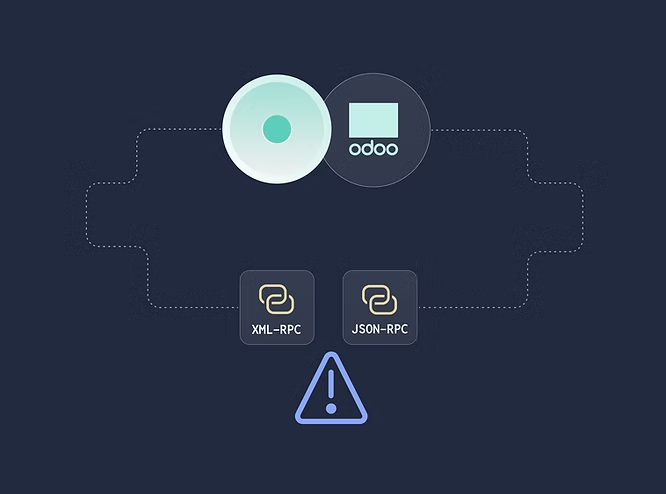
Integrations with Odoo are built around a remote procedure call (RPC) model rather than classic REST APIs. In the past, all integrations relied on XML-RPC, a protocol that exposes Odoo’s internal business objects (models) and methods over HTTP using XML payloads. This approach is still widely used - even in the latest version 19.
With Odoo version 19 (released in September 2025), Odoo further expanded its API strategy by introducing JSON-RPC, which follows the same RPC principles but uses JSON instead of XML for request and response payloads, making it more convenient for modern web-based integrations. As a result, the exact API technology available to an integration depends heavily on the Odoo version in use, making version awareness a key requirement when designing and maintaining Odoo integrations.
Authentication Prerequisites for end user
For Odoo Online instances (<domain>.odoo.com), users are created without a local password (as a person you are logged in via the Odoo Online authentication system, not by the instance itself). To use XML-RPC on Odoo Online instances, you will need to set a password on the user account you want to use:
- Log in your instance with an administrator account.
- Go to Settings ‣ Users & Companies ‣ Users.
- Click on the user you want to use for XML-RPC access.
- Click on Action and select Change Password.
- Set a New Password value then click Change Password.
The server url is the instance’s domain (e.g. https://mycompany.odoo.com), the database name is the name of the instance (e.g. mycompany). The username is the configured user’s login as shown by the Change Password screen.
Access to the APIs is only available on Custom Odoo pricing plans
Access to the external API is not available on One App Free or Standard plans. For more information visit the Odoo pricing page.
Supported Odoo Versions: Integrating Odoo v13 and Higher with Maesn
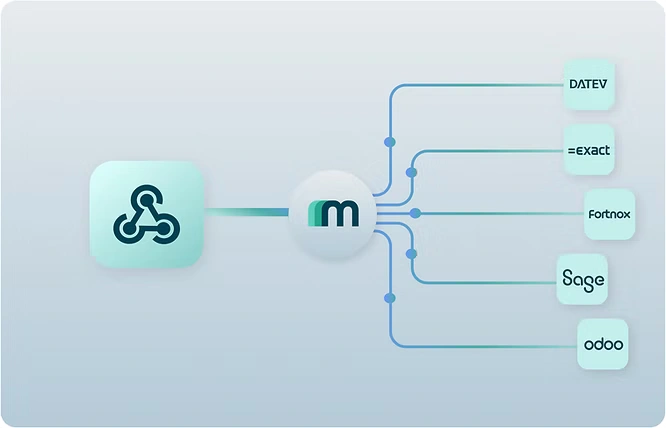
When integrating Maesn with Odoo, the integration flow starts with a structured authentication and configuration step. During onboarding, the end user specifies the Odoo version they are running, as this directly determines the available API technology and data model behavior. In addition, Maesn requires standard Odoo connection details such as the database name, company name, and a user-based API key or password, ensuring that all requests are executed in the correct tenant and permission context.Based on the detected Odoo version, Maesn automatically selects the appropriate communication layer—XML-RPC for older versions or JSON-based APIs for newer versions. All RPC-specific logic, method calls, and response formats are handled internally by Maesn. The result is exposed to the integrating application through Maesn’s unified, REST-style API, with all data mapped to a consistent common data model, shielding product teams from Odoo-specific complexity and version differences.
Ready to Start?
Check our Odoo API Docs!
How Odoo Modules Define the Objects Available via Maesn
The business objects that can be accessed through Maesn are directly tied to the apps and modules activated within the connected Odoo instance. Odoo only exposes models that belong to installed modules - for example, sales-related objects require the Sales app, while invoices and journal entries depend on the Accounting app being active.
Odoo Marketplace Apps only work for On-Premise and is done via Github Repository
To list an app on the Odoo Marketplace, it must be published as a public Git repository that follows Odoo’s official module structure and development guidelines. The repository is then linked to the Odoo Apps platform, where Odoo performs a technical and functional review to ensure code quality, security, and compatibility with the targeted Odoo versions. Once approved, the app becomes publicly visible in the marketplace and can be installed by customers directly from their Odoo instance. Importantly, marketplace listing is primarily a distribution and monetization mechanism - it is not technically required to build or run external integrations via Odoo’s APIs.
Explore all available integrations in our integrations overview.
About the author
Themo is CEO and Co-Founder of Maesn. With years in strategy consulting — spanning requirements engineering for complex software landscapes, ERP and accounting software selections, and end-to-end integration projects — he holds a Dr.-Ing. with a focus on ERP-to-SaaS transformation. He co-founded Maesn to make system integration effortless.

Co-Founder