.webp)
Key Takeaways
- Exact Online only allows app connections from users in the same instance that created the app, until the app is reviewed by Exact.
- Multi-currency setups must be activated manually per journal, and exchange rates must be entered manually or via a third-party app.
- Some endpoints are edition-restricted and not always documented — for example, Projects is only available in certain Exact product versions.
- Reconciliation (matching) of invoices and payments cannot be done through the API — only manually in the UI.
- Credit notes can be created through the API, but only in certain editions. In others, use negative amounts in PurchaseEntries (P.S: handled in the Backend if you use Maesn API).
- Payment status is not visible on the invoice object; you need to use one of three indirect methods (ReceivablesList, Cashflow, or PaymentTerms).
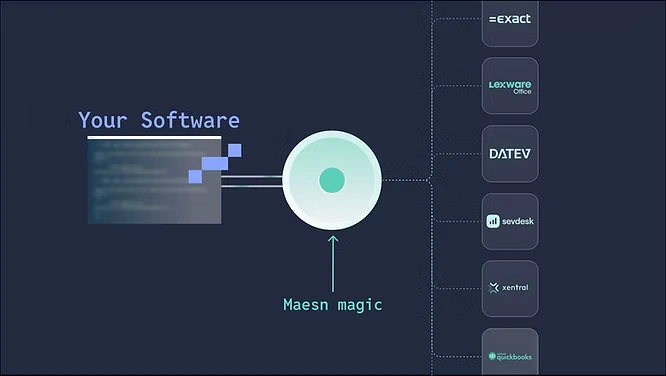
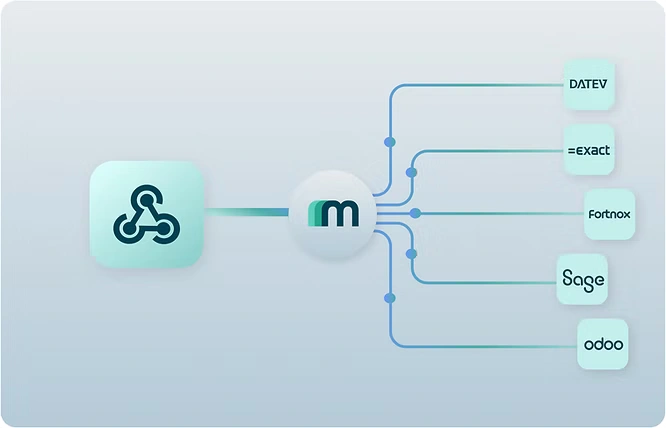
- Maesn Unified API simplifies all of these edge cases by abstracting payment logic, edition-specific endpoints, and connection management behind one unified API.
Why Exact Online integration is trickier than it looks
1. Exact Online App connections are restricted by instance
Before an Exact Online app is officially reviewed and approved by Exact, it can only connect with users from the same Exact instance that created it. This rule makes it impossible to connect pilot customers from other tenants until the app passes Exact’s internal review.
Even if you use Maesn as your integration layer, this restriction applies — but we make the process smoother by providing pre-filled forms and templates that help you pass Exact’s review efficiently. We ensure compliance with Exact’s requirements so your pilots and customers can start integrating as soon as possible.
2. Multi-currency: manual setup required per journal
Exact Online supports multiple currencies — but only after manual setup. Each journal must have currencies activated individually, and exchange rates must be added manually.
If your integration posts transactions in USD, GBP, or CHF, but the target journal only accepts EUR, Exact will reject or misinterpret the data. Additionally, to calculate transaction values in EUR, daily exchange rates must be entered manually. This is a frequent pitfall in integrations — many third-party systems automatically send transactions in the customer’s currency without verifying journal configuration.
We provide the Guidance for your customers and we validate journal currency configuration in advance and automatically translate or flag currency mismatches before writing any data to Exact.
3. Exact Online Edition-restricted API endpoints (and undocumented surprises)
Not every Exact Online endpoint is available to every edition. A clear example:
- PurchaseOrders can only be used with the following:
- Manufacturing (All versions)
- Professional Services (Plus, Professional & Premium)
- Wholesale & Distribution (All versions)
However, there are many other endpoints with hidden edition dependencies and Exact doesn’t document all of them. This creates real friction for integration teams: your call fails, the API returns a generic error, and you’re left guessing which module is missing.
Maesn provides the relevant docu in advance, detects and documents edition-specific endpoints, showing precise, human-readable feedback to both developers and end-users. This saves hours of debugging and provides transparent upgrade guidance if the user needs a higher edition.
4. Reconciliation is not available via Exact Online API
A common misconception is that reconciliation of invoices and payments can be automated through Exact’s XML or REST APIs. That’s (unfortunately) not true.
There is no API endpoint to programmatically match (reconcile) payments and invoices. The only way to automate reconciliation without doing it manually is to upload XML files with matching information through the Exact UI — not through an API call.
That means your integration can read payment data but cannot mark invoices as reconciliated.
5. Credit notes and purchase invoices
Credit notes can be created through the Exact Online API, but only if the customer’s subscription includes access to purchase invoices. These are available in:
- Manufacturing (All versions)
- Professional Services (All versions)
- Wholesale & Distribution (All versions)
For users on other editions, the workaround is to create negative purchase entries (PurchaseEntries with negative amounts).
It’s also important to note that purchase invoices cannot be offset with credit notes via the API — this can only be done manually in the Exact UI.
Maesn detects edition constraints and automatically executes the correct operation (e.g. using negative entries) so your integration logic stays consistent and error-free.
6. How to get the Payment status in Exact Online
Unlike most ERPs, Exact Online does not expose the payment status directly on the Invoice object - even though you can see it in the UI. Instead, there are three ways to determine whether an invoice is paid, partially paid, or unpaid:
Option 1: Outstanding Accounts Receivable or Accounts Payable List
Use:
- financial/ReceivablesList (Accounts Receivable)
- financial/PayablesList (Accounts Payable)
If the invoice does not appear in the result, it has been fully reconciled.
Option 2: Bulk Cashflow Endpoints
Use:
- bulk/Cashflow/Receivables
- bulk/Cashflow/Payments
These endpoints return payment records, including:
- AmountDC/AmountFC: Remaining outstanding amount
- EndDate: When the invoice stopped being outstanding
- IsFullyPaid: Boolean for full payment
- Status: Open, selected, processed, reconciled
When an invoice has split payments, you’ll see multiple records for the same document. The AmountDC/AmountFC field then represents the remaining balance.
Option 3: Sync Payment Terms
Use:
- sync/Cashflow/PaymentTerms
This sync endpoint lets you fetch only recent or updated payment information, reducing API calls and improving performance.
Maesn simplifies this entire process: our unified API provides a single, standardized field for payment status - we keep care of how the data is retrieved.
7. Why all of this matters (and how Maesn solves it)
Integrating with Exact Online means handling:
- Manual configuration dependencies
- Instance restrictions
- Edition-specific endpoints
- Country-specific differences
- Missing documentation
- Non-API-based reconciliation
- Currency and exchange-rate mismatches
These issues can easily break production integrations or cause silent data mismatches.
We are serious with Exact Online.

Maesn abstracts all of that complexity through a unified data model and pre-built Exact Online connector:
- We handle instance-based app review and onboarding for you.
- We validate journal configuration and currency setup before data sync.
- We return transparent edition and permission errors.
- We unify payment status and reconciliation logic across all ERPs.
This lets your team focus on building features — not on debugging vendor quirks.
Explore all available integrations in our integrations overview.
About the author
Lennart is CTO and Co-Founder of Maesn. With 18 years in the software industry, spanning smartphone OS development, IAM platforms and enterprise architecture, he holds an M.Sc. in Computer Science from Uppsala University. He founded Maesn to make system integration effortless.

CTO
.webp)